Quantity Limit: MOQ & Min/Max logo

Quantity Limit: MOQ & Min/Max Shopify App: Reviews, Pricing & Storefront Detection Notes

Inventory optimization

Updated May 31, 2026

4.3 (10 reviews)

By Panther Studio

Shoplist has not found reliable public storefront evidence for Quantity Limit: MOQ & Min/Max. Track reviews, pricing, listing changes, and developer context and

Shoplist public signals

What is visible for Quantity Limit: MOQ & Min/Max right now

Signal date May 31, 2026

Monitoring status

Storefront detection limited

Tracking non-storefront public signals

As of May 31, 2026

Reviews

10 public reviews

4.3 average rating

As of Jan 29, 2026

Momentum

1 No signal

Normalized install trend held steady over the last 28 days

As of Jun 26, 2026

Latest review

January 29, 2026

As of Jan 29, 2026

No signal0% confidence

1 momentum score

Normalized install trend held steady over the latest 28-day window.

Updated Jun 26, 2026

0 installs

Momentum inputs

28d installs

0

Prev. 28d

0

New 28d

0

30d reviews

0

Installs
0
Growth
50
Adoption
0
Reviews
0
Fit
77

Quick answer

Shoplist has not found reliable public storefront evidence for Quantity Limit: MOQ & Min/Max. This may happen when an app is admin-only, server-side, or not visibly embedded on storefronts. Shoplist still tracks reviews, pricing, listing changes, developer data, related apps.

Reviews and velocity

Public review signals

Rating

4.3

Reviews

10

Latest

Jan 29, 2026

Pricing

Pricing and plan posture

Free plan available

Activity and changes

Recent signals for Quantity Limit: MOQ & Min/Max

Recent detections and listing changes are public signals captured by crawl history.

App Store listing

Listing changes

3 updates

Detected Jun 10, 2026

Developer name changed +1 more

Developer

Developer name changed

SyncResource App SuitePanther Studio

Developer name changed

SyncResource App SuitePanther Studio

Detected May 31, 2026

Listing title changed +3 more

Positioning

Listing title changed

Set min, max & multiplier quantity rules per product, customer or cart - enforced at checkout.Min, max, MOQ & multiplier rules — enforced at checkout. Free for 3 products. B2B-ready.

Description rewritten

Lose revenue to bulk-buyers or one-customer-cleared-the-stock days? Free for 3 products — no plan required. Quantity Limit sets min, max, multiplier MOQ & lifetime multiplier rules per product, variant, collection, customer tag, or whole cart - and enforces them cart. Rules are enforced at the product page, drawer cart AND checkout via Shopify Functions, so rules can't be bypassed (even by Functions — even Buy It Now). Now can't bypass them. Built for wholesale MOQ, B2B vs retail, case-pack & pallet selling, free-shipping floors, and limited drops. drops, and per-customer lifetime limits. 13 languages, live preview, 5-min setup, no theme code, 5-minute setup.code.

Pricing plan removed

Free — Free

+1 more change in this update

Detected May 18, 2026

App name changed +10 more

Positioning

App name changed

Limit: Purchase Order QuantityQuantity Limit: MOQ & Min/Max

Free trial

NoYes

Listing title changed

Prevent overselling with real-time quantity limits — per product, variant, collection, or cartSet min, max & multiplier quantity rules per product, customer or cart - enforced at checkout.

+8 more changes in this update

App-store listing

About Quantity Limit: MOQ & Min/Max

Min, max, MOQ & multiplier rules — enforced at checkout. Free for 3 products. B2B-ready.

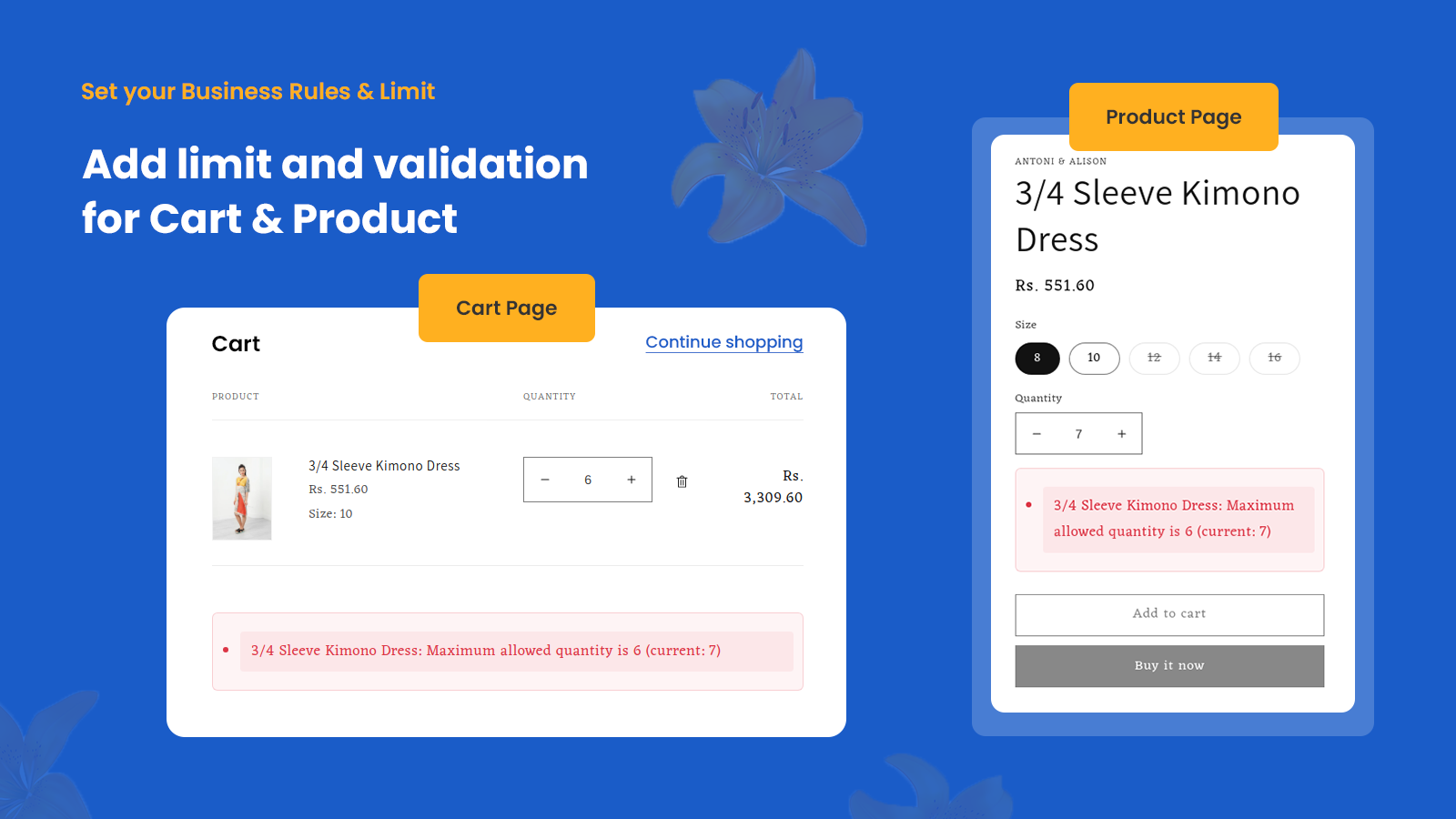
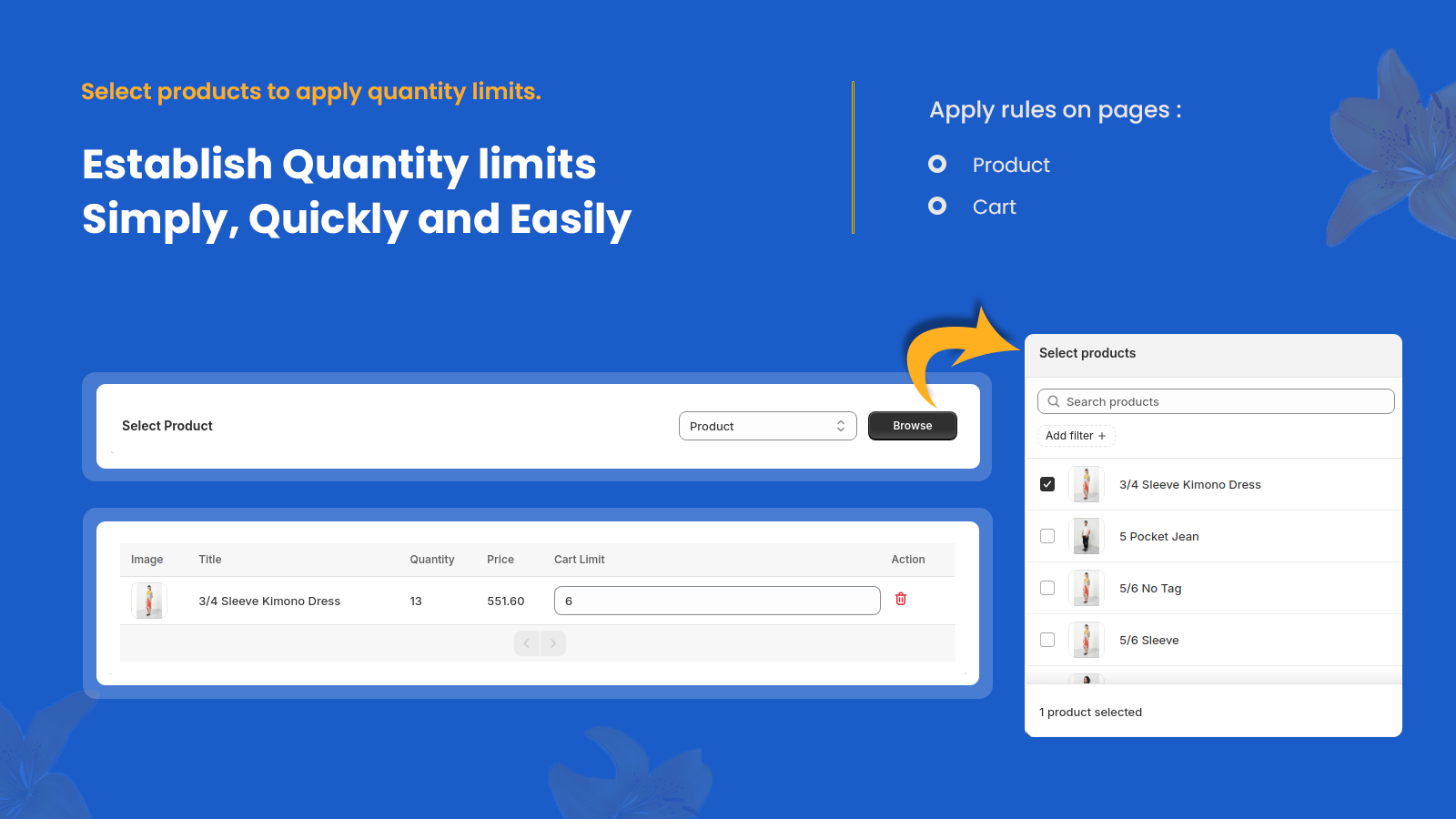
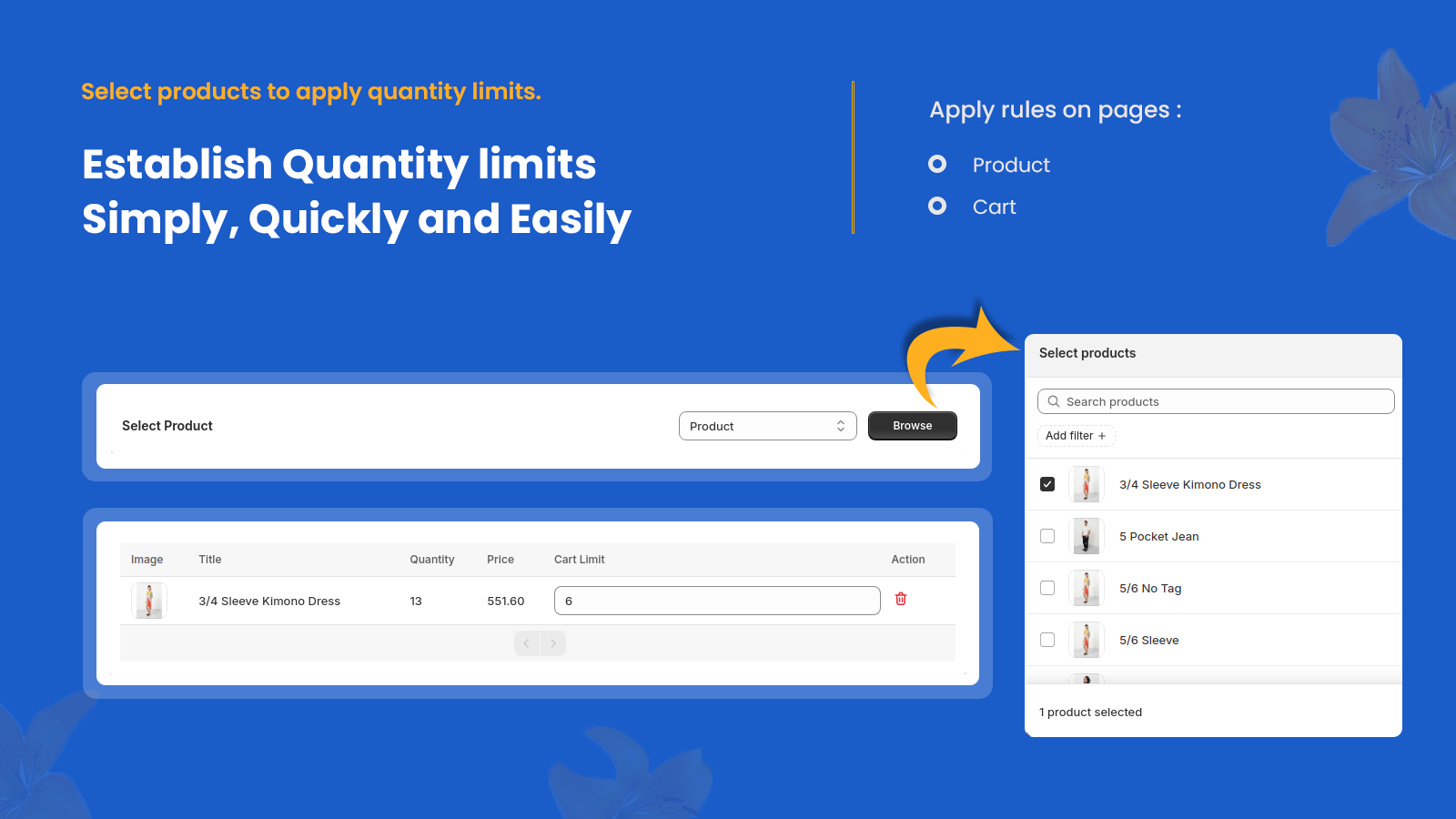
Free for 3 products — no plan required. Quantity Limit sets min, max, MOQ & multiplier rules per product, variant, collection, customer tag, or whole cart. Rules are enforced at the product page, drawer cart AND checkout via Shopify Functions — even Buy It Now can't bypass them. Built for wholesale MOQ, B2B vs retail, case-pack & pallet selling, free-shipping floors, limited drops, and per-customer lifetime limits. 13 languages, live preview, 5-min setup, no theme code.

Listing highlights

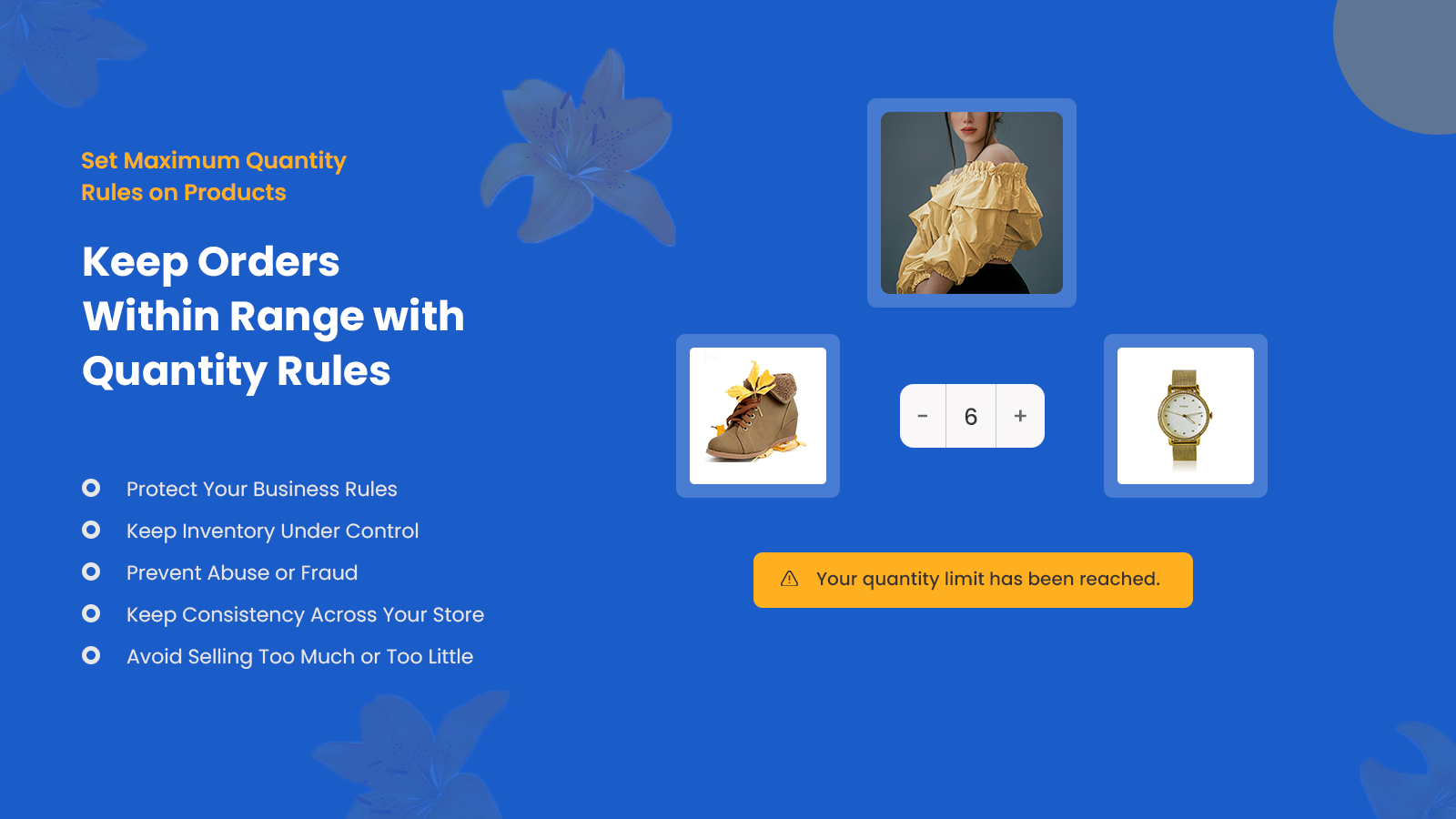
  • Set per-product or global max quantity limits per order
  • Real-time cart and storefront validation to block over-quantity orders
  • Customise error messages and schedule time-based purchase restrictions

Features

Order management

Purchase orders

Inventory management

Inventory planning
Inventory sync
Real-time updates

Notifications and analytics

Threshold alerts
Error
Admin
Inventory limit error
intro

Methodology

How to read these signals

Counts are based on Shoplist's latest available public crawl signal dated May 31, 2026.

Shoplist has not yet found reliable public storefront evidence connecting a Shopify store to this app. This does not mean the app has no users. Some apps are new, admin-only, server-side, theme-independent, or otherwise difficult to detect from public storefront signals.

Merchant rows are filtered to public brand profiles with enough public data to link safely. Full workflow, filtering, and monitoring stay behind signup.

Review, pricing, feature, screenshot, and listing-change data come from public Shopify App Store and Shoplist crawl records. Signals can change between crawls.

FAQ

Questions about Quantity Limit: MOQ & Min/Max

Why might Shoplist not show detected stores for Quantity Limit: MOQ & Min/Max?

Some Shopify apps are admin-only, server-side, theme-independent, or otherwise difficult to detect from public storefront signals.

Does no public detection mean Quantity Limit: MOQ & Min/Max has no users?

No. It only means Shoplist has not found reliable public storefront evidence for Quantity Limit: MOQ & Min/Max. reviews, pricing, listing changes, and developer data can still be useful signals.

Can I monitor future public detections?

Yes. Shoplist can monitor Quantity Limit: MOQ & Min/Max for future public storefront detections and listing movement.

Keep watching Quantity Limit: MOQ & Min/Max

Turn this public profile into a monitored app workflow for first detections, reviews, pricing, related apps, and listing-change history.

Monitor Quantity Limit: MOQ & Min/Max listing and first detections