

Kanbanify: Production Tracking vs Shopfloor: Staff Task Board
Two Shopify apps, side by side: detected stores, momentum, reviews, plans, listed features and who runs each. Store counts as of Nov 8, 2026 for Kanbanify, Oct 13, 2026 for Shopfloor.
The short answer
- Only Shopfloor lists a free plan. Paid plans start at $7/month for Kanbanify and $29/month for Shopfloor.
Head to head


Momentum
New reviews each month
Review pace is the clearest public read on how fast an app is winning new merchants.
Basic
- · Automation via Flow integration
- · Mobile and tablet friendly
- · Two visual boards for orders and drafts
- · Unlimited stages, orders and users
Pro
- · Everything in Basic
- · Unlimited production line-items boards
Free
Team
Store
Coverage counts what each App Store listing names. Every feature, checked off app by app, is in Shoplist.
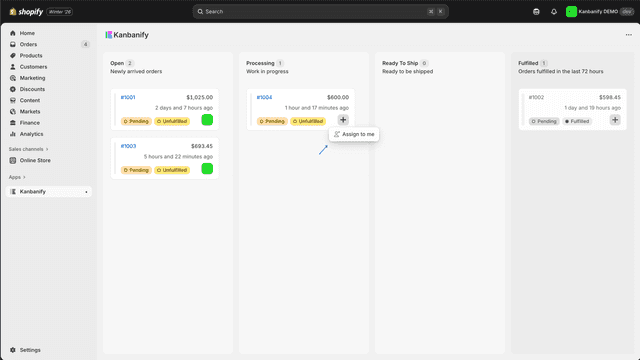
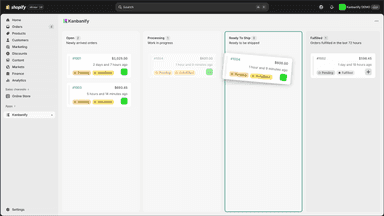
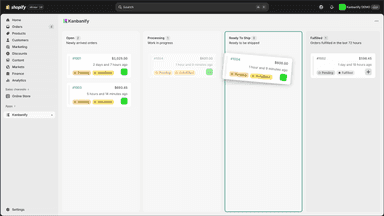
See every featureUnfulfilled or fulfilled isn't enough when orders go through cutting, embroidery, QA and packing first. Kanbanify adds kanban boards to your admin so the whole team sees every order's stage. Cards show product photos, due date, assignee, tags and notes. Due dates fill in automatically and overdue work stands out. Pro routes each line item to its own production board by product type.
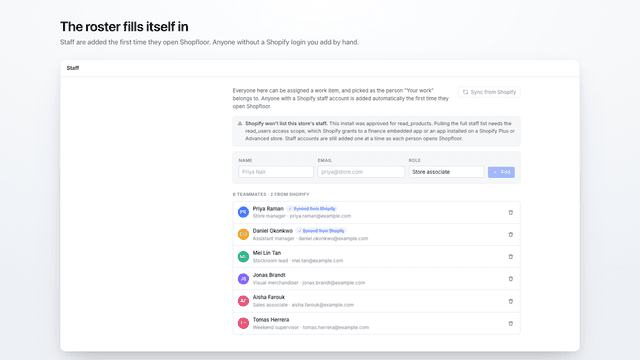
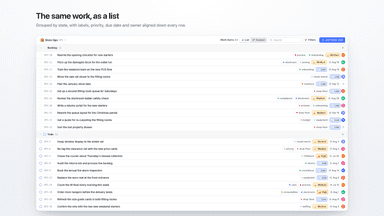
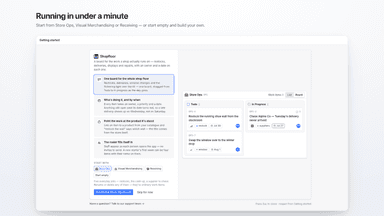
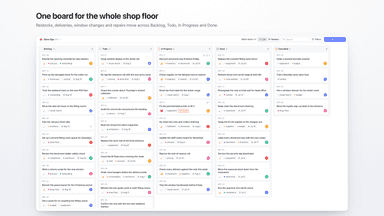
Shopfloor puts a task board in your Shopify admin, so the work that keeps a shop running has somewhere to live. Work groups into projects like Store Ops or Merch. A work item carries an owner, priority, labels and a due date, and moves across Backlog, Todo, In Progress and Done on a kanban board or a grouped list. An item can point at a product in your catalogue. Staff comment on the item instead of a group chat.
- Visual kanban board in the store admin, see every in-progress order at glance
- Define stages that match your real production workflow
- Designed for teams, set an owner for each order so it’s clear who is responsible
- Tablet and phone friendly, you can access it wherever you are
- Kanban board and list view across Backlog, Todo, In Progress, Done, Cancelled
- Assign an owner and set priority, labels and a due date on any work item
- Comment on a work item so the discussion sits with the job, not in chat
- Link a work item to a product in your catalogue
All the numbers
Every figure, side by side
A green dot marks the app ahead on a measured figure. Estimates, gaps and apps that leave no storefront trace never take the lead.
Adoption
| Measure |  Kanbanify |  Shopfloor |
|---|---|---|
| Detected stores | Not published | Not published |
| Net store change, 28 days | 0 | 0 |
| Stores added, 28 days | Not enough data | Not enough data |
| Big-brand share | Not enough data | Not enough data |
| Top store categories | Not published | Not published |
| Top store countries | Not published | Not published |
Reviews
| Measure | Kanbanify | Shopfloor |
|---|---|---|
| App Store rating | 5.0 ★ | Not published |
| App Store reviews | 5 | Not published |
| New reviews, 28 days | Not enough data | Not enough data |
| Reviewers a year or more in | Not enough data | Not enough data |
FAQ
Kanbanify and Shopfloor: common questions
- Is Kanbanify or Shopfloor cheaper?
- Only Shopfloor lists a free plan. Paid plans start at $7/month for Kanbanify and $29/month for Shopfloor. Shoplist compares base prices only between monthly plans in the same currency; usage charges and annual plans vary, so check each plan’s limits.
- Where does this comparison’s data come from?
- Shoplist crawls Shopify storefronts to detect which apps each store runs, and reads each app’s Shopify App Store listing for reviews, pricing, features and integrations. Store counts are as of Nov 8, 2026 for Kanbanify, Oct 13, 2026 for Shopfloor; estimated figures are labeled.
How Shoplist compares apps
Store counts come from Shoplist’s crawl of Shopify storefronts, which detects the apps each store runs; they are as of Nov 8, 2026 for Kanbanify, Oct 13, 2026 for Shopfloor. Reviews, ratings, plans, features and integrations come from each app’s Shopify App Store listing. 28-day figures are labeled when estimated, and a figure that is missing or estimated never decides who leads. Read the methodology.