Kanbanify ‑ Order Stages logo

Kanbanify ‑ Order Stages Shopify App: Pricing, Features & First-Adopter Watch

Operations - Other & Orders - Other

Updated April 30, 2026

5 (2 reviews)

By Empirico

Launched January 16, 2026. Shoplist is monitoring first merchant evidence, reviews, pricing, feature details, and listing changes for this Shopify app.

Shoplist public signals

What is visible for Kanbanify ‑ Order Stages right now

Signal date April 30, 2026

Monitoring status

First-adopter watch

Monitoring first merchant evidence

As of Apr 30, 2026

Reviews

2 public reviews

5.0 average rating

As of Apr 29, 2026

Momentum

1 No signal

Install trend held steady over the last 28 days

As of Jun 12, 2026

Latest review

April 29, 2026

As of Apr 29, 2026

No signal5% confidence

1 momentum score

Install trend held steady over the latest 28-day window.

Updated Jun 12, 2026

0 installs

Momentum inputs

28d installs

0

Prev. 28d

0

New 28d

0

30d reviews

0

Installs
0
Growth
50
Adoption
0
Reviews
0
Fit
53

Quick answer

Kanbanify ‑ Order Stages launched on January 16, 2026. Shoplist is monitoring first public merchant evidence, reviews, pricing changes, and listing changes.

Reviews and velocity

Public review signals

Rating

5.0

Reviews

2

Latest

Apr 29, 2026

Pricing

Pricing and plan posture

Basic

$3.5
  • Mobile and tablet friendly
  • One Kanban board for order workflows
  • Unlimited custom stages
  • Unlimited orders

Activity and changes

Recent signals for Kanbanify ‑ Order Stages

Recent detections and listing changes are public signals captured by crawl history.

App Store listing

Listing changes

3 updates

Detected Feb 28, 2026

Integrations updated +1 more

Integrations

Integrations updated

Shopify Flow

Callouts updated

Visual kanban board embedded in Shopify, unlimited custom stages and ordersAutomatic tagging of orders for better visibility on the Order List as wellShopify Flow integration via a convenient "Stage changed" triggerOrder List integration via a bulk action "Update Kanbanify stage"Visual kanban board embedded in Shopify, see every in-progress order at glanceUnlimited custom stages that match your real production processDrag and drop orders between stages with automatic tagging for better visibilityTablet and phone friendly, you can access it wherever you are

Detected Feb 26, 2026

App name changed +3 more

Positioning

App name changed

KanbanifyKanbanify ‑ Order Stages

Listing title changed

See every order's status at a glance, from new to ready-to-shipMove orders through custom production stages on a visual kanban board. Know where every order stands

Description rewritten

Shopify's "unfulfilled/fulfilled" isn't enough when you're running real production workflows. orders go through multiple stages before they ship. Kanbanify adds a visual kanban board right inside your admin, admin so you and your team always know knows where every order stands. Create custom stages that match how you actually work: your real workflow — picking, production, alteration, QA, ready-to-ship, whatever fits. ready-to-ship. Drag and drop orders between columns to update their status instantly. columns. Assign team members so it's clear who's responsible. Works on desktop, tablet, and phone. No more spreadsheets, no more guessing, no more spreadsheets or asking "where's that order?"

+1 more change in this update

Detected Feb 19, 2026

Developer name changed +4 more

Developer

Developer name changed

Empirico

Media gallery updated

4 added — “See your production workflow at a glance”

Merchant sentiment summary updated

Removed

+2 more changes in this update

App-store listing

About Kanbanify ‑ Order Stages

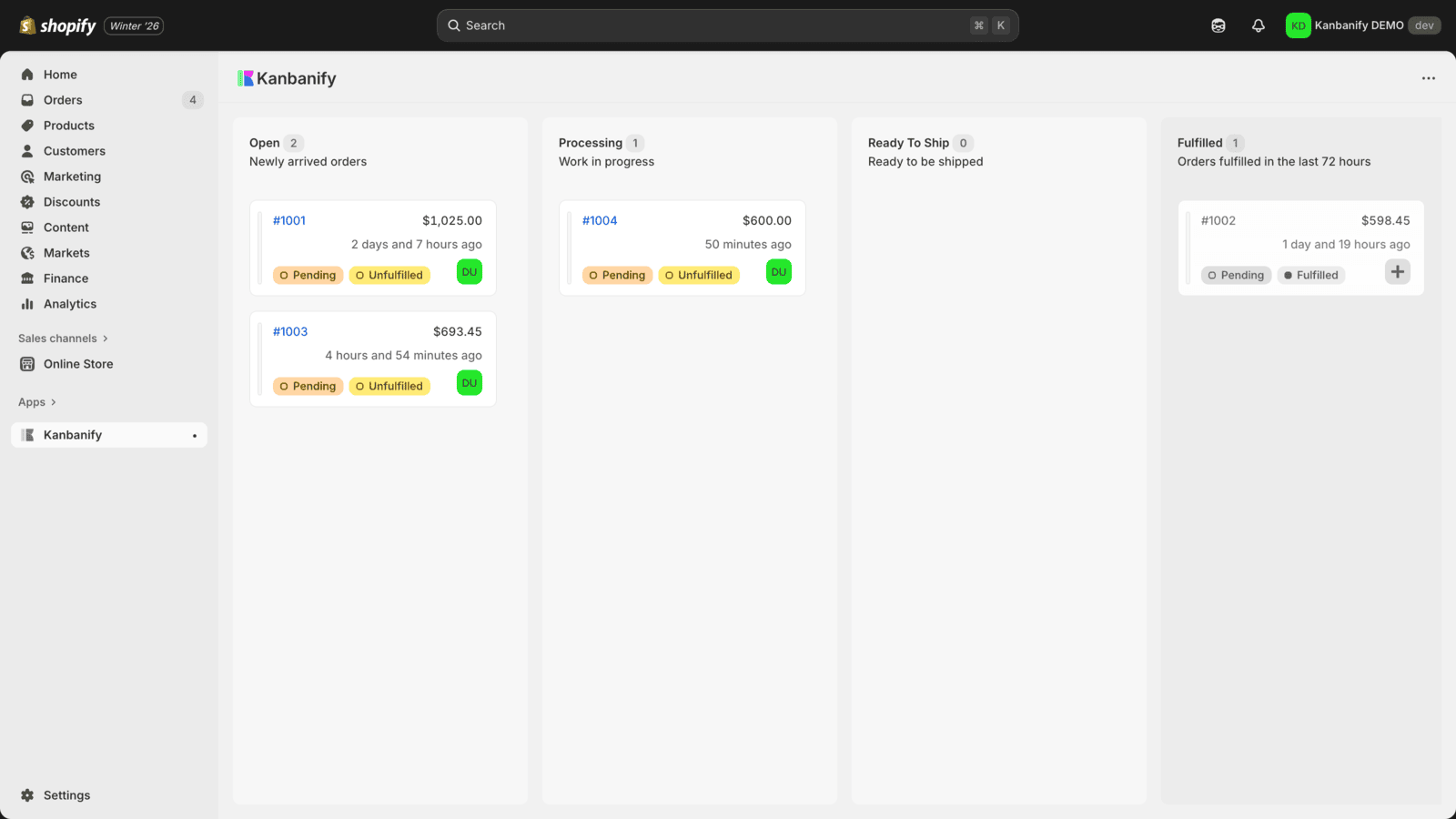
Move orders through custom production stages on a visual kanban board. Know where every order stands

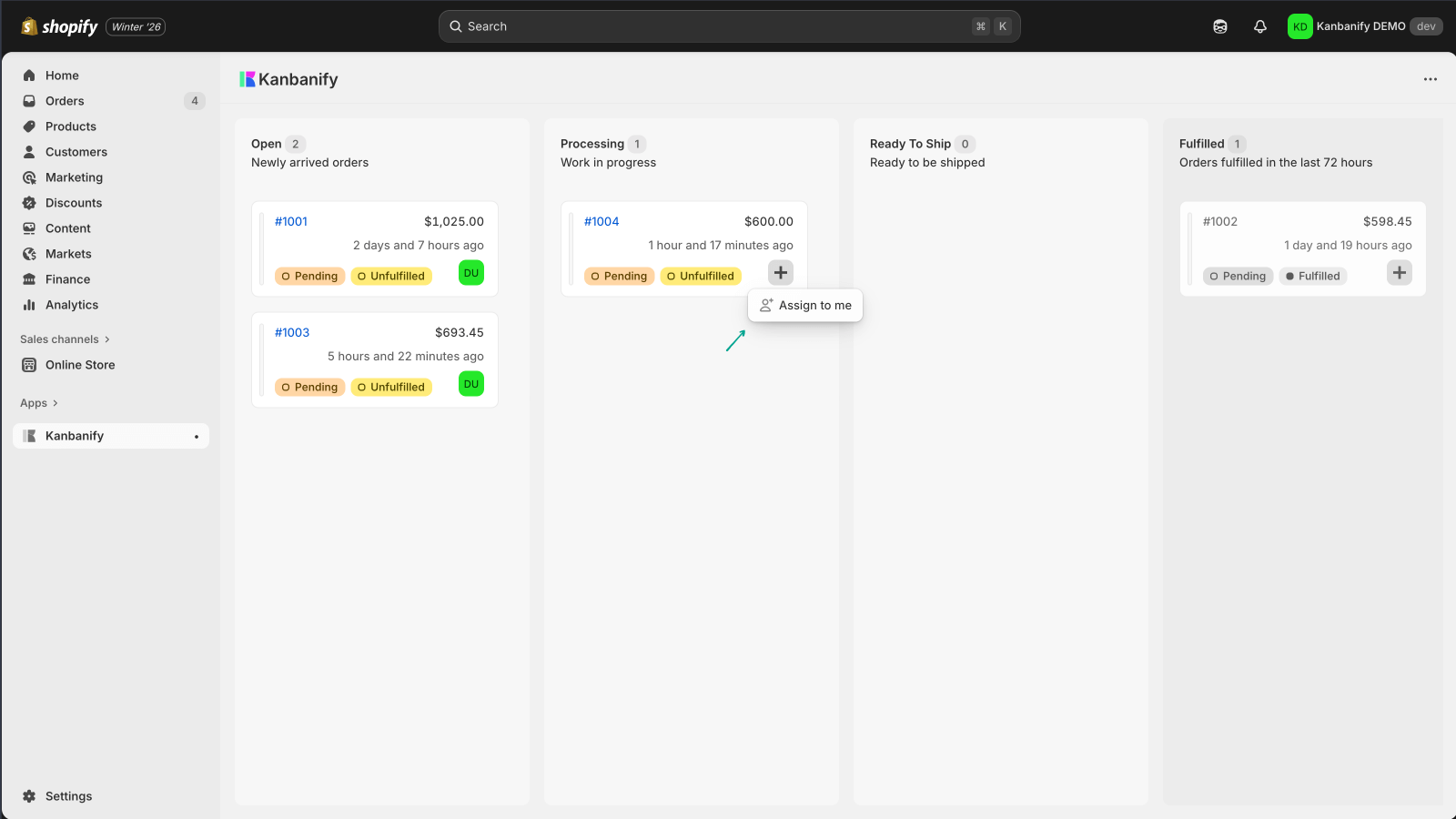
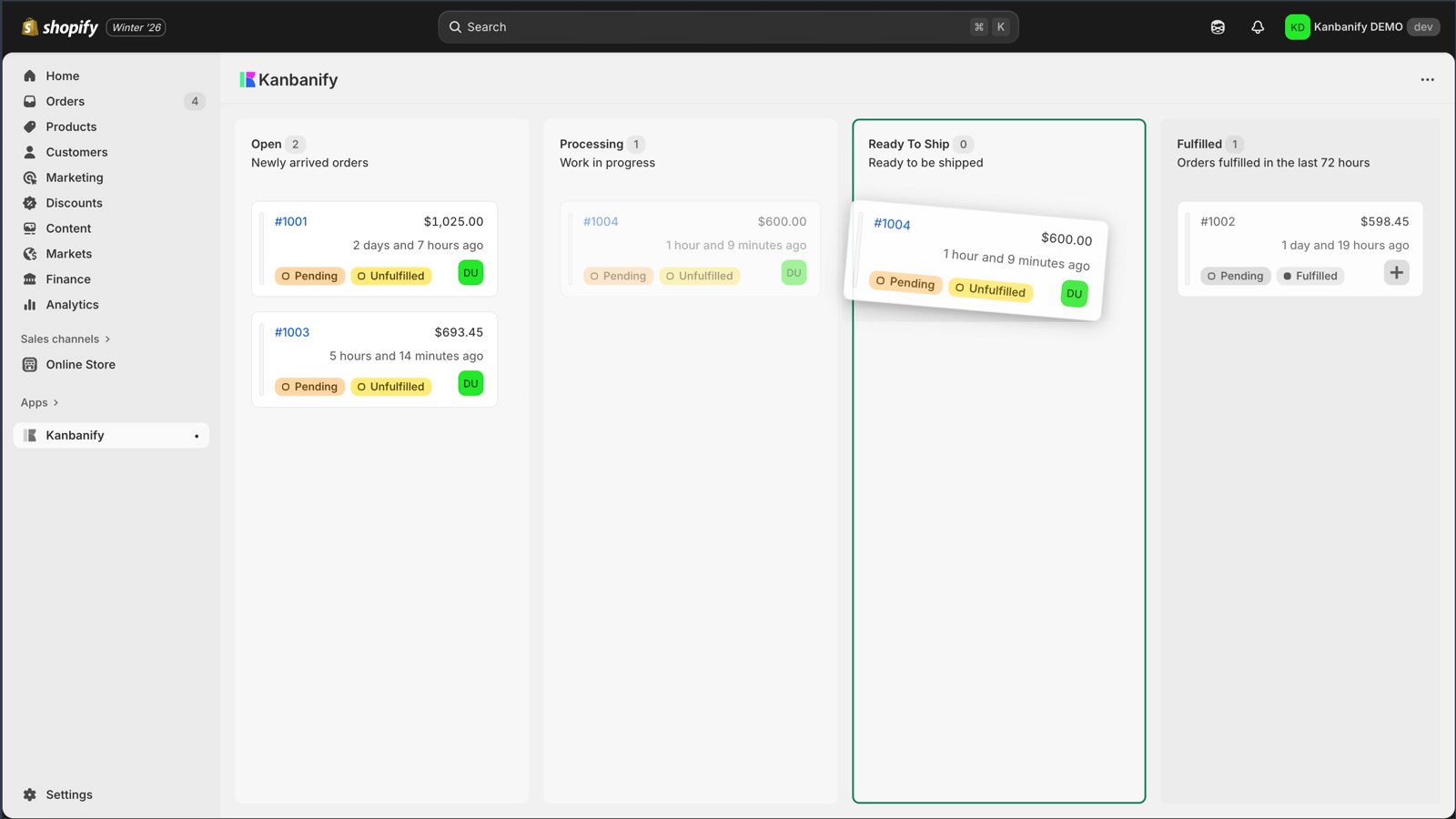
Shopify's "unfulfilled/fulfilled" isn't enough when orders go through multiple stages before they ship. Kanbanify adds a visual kanban board inside your admin so your team always knows where every order stands. Create custom stages that match your real workflow — picking, production, alteration, QA, ready-to-ship. Drag and drop orders between columns. Assign team members so it's clear who's responsible. Works on desktop, tablet, and phone. No more spreadsheets or asking "where's that order?"

Listing highlights

  • Visual kanban board in the store admin, see every in-progress order at glance
  • Define stages that match your real production workflow
  • Designed for teams, set an owner for each order so it’s clear who is responsible
  • Tablet and phone friendly, you can access it wherever you are
Assign owners to each card
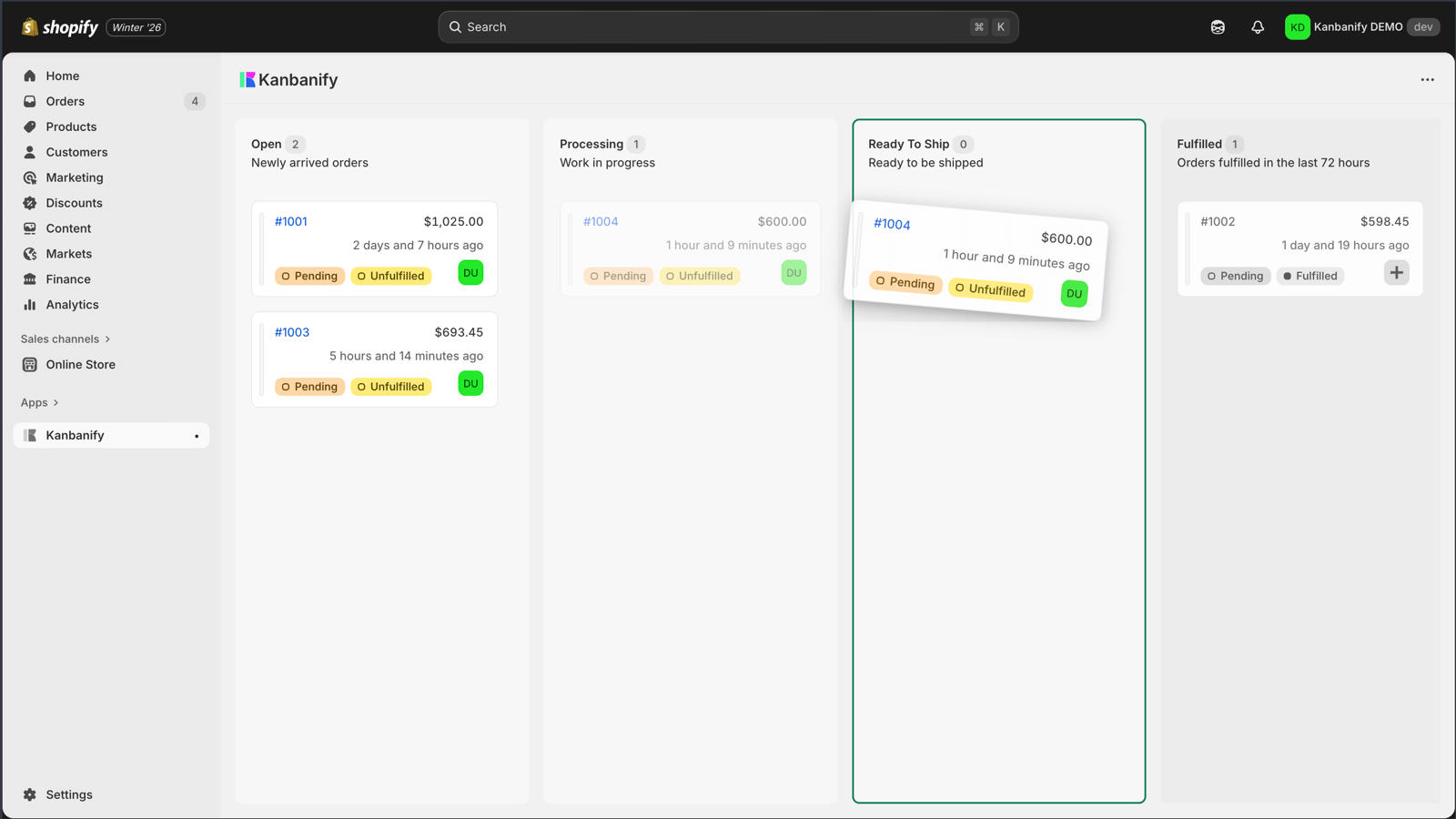
Drag and drop order between stages
Drag and drop orders between stages
Visualize orders on your Kanban board

Methodology

How to read these signals

Counts are based on Shoplist's latest available public crawl signal dated April 30, 2026.

Shoplist has not yet found reliable public storefront evidence connecting a Shopify store to this app. This does not mean the app has no users. Some apps are new, admin-only, server-side, theme-independent, or otherwise difficult to detect from public storefront signals.

Merchant rows are filtered to public brand profiles with enough public data to link safely. Full workflow, filtering, and monitoring stay behind signup.

Review, pricing, feature, screenshot, and listing-change data come from public Shopify App Store and Shoplist crawl records. Signals can change between crawls.

FAQ

Questions about Kanbanify ‑ Order Stages

Has Shoplist detected stores using Kanbanify ‑ Order Stages yet?

Shoplist has not yet found reliable public storefront evidence for Kanbanify ‑ Order Stages. The page tracks first merchant evidence as it appears.

What does first-adopter watch mean?

It means Shoplist is monitoring launch context, first storefront-detectable merchant evidence, reviews, pricing, and listing changes.

Can I get alerts when stores start using Kanbanify ‑ Order Stages?

Yes. Create a watchlist to get alerted when Shoplist finds public merchant evidence for Kanbanify ‑ Order Stages.

Keep watching Kanbanify ‑ Order Stages

Turn this public profile into a monitored app workflow for first detections, reviews, pricing, related apps, and listing-change history.

Get alerted when stores start using Kanbanify ‑ Order Stages