

MX: Helpdesk & Live Chat vs Ticketify – Support Tickets
Two Shopify apps, side by side: detected stores, momentum, reviews, plans, listed features and who runs each. Store counts as of Oct 27, 2026 for MX, Oct 16, 2026 for Ticketify.
The short answer
- Only Ticketify lists a free plan.
- Ticketify lists 4 features MX’s listing doesn’t mention, including FAQs, Help center, Response templates.
Head to head


Momentum
New reviews each month
Review pace is the clearest public read on how fast an app is winning new merchants.
Free
- · 1 support area
- · 5 support tickets per month
- · Customer support portal
- · No email notifications
- · Storefront ticket form
- · Ticket management dashboard
Entry
- · 1 support area
- · 25 tickets per month
- · Basic ticket inbox
- · Customer email notifications
- · Storefront ticket form
- · Ticket status management
Starter
- · 250 tickets per month
- · 3 support areas
- · Editable customer auto-reply
- · Everything in Entry
- · Remove Ticketify branding
- · Staff notification recipients
Pro
- · 1,000 tickets per month
- · Advanced ticket filters
- · Email templates
- · Everything in Starter
- · Internal notes
- · Saved replies
Business
- · Custom branding
- · Customer and order lookup
- · Everything in Pro
- · Reporting and export
- · SLA and urgent routing
- · Ticket assignment
Coverage counts what each App Store listing names. Every feature, checked off app by app, is in Shoplist.
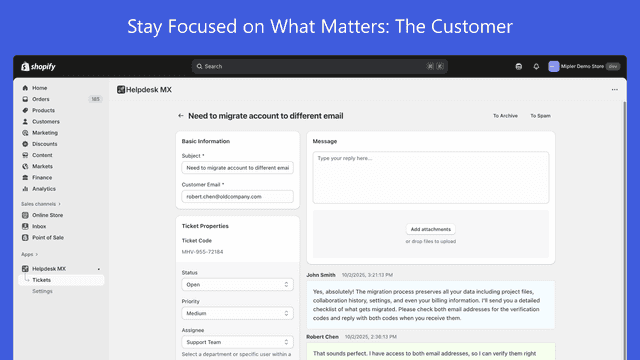
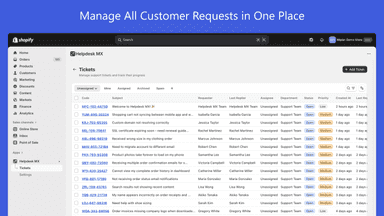
See every featureCentralize all customer support in one inbox. Manage emails, live chat and Facebook, messages together, and turn them into trackable helpdesk tickets. Capture Shopify order info upfront and view order number, date, and total directly in tickets. Save time with AI-powered reply suggestions and ready-made templates. Stay organized with dashboards.
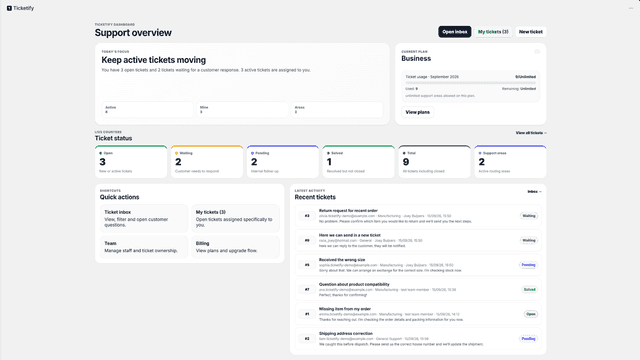
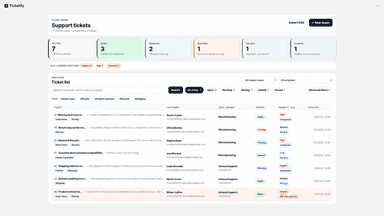
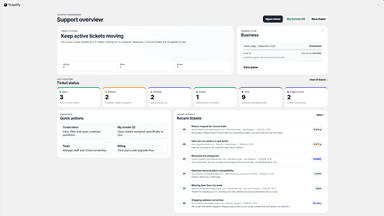
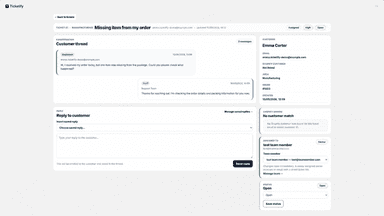
Customers send a request through a form on your storefront. It arrives in Ticketify as a ticket, linked to their customer profile and orders, so you can see what they bought without switching tabs. Sort tickets by support area, tag, priority and status, assign them to a teammate, and leave internal notes the customer never sees.
- See every inquiry in one unified inbox so nothing gets missed.
- Keep work organized by creating custom ticket statuses and workflow rules.
- View past messages on each ticket to resolve issues in a single reply.
- Manage customer support tickets and conversations from one workspace
- Organize requests with support areas, tags, priorities, and ticket statuses
- Assign tickets to team members and keep internal notes with each request
- Use saved replies to respond to common customer questions faster


All the numbers
Every figure, side by side
A green dot marks the app ahead on a measured figure. Estimates, gaps and apps that leave no storefront trace never take the lead.
Adoption
| Measure |  MX |  Ticketify |
|---|---|---|
| Detected stores | Not published | Not published |
| Net store change, 28 days | 0 | 0 |
| Stores added, 28 days | Not enough data | Not enough data |
| Big-brand share | Not enough data | Not enough data |
| Top store categories | Not published | Not published |
| Top store countries | Not published | Not published |
Reviews
| Measure | MX | Ticketify |
|---|---|---|
| App Store rating | 4.5 ★ | Not published |
| App Store reviews | 11 | Not published |
| New reviews, 28 days | Not enough data | Not enough data |
| Reviewers a year or more in | Not enough data | Not enough data |
FAQ
MX and Ticketify: common questions
- Is MX or Ticketify cheaper?
- Only Ticketify lists a free plan. Shoplist compares base prices only between monthly plans in the same currency; usage charges and annual plans vary, so check each plan’s limits.
- What features does each app list that the other doesn’t?
- MX lists 3 the others don’t mention, such as Auto-assign, Escalation, Rule-based triggers. Ticketify lists 4 the others don’t mention, such as FAQs, Help center, Response templates, Tagging. A feature missing from a listing may still be supported; this compares what each App Store listing says.
- Where does this comparison’s data come from?
- Shoplist crawls Shopify storefronts to detect which apps each store runs, and reads each app’s Shopify App Store listing for reviews, pricing, features and integrations. Store counts are as of Oct 27, 2026 for MX, Oct 16, 2026 for Ticketify; estimated figures are labeled.
How Shoplist compares apps
Store counts come from Shoplist’s crawl of Shopify storefronts, which detects the apps each store runs; they are as of Oct 27, 2026 for MX, Oct 16, 2026 for Ticketify. Reviews, ratings, plans, features and integrations come from each app’s Shopify App Store listing. 28-day figures are labeled when estimated, and a figure that is missing or estimated never decides who leads. Read the methodology.