

FurniView vs Panonamic
Two Shopify apps, side by side: detected stores, momentum, reviews, plans, listed features and who runs each. Store counts as of Oct 13, 2026 for FurniView, Nov 2, 2026 for Panonamic.
The short answer
- Only FurniView lists a free plan.
- FurniView lists 6 features Panonamic’s listing doesn’t mention, including Custom branding, File upload, Images.
Head to head


Free Demo
- · 10 free generations to try FurniView
- · Basic button customization
- · Everything in Regular, free for 7 days
- · See it in your space on your products
Regular
- · Automatic product sync
- · Core analytics dashboard
- · See it in your space on your products
- · Standard support
- · Theme and button customization
Pro
- · Advanced analytics dashboard
- · Custom watermark and branding
- · Everything in Regular
- · Full appearance control
- · Priority generation capacity (3x)
- · Priority support
Credit packs
Coverage counts what each App Store listing names. Every feature, checked off app by app, is in Shoplist.
See every featureFurniView adds a "See it in your space" button to product pages. Shoppers upload a photo of their room and our AI places the merchant's furniture or decor into it, so they can see the product in their real space and judge scale, fit, and style before buying.
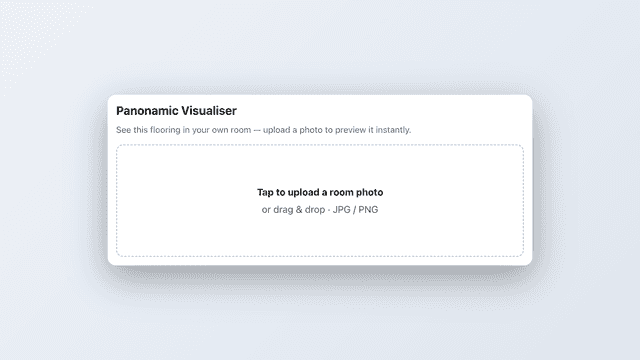
Panonamic adds a "Visualize in your room" button to your product pages. Shoppers upload a photo of their own room and instantly see how your product looks in their space. Ideal for flooring, rugs, tiles, and other décor.
- Shoppers preview your products in their own room from the product page
- Analytics dashboard: generations, top products, and attributed orders
- Customize the button and in-store preview to match your theme, no code required
- Set daily usage limits for guest and signed-in shoppers
- One-tap "Visualize in your room" on any product page, AI powered.
- Turn it on per product and per variant, you decide exactly where it shows.
- Privacy-first, no shopper photos are stored.




All the numbers
Every figure, side by side
A green dot marks the app ahead on a measured figure. Estimates, gaps and apps that leave no storefront trace never take the lead.
Adoption
| Measure |  FurniView |  Panonamic |
|---|---|---|
| Detected stores | Not published | Not published |
| Net store change, 28 days | 0 | 0 |
| Stores added, 28 days | Not enough data | Not enough data |
| Big-brand share | Not enough data | Not enough data |
| Top store categories | Not published | Not published |
| Top store countries | Not published | Not published |
Reviews
| Measure | FurniView | Panonamic |
|---|---|---|
| App Store rating | Not published | Not published |
| App Store reviews | Not published | Not published |
| New reviews, 28 days | Not enough data | Not enough data |
| Reviewers a year or more in | Not enough data | Not enough data |
FAQ
FurniView and Panonamic: common questions
- Is FurniView or Panonamic cheaper?
- Only FurniView lists a free plan. Shoplist compares base prices only between monthly plans in the same currency; usage charges and annual plans vary, so check each plan’s limits.
- What features does each app list that the other doesn’t?
- FurniView lists 6 the others don’t mention, such as Custom branding, File upload, Images, Mobile responsive. Panonamic lists 2 the others don’t mention, such as Product configurator, Variants. A feature missing from a listing may still be supported; this compares what each App Store listing says.
- Where does this comparison’s data come from?
- Shoplist crawls Shopify storefronts to detect which apps each store runs, and reads each app’s Shopify App Store listing for reviews, pricing, features and integrations. Store counts are as of Oct 13, 2026 for FurniView, Nov 2, 2026 for Panonamic; estimated figures are labeled.
How Shoplist compares apps
Store counts come from Shoplist’s crawl of Shopify storefronts, which detects the apps each store runs; they are as of Oct 13, 2026 for FurniView, Nov 2, 2026 for Panonamic. Reviews, ratings, plans, features and integrations come from each app’s Shopify App Store listing. 28-day figures are labeled when estimated, and a figure that is missing or estimated never decides who leads. Read the methodology.