
3D/AR/VR

FurniView Shopify App: Pricing, Features & First-Adopter Watch
Key signals for FurniView
FurniView launched on July 17, 2026. Shoplist is watching for its first storefront installs and tracking pricing in the meantime.
Sonar hasn’t detected FurniView on a store yet. Watching since its Jul 17, 2026 launch.
Free plan
FurniView pricing
- Free Demo
- 10 free generations to try FurniView
- Basic button customization
- Everything in Regular, free for 7 days
- See it in your space on your products
- Free
- Regular
- Automatic product sync
- Core analytics dashboard
- See it in your space on your products
- Standard support
- $29/month
- Pro
- Advanced analytics dashboard
- Custom watermark and branding
- Everything in Regular
- Full appearance control
- $49/month
Alternatives to FurniView
Apps merchants weigh against FurniView, with their own detected stores and ratings.
Compare apps

3D/AR/VR

3D/AR/VR

3D/AR/VR

3D/AR/VR

3D/AR/VR
FurniView screenshots and video
About FurniView
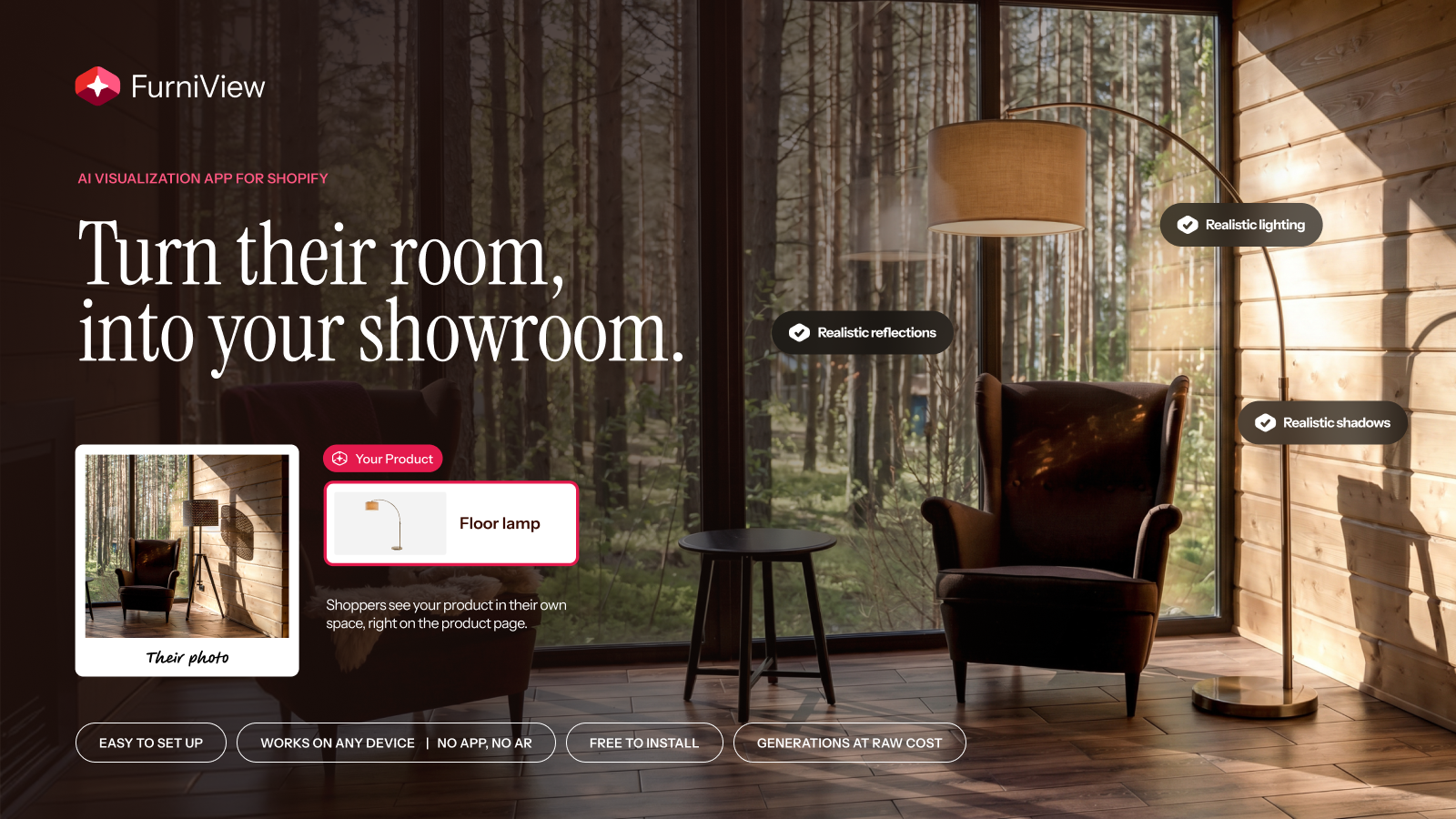
FurniView adds a "See it in your space" button to product pages so shoppers can visualize it.
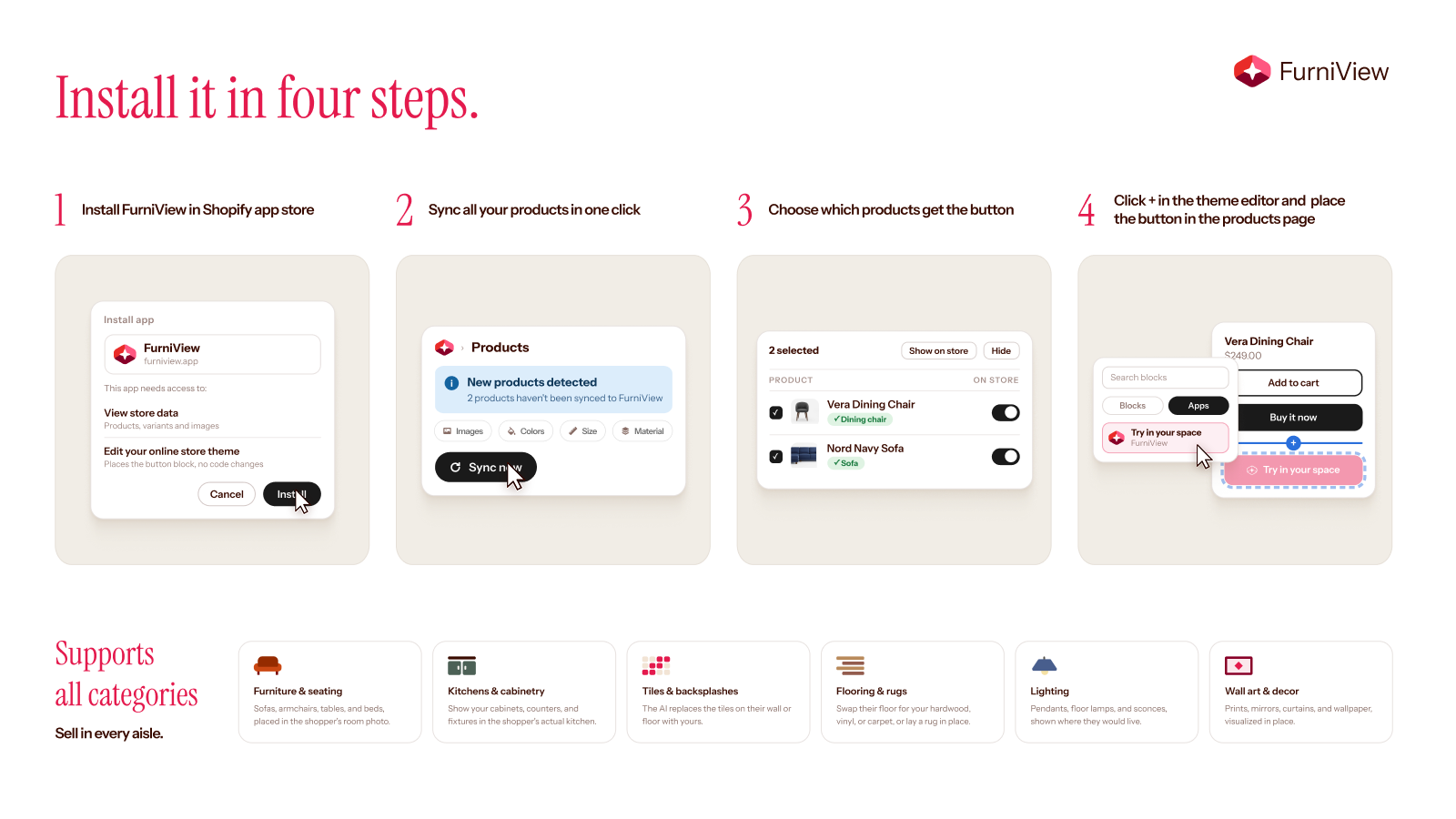
FurniView adds a "See it in your space" button to product pages. Shoppers upload a photo of their room and our AI places the merchant's furniture or decor into it, so they can see the product in their real space and judge scale, fit, and style before buying. Merchants pick which products are enabled, set reference images, customize the widget, and track generations, add-to-carts, and attributed orders from a no-code dashboard. One-click install, no theme code required.
Listing highlights
- Shoppers preview your products in their own room from the product page
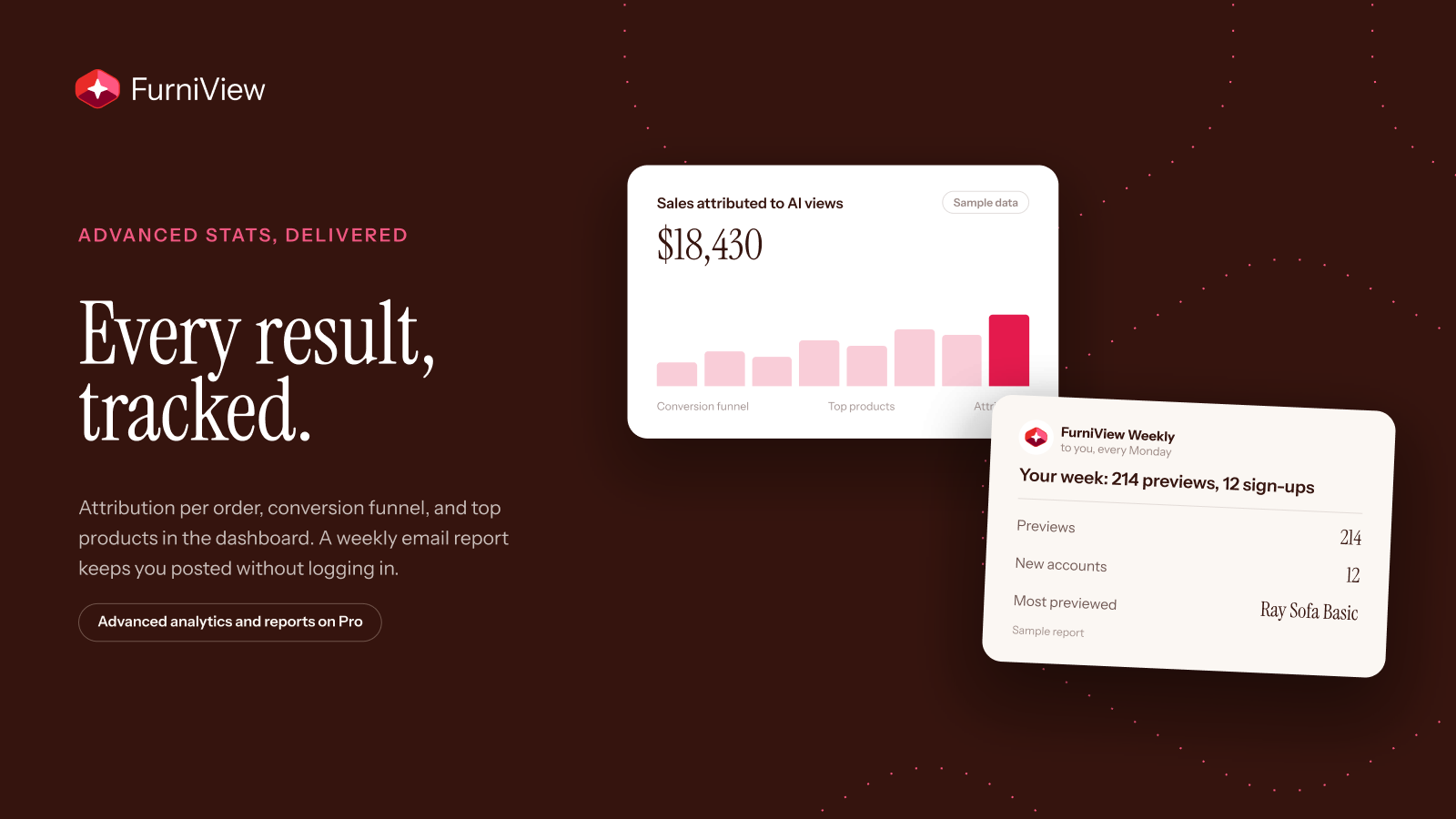
- Analytics dashboard: generations, top products, and attributed orders
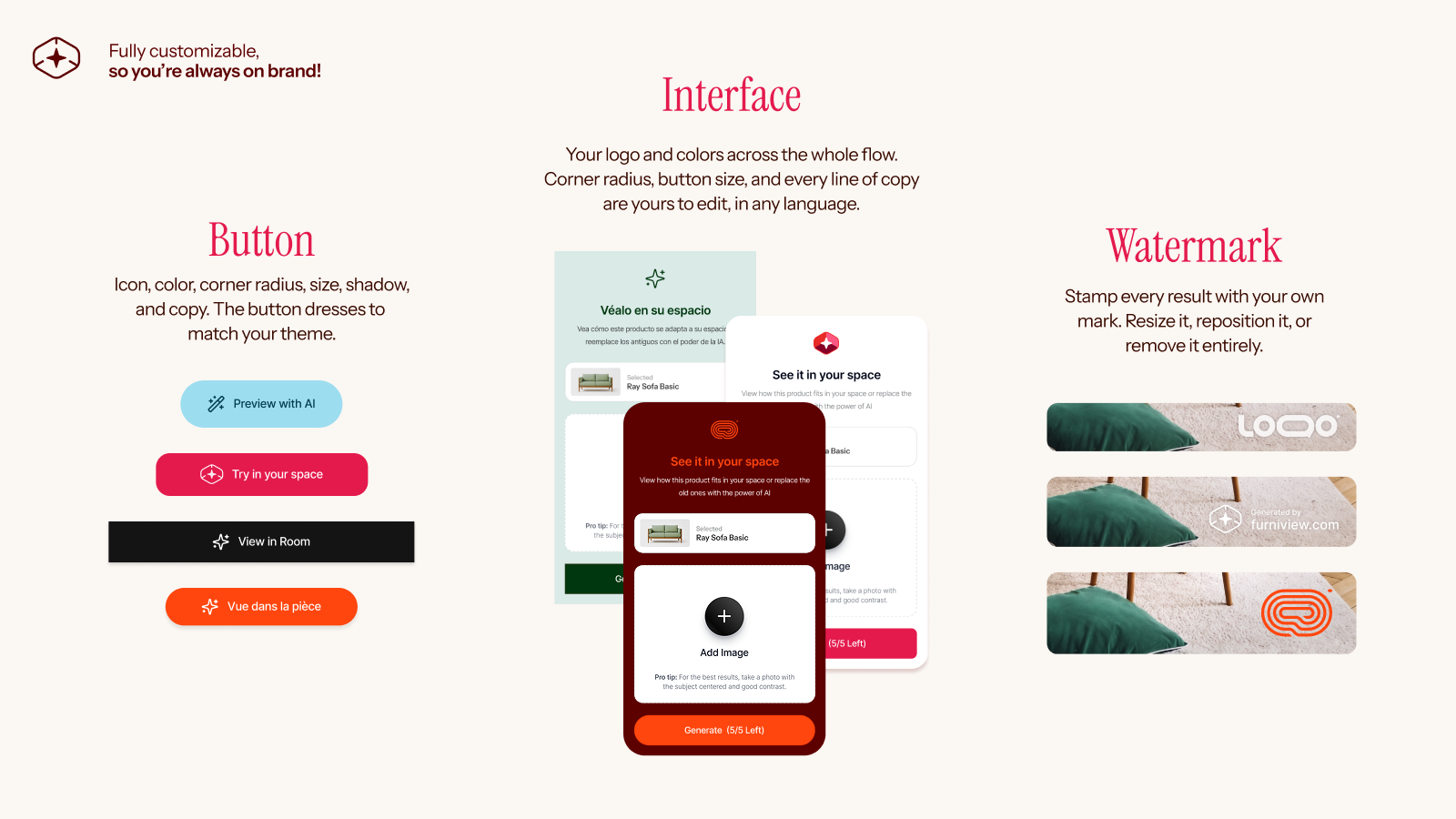
- Customize the button and in-store preview to match your theme, no code required
- Set daily usage limits for guest and signed-in shoppers
- Custom watermark and branding on generated images
Features
Customization
- Color
- Custom branding
- File upload
- Images
- Mobile responsive
Visualization
- AI-powered
- Virtual try-on
- Zooming
How Shoplist knows
Every number on this page comes from public storefront scans and the public Shopify App Store listing. If Shoplist shows FurniView on a store, it is there.
- Counts are based on Shoplist's latest available public crawl signal dated October 13, 2026.
- Shoplist has not yet found reliable public storefront evidence connecting a Shopify store to this app. This does not mean the app has no users. Some apps are new, admin-only, server-side, theme-independent, or otherwise difficult to detect from public storefront signals.
- Merchant rows are filtered to public brand profiles with enough public data to link safely. Full workflow, filtering, and monitoring stay behind signup.
- Review, pricing, feature, screenshot, and listing-change data come from public Shopify App Store and Shoplist crawl records. Signals can change between crawls.
Questions about FurniView
- Has Shoplist detected stores using FurniView yet?
- Shoplist has not yet found reliable public storefront evidence for FurniView. The page tracks first merchant evidence as it appears.
- What does first-adopter watch mean?
- It means Shoplist is monitoring launch context, first storefront-detectable merchant evidence, and pricing.
- Can I get alerts when stores start using FurniView?
- Yes. Create a watchlist to get alerted when Shoplist finds public merchant evidence for FurniView.
Keep exploring
Compare
FurniView vs AI Furniture: See In Room
Detected stores, store movement, ratings and pricing side by side.
Developer
Furniview
Every app Furniview publishes, with their detected reach.
Rankings
Top apps by category
The ten apps gaining the most detected installs in each category.
Directory
All Shopify apps
Browse every app Shoplist tracks, by category, rating, and reach.
Keep watching FurniView.
Get alerted on first storefront installs, review spikes, pricing changes, and listing edits.
