
COUNTY ‑ exact stock counting vs Jedi ‑ Stock Counter
Two Shopify apps, side by side: detected stores, momentum, reviews, plans, listed features and who runs each. Store counts as of May 23, 2026 for COUNTY, Nov 1, 2026 for Jedi.
The short answer
- Only Jedi lists a free plan.
- Jedi lists 13 features COUNTY’s listing doesn’t mention, including Alert settings, Custom alerts, Customer demand.
Head to head


Momentum
New reviews each month
Review pace is the clearest public read on how fast an app is winning new merchants.
Free
- · Unlimited Impressions
- · Unlimited Widgets
Premium
- · Advance widget design
- · Advance widget display rules (Filters)
- · Unlimited Widgets
- · Unlimited impressions
Coverage counts what each App Store listing names. Every feature, checked off app by app, is in Shoplist.
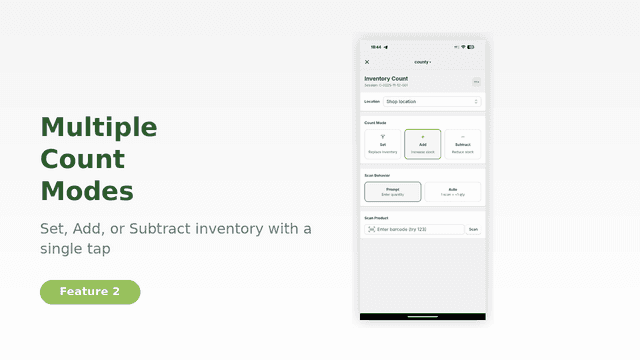
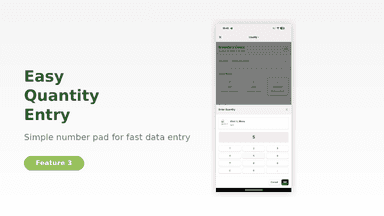
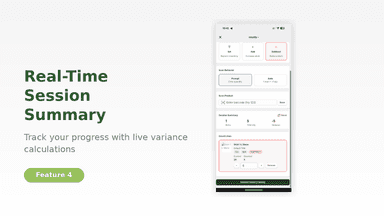
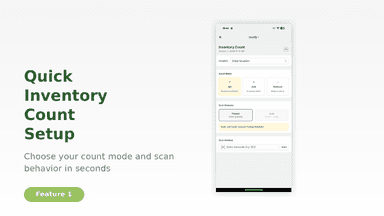
See every featureWe know how important precise stock levels are. With COUNTY we want to provide you with a swift and intuitive way of setting, adding or reducing your inventory. Simply set your location, what you want to do (set, add or reduce stock), and get going. You can scan or enter the barcode manually, via camera or external barcode-scanner. Once you are done, check your overview and update your inventory.
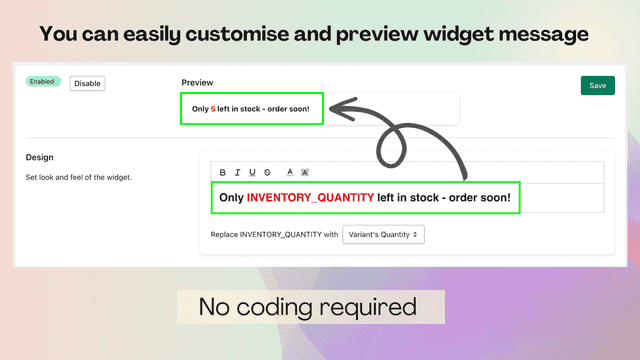
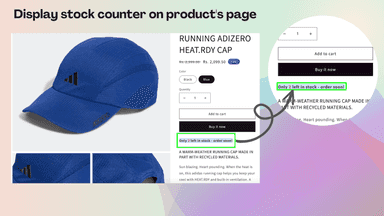
By showcasing real-time inventory counts on the product page, you can enhance the visibility of your products in the online store and create a sense of urgency, enticing customers to seize the opportunity and make a purchase without delay. Therefore, utilising our "Stock Counter" app you can elevate your sales potential to new heights while also building credibility and trust with your customers.
- Inventory count
- Add Stock
- Reduce Stock
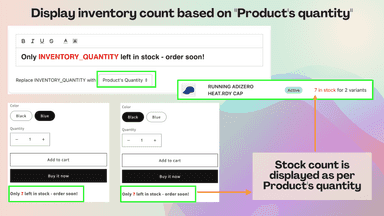
- Display the stock counter based on the quantity of the products or its variants.
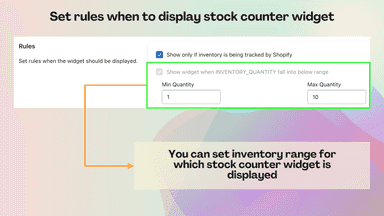
- Easily configure the rule for displaying the stock counter widget.
- Stock count widget displays based on Max and Min inventory quantity range.
- Easily enable or disable the stock counter at any time with convenience.
All the numbers
Every figure, side by side
A green dot marks the app ahead on a measured figure. Estimates, gaps and apps that leave no storefront trace never take the lead.
Adoption
| Measure |  COUNTY |  Jedi |
|---|---|---|
| Detected stores | Not published | Not published |
| Net store change, 28 days | 0 | 0 |
| Stores added, 28 days | Not enough data | Not enough data |
| Big-brand share | Not enough data | Not enough data |
| Top store categories | Not published | Not published |
| Top store countries | Not published | Not published |
Reviews
| Measure | COUNTY | Jedi |
|---|---|---|
| App Store rating | Not published | 4.8 ★ |
| App Store reviews | Not published | 82 |
| New reviews, 28 days | Not enough data | 0 |
| Reviewers a year or more in | Not enough data | 15% |
FAQ
COUNTY and Jedi: common questions
- Is COUNTY or Jedi cheaper?
- Only Jedi lists a free plan. Shoplist compares base prices only between monthly plans in the same currency; usage charges and annual plans vary, so check each plan’s limits.
- What features does each app list that the other doesn’t?
- COUNTY lists 1 the others don’t mention, such as Inventory sync. Jedi lists 13 the others don’t mention, such as Alert settings, Custom alerts, Customer demand, Inventory reports. A feature missing from a listing may still be supported; this compares what each App Store listing says.
- Where does this comparison’s data come from?
- Shoplist crawls Shopify storefronts to detect which apps each store runs, and reads each app’s Shopify App Store listing for reviews, pricing, features and integrations. Store counts are as of May 23, 2026 for COUNTY, Nov 1, 2026 for Jedi; estimated figures are labeled.
How Shoplist compares apps
Store counts come from Shoplist’s crawl of Shopify storefronts, which detects the apps each store runs; they are as of May 23, 2026 for COUNTY, Nov 1, 2026 for Jedi. Reviews, ratings, plans, features and integrations come from each app’s Shopify App Store listing. 28-day figures are labeled when estimated, and a figure that is missing or estimated never decides who leads. Read the methodology.