Upload‑Lift Image Upload logo

Upload‑Lift Image Upload Shopify App: Reviews, Pricing & Storefront Detection Notes

Product variants & Custom file upload

Updated July 9, 2026

4.8 (257 reviews)

By Cloudlift

Built for Shopify

Shoplist has not found reliable public storefront evidence for Upload‑Lift Image Upload. Track reviews, pricing, listing changes, and developer context and

Shoplist public signals

What is visible for Upload‑Lift Image Upload right now

Signal date July 9, 2026

Last listing check today

Monitoring status

Storefront detection limited

Tracking non-storefront public signals

As of Jul 9, 2026

Reviews

257 public reviews

4.8 average rating

As of Jun 29, 2026

Momentum

19 Steady

Install volume is too low for a reliable trend yet

As of Jul 12, 2026

Latest review

June 29, 2026

As of Jun 29, 2026

Steady34% data confidence

19 momentum score

Install volume is too low for a reliable trend yet.

Updated Jul 12, 2026

0 installs

Momentum inputs

28d installs

0

Prev. 28d

0

New 28d

0

30d reviews

6

Trend comparison is paused or unavailable for this window. The raw inputs show the install and review signals Shoplist observed instead.

Installs
0
Growth
50
Adoption
0
Reviews
61
Fit
84

Quick answer

Shoplist has not found reliable public storefront evidence for Upload‑Lift Image Upload. This may happen when an app is admin-only, server-side, or not visibly embedded on storefronts. Shoplist still tracks reviews, pricing, listing changes, developer data, related apps.

Reviews and velocity

Public review signals

Rating

4.8

Reviews

257

Latest

Jun 29, 2026

Pricing

Pricing and plan posture

FREE

$0
  • 50 uploads linked to orders
  • File uploads stored for 30 days
  • Max. 10MB upload file size
  • Unlimited file uploads

STARTUP

$9
  • 10GB archive space
  • 500 uploads linked to orders
  • Max. 50MB upload file size
  • Unlimited file uploads

BASIC

$19
  • 2,000 uploads linked to orders
  • 50GB archive space
  • Max. 200MB upload file size
  • Unlimited file uploads

PRO

$29
  • 100GB archive space
  • Max. 5GB upload file size
  • Unlimited file uploads
  • Unlimited uploads linked to orders

Activity and changes

Recent signals for Upload‑Lift Image Upload

Recent detections and listing changes are public signals captured by crawl history.

App Store listing

Listing changes

4 updates

Detected Apr 26, 2026

Merchant sentiment summary updated

Positioning

Merchant sentiment summary updated

Merchant sentiment summary rewritten

Detected Apr 4, 2026

Merchant sentiment summary updated

Positioning

Merchant sentiment summary updated

Merchant sentiment summary rewritten

Detected Feb 19, 2026

Developer name changed +4 more

Developer

Developer name changed

Cloudlift

Media gallery updated

6 added — “Shopify image upload”

Merchant sentiment summary updated

Merchants highly value this app for its ease of setup and functionality, especially for stores selling custom products. It features multipl…

+2 more changes in this update

Detected Mar 25, 2026

Languages updated

Integrations

Languages updated

DutchFrenchGerman

App-store listing

About Upload‑Lift Image Upload

Allow file uploads with orders and enable customers to edit images and create personalized products.

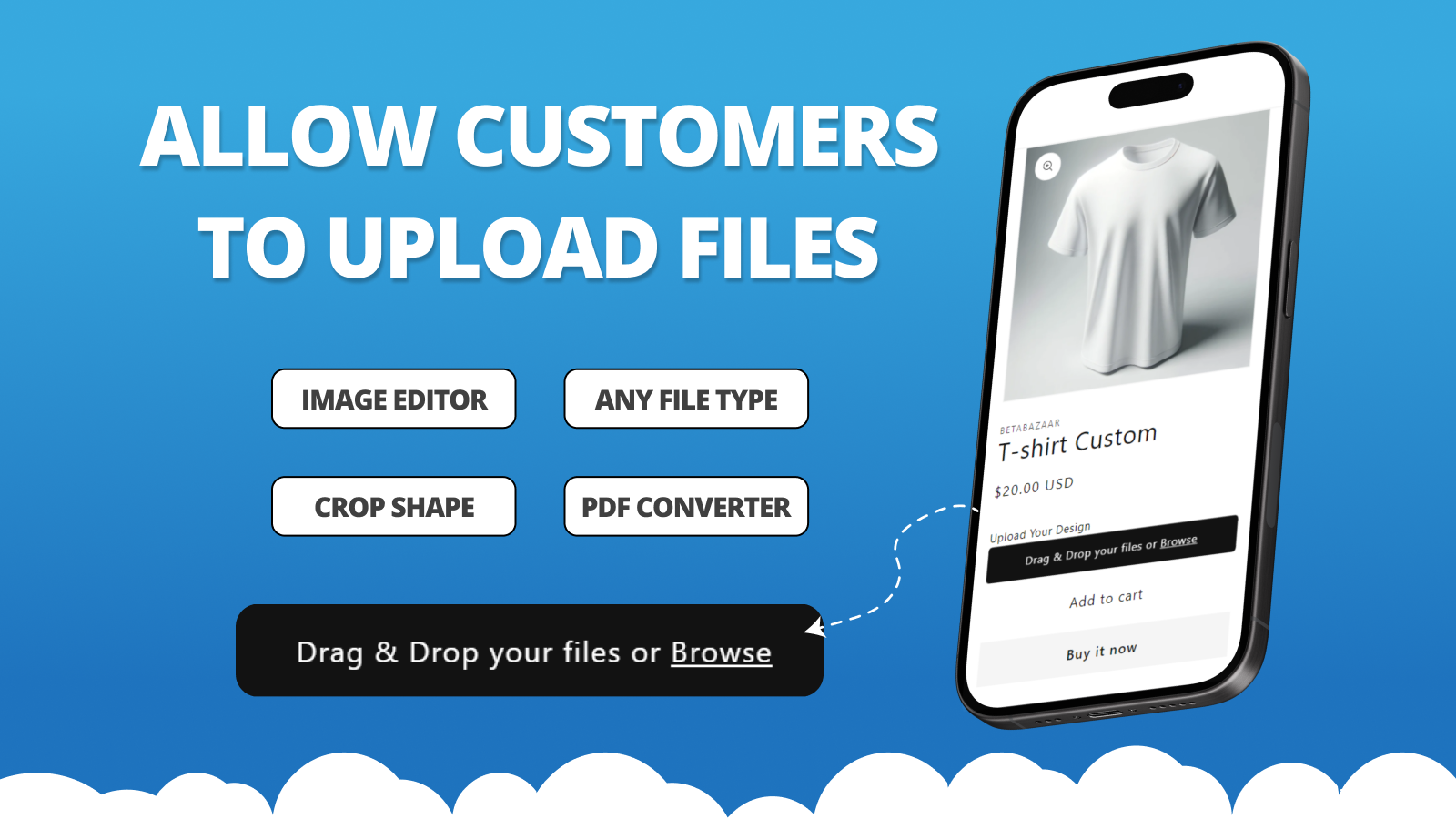
Upload-Lift allows customers to upload files / images / photos on Product, Contact, Cart and Order Status pages. It's easy to set up and does not require any theme modifications. You can configure the allowed file types, and the app includes an image editor to let customers crop images in your desired format. Let customers upload photo upload on any page on your store.

Listing highlights

  • Fast upload of any file type up to 5GB in size.
  • Image editor that allows cropping with predefined ratios and crop shapes.
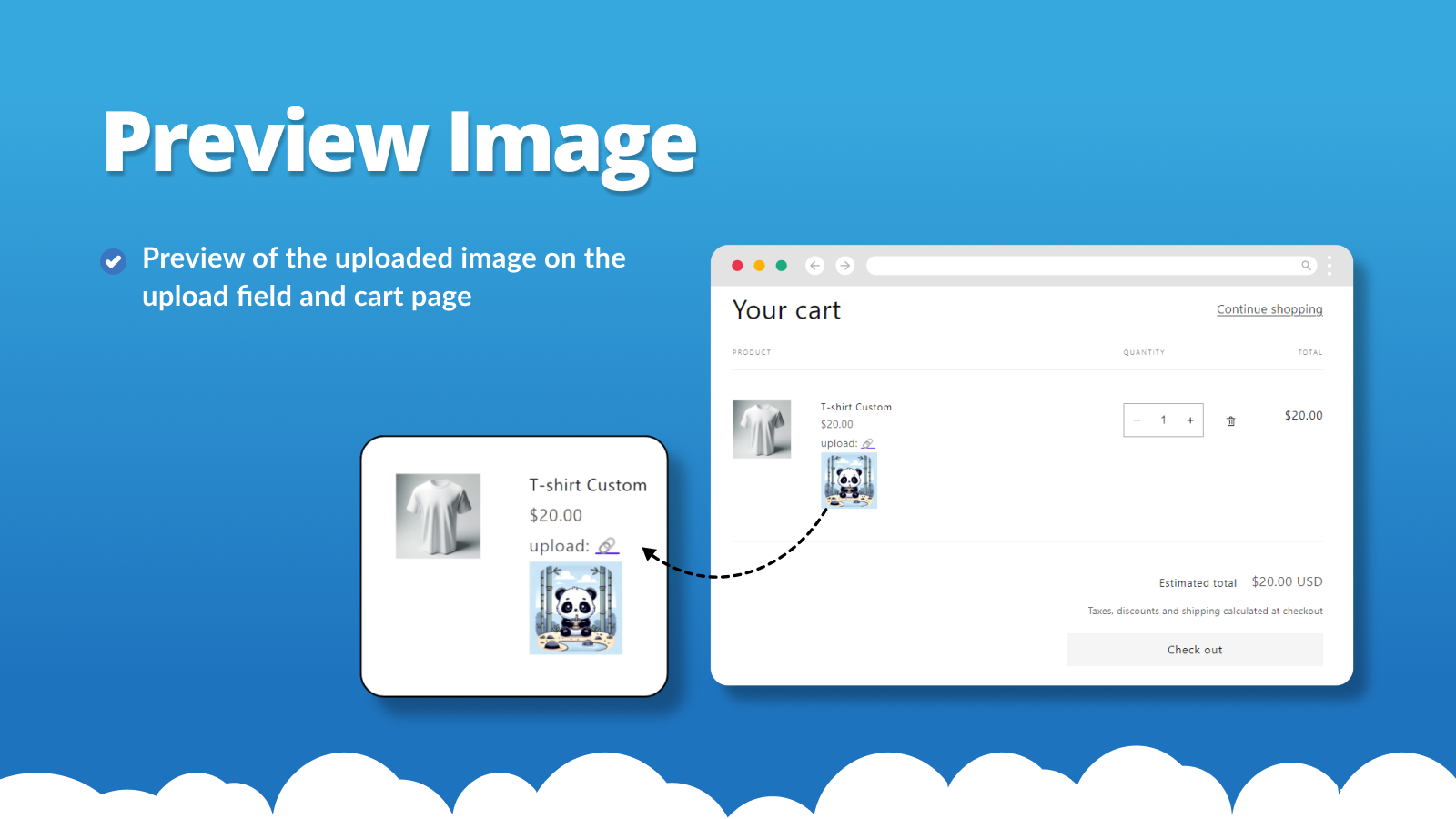
  • Preview of the uploaded image on the upload field and cart page.
  • File Validations. Configure min/max file size and image dimensions.
  • File conversion of advanced file formats e.g (PDF/Ai) into images.

Features

Pricing

Variant upcharges

Inventory

Manual updates

File types

Custom rules
Excel
Images
JPEG
PDF
PNG
PSD
Show more
Videos
ZIP

Customization

Checkboxes
Custom CSS
Custom text
File upload
Translation

File management

Custom fields
File conversion
File download
Image crop
Image rotate
Preview
Printing

Methodology

How to read these signals

Counts are based on Shoplist's latest available public crawl signal dated July 9, 2026.

Shoplist has not yet found reliable public storefront evidence connecting a Shopify store to this app. This does not mean the app has no users. Some apps are new, admin-only, server-side, theme-independent, or otherwise difficult to detect from public storefront signals.

Merchant rows are filtered to public brand profiles with enough public data to link safely. Full workflow, filtering, and monitoring stay behind signup.

Review, pricing, feature, screenshot, and listing-change data come from public Shopify App Store and Shoplist crawl records. Signals can change between crawls.

FAQ

Questions about Upload‑Lift Image Upload

Why might Shoplist not show detected stores for Upload‑Lift Image Upload?

Some Shopify apps are admin-only, server-side, theme-independent, or otherwise difficult to detect from public storefront signals.

Does no public detection mean Upload‑Lift Image Upload has no users?

No. It only means Shoplist has not found reliable public storefront evidence for Upload‑Lift Image Upload. reviews, pricing, listing changes, and developer data can still be useful signals.

Can I monitor future public detections?

Yes. Shoplist can monitor Upload‑Lift Image Upload for future public storefront detections and listing movement.

Keep watching Upload‑Lift Image Upload

Turn this public profile into a monitored app workflow for first detections, reviews, pricing, related apps, and listing-change history.

Monitor Upload‑Lift Image Upload listing and first detections