File Upload, Image Upload Shopify App: Stores, Reviews, Pricing & Alternatives
Research File Upload, Image Upload with detected public adoption signals from 12 Shopify stores, plus reviews, pricing, categories, countries, and related apps.
Shoplist public signals
What is visible for File Upload, Image Upload right now
Signal date May 12, 2026
Detected stores
12
7 public rows shown
As of May 12, 2026
Reviews
7 public reviews
5.0 average rating
As of Jan 20, 2026
Latest review
January 20, 2026
As of Jan 20, 2026
Quick answer
Shoplist currently detects 12 Shopify stores using File Upload, Image Upload. The public page shows 7 example merchants. Shoplist also tracks category, country, product-count, co-installed app, review, pricing, and listing-change signals when available.
Public merchant index
Every store running File Upload, Image Upload, on tap.
Search 12 merchants by category, country, traffic rank, install date, revenue band, and 40+ other filters. Below is a sample slice โ sign up to unlock and export.
5 more stores are hidden
Create a free Shoplist account to unlock 25 stores instantly โ or upgrade to export the full table to CSV, HubSpot, or Apollo in one click.
Activity and changes
Recent detected movement for File Upload, Image Upload
These stores previously showed public File Upload, Image Upload signals, but those signals were not visible in recent Shoplist scans. This does not necessarily mean the merchant cancelled the app.
1
Recently detected
Stores where File Upload, Image Upload is no longer detected
Listing changes
Developer website updated
Detected Feb 21, 2026
Developer website updated
Before
Not listed
Now
https://cynoinfotech.com
25 listing updates detected
Detected Feb 19, 2026
Star rating updated
Before
Not listed
Now
5
Developer name updated
Before
Not listed
Now
CynoInfotech
Developer link updated
Before
Not listed
Now
https://apps.shopify.com/partners/cynoinfotech
2 listing updates detected
Detected Jan 11, 2026
Listing highlights updated
Before
Use directly in Shopify admin, Works with the latest themes
Now
None
Integrations updated
Before
customization, File upload, image upload +3 more
Now
customization, File upload, image upload +4 more
Price updated
Detected Jan 3, 2026
Price updated
Before
Updated
Now
Updated
2 listing updates detected
Detected Nov 28, 2025
Plan features updated
Before
3-day free trial, Add personalized text fields, File upload & image upload field +4 more
Now
3-day free trial, Add personalized text fields, File upload & image upload field +4 more
Pricing plan added
Before
Not listed
Now
Advanced
Adoption footprint
Category, country, and product-count distribution
Top categories
Stores by product count
Brands using File Upload, Image Upload, grouped by product count
Detected stores by country
Top 5Current public merchant geography.
Alternatives and adjacent apps
Related Shopify apps worth comparing

File Upload by Uploadery
Give your customers the ability to send files with their order

File Uploads by UploadKit
Unlimited fields, any file type, crop images, sync to G Drive.

LC File Upload, Image Upload

UploadโLift Image Upload
Unlimited image uploads, any file type, personalized images

BSS: Product Variants Options
Unlimited product options, custom options, swatches, & more!

Product Options & Customizer
Product options, customize product variations, variant options
Reviews and velocity
Public review signals
5.0
7
Jan 20, 2026
Pricing
Pricing and plan posture
Free Development
Free- All features included
- Email support
- File upload & image upload field
- Free to test for development store
Basic
$3.99- 3-day free trial
- Add personalized text fields
- File upload & image upload field
- Fully customizable to fit your brand
App-store listing
About File Upload, Image Upload
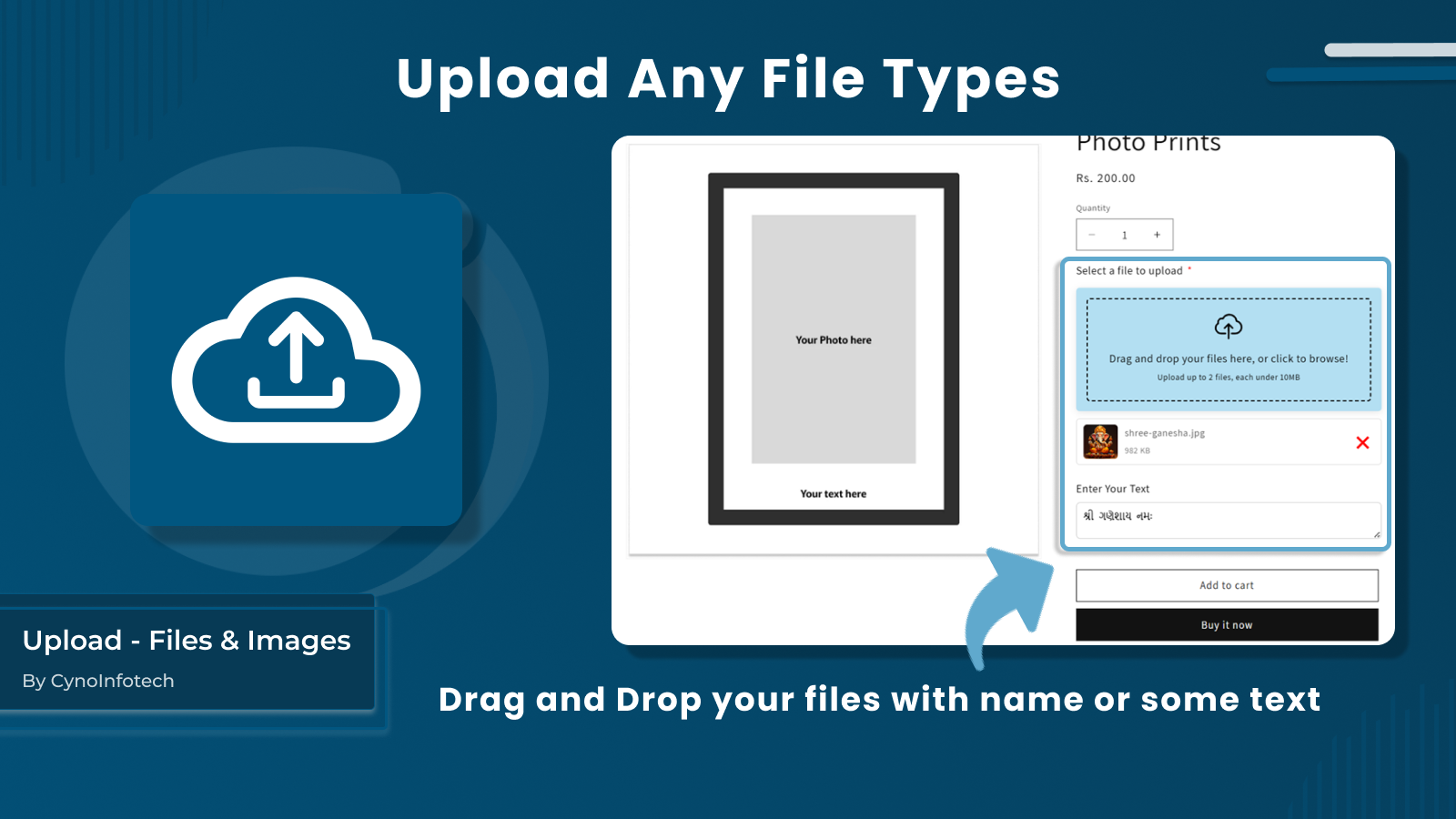
Allow customers to file upload options with their orders by uploading images, files, and documents.
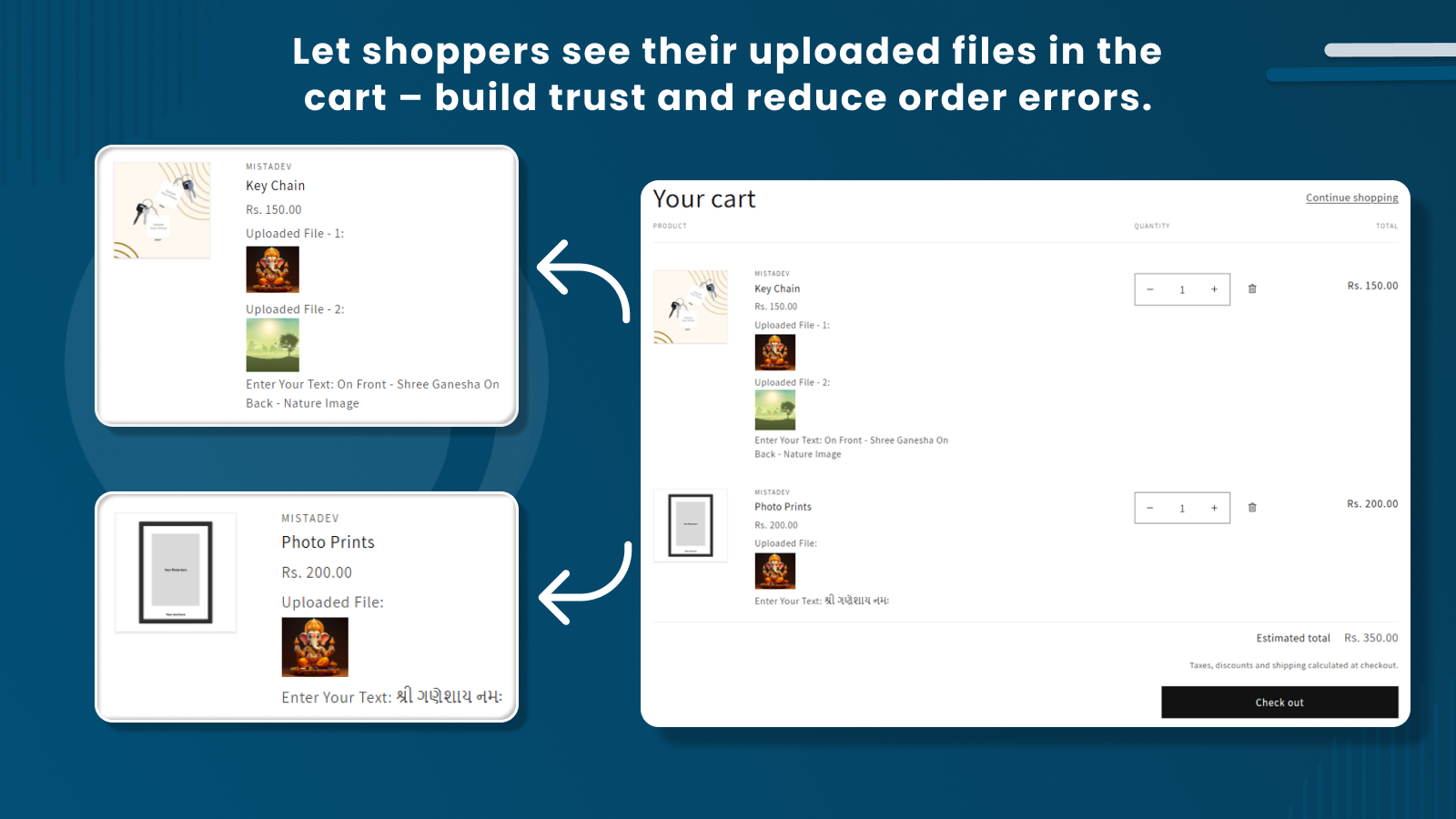
To enhance the shopping experience, Customers can file uploads or image uploads during the product selection, whether it's for custom printing, documentation submission, or design input. This app is useful for merchants offering customized products such as printed gift items, photo frames, keychains, or any product that requires additional customer input. Customers can easily upload files, photos, or documents while placing an order, making the customization process smoother and more efficient.
Listing highlights
- Seamless File Upload on Product Pages and Multiple File Types Supported
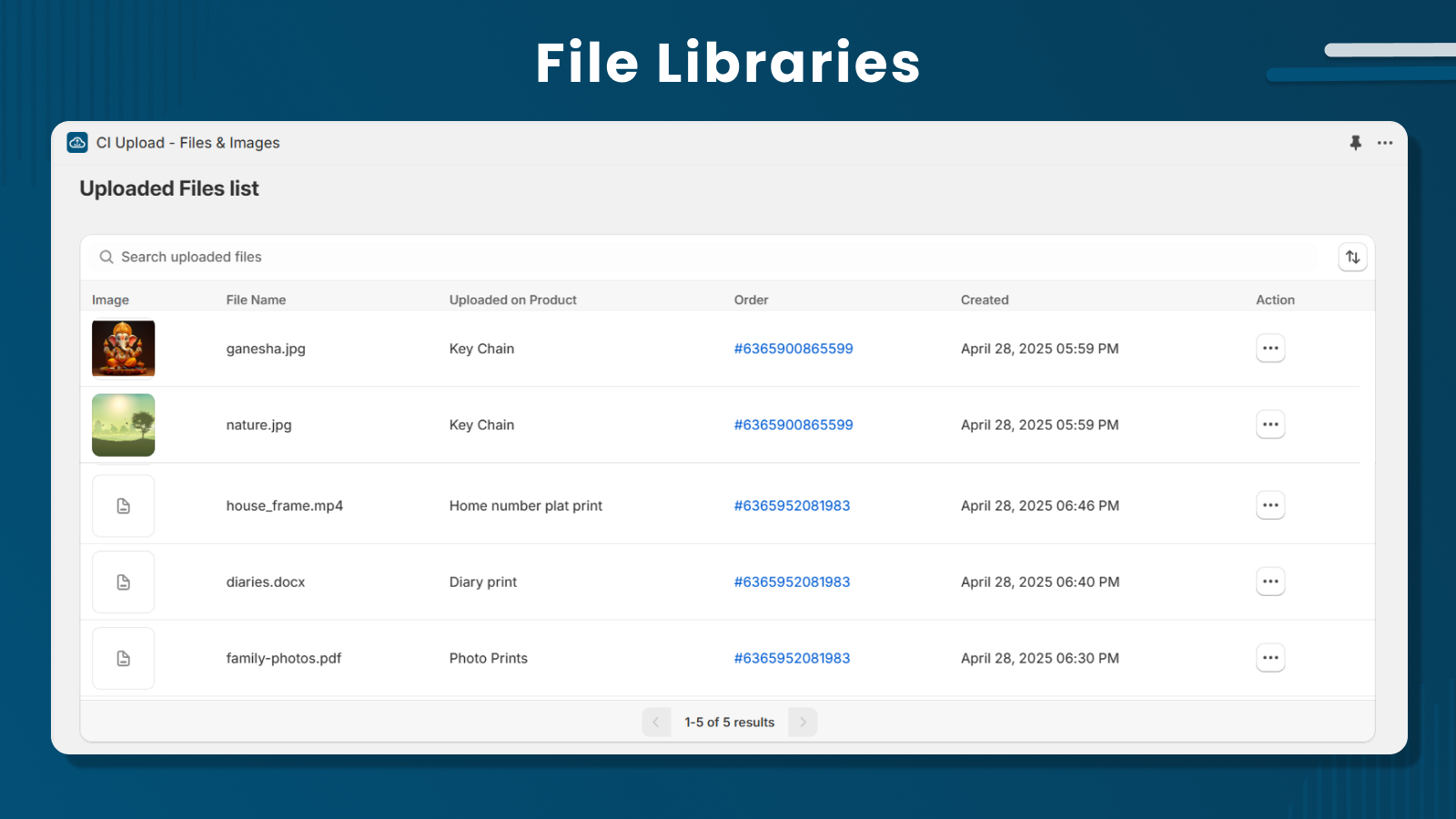
- File Access in Order Dashboard as well as Fully Responsive
- Customizable Dropzone and Text Field with File Size Limit Control
- File upload for images, documents, and create personalized designs
Features
File types
Customization
File management
Methodology
How to read these signals
Counts are based on Shoplist's latest available public crawl signal dated May 12, 2026.
12 detected stores means Shoplist found current public storefront evidence connecting those stores to this app. This is detection-based and is not a developer-provided customer list.
Merchant rows are filtered to public brand profiles with enough public data to link safely. Full workflow, filtering, and monitoring stay behind signup.
Review, pricing, feature, screenshot, and listing-change data come from public Shopify App Store and Shoplist crawl records. Signals can change between crawls.
FAQ
Questions about File Upload, Image Upload
How many Shopify stores use File Upload, Image Upload?
Shoplist currently detects public evidence of 12 Shopify stores using File Upload, Image Upload. This page shows 7 public merchant rows where the linked brand profile has enough public data to display.
Which Shopify stores use File Upload, Image Upload?
This page shows 7 public example merchants using File Upload, Image Upload. The full workflow adds filters, exports, contacts, and monitoring.
What apps are commonly used with File Upload, Image Upload?
Shoplist tracks co-installed and related Shopify apps so teams can find merchants using File Upload, Image Upload alongside complementary tools.
Can I export stores using File Upload, Image Upload?
Yes. Signup unlocks export, filtering, contacts availability, and alert workflows for stores using File Upload, Image Upload.
How does Shoplist detect File Upload, Image Upload?
Shoplist uses cautious public detection language. A detected store means public storefront evidence currently connects the merchant to the app; it is not a contract, revenue, or developer-reported adoption claim.
Turn File Upload, Image Upload detections into a workflow
Unlock merchant filtering, contacts availability, app-stack filters, monitoring, and exports.