Bulk Image Upload by SyncFlow logo

Bulk Image Upload by SyncFlow Shopify App: Pricing, Features & First-Adopter Watch

Bulk editor & Workflow automation

Updated May 17, 2026

No signal

5 (1 reviews)

By Ali Bazlamit

Launched May 5, 2026. Shoplist is monitoring first merchant evidence, reviews, pricing, feature details, and listing changes for this Shopify app.

Shoplist public signals

What is visible for Bulk Image Upload by SyncFlow right now

Signal date May 17, 2026

Monitoring status

First-adopter watch

Monitoring first merchant evidence

As of May 17, 2026

Reviews

1 public reviews

5.0 average rating

As of May 6, 2026

Momentum

1 No signal

Install trend held steady over the last 28 days

As of Jun 12, 2026

Latest review

May 6, 2026

As of May 6, 2026

No signal5% confidence

1 momentum score

Install trend held steady over the latest 28-day window.

Updated Jun 12, 2026

0 installs

Momentum inputs

28d installs

0

Prev. 28d

0

New 28d

0

30d reviews

0

Installs
0
Growth
50
Adoption
0
Reviews
0
Fit
62

Quick answer

Bulk Image Upload by SyncFlow launched on May 5, 2026. Shoplist is monitoring first public merchant evidence, reviews, pricing changes, and listing changes.

Reviews and velocity

Public review signals

Rating

5.0

Reviews

1

Latest

May 6, 2026

Pricing

Pricing and plan posture

Free

Free
  • 50 image uploads per month
  • Basic email support
  • Match folders to SKU or Barcode

Pro plan

$10
  • 5,000 image uploads per month
  • Flexible duplicate handling
  • Ideal for large catalogs and dropshipper
  • Priority email support

Activity and changes

Recent signals for Bulk Image Upload by SyncFlow

Recent detections and listing changes are public signals captured by crawl history.

App Store listing

Listing changes

2 updates

Detected May 17, 2026

App name changed +1 more

Positioning

App name changed

SyncFlow: Bulk Image UploaderBulk Image Upload by SyncFlow

Media gallery updated

Gallery reordered

Detected May 8, 2026

App name changed +6 more

Positioning

App name changed

SyncFlow ‑ Image UploaderSyncFlow: Bulk Image Uploader

Listing title changed

Drag and drop a single ZIP file to effortlessly bulk upload all your product images. The app automatBulk upload product images from a ZIP — auto-matched to products by SKU, barcode, or title.

Description rewritten

Manually uploading images is slow and error-prone. This app SyncFlow automates the entire process using bulk ZIP uploads. Simply organize your images into folders named by SKU or barcode, compress them into a ZIP archive, and drag it into the app. We automatically analyze the contents, instantly uploads — match the folders each image to the correct products, and safely right product by SKU, barcode, or title, then upload safely in the images for you. Perfect for dropshippers background. Variant images: Use subfolders or merchants filename suffixes to assign images to specific variants. Image order: Prefix filenames with large catalogs, saving you hours of tedious manual data entry.numbers to control image order on product pages. SEO alt text: Every image gets auto-generated alt text from product title and SKU, improving Google rankings.

+4 more changes in this update

App-store listing

About Bulk Image Upload by SyncFlow

Bulk upload product images from a ZIP — auto-matched to products by SKU, barcode, or title.

Manually uploading images is slow and error-prone. SyncFlow automates bulk ZIP uploads — match each image to the right product by SKU, barcode, or title, then upload safely in the background. Variant images: Use subfolders or filename suffixes to assign images to specific variants. Image order: Prefix filenames with numbers to control image order on product pages. SEO alt text: Every image gets auto-generated alt text from product title and SKU, improving Google rankings.

Listing highlights

  • Bulk upload thousands of product images instantly using a single ZIP archive.
  • Auto-match files to products using SKUs, barcodes, or folder names.
  • Syncs safely in the background; close your browser and let it run.

Features

Actions

Bulk edit

Editable resources

Images
Products
Variants
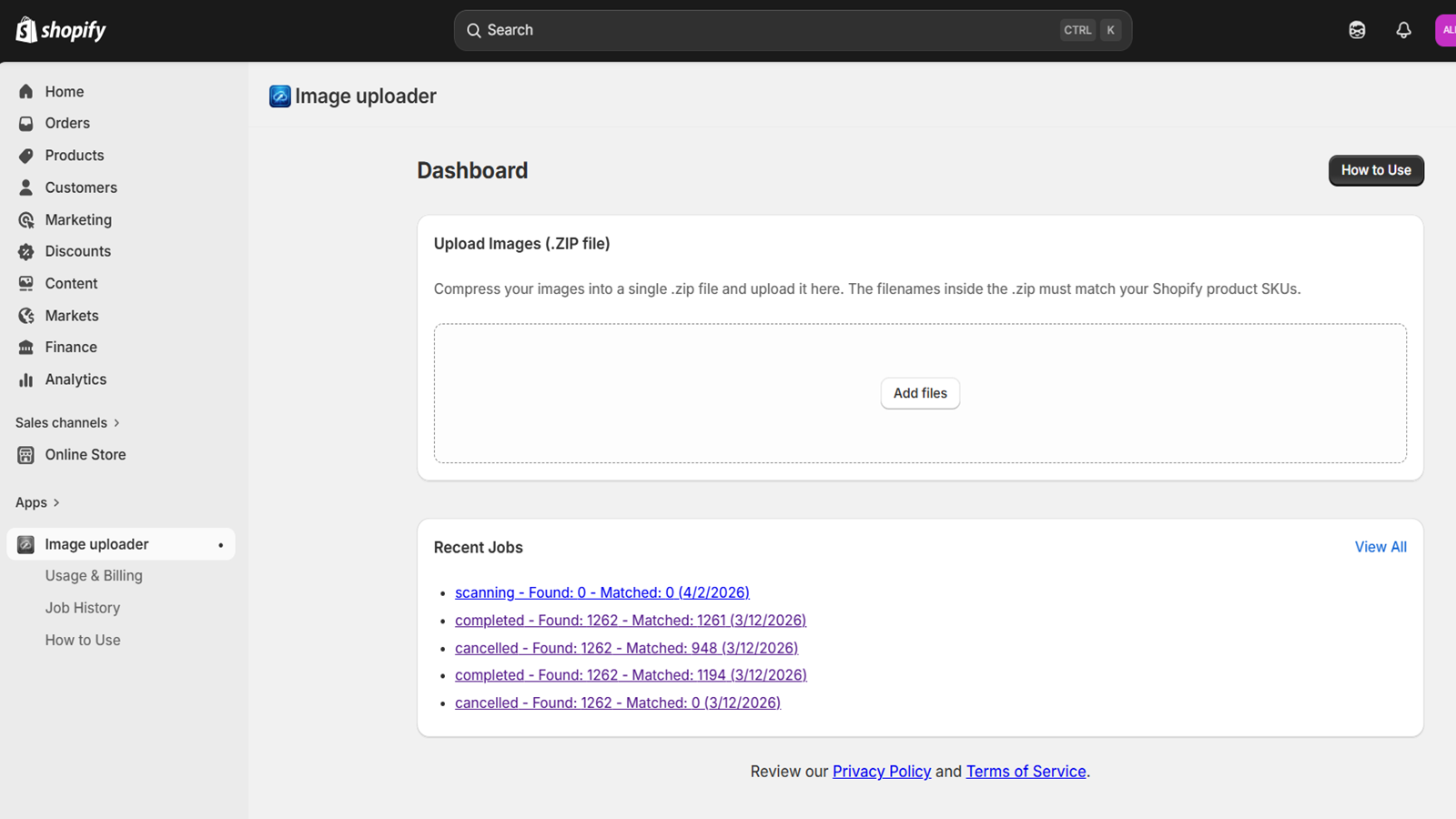
Main dashboard showing connected cloud accounts and usage
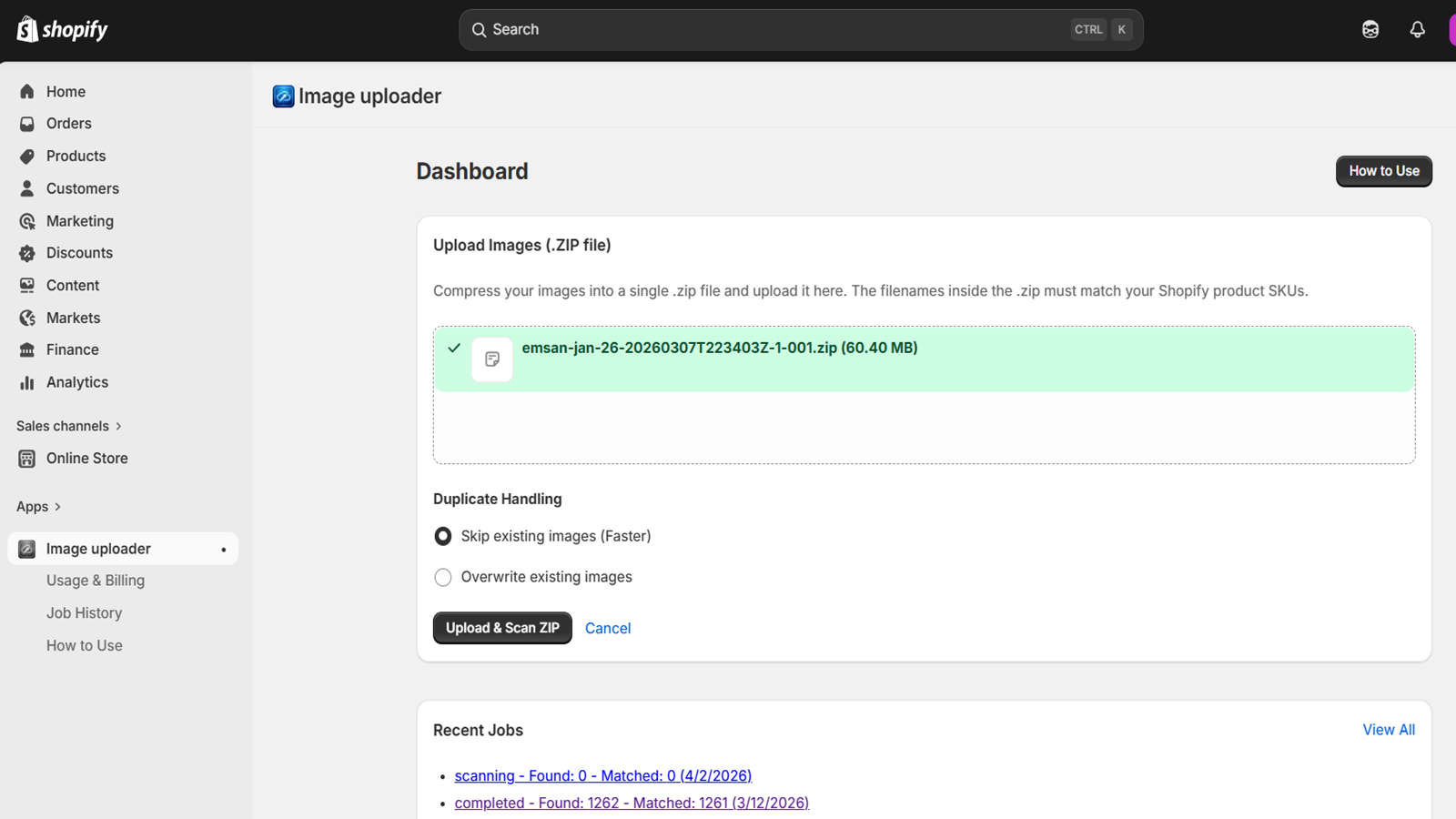
Select Drive folder and configure rules for existing images
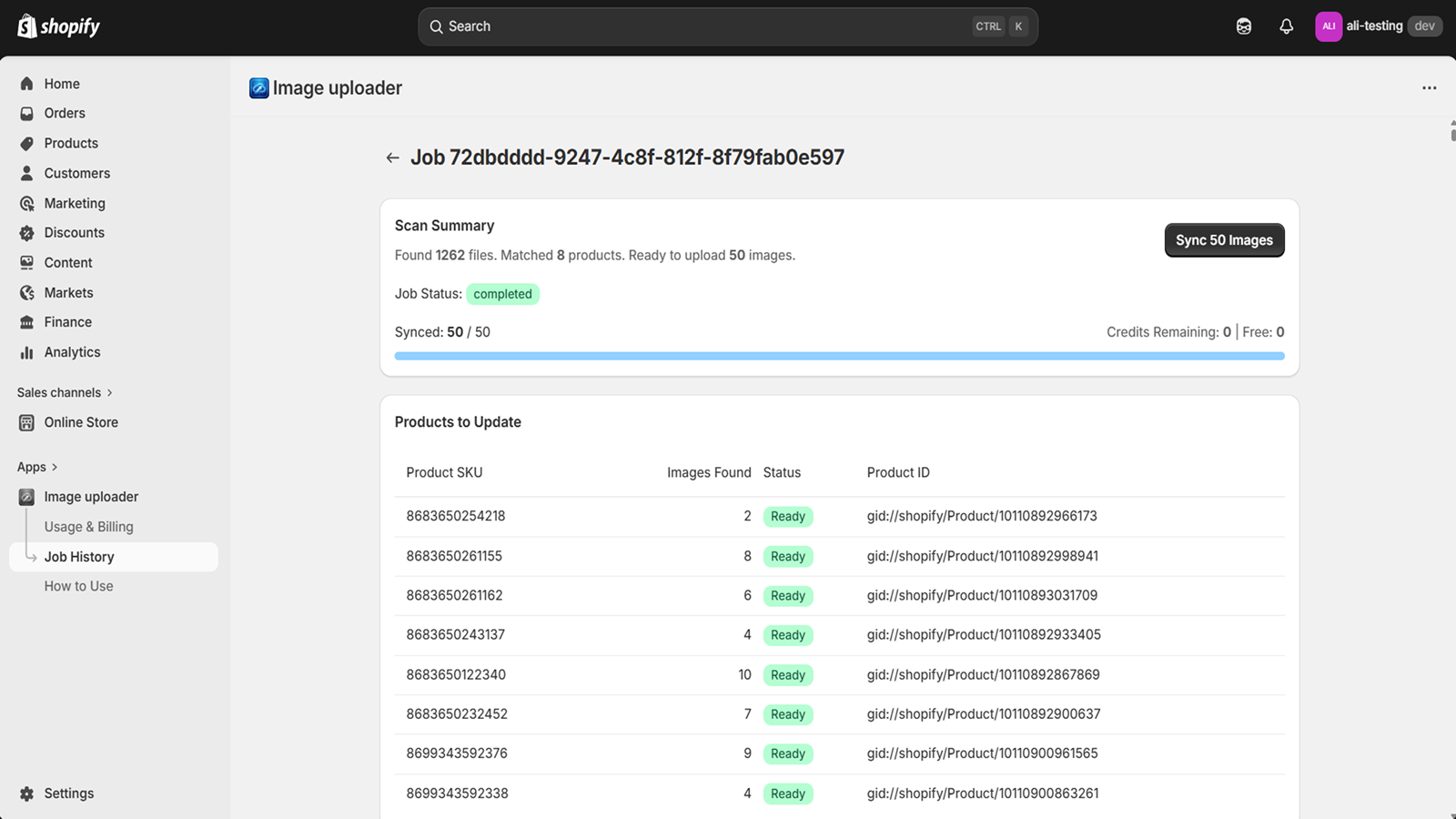
Job details view showing successful bulk image sync progress

Methodology

How to read these signals

Counts are based on Shoplist's latest available public crawl signal dated May 17, 2026.

Shoplist has not yet found reliable public storefront evidence connecting a Shopify store to this app. This does not mean the app has no users. Some apps are new, admin-only, server-side, theme-independent, or otherwise difficult to detect from public storefront signals.

Merchant rows are filtered to public brand profiles with enough public data to link safely. Full workflow, filtering, and monitoring stay behind signup.

Review, pricing, feature, screenshot, and listing-change data come from public Shopify App Store and Shoplist crawl records. Signals can change between crawls.

FAQ

Questions about Bulk Image Upload by SyncFlow

Has Shoplist detected stores using Bulk Image Upload by SyncFlow yet?

Shoplist has not yet found reliable public storefront evidence for Bulk Image Upload by SyncFlow. The page tracks first merchant evidence as it appears.

What does first-adopter watch mean?

It means Shoplist is monitoring launch context, first storefront-detectable merchant evidence, reviews, pricing, and listing changes.

Can I get alerts when stores start using Bulk Image Upload by SyncFlow?

Yes. Create a watchlist to get alerted when Shoplist finds public merchant evidence for Bulk Image Upload by SyncFlow.

Keep watching Bulk Image Upload by SyncFlow

Turn this public profile into a monitored app workflow for first detections, reviews, pricing, related apps, and listing-change history.

Get alerted when stores start using Bulk Image Upload by SyncFlow