
Smart Order Emails Shopify App: Reviews, Pricing & Alternatives
Key signals for Smart Order Emails
Shoplist has not found Smart Order Emails on a storefront yet, so it tracks the app through its 17 public reviews, pricing, and listing changes instead. Storefront detections will appear here as soon as Shoplist finds them. Checked .
Sonar hasn’t found Smart Order Emails on a storefront yet. Admin-only and server-side apps rarely leave a storefront trace.
Smart Order Emails on the Shopify App Store
Shoplist reads Smart Order Emails’s App Store listing every day: where it ranks, what merchants say, what it charges and every edit it ships.
Where Shopify ranks Smart Order Emails
Shoplist reads Shopify’s full category listings every day, so a climb or a slip shows up the day it happens.
| Day | Staff notification | Workflow automation | Operations |
|---|---|---|---|
| Sep 3, 2026 | #18 | #172 | #327 |
| Sep 4, 2026 | #18 | #177 | #327 |
| Sep 5, 2026 | #17 | #176 | #328 |
| Sep 6, 2026 | #16 | #178 | #329 |
| Sep 7, 2026 | #16 | #179 | #329 |
| Sep 8, 2026 | #35 | #237 | — |
| Sep 9, 2026 | #34 | #238 | #329 |
| Sep 10, 2026 | #34 | #238 | #329 |
| Sep 11, 2026 | #34 | #240 | #330 |
| Sep 12, 2026 | #33 | #239 | #330 |
| Sep 13, 2026 | #34 | #239 | #330 |
| Sep 14, 2026 | #34 | #241 | #330 |
| Sep 15, 2026 | #33 | #242 | #330 |
| Sep 17, 2026 | #34 | #241 | #330 |
| Sep 19, 2026 | #31 | #233 | #333 |
| Sep 20, 2026 | #31 | #235 | #333 |
| Sep 21, 2026 | #31 | #240 | #332 |
| Sep 22, 2026 | #25 | #206 | #334 |
| Sep 23, 2026 | #24 | #206 | #330 |
| Sep 24, 2026 | #25 | #205 | #332 |
| Sep 25, 2026 | #25 | #202 | #331 |
| Sep 26, 2026 | #25 | #197 | #329 |
| Sep 27, 2026 | #29 | #231 | #329 |
| Sep 28, 2026 | #29 | #229 | #330 |
| Sep 29, 2026 | #29 | #228 | #329 |
| Sep 30, 2026 | #32 | #237 | #329 |
| Oct 1, 2026 | #31 | #243 | #330 |
| Oct 2, 2026 | #32 | #249 | #332 |
| Oct 3, 2026 | #29 | #251 | #331 |
| Oct 4, 2026 | #23 | #204 | #331 |
| Oct 5, 2026 | #23 | #204 | #331 |
| Oct 6, 2026 | #23 | #203 | #330 |
| Oct 7, 2026 | #24 | #200 | #331 |
| Oct 8, 2026 | #23 | #200 | #329 |
| Oct 9, 2026 | #32 | #239 | #329 |
| Oct 10, 2026 | #34 | #237 | #329 |
| Oct 11, 2026 | #34 | #236 | #331 |
| Oct 12, 2026 | #33 | #236 | #330 |
| Oct 13, 2026 | #33 | #236 | #333 |
| Oct 14, 2026 | #33 | #235 | #331 |
| Oct 15, 2026 | #33 | #237 | #335 |
| Oct 16, 2026 | #33 | #235 | #337 |
| Oct 17, 2026 | #34 | #236 | #337 |
| Oct 18, 2026 | #32 | #237 | #337 |
| Oct 19, 2026 | #33 | #236 | #337 |
| Oct 20, 2026 | #33 | #237 | #337 |
| Oct 21, 2026 | #33 | #235 | #337 |
| Oct 22, 2026 | #33 | #237 | — |
| Oct 23, 2026 | #33 | #239 | #337 |
| Oct 24, 2026 | #32 | #237 | #338 |
| Oct 25, 2026 | #31 | #236 | #338 |
| Oct 31, 2026 | #34 | #244 | #337 |
| Nov 1, 2026 | #34 | #249 | #337 |
| Nov 2, 2026 | #33 | #248 | #342 |
| Nov 4, 2026 | #29 | #236 | #341 |
| Nov 5, 2026 | #29 | #235 | #341 |
| Nov 6, 2026 | #30 | #234 | #341 |
| Nov 7, 2026 | #31 | #233 | #341 |
| Nov 8, 2026 | #32 | #234 | #344 |
| Nov 9, 2026 | #32 | #234 | #345 |
| Nov 10, 2026 | #31 | #236 | #343 |
| Nov 11, 2026 | #33 | #229 | #342 |
| Nov 12, 2026 | #31 | #234 | #341 |
| Nov 13, 2026 | #31 | #241 | #343 |
| Nov 14, 2026 | #31 | #242 | #342 |
| Nov 15, 2026 | #31 | #244 | #341 |
| Nov 16, 2026 | #30 | #245 | #341 |
| Nov 17, 2026 | #30 | #245 | #339 |
| Nov 18, 2026 | #31 | #244 | #338 |
What merchants say about Smart Order Emails
The verdict from its App Store reviews, and whether the merchants who leave them stay.
5.0
Smart Order Emails review momentum
New reviews follow new installs, so a rising month is Smart Order Emails winning merchants in public.
- February 2022: 4 reviews
- March 2022: 1 reviews
- April 2022: 2 reviews
- May 2022: 3 reviews
- August 2022: 1 reviews
- October 2022: 1 reviews
- November 2022: 1 reviews
- January 2023: 2 reviews
- April 2023: 1 reviews
- November 2023: 1 reviews
- February 2024: 1 reviews
- June 2024: 1 reviews
What Smart Order Emails charges
Free trial available. Every plan on its listing, and every price change Shoplist has caught, so you can see exactly how it packages and prices.
Starter
$19/month
Standard
$29/month
Professional
$39/month
Every edit Smart Order Emails ships to its listing
Titles, prices, screenshots and featured spots, diffed line by line. A competitor’s listing edits are its strategy, in public.
App name changed +2 more
Developer name changed +5 more
How Smart Order Emails sells itself on the App Store
The pitch, integrations and features merchants see before they install: the positioning a competitor is betting on.
“Automate supplier, customer, vendor and staff order notifications using our powerful rule engine.”
What it does
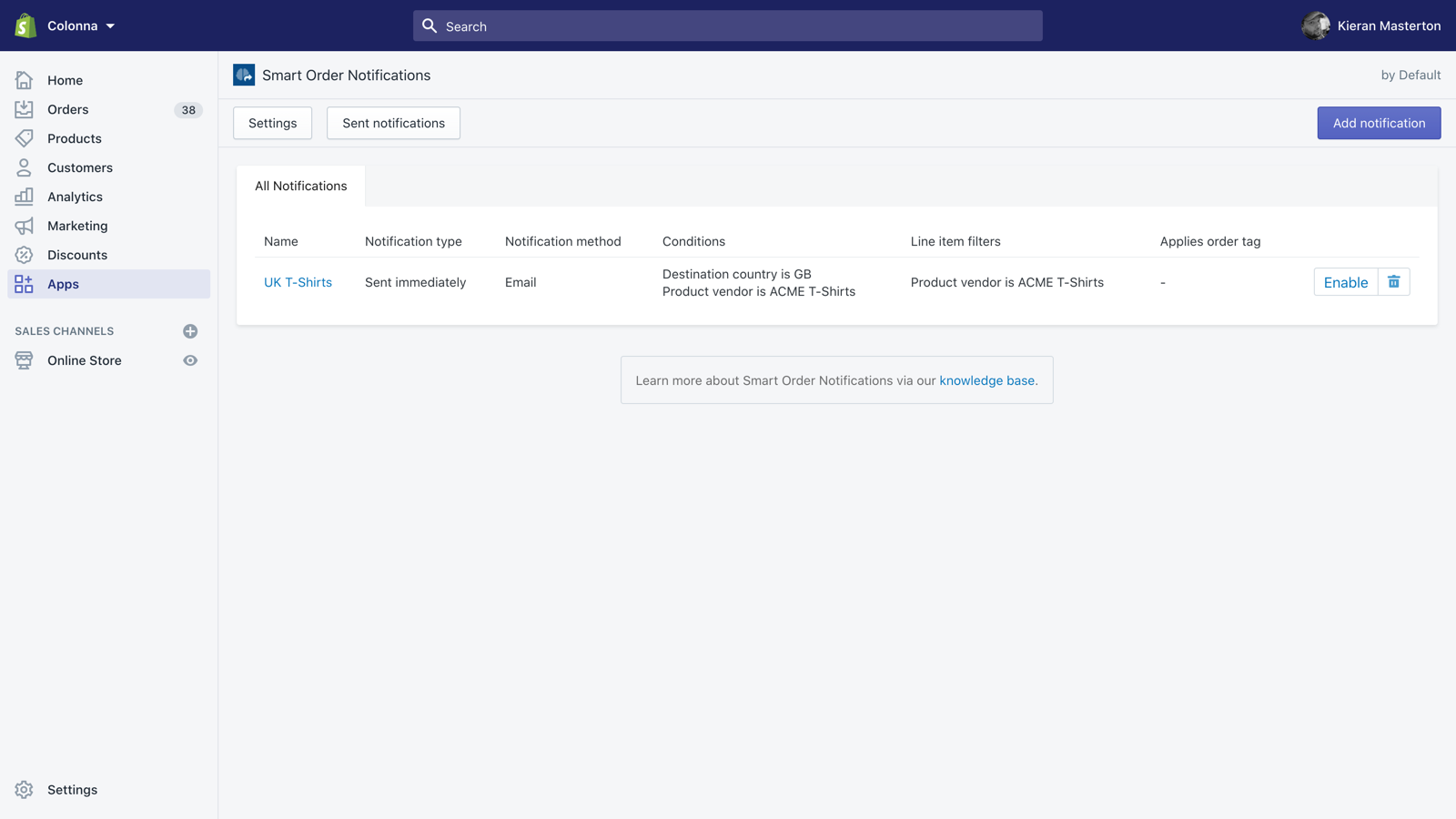
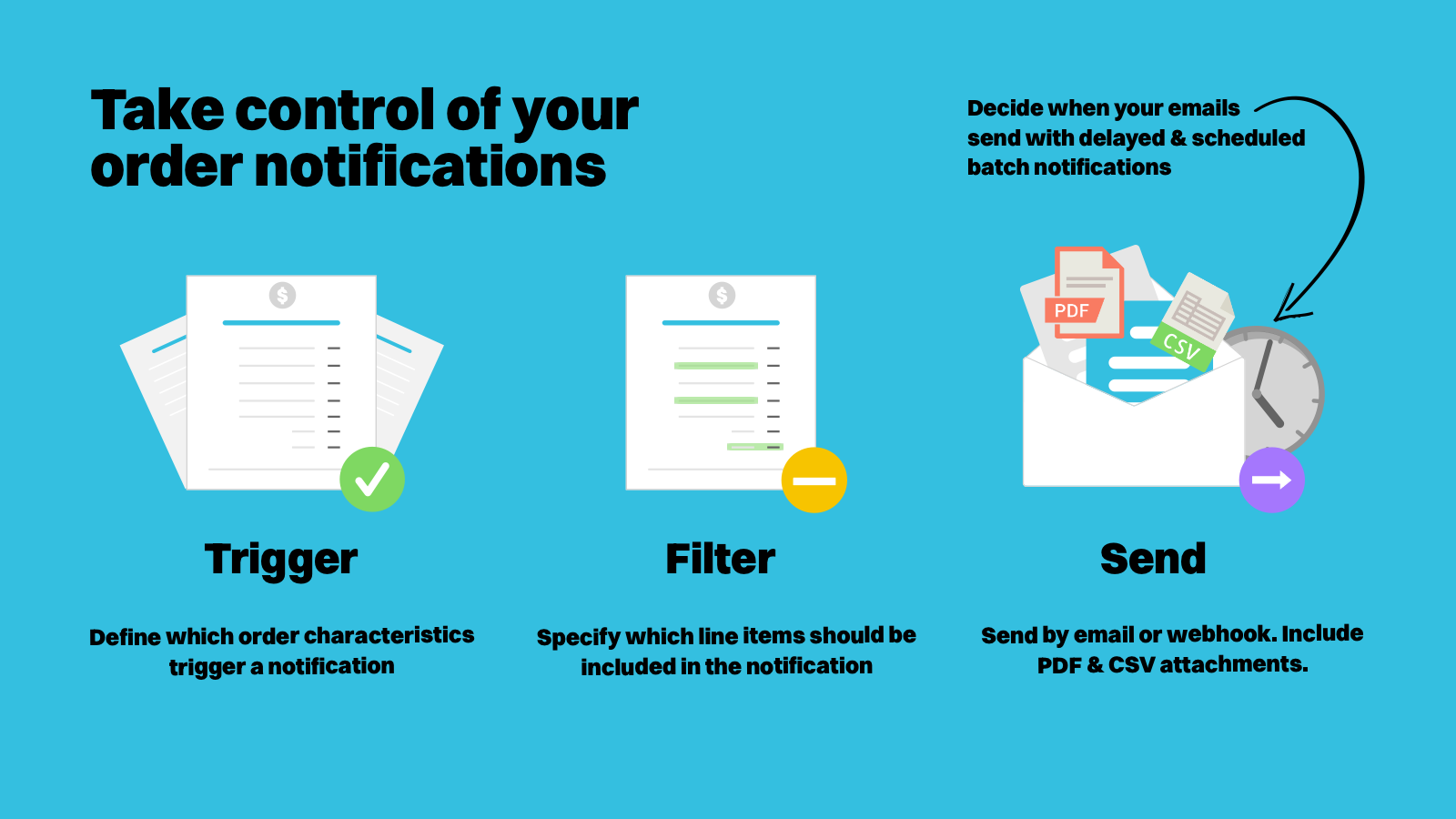
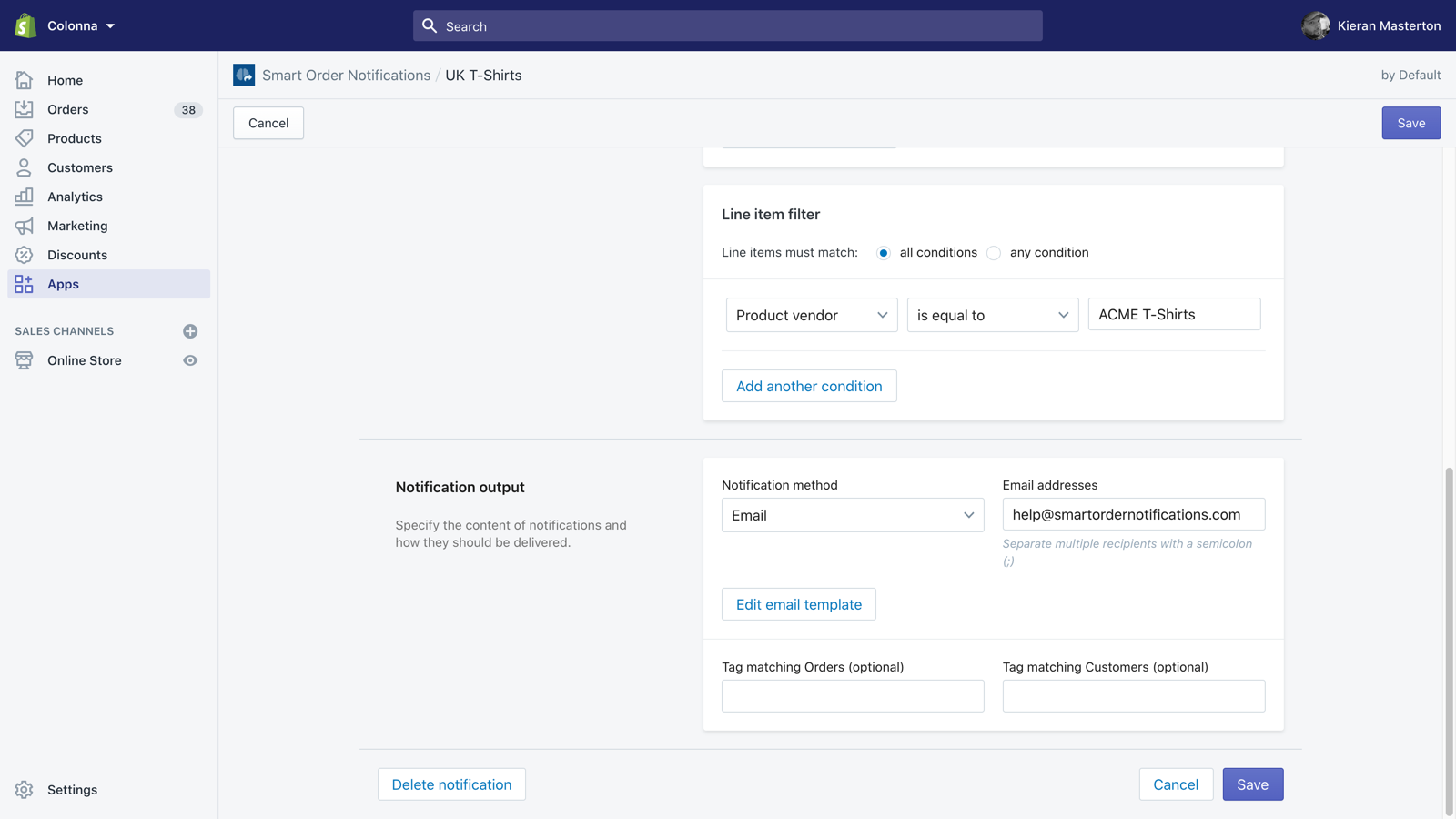
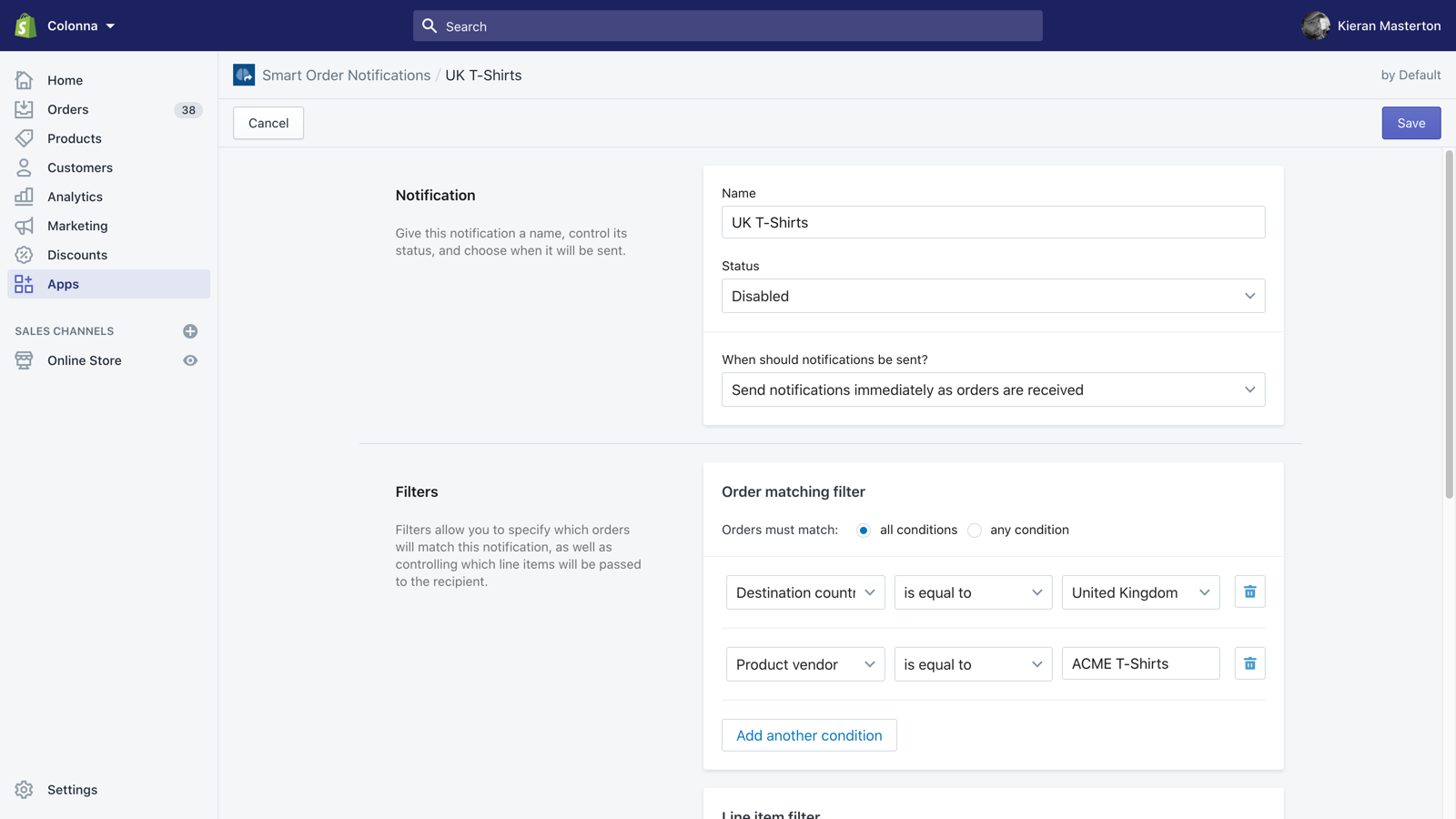
Smart Order Emails is built for merchants who require control over their order notifications. Reduce the overhead of manually filtering and passing orders to suppliers, vendors, staff, and customers with our easy to use rule creator. Benefit from advanced line… Smart Order Emails is built for merchants who require control over their order notifications. Reduce the overhead of manually filtering and passing orders to suppliers, vendors, staff, and customers with our easy to use rule creator. Benefit from advanced line item filtering, customisable email templates, batch notification sending, delayed notifications as well as fully customisable PDF and CSV attachments.
Works with 2 apps and tools
Features it lists
Screenshots
Smart Order Emails listing facts
- Developer
- Smart Notifications Ltd.
- Launched
- October 28, 2016
- Shopify rank
- #31 in Staff notification#244 in Workflow automation#338 in Operations
- Languages
- English
Shopify stores using Smart Order Emails
Shoplist is watching Shopify storefronts for the first public install of Smart Order Emails.
How Smart Order Emails’s install base is moving
Shoplist re-crawls the same storefronts, so every store that adds Smart Order Emails, comes back to it or removes it shows up here. The store count also grows when Shoplist finds stores already running it; the breakdown keeps those apart from real installs.
Stores, last 28 days
0
0 now · 0 28 days earlier
Reach
0%
of the stores Shoplist tracks
Big-brand share
Not enough data: fewer than 150 of its stores have a known size
Where Smart Order Emails’s store count change came from
- Real installs and removalsEstimated0 added · 0 came back · 0 removed
- 0
Stores adding and removing Smart Order Emails, by week
| Week of | Added or back | Removed | Net | Notes |
|---|---|---|---|---|
| Aug 31, 2026 | 0 | 0 | 0 | Estimated |
| Sep 7, 2026 | 0 | 0 | 0 | Estimated |
| Sep 14, 2026 | 0 | 0 | 0 | Estimated |
| Sep 21, 2026 | 0 | 0 | 0 | Estimated |
| Sep 28, 2026 | 0 | 0 | 0 | Estimated |
| Oct 5, 2026 | 0 | 0 | 0 | Estimated |
| Oct 12, 2026 | 0 | 0 | 0 | Estimated |
| Oct 19, 2026 | 0 | 0 | 0 | Estimated |
| Oct 26, 2026 | 0 | 0 | 0 | Estimated |
| Nov 2, 2026 | 0 | 0 | 0 | 2 held-out days |
| Nov 9, 2026 | 0 | 0 | 0 | 1 held-out day |
Smart Order Emails reach, by day
Show the daily numbers
- Oct 30, 2026: 0% of tracked stores
- Oct 31, 2026: 0% of tracked stores
- Nov 1, 2026: 0% of tracked stores
- Nov 2, 2026: 0% of tracked stores
- Nov 3, 2026: 0% of tracked stores
- Nov 4, 2026: 0% of tracked stores
- Nov 5, 2026: 0% of tracked stores
- Nov 6, 2026: 0% of tracked stores
- Nov 7, 2026: 0% of tracked stores
- Nov 8, 2026: 0% of tracked stores
- Nov 9, 2026: 0% of tracked stores
- Nov 10, 2026: 0% of tracked stores
- Nov 11, 2026: 0% of tracked stores
- Nov 12, 2026: 0% of tracked stores
- Nov 13, 2026: 0% of tracked stores
- Nov 14, 2026: 0% of tracked stores
- Nov 15, 2026: 0% of tracked stores
- Nov 16, 2026: 0% of tracked stores
- Nov 17, 2026: 0% of tracked stores
- Nov 18, 2026: 0% of tracked stores
Stores running Smart Order Emails over the stores Shoplist crawled in the 30 days before. Counted daily from Oct 30, 2026.
Compare Smart Order Emails
The apps in its App Store category, with the stores Shoplist detects on each and their listing ratings.
Alternatives to Smart Order Emails
Apps merchants weigh against Smart Order Emails, with their own detected stores and ratings.
Smart Order Emails vs Autolert
Smart Order Emails vs Easy Alerts
Smart Order Emails vs Order Automator
Smart Order Emails vs Orderly
Smart Order Emails vs EZ Notify
Smart Order Emails vs Order Trigger


Follow the apps you compete with and decide which changes deserve action. See the competitor-monitoring workflow.
Seen on the storefront, not guessed
If Shoplist shows Smart Order Emails on a store, it’s there. Every count on this page traces to code found on a live storefront, re-checked on every crawl.
Code-level
Found in the storefront’s own code
Shoplist matches the scripts, app blocks and pixels Smart Order Emails loads on each live storefront. No surveys, no developer-reported numbers, no model guessing installs from review counts.
Re-checked, so the count stays current
Shoplist keeps crawling the same storefronts. A store that uninstalls Smart Order Emails leaves the count on the next crawl, so you read today’s install base, not a high-water mark.
Daily
The App Store, read every day
Rank, reviews, pricing and every listing edit are captured daily, so a price change or a ranking slip shows up here the day it ships.
Two public sources, labelled on every section. Store data last checked .
Read the full methodologyQuestions about Smart Order Emails
Straight answers from the same data as the rest of this page. The full store list answers the rest.
Why might Shoplist not show detected stores for Smart Order Emails?
Some Shopify apps are admin-only, server-side, theme-independent, or otherwise difficult to detect from public storefront signals.
Does no public detection mean Smart Order Emails has no users?
No. It only means Shoplist has not found reliable public storefront evidence for Smart Order Emails. reviews, pricing, listing changes, and developer data can still be useful signals.
Can I monitor future public detections?
Yes. Shoplist can monitor Smart Order Emails for future public storefront detections and listing movement.
Go beyond Smart Order Emails
Its closest rival, its developer and the charts it competes on, from the same data.
- Smart Order Emails vs AutolertDetected stores, store movement, ratings and pricing side by side.
- Smart Notifications Ltd.Every app Smart Notifications Ltd. publishes, with their detected reach.
- Top apps by categoryThe ten apps gaining the most detected installs in each category.
- All Shopify appsBrowse every app Shoplist tracks, by category, rating, and reach.
Keep watching Smart Order Emails.
Get alerted on first storefront installs, review spikes, pricing changes, and listing edits.
