MT: Stocktake & Stock Count Shopify App: Pricing, Features & First-Adopter Watch
Key signals for MT: Stocktake & Stock Count
MT: Stocktake & Stock Count launched on September 17, 2026. Shoplist is watching for its first storefront installs and tracking pricing and listing changes in the meantime. Checked .
Sonar hasn’t detected MT: Stocktake & Stock Count on a store yet. Watching since its Sep 17, 2026 launch.
MT: Stocktake & Stock Count on the Shopify App Store
Shoplist reads MT: Stocktake & Stock Count’s App Store listing every day: where it ranks, what merchants say, what it charges and every edit it ships.
Where Shopify ranks MT: Stocktake & Stock Count
Shoplist reads Shopify’s full category listings every day, so a climb or a slip shows up the day it happens.
| Day | Inventory optimization |
|---|---|
| Sep 19, 2026 | #573 |
| Sep 20, 2026 | #627 |
| Sep 21, 2026 | #615 |
| Sep 22, 2026 | #622 |
| Sep 23, 2026 | #622 |
| Sep 24, 2026 | #458 |
| Sep 25, 2026 | #461 |
| Sep 26, 2026 | #460 |
| Sep 27, 2026 | #459 |
| Sep 28, 2026 | #481 |
| Sep 29, 2026 | #477 |
| Sep 30, 2026 | #566 |
| Oct 1, 2026 | #287 |
| Oct 2, 2026 | #273 |
| Oct 3, 2026 | #274 |
| Oct 4, 2026 | #277 |
| Oct 5, 2026 | #278 |
| Oct 6, 2026 | #207 |
| Oct 7, 2026 | #205 |
| Oct 8, 2026 | #206 |
| Oct 9, 2026 | #207 |
| Oct 10, 2026 | #283 |
| Oct 11, 2026 | #210 |
| Oct 12, 2026 | #208 |
| Oct 13, 2026 | #209 |
| Oct 14, 2026 | #251 |
| Oct 15, 2026 | #252 |
| Oct 16, 2026 | #256 |
| Oct 17, 2026 | #285 |
| Oct 18, 2026 | #286 |
| Oct 19, 2026 | #285 |
| Oct 20, 2026 | #285 |
| Oct 21, 2026 | #284 |
| Oct 22, 2026 | #283 |
| Oct 23, 2026 | #285 |
| Oct 24, 2026 | #286 |
| Oct 25, 2026 | #287 |
| Oct 31, 2026 | #207 |
| Nov 1, 2026 | #205 |
| Nov 2, 2026 | #207 |
What MT: Stocktake & Stock Count charges
Free plan available. Every plan on its listing, and every price change Shoplist has caught, so you can see exactly how it packages and prices.
Free
Free
Standard
$9/month
Plus
$19/month
Plan features updated
Every edit MT: Stocktake & Stock Count ships to its listing
Titles, prices, screenshots and featured spots, diffed line by line. A competitor’s listing edits are its strategy, in public.
Languages updated
Callouts updated
Media gallery updated
Callouts updated
Description rewritten
How MT: Stocktake & Stock Count sells itself on the App Store
The pitch, integrations and features merchants see before they install: the positioning a competitor is betting on.
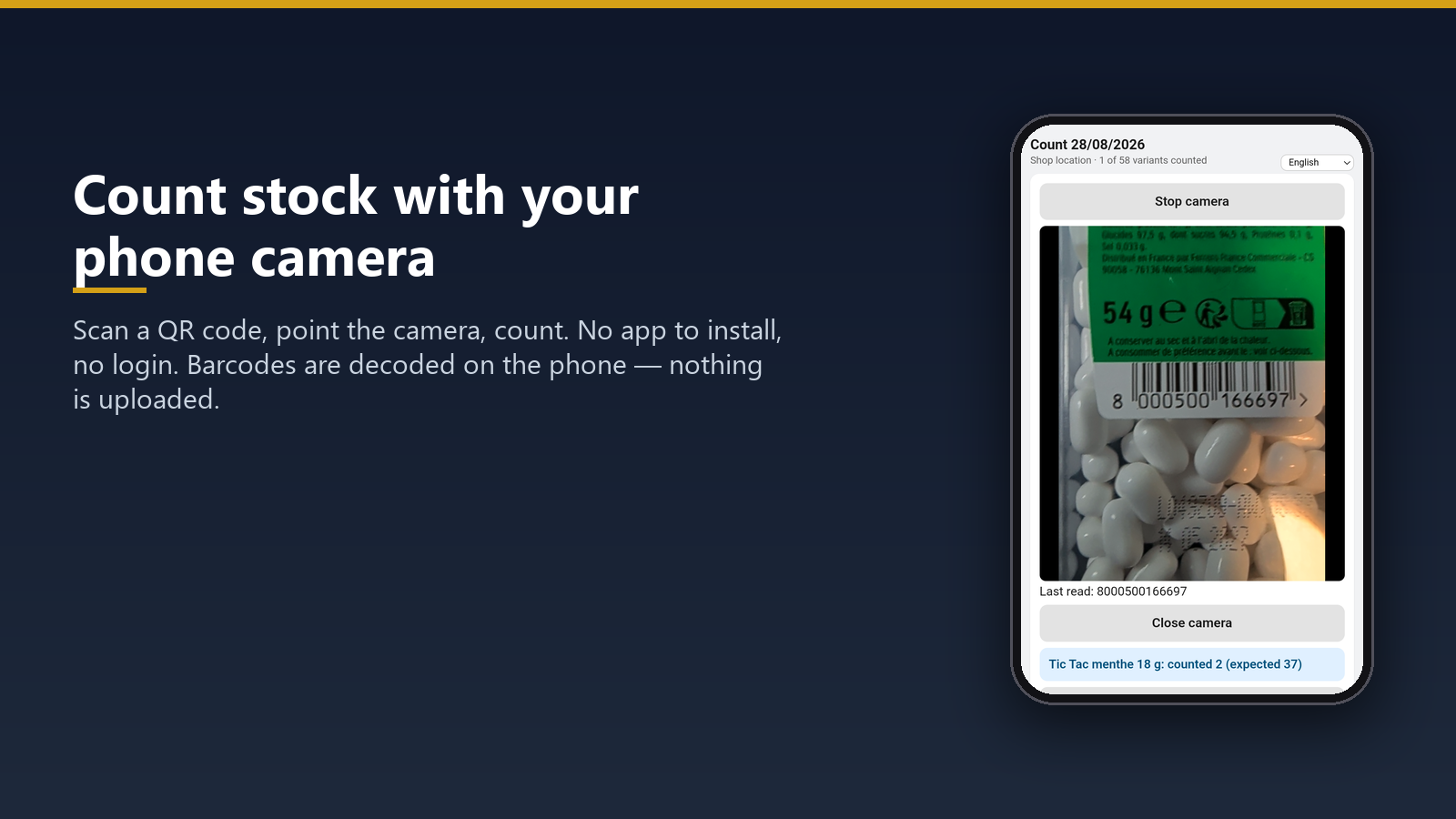
“Count stock with any phone or the POS till, no login. Review each difference, then apply in one click.”
What it does
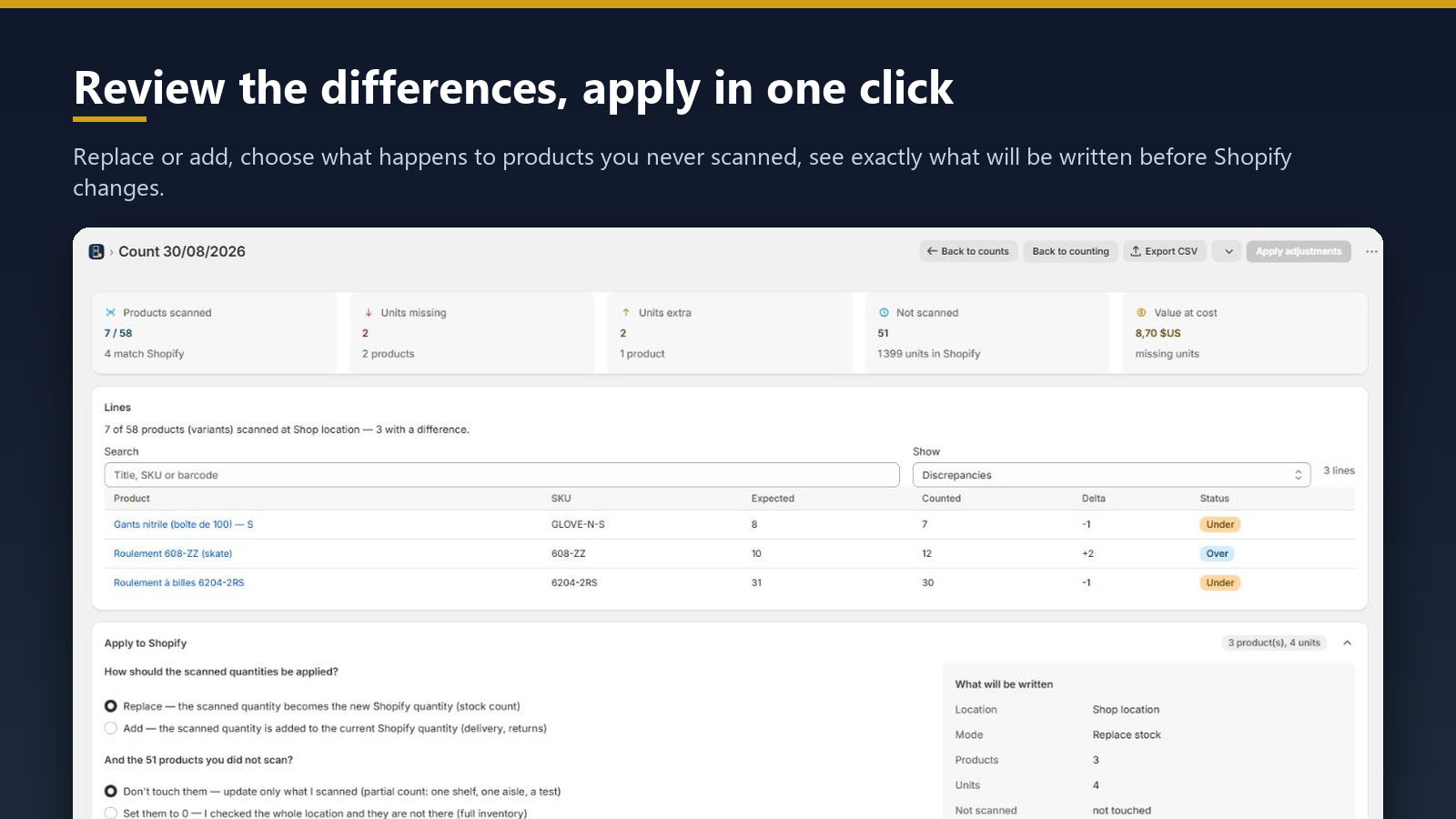
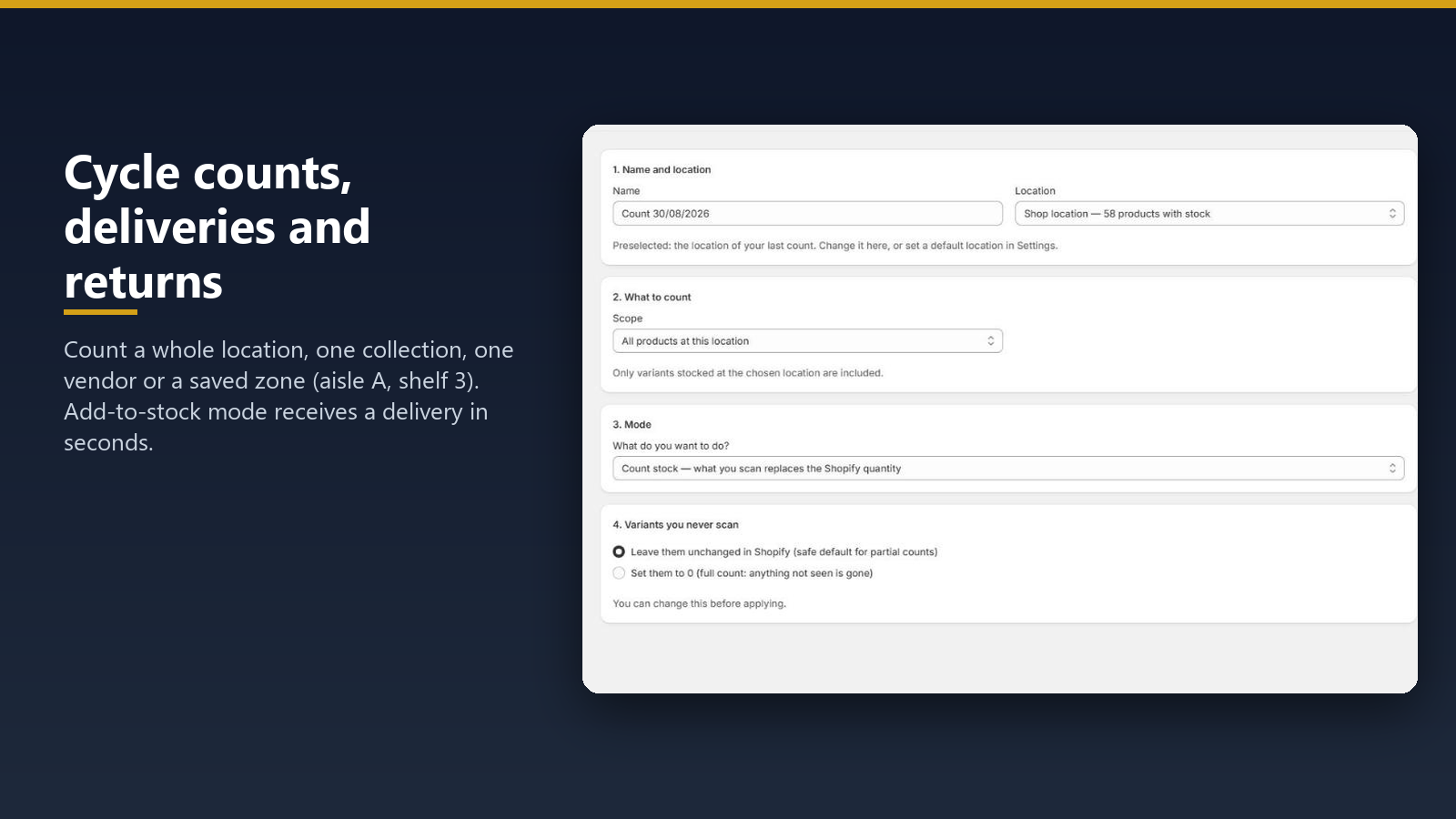
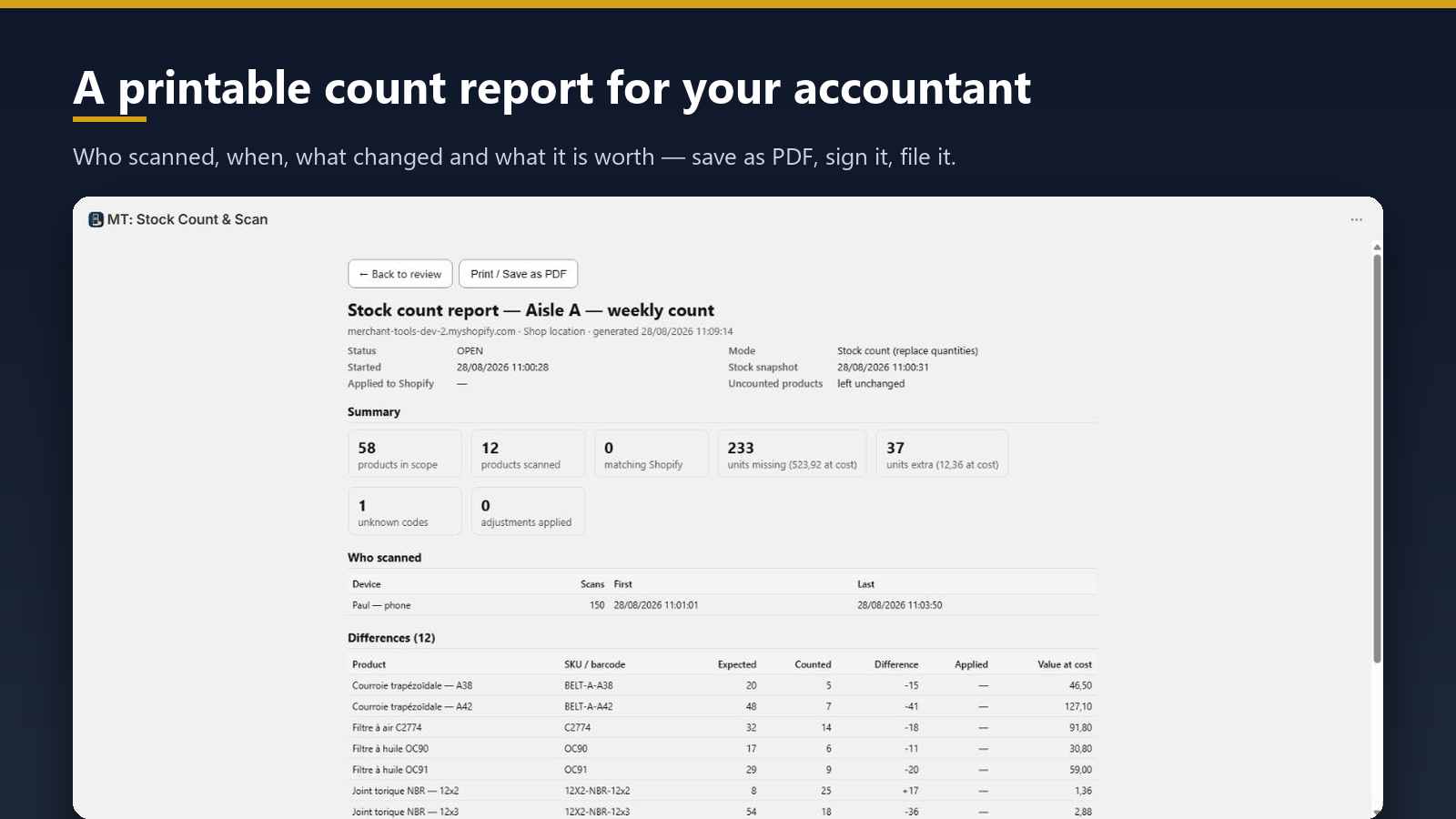
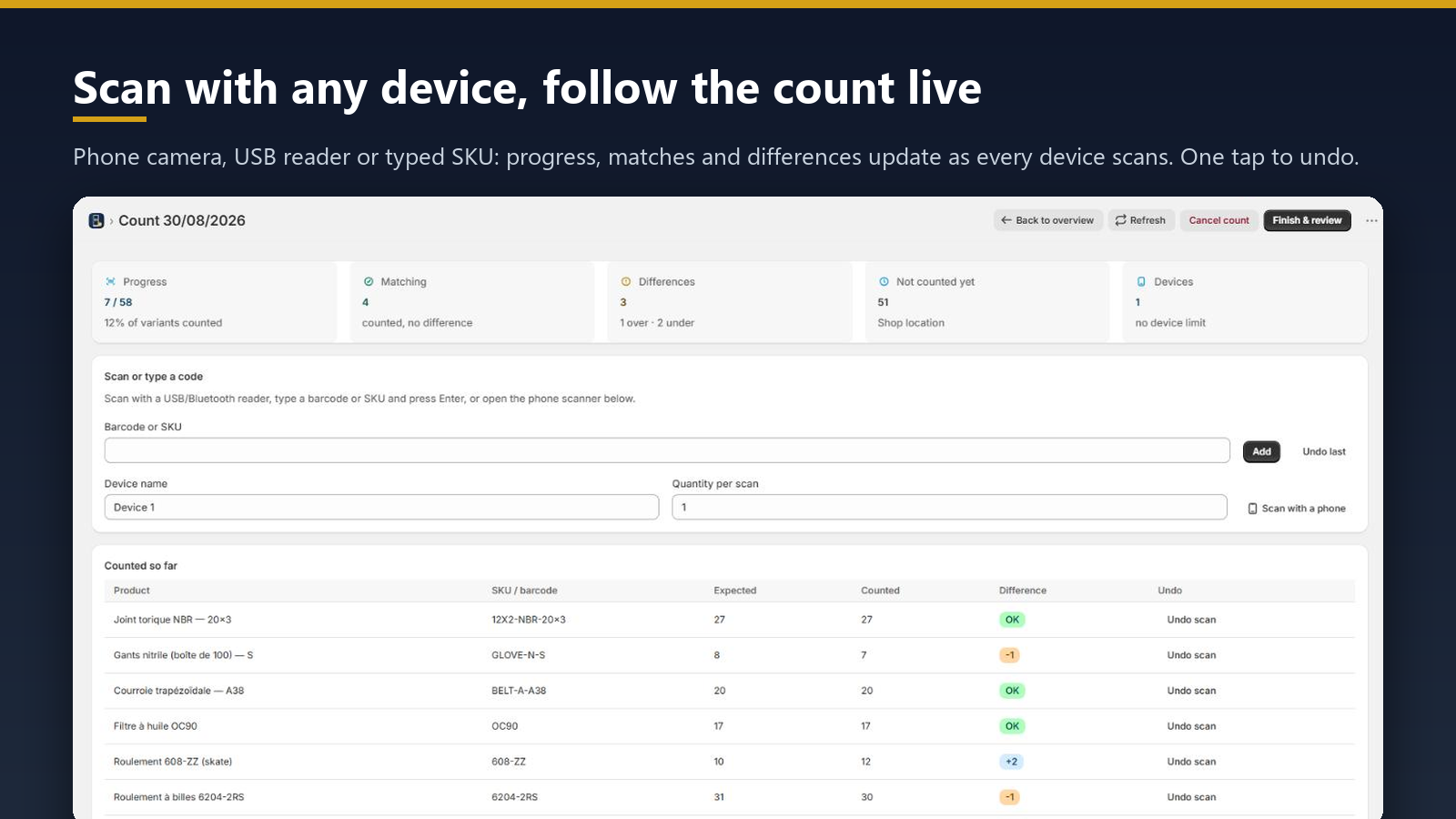
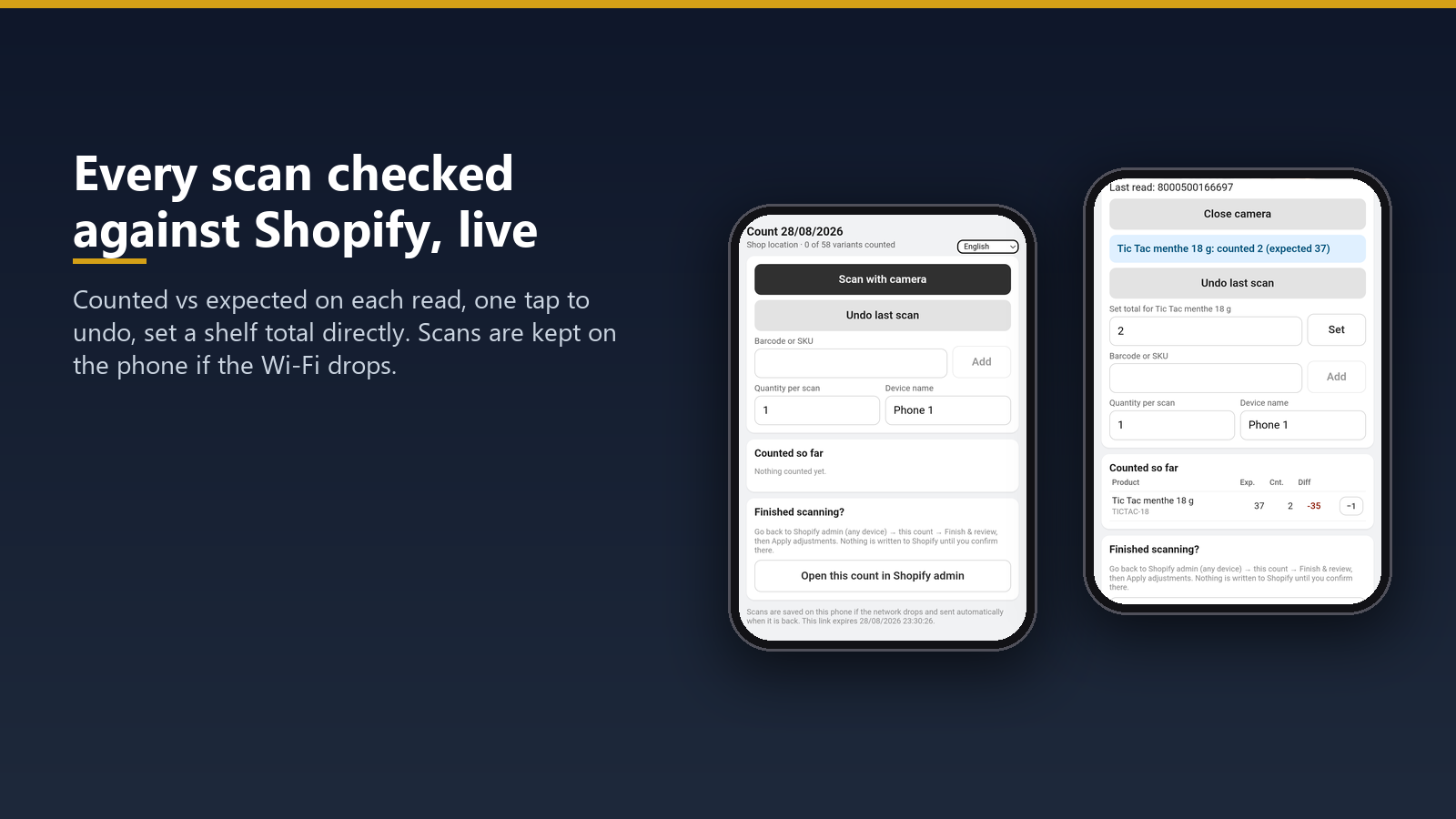
Replacing Stocky? Free plan with no trial and no time limit, for the shop floor and the stockroom. Any iPhone or Android phone becomes a scanner, or count from the Shopify POS till: no login, no scanner gun. No barcode? Type its name. Blind counts hide the… Replacing Stocky? Free plan with no trial and no time limit, for the shop floor and the stockroom. Any iPhone or Android phone becomes a scanner, or count from the Shopify POS till: no login, no scanner gun. No barcode? Type its name. Blind counts hide the expected quantity. Offline scans stay on the phone until sent. Choose a location, collection, vendor or zone, filter over, under and not counted, then apply in one click. Track stock accuracy and losses at cost; Excel/CSV on Standard and Plus.
Features it lists
Screenshots
MT: Stocktake & Stock Count listing facts
- Developer
- Merchant tools
- Launched
- September 17, 2026
- Shopify rank
- #207 in Inventory optimization
- Languages
- English
Shopify stores using MT: Stocktake & Stock Count
Shoplist is watching Shopify storefronts for the first public install of MT: Stocktake & Stock Count.
How MT: Stocktake & Stock Count’s install base is moving
Shoplist re-crawls the same storefronts, so every store that adds MT: Stocktake & Stock Count, comes back to it or removes it shows up here. Stores found running it for the first time don’t count as installs.
Net stores, last 28 days
0Estimated
0 added · 0 came back · 0 removed
Reach
0%
of the stores Shoplist tracks
Big-brand share
Not enough data: fewer than 150 of its stores have a known size
Stores adding and removing MT: Stocktake & Stock Count, by week
| Week of | Added or back | Removed | Net | Notes |
|---|---|---|---|---|
| Sep 14, 2026 | 0 | 0 | 0 | Estimated |
| Sep 21, 2026 | 0 | 0 | 0 | Estimated |
| Sep 28, 2026 | 0 | 0 | 0 | Estimated |
| Oct 5, 2026 | 0 | 0 | 0 | Estimated |
| Oct 12, 2026 | 0 | 0 | 0 | Estimated |
| Oct 19, 2026 | 0 | 0 | 0 | Estimated |
| Oct 26, 2026 | 0 | 0 | 0 | Estimated |
Compare MT: Stocktake & Stock Count
The apps in its App Store category, with the stores Shoplist detects on each and their listing ratings.
Alternatives to MT: Stocktake & Stock Count
Apps merchants weigh against MT: Stocktake & Stock Count, with their own detected stores and ratings.
MT vs ShelfTally Stock Take & Count
MT vs At Once Inventory
MT vs Mify Barcode Scan & Labels
MT vs Proscanify
MT vs Cohub Inventory Counting
MT vs Twist


Follow the apps you compete with and decide which changes deserve action. See the competitor-monitoring workflow.
Seen on the storefront, not guessed
If Shoplist shows MT: Stocktake & Stock Count on a store, it’s there. Every count on this page traces to code found on a live storefront, re-checked on every crawl.
Code-level
Found in the storefront’s own code
Shoplist matches the scripts, app blocks and pixels MT: Stocktake & Stock Count loads on each live storefront. No surveys, no developer-reported numbers, no model guessing installs from review counts.
Re-checked, so the count stays current
Shoplist keeps crawling the same storefronts. A store that uninstalls MT: Stocktake & Stock Count leaves the count on the next crawl, so you read today’s install base, not a high-water mark.
Daily
The App Store, read every day
Rank, reviews, pricing and every listing edit are captured daily, so a price change or a ranking slip shows up here the day it ships.
Two public sources, labelled on every section. Store data last checked .
Read the full methodologyQuestions about MT: Stocktake & Stock Count
Straight answers from the same data as the rest of this page. The full store list answers the rest.
Has Shoplist detected stores using MT: Stocktake & Stock Count yet?
Shoplist has not yet found reliable public storefront evidence for MT: Stocktake & Stock Count. The page tracks first merchant evidence as it appears.
What does first-adopter watch mean?
It means Shoplist is monitoring launch context, first storefront-detectable merchant evidence, pricing, and listing changes.
Can I get alerts when stores start using MT: Stocktake & Stock Count?
Yes. Create a watchlist to get alerted when Shoplist finds public merchant evidence for MT: Stocktake & Stock Count.
Go beyond MT: Stocktake & Stock Count
Its closest rival, its developer and the charts it competes on, from the same data.
- MT: Stocktake & Stock Count vs ShelfTally Stock Take & CountDetected stores, store movement, ratings and pricing side by side.
- Merchant toolsEvery app Merchant tools publishes, with their detected reach.
- Top apps by categoryThe ten apps gaining the most detected installs in each category.
- All Shopify appsBrowse every app Shoplist tracks, by category, rating, and reach.
Keep watching MT: Stocktake & Stock Count.
Get alerted on first storefront installs, review spikes, pricing changes, and listing edits.
