FileSweep: Store Speed & Files Shopify App: Reviews, Pricing & Alternatives
Workflow automationBy Quoter1.0 (2 reviews)Updated June 30, 2026
Shoplist has not found FileSweep: Store Speed & Files on a storefront yet, so it tracks the app through its 2 public reviews and pricing instead. Storefront detections will appear here as soon as Sonar finds them.
Key signals for FileSweep: Store Speed & Files
- Rating
- 1.02 reviews
- Pricing
- Free planPaid from $4.99
- Launched
- Oct 9, 2025
- Storefront installs
- None foundAdmin-only and server-side apps rarely leave a storefront trace
FileSweep: Store Speed & Files reviews and rating
- Rating
- 1.0
- Reviews
- 2
- Latest
- Aug 13, 2026
Reviews added by month
FileSweep: Store Speed & Files pricing
- Free
- Basic file scanning
- Delete up to 10 files
- View unused files
- Free
- Cleanup Basic
- Advanced search and filtering
- Delete up to 100 files
- Includes all Free plan features
- One-click bulk backup (ZIP download)
- $4.99
- Cleanup Pro
- Delete up to 500 files
- Everything in Basic, plus
- Priority support when you need it most
- $14.99
- Cleanup Master
- Dedicated 1-on-1 support for your store
- Everything in Pro, plus
- Unlimited file deletions
- $29.99
Alternatives to FileSweep: Store Speed & Files
Apps merchants weigh against FileSweep: Store Speed & Files, with their own detected stores and ratings.


FileSweep: Store Speed & Files screenshots and video
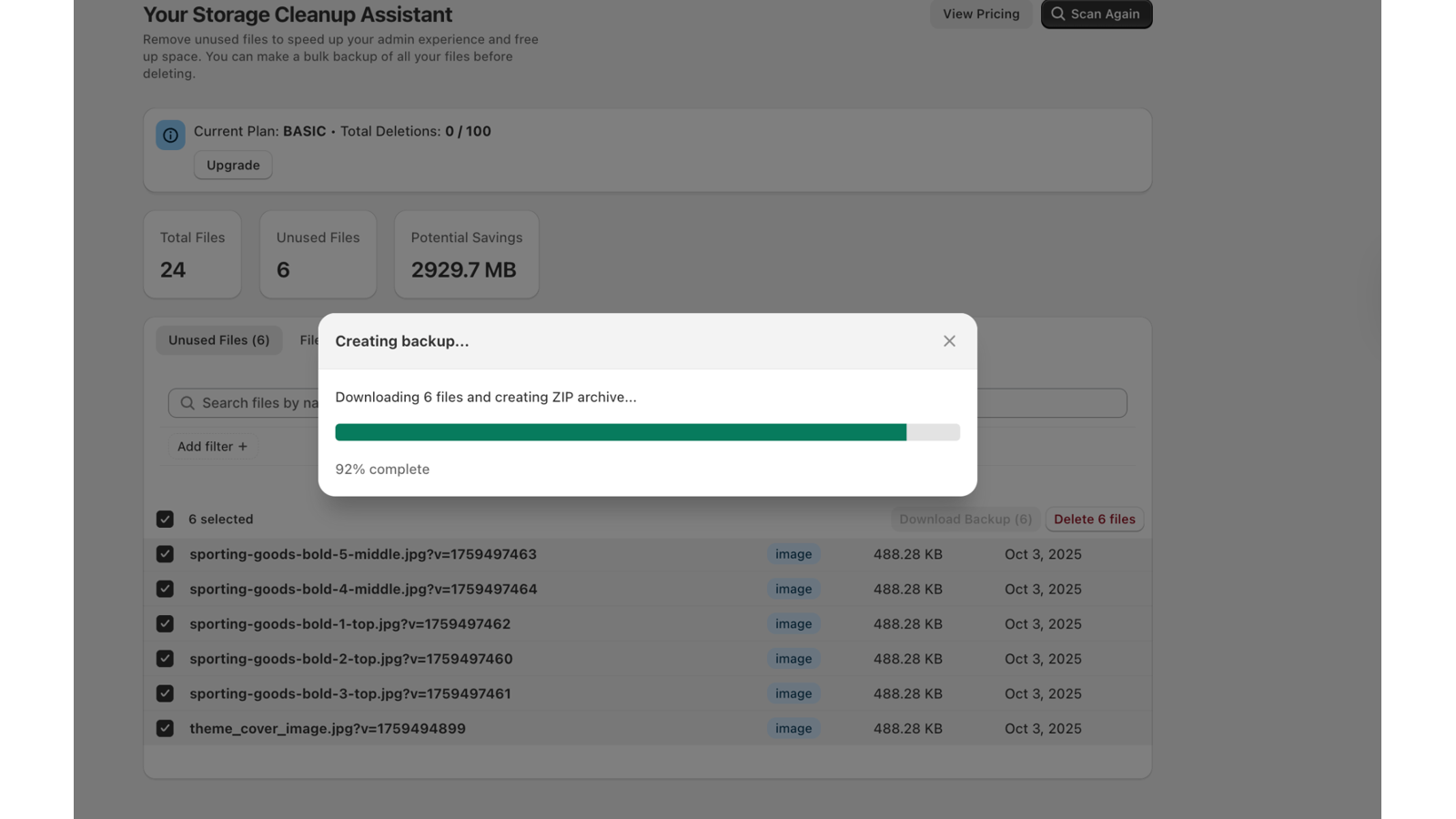
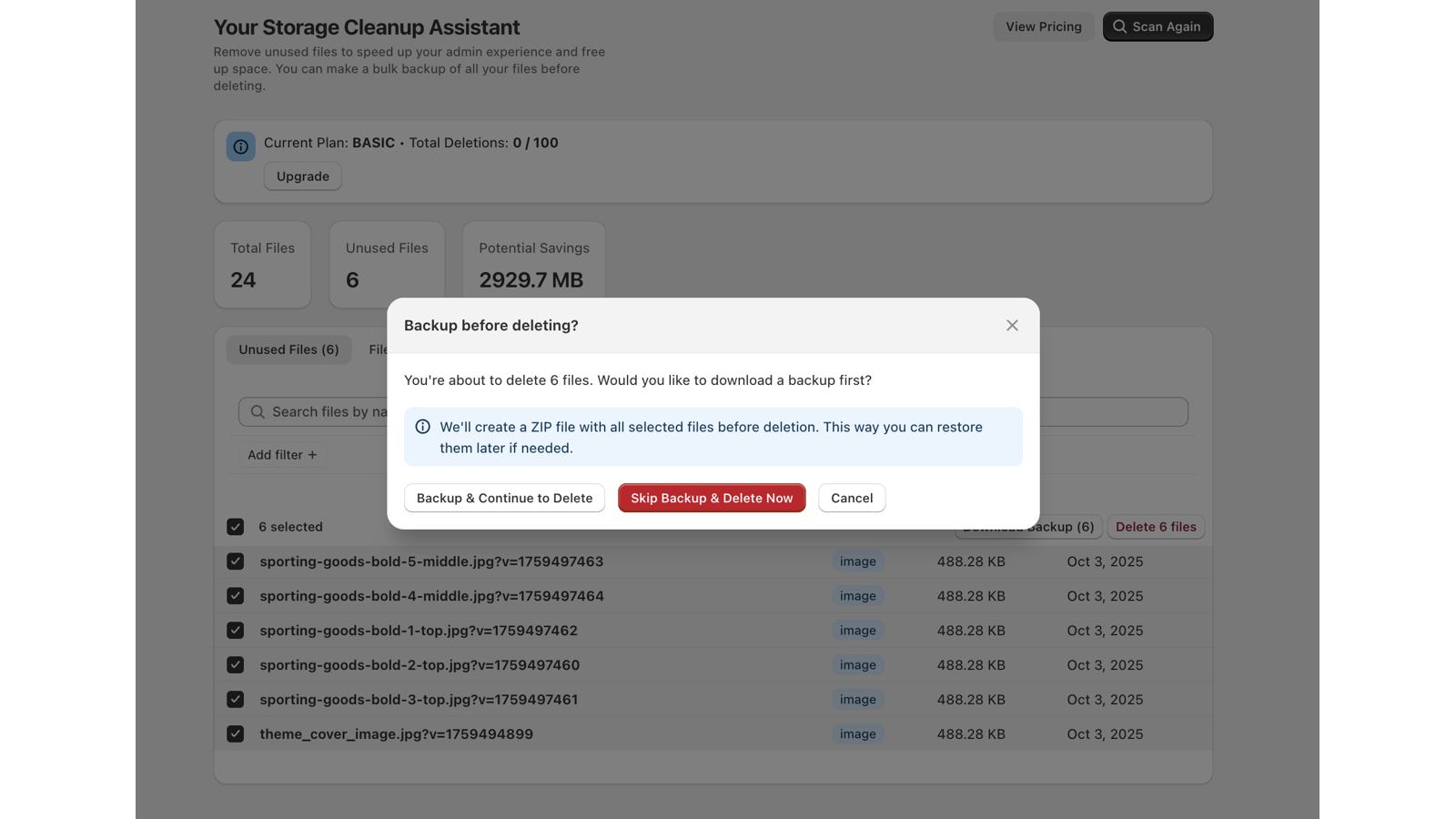
About FileSweep: Store Speed & Files
Scan your store for slow apps and unused files, then clean both to keep it fast and clutter-free.
FileSweep Pro keeps your store fast and clean from one place. Scan to see which installed apps add the most load time, then clean up the ones slowing you down so pages load lighter. It also finds unused images, documents, theme assets, and media no longer linked to any active product, page, theme, or menu. Review every result before deleting — live content stays protected — and clear file clutter in bulk instead of checking items by hand. One scan, a faster and tidier store.
Listing highlights
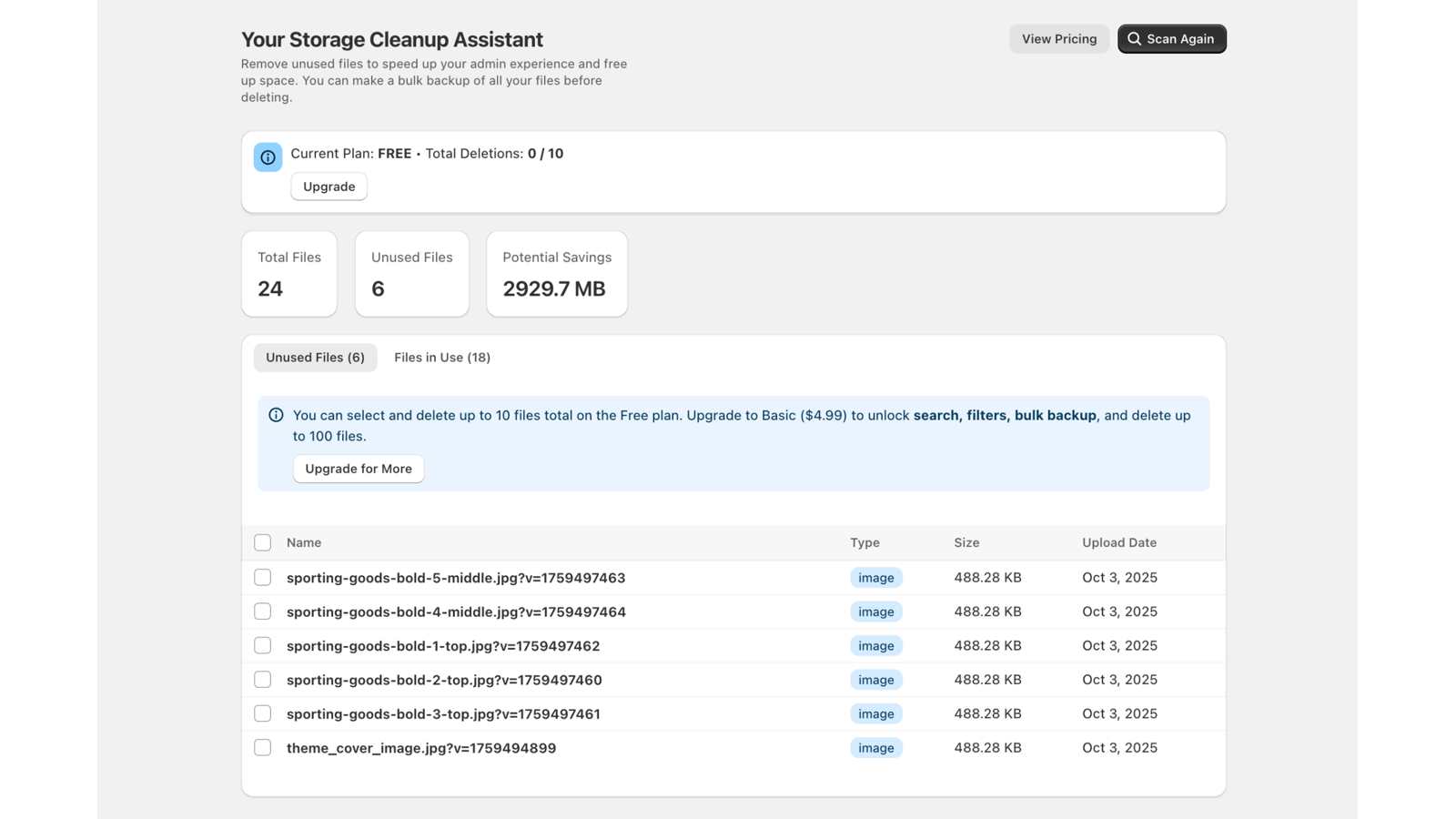
- Run a one-click file cleanup scan to detect unused images and media files
- View clear results that separate safe-to-delete files from active store assets
- Quickly bulk delete unused files with select-all and checkbox options
- Easily download backups of your images and files before deleting
- See exactly where each file is linked for accuracy and site performance
How Shoplist knows
Every number on this page comes from public storefront scans and the public Shopify App Store listing. If Shoplist shows FileSweep: Store Speed & Files on a store, it is there.
Read the data methodology- Counts are based on Shoplist's latest available public crawl signal dated June 30, 2026.
- Shoplist has not yet found reliable public storefront evidence connecting a Shopify store to this app. This does not mean the app has no users. Some apps are new, admin-only, server-side, theme-independent, or otherwise difficult to detect from public storefront signals.
- Merchant rows are filtered to public brand profiles with enough public data to link safely. Full workflow, filtering, and monitoring stay behind signup.
- Review, pricing, feature, screenshot, and listing-change data come from public Shopify App Store and Shoplist crawl records. Signals can change between crawls.
Questions about FileSweep: Store Speed & Files
- Why might Shoplist not show detected stores for FileSweep: Store Speed & Files?
- Some Shopify apps are admin-only, server-side, theme-independent, or otherwise difficult to detect from public storefront signals.
- Does no public detection mean FileSweep: Store Speed & Files has no users?
- No. It only means Shoplist has not found reliable public storefront evidence for FileSweep: Store Speed & Files. reviews, pricing, and developer data can still be useful signals.
- Can I monitor future public detections?
- Yes. Shoplist can monitor FileSweep: Store Speed & Files for future public storefront detections and listing movement.
Keep exploring
Compare
FileSweep: Store Speed & Files vs Tidy Discount Cleaner
Detected stores, ratings, pricing, and momentum side by side.
Developer
Quoter
Every app Quoter publishes, with their detected reach.
Rankings
Top apps by category
The ten apps gaining the most detected installs in each category.
Directory
All Shopify apps
Browse every app Shoplist tracks, by category, rating, and reach.
Keep watching FileSweep: Store Speed & Files.
Get alerted on first storefront installs, review spikes, pricing changes, and listing edits.