
VizChat vs ZettyChat
Two Shopify apps, side by side: detected stores, momentum, reviews, plans, listed features and who runs each. Store counts as of Oct 13, 2026.
The short answer
- Only ZettyChat lists a free plan. Paid plans start at $3/month for VizChat and $20/month for ZettyChat.
- ZettyChat lists 6 features VizChat’s listing doesn’t mention, including Agent analytics, Behavior tracking, Business hours.
Head to head


VizChat Monthly
- · Browser push notifications for new chats
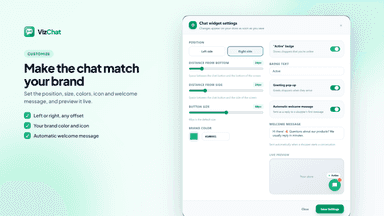
- · Customizable widget design & position
- · Instant welcome messages & quick replies
- · Read receipts and live typing indicator
- · Real-time storefront live chat
- · Unified team inbox with agent assignment
Free
- · Live chat widget for one website
- · Shared inbox for one agent
- · Widget customization with Zetty branding
Pro
- · Add agents for $10 each per month
- · Automatic welcome messages
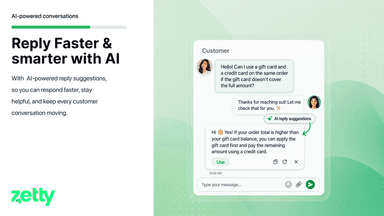
- · Copilot reply suggestions
- · Remove Powered by Zetty branding
Coverage counts what each App Store listing names. Every feature, checked off app by app, is in Shoplist.
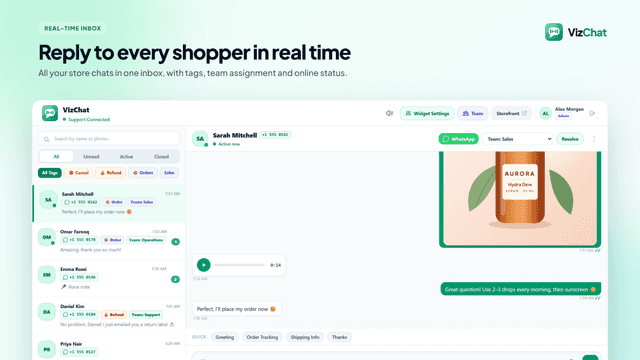
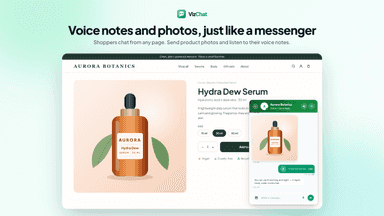
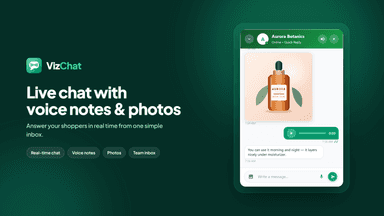
See every featureShoppers often leave when they have questions about products or shipping. VizChat connects you with store visitors in real time through an on-store live chat. Customers and support staff can exchange text messages, product photos, and voice notes. Your team can manage conversations together from a single inbox inside your Shopify admin.
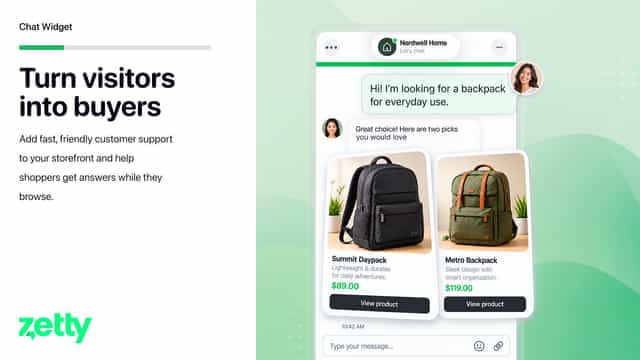
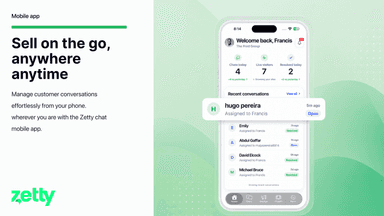
ZettyChat adds a live customer support widget to your online store and connects conversations to a shared workspace. Teams can see active visitors, respond from a central inbox, assign chats, and track resolved conversations. Setup is guided inside the Shopify admin, including theme activation and a test-chat check.
- Chat with shoppers in real time across any page of your online store
- Send and receive voice notes and product photos directly in conversations
- Manage all conversations and assign chats to team members in one inbox
- Set up instant welcome messages and canned replies for faster support
- Add a live support widget through the theme editor
- See active visitors and start conversations in real time
- Manage chats, assignments, and resolutions in one shared inbox

All the numbers
Every figure, side by side
A green dot marks the app ahead on a measured figure. Estimates, gaps and apps that leave no storefront trace never take the lead.
Adoption
| Measure |  VizChat |  ZettyChat |
|---|---|---|
| Detected stores | Not published | Not published |
| Net store change, 28 days | 0 | 0 |
| Stores added, 28 days | Not enough data | Not enough data |
| Big-brand share | Not enough data | Not enough data |
| Top store categories | Not published | Not published |
| Top store countries | Not published | Not published |
Reviews
| Measure | VizChat | ZettyChat |
|---|---|---|
| App Store rating | Not published | Not published |
| App Store reviews | Not published | Not published |
| New reviews, 28 days | Not enough data | Not enough data |
| Reviewers a year or more in | Not enough data | Not enough data |
FAQ
VizChat and ZettyChat: common questions
- Is VizChat or ZettyChat cheaper?
- Only ZettyChat lists a free plan. Paid plans start at $3/month for VizChat and $20/month for ZettyChat. Shoplist compares base prices only between monthly plans in the same currency; usage charges and annual plans vary, so check each plan’s limits.
- What features does each app list that the other doesn’t?
- VizChat lists 3 the others don’t mention, such as Chat buttons, Greetings, Voice support. ZettyChat lists 6 the others don’t mention, such as Agent analytics, Behavior tracking, Business hours, Chat assignment. A feature missing from a listing may still be supported; this compares what each App Store listing says.
- Where does this comparison’s data come from?
- Shoplist crawls Shopify storefronts to detect which apps each store runs, and reads each app’s Shopify App Store listing for reviews, pricing, features and integrations. Store counts are as of Oct 13, 2026; estimated figures are labeled.
How Shoplist compares apps
Store counts come from Shoplist’s crawl of Shopify storefronts, which detects the apps each store runs; they are as of Oct 13, 2026. Reviews, ratings, plans, features and integrations come from each app’s Shopify App Store listing. 28-day figures are labeled when estimated, and a figure that is missing or estimated never decides who leads. Read the methodology.