

ThemeMate Auto Backup vs Vasta ThemeUpdater
Two Shopify apps, side by side: detected stores, momentum, reviews, plans, listed features and who runs each. Store counts as of Oct 13, 2026 for ThemeMate Auto Backup, Feb 19, 2026 for Vasta ThemeUpdater.
The short answer
Head to head


Basic
- · Activity logs and backup status
- · Backup manifests and asset history
- · Manual and scheduled theme backups
Coverage counts what each App Store listing names. Every feature, checked off app by app, is in Shoplist.
See every featureKeep a history of your theme before design changes, app installs, or seasonal updates. Create manual or scheduled snapshots, compare changed files, and download ZIP archives from Shopify Admin. Review backup status and activity logs to confirm what completed. Restore by uploading a ZIP as an unpublished Shopify theme, then preview before publishing.
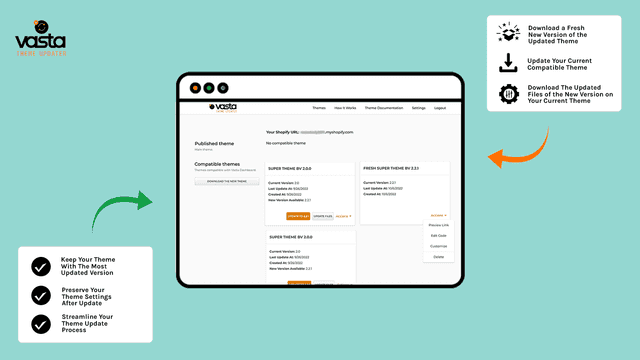
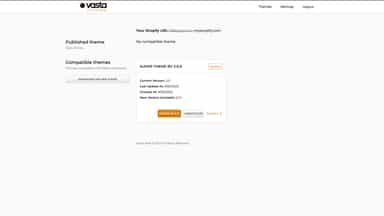
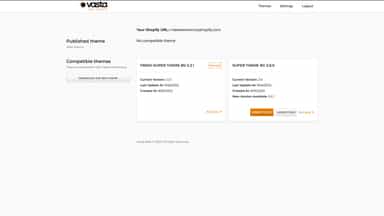
Vasta Super Theme Updater allows seamless updates of the Vasta Super Theme without losing custom edits. Ideal for maintaining a store’s unique look while accessing the latest theme version, this app safely creates a draft of the updated theme, keeping the original intact. Easily check for updates, and apply them without risk to your current setup, ensuring your store stays consistent and up to date.
- Manual theme backups - Run backups on demand for the active theme.
- Scheduled backups - Create daily schedules and run scheduled backups manually.
- Backup history - Review completed snapshots and asset counts.
- Activity history - Review theme sync and backup completion logs.
- Upgrade to the most updated version of the Vasta Super Theme
- Download Blank Vasta Super Theme
- Check the list of files that were updated
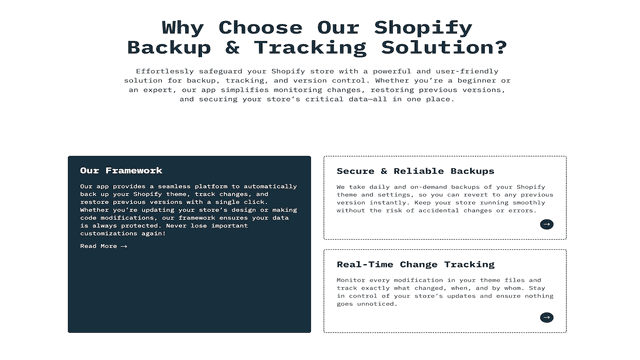
All the numbers
Every figure, side by side
A green dot marks the app ahead on a measured figure. Estimates, gaps and apps that leave no storefront trace never take the lead.
Adoption
| Measure |  ThemeMate Auto Backup |  Vasta ThemeUpdater |
|---|---|---|
| Detected stores | Not published | Not published |
| Net store change, 28 days | 0 | 0 |
| Stores added, 28 days | Not enough data | Not enough data |
| Big-brand share | Not enough data | Not enough data |
| Top store categories | Not published | Not published |
| Top store countries | Not published | Not published |
Reviews
| Measure | ThemeMate Auto Backup | Vasta ThemeUpdater |
|---|---|---|
| App Store rating | Not published | Not published |
| App Store reviews | Not published | Not published |
| New reviews, 28 days | Not enough data | Not enough data |
| Reviewers a year or more in | Not enough data | Not enough data |
Pricing
| Measure | ThemeMate Auto Backup | Vasta ThemeUpdater |
|---|---|---|
| Free plan | Not listed | Not listed |
| Lowest paid monthly plan | $4.99/month | No monthly plan listed |
| Longest free trial | 3 days | Not listed |
| Plans listed | 1 | Not published |
Listing
| Measure | ThemeMate Auto Backup | Vasta ThemeUpdater |
|---|---|---|
| Shopify category rank | #169 | #161(ahead) |
| Shopify App Charts | Not on this week’s charts | Not on this week’s charts |
| Built for Shopify | No | No |
| Launched | Jun 2, 2026 | Oct 13, 2022 |
| Languages | 1 | 1 |
| Developer | Hafsa Software- | Vasta Inc |
FAQ
ThemeMate Auto Backup and Vasta ThemeUpdater: common questions
- Where does this comparison’s data come from?
- Shoplist crawls Shopify storefronts to detect which apps each store runs, and reads each app’s Shopify App Store listing for reviews, pricing, features and integrations. Store counts are as of Oct 13, 2026 for ThemeMate Auto Backup, Feb 19, 2026 for Vasta ThemeUpdater; estimated figures are labeled.
How Shoplist compares apps
Store counts come from Shoplist’s crawl of Shopify storefronts, which detects the apps each store runs; they are as of Oct 13, 2026 for ThemeMate Auto Backup, Feb 19, 2026 for Vasta ThemeUpdater. Reviews, ratings, plans, features and integrations come from each app’s Shopify App Store listing. 28-day figures are labeled when estimated, and a figure that is missing or estimated never decides who leads. Read the methodology.