

Store health monitor vs XFlow Back in Stock Alerts
Two Shopify apps, side by side: detected stores, momentum, reviews, plans, listed features and who runs each. Store counts as of Oct 14, 2026 for Store health monitor, Nov 8, 2026 for XFlow Back in Stock Alerts.
The short answer
- Both list a free plan. Paid plans start at $9.99/month for Store health monitor and $9/month for XFlow Back in Stock Alerts.
- XFlow Back in Stock Alerts lists 12 features Store health monitor’s listing doesn’t mention, including Alert settings, Auto-alerts, Back in stock.
Head to head


- United States
- United Kingdom
- India
Momentum
New reviews each month
Review pace is the clearest public read on how fast an app is winning new merchants.
Free
- · 3 health scans
- · 50 restock alerts / month
- · Health scan reports
- · Theme matched Notify Me widget
Starter
- · 1 hour scan cooldown
- · 1,000 restock alerts / month
- · 30 health scans / month
- · One click Fix It guidance
Pro
- · 120 health scans / month
- · 15 minute scan cooldown
- · 3,000 restock alerts / month
- · One click Fix It guidance
Growth
- · 120 health scans / month
- · 15 minute scan cooldown
- · One click Fix It guidance
- · Unlimited alerts (15k/mo cap)
Free
- · 1 live restock campaign
- · 5 free attributed orders
- · Branded email template designs
- · Customized Notify button on product page
- · Double opt-in (customers confirm emails)
- · Onboarding & migration, 24/7 support
Starter
- · Advanced analytics & sales report
- · Everything in Free, plus
- · SMS notifications
- · Unlimited restock campaigns
- · Web push notifications
Growth
- · Branded sender email address
- · Customized Notify button on any page
- · Everything in Starter, plus
- · Multi-language emails, AI translation
- · Shopify Flow integration
Coverage counts what each App Store listing names. Every feature, checked off app by app, is in Shoplist.
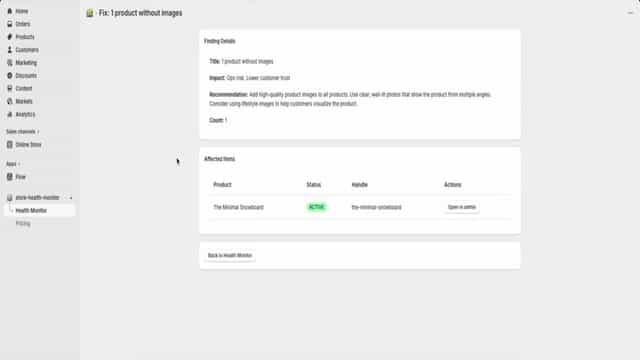
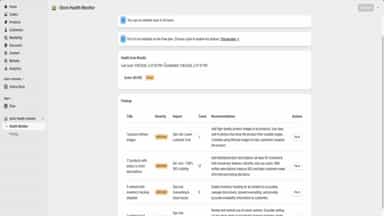
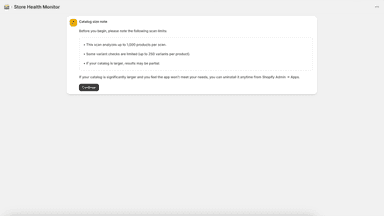
See every featureFind what's quietly costing you sales and win it back. Scan your catalog for missing images, thin descriptions, untracked inventory, and out of stock variants. Then recover lost sales: add a "Notify me" button to product pages. When you restock, every waiting shopper is auto emailed from your own domain, styled to your theme. Set up in minutes, no code. Lightweight, privacy friendly.
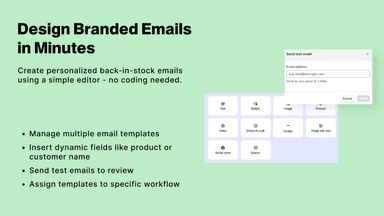
Turns back in stock into a sales strategy. Build out-of-stock waitlists with a Notify me button on all pages. Use Analytics to see demand, wait times, restock priorities & suggested quantities. Win back sales with targeted campaigns, stunning branded email templates, unlimited restock alerts by email, web push, SMS. Send at your stock threshold & shoppers’ best local time to boost open rates.
- Store health monitoring to detect issues early
- Alerts to prevent downtime and sales impact
- Simple dashboard with clear, actionable health insights
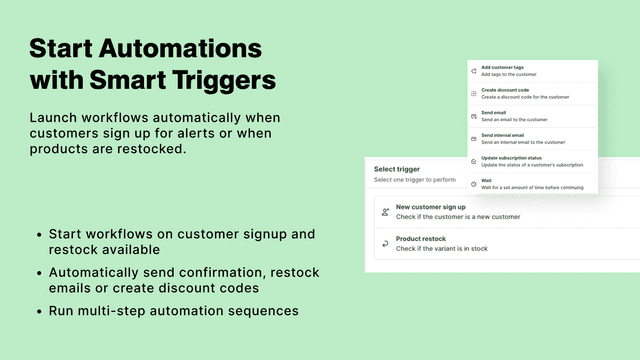
- Restock alerts: Notify customers with back in stock automated email alerts
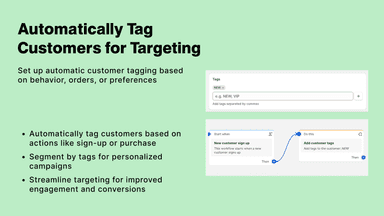
- Personalization: Send tailored notifications to different customer segments
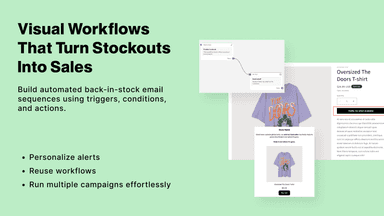
- Simple automation: Set up workflows to automate back in stock emails
- Internal notifications: Notify team of new subscribers or restock demand emails


All the numbers
Every figure, side by side
A green dot marks the app ahead on a measured figure. Estimates, gaps and apps that leave no storefront trace never take the lead.
Adoption
| Measure |  Store health monitor |  XFlow Back in Stock Alerts |
|---|---|---|
| Detected stores | Not published | 644 |
| Net store change, 28 days | 0 | +3 |
| Stores added, 28 days | Not enough data | 13 |
| Big-brand share | Not enough data | 14% |
| Top store categories | Not published | Apparel & Accessories, Health & Beauty, Home & Garden |
| Top store countries | Not published | United States, United Kingdom, India |
Reviews
| Measure | Store health monitor | XFlow Back in Stock Alerts |
|---|---|---|
| App Store rating | Not published | 5.0 ★ |
| App Store reviews | Not published | 70 |
| New reviews, 28 days | Not enough data | Not enough data |
| Reviewers a year or more in | Not enough data | 0% |
Pricing
| Measure | Store health monitor | XFlow Back in Stock Alerts |
|---|---|---|
| Free plan | Yes | Yes |
| Lowest paid monthly plan | $9.99/month | $9/month(ahead) |
| Longest free trial | Not listed | 7 days |
| Plans listed | 4 | 3 |
Listing
| Measure | Store health monitor | XFlow Back in Stock Alerts |
|---|---|---|
| Shopify category rank | #932 | #19 |
| Shopify App Charts | Not on this week’s charts | #9 in Stock alerts |
| Built for Shopify | No | Yes |
| Launched | Feb 10, 2026 | Dec 1, 2025 |
| Languages | 1 | 3 |
| Developer | PradeepS | XFlow |
FAQ
Store health monitor and XFlow Back in Stock Alerts: common questions
- Is Store health monitor or XFlow Back in Stock Alerts cheaper?
- Both list a free plan. Paid plans start at $9.99/month for Store health monitor and $9/month for XFlow Back in Stock Alerts. Shoplist compares base prices only between monthly plans in the same currency; usage charges and annual plans vary, so check each plan’s limits.
- What features does each app list that the other doesn’t?
- Store health monitor lists 2 the others don’t mention, such as Analytics dashboard, Cohort analysis. XFlow Back in Stock Alerts lists 12 the others don’t mention, such as Alert settings, Auto-alerts, Back in stock, Batch send. A feature missing from a listing may still be supported; this compares what each App Store listing says.
- Where does this comparison’s data come from?
- Shoplist crawls Shopify storefronts to detect which apps each store runs, and reads each app’s Shopify App Store listing for reviews, pricing, features and integrations. Store counts are as of Oct 14, 2026 for Store health monitor, Nov 8, 2026 for XFlow Back in Stock Alerts; estimated figures are labeled.
How Shoplist compares apps
Store counts come from Shoplist’s crawl of Shopify storefronts, which detects the apps each store runs; they are as of Oct 14, 2026 for Store health monitor, Nov 8, 2026 for XFlow Back in Stock Alerts. Reviews, ratings, plans, features and integrations come from each app’s Shopify App Store listing. 28-day figures are labeled when estimated, and a figure that is missing or estimated never decides who leads. Read the methodology.