
Stats You Need vs WEB‑STAT: Live Web Analytics
Two Shopify apps, side by side: detected stores, momentum, reviews, plans, listed features and who runs each. Store counts as of Oct 13, 2026 for Stats You Need, Nov 9, 2026 for WEB‑STAT.
The short answer
- Only WEB‑STAT lists a free plan. Paid plans start at $6.99/month for Stats You Need and $4.95/month for WEB‑STAT.
- WEB‑STAT lists 15 features Stats You Need’s listing doesn’t mention, including Cohort analysis, Custom dashboards, Custom reports.
Head to head


Professional traffic analysis for your shop. Live data.


- United States
- United Kingdom
- Australia
Momentum
New reviews each month
Review pace is the clearest public read on how fast an app is winning new merchants.
Pro
Free
- · 14-day Pro preview, then Free
- · Devices and browsers used
- · Latest 50 visits: detailed log & map
- · New vs. repeat visitor
- · Traffic sources and entry pages
- · Traffic summaries for all visits
Basic
- · 6 months of aggregated report history
- · Everything in Free, plus:
- · Exclude your own visits
- · Latest 100 visits: detailed log & map
- · Traffic source and referrer reports
- · Up to 10,000 page views/month
Plus
- · 1 year of aggregated report history
- · Bounce-rate reports
- · Everything in Basic, plus:
- · Latest 1,000 visits: detailed log & map
- · Time-on-site reports
- · Up to 100,000 page views per month
Pro
- · 2 years of aggregated report history
- · Archive details of all visits
- · Downtime alerts
- · Everything in Plus, plus:
- · Label and recognize visitors
- · Latest 2,000 visits: detailed log & map
Max
- · 5 years of aggregated report history
- · Daily aggregation for all reports
- · Everything in Pro, plus:
- · Latest 5,000 visits: detailed log & map
- · Up to 500,000 page views per month
Coverage counts what each App Store listing names. Every feature, checked off app by app, is in Shoplist.
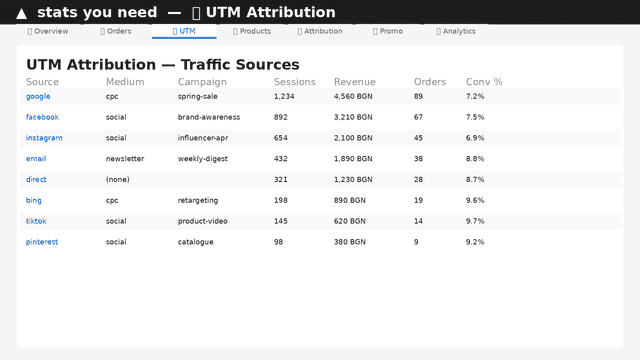
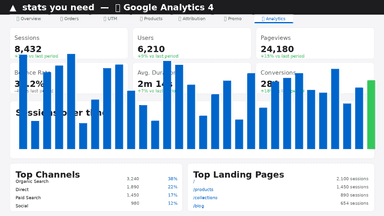
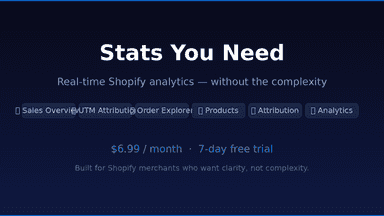
See every featureStats You Need gives you a real-time view of your Shopify store without the complexity. See your revenue, orders, and average order value at a glance, then drill down into exactly which campaigns and channels are driving your sales through built-in UTM attribution. The order explorer lets you browse every order with full details including products, payment method, discounts, and traffic source in one click.
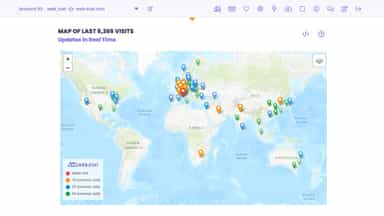
Watch store activity as it happens. See where visitors come from, the pages they view, how long they stay, and the paths they take. Track traffic sources, campaigns, conversions, bounce rates, and locations through clear reports and maps. Filter your own visits, schedule alerts and email reports, and export or share results. Setup takes minutes: enable the theme app embed without editing code.
- UTM attribution — see which campaigns and channels drive your sales
- Order explorer with full details — products, payment, discounts, UTM
- Product performance charts and promo code tracking in real time
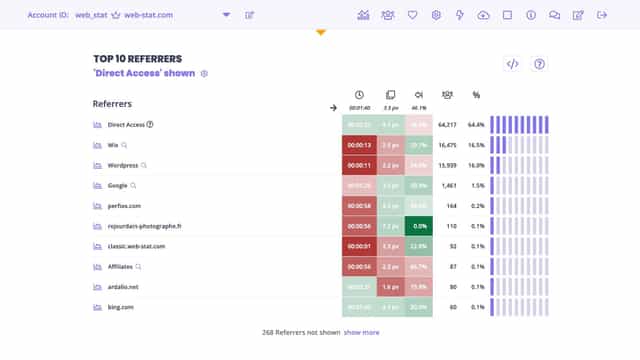
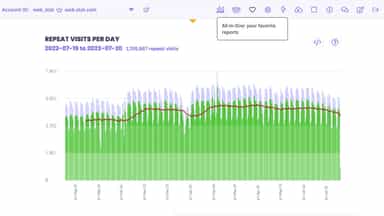
- Observe visitors interacting with your website, live.
- Full visitor details, including path through your site, and time on each page.
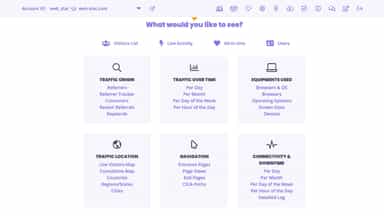
- Beautiful, user-friendly reports. View, print, email, share or export.



All the numbers
Every figure, side by side
A green dot marks the app ahead on a measured figure. Estimates, gaps and apps that leave no storefront trace never take the lead.
Adoption
| Measure |  Stats You Need |  WEB‑STAT |
|---|---|---|
| Detected stores | Not published | 112 |
| Net store change, 28 days | 0 | +12 |
| Stores added, 28 days | Not enough data | 12 |
| Big-brand share | Not enough data | Not enough data |
| Top store categories | Not published | Apparel & Accessories, Health & Beauty, Home & Garden |
| Top store countries | Not published | United States, United Kingdom, Australia |
Reviews
| Measure | Stats You Need | WEB‑STAT |
|---|---|---|
| App Store rating | Not published | 5.0 ★ |
| App Store reviews | Not published | 7 |
| New reviews, 28 days | Not enough data | 1 |
| Reviewers a year or more in | Not enough data | Not enough data |
Pricing
| Measure | Stats You Need | WEB‑STAT |
|---|---|---|
| Free plan | Not listed | Yes |
| Lowest paid monthly plan | $6.99/month | $4.95/month(ahead) |
| Longest free trial | 7 days | Not listed |
| Plans listed | 1 | 5 |
Listing
| Measure | Stats You Need | WEB‑STAT |
|---|---|---|
| Shopify category rank | #1334 | #260(ahead) |
| Shopify App Charts | Not on this week’s charts | Not on this week’s charts |
| Built for Shopify | No | No |
| Launched | Apr 24, 2026 | Oct 2, 2018 |
| Languages | 1 | 2 |
| Developer | Build for you | WEB-STAT |
FAQ
Stats You Need and WEB‑STAT: common questions
- Is Stats You Need or WEB‑STAT cheaper?
- Only WEB‑STAT lists a free plan. Paid plans start at $6.99/month for Stats You Need and $4.95/month for WEB‑STAT. Shoplist compares base prices only between monthly plans in the same currency; usage charges and annual plans vary, so check each plan’s limits.
- What features does each app list that the other doesn’t?
- Stats You Need lists 1 the others don’t mention, such as Pixel tracking. WEB‑STAT lists 15 the others don’t mention, such as Cohort analysis, Custom dashboards, Custom reports, Data export. A feature missing from a listing may still be supported; this compares what each App Store listing says.
- Where does this comparison’s data come from?
- Shoplist crawls Shopify storefronts to detect which apps each store runs, and reads each app’s Shopify App Store listing for reviews, pricing, features and integrations. Store counts are as of Oct 13, 2026 for Stats You Need, Nov 9, 2026 for WEB‑STAT; estimated figures are labeled.
How Shoplist compares apps
Store counts come from Shoplist’s crawl of Shopify storefronts, which detects the apps each store runs; they are as of Oct 13, 2026 for Stats You Need, Nov 9, 2026 for WEB‑STAT. Reviews, ratings, plans, features and integrations come from each app’s Shopify App Store listing. 28-day figures are labeled when estimated, and a figure that is missing or estimated never decides who leads. Read the methodology.