
SpecWise vs Sunpo: Spec Comparison Tables
Two Shopify apps, side by side: detected stores, momentum, reviews, plans, listed features and who runs each. Store counts as of Oct 13, 2026 for SpecWise, Nov 11, 2026 for Sunpo.
The short answer
- Only SpecWise lists a free plan. Paid plans start at $7.99/month for SpecWise and $7/month for Sunpo.
- SpecWise lists 5 features Sunpo’s listing doesn’t mention, including Comparison page, Custom CSS, Highlight differences.
Head to head

Free
Pro
Standard
- · CSV import and export
- · Product specification tables
- · Reusable specification sets
- · Side-by-side product comparisons
Coverage counts what each App Store listing names. Every feature, checked off app by app, is in Shoplist.
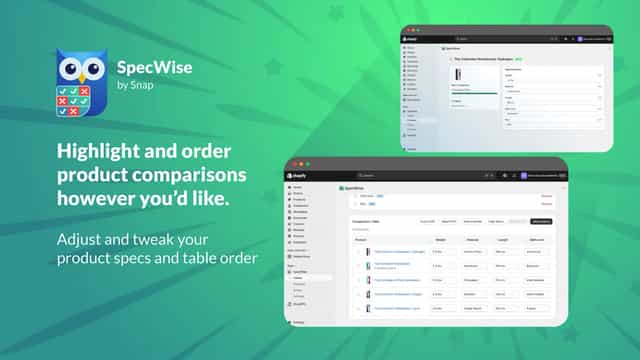
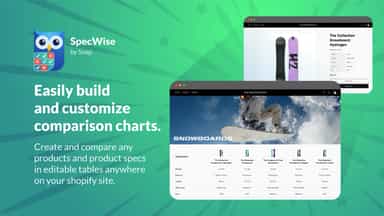
See every featureSpecWise lets you build product spec comparison tables for your storefront. Define spec fields (text, number, yes/no, rating, color, link), add products, and fill in values with inline editing that auto-saves. Display tables on any page or show specs on product pages as a table, list, or cards. Tables automatically inherit your theme's colors and fonts.
Define a spec list once per product type, such as Battery, Weight and Material for headphones, then fill in values in the app or import them from a CSV file, with a preview before anything changes. Add a spec table and a comparison table to product pages from the theme editor.
- Side-by-side comparison tables with 6 spec field types and inline editing
- Theme extension that auto-inherits your store's colors, fonts, and styling
- CSV import/export, pre-built templates, and auto-populate from metafields
- Spec tables with the same row order for every product of a type
- Compare a product with up to three others, with differences highlighted
- Bulk import and export by CSV, with a preview before anything changes
- Place spec and comparison tables on product pages with theme app blocks


All the numbers
Every figure, side by side
A green dot marks the app ahead on a measured figure. Estimates, gaps and apps that leave no storefront trace never take the lead.
Adoption
| Measure |  SpecWise | |
|---|---|---|
| Detected stores | Not published | Not published |
| Net store change, 28 days | 0 | 0 |
| Stores added, 28 days | Not enough data | Not enough data |
| Big-brand share | Not enough data | Not enough data |
| Top store categories | Not published | Not published |
| Top store countries | Not published | Not published |
Reviews
| Measure | SpecWise | |
|---|---|---|
| App Store rating | Not published | Not published |
| App Store reviews | Not published | Not published |
| New reviews, 28 days | Not enough data | Not enough data |
| Reviewers a year or more in | Not enough data | Not enough data |
FAQ
SpecWise and Sunpo: common questions
- Is SpecWise or Sunpo cheaper?
- Only SpecWise lists a free plan. Paid plans start at $7.99/month for SpecWise and $7/month for Sunpo. Shoplist compares base prices only between monthly plans in the same currency; usage charges and annual plans vary, so check each plan’s limits.
- What features does each app list that the other doesn’t?
- SpecWise lists 5 the others don’t mention, such as Comparison page, Custom CSS, Highlight differences, Specifications. Sunpo lists 1 the others don’t mention, such as Product page. A feature missing from a listing may still be supported; this compares what each App Store listing says.
- Where does this comparison’s data come from?
- Shoplist crawls Shopify storefronts to detect which apps each store runs, and reads each app’s Shopify App Store listing for reviews, pricing, features and integrations. Store counts are as of Oct 13, 2026 for SpecWise, Nov 11, 2026 for Sunpo; estimated figures are labeled.
How Shoplist compares apps
Store counts come from Shoplist’s crawl of Shopify storefronts, which detects the apps each store runs; they are as of Oct 13, 2026 for SpecWise, Nov 11, 2026 for Sunpo. Reviews, ratings, plans, features and integrations come from each app’s Shopify App Store listing. 28-day figures are labeled when estimated, and a figure that is missing or estimated never decides who leads. Read the methodology.