

Smart Variants vs SmartStock: Sold out variants
Two Shopify apps, side by side: detected stores, momentum, reviews, plans, listed features and who runs each. Store counts as of Oct 14, 2026 for Smart Variants, Oct 13, 2026 for SmartStock.
The short answer
- Paid plans start at $9.99/month for Smart Variants and $3.99/month for SmartStock.
Head to head


Pro Monthly
- · 7-day free trial
- · Custom typography & badges
- · Priority email support
- · Tag & product-type filters
- · Unlimited products & collections
- · Unlimited variant splits
Pro Annual (Save 2
- · 20% off vs monthly billing
- · 7-day free trial
- · Equivalent to $7.99/month
- · Everything in Pro Monthly
- · One yearly Shopify charge
Basic
- · Automatic grey overlay
- · Filter-aware detection
- · Fixed sold-out badge
- · Works with all OS 2.0 themes
Advanced
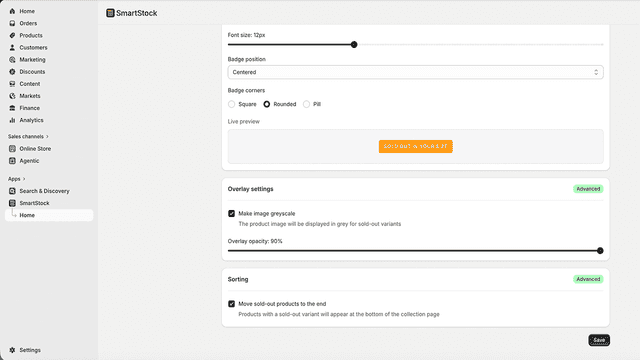
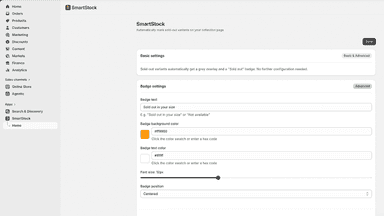
- · Customize badge text, color & position
- · Hide sold-out variants on product page
- · Live badge preview
- · Overlay opacity & grayscale control
- · Sort sold-out products to bottom of page
Coverage counts what each App Store listing names. Every feature, checked off app by app, is in Shoplist.
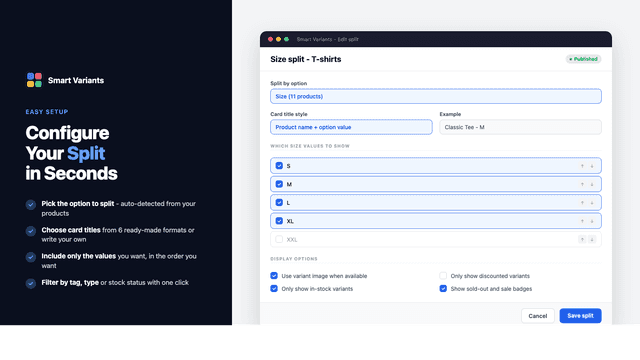
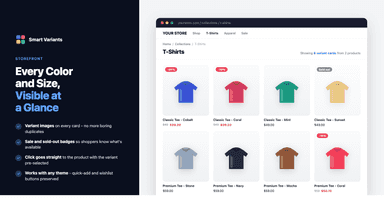
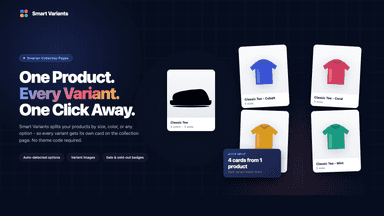
See every featureMost themes hide variants behind dropdowns - shoppers don't see your colors or sizes until they click into each product. Smart Variants renders every variant as its own card directly in your collection grid. Split by any product option, filter by stock or sale state, and apply different rules per collection. Variant cards inherit your theme's styling automatically, so it works without theme code or designer time.
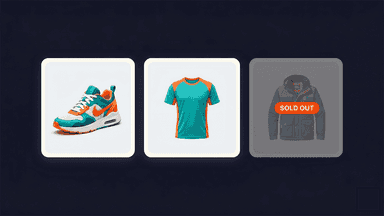
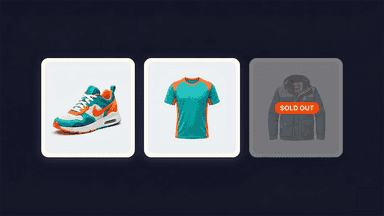
SmartStock detects which products are out of stock for the variant a shopper has filtered on. Those products automatically get a grey overlay and a sold-out badge. No code needed, no theme editing. Shoppers see exactly which products match their chosen size, color, or variant. No more clicking on products only to find out they can't order. Less frustration, more conversions.
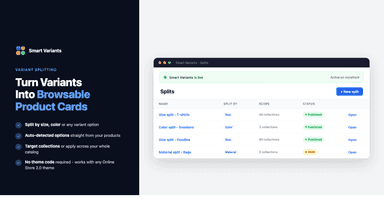
- Split products by any option - Color, Size, Material - on collection pages
- Different split rules for different collections, no theme code required
- Filter variants by stock, sale state, tags, or product type
- Theme-aware cards that match your existing product card design
- Automatic grey overlay on out-of-stock variant product cards
- Customizable sold-out badge with text, color, and position options
- Filter-aware: only marks products out of stock for the active filter
- Sort sold-out variant products to the bottom of collection pages
All the numbers
Every figure, side by side
A green dot marks the app ahead on a measured figure. Estimates, gaps and apps that leave no storefront trace never take the lead.
Adoption
| Measure |  Smart Variants |  SmartStock |
|---|---|---|
| Detected stores | Not published | Not published |
| Net store change, 28 days | 0 | 0 |
| Stores added, 28 days | Not enough data | Not enough data |
| Big-brand share | Not enough data | Not enough data |
| Top store categories | Not published | Not published |
| Top store countries | Not published | Not published |
Reviews
| Measure | Smart Variants | SmartStock |
|---|---|---|
| App Store rating | Not published | Not published |
| App Store reviews | Not published | Not published |
| New reviews, 28 days | Not enough data | Not enough data |
| Reviewers a year or more in | Not enough data | Not enough data |
Pricing
| Measure | Smart Variants | SmartStock |
|---|---|---|
| Free plan | Not listed | Not listed |
| Lowest paid monthly plan | $9.99/month | $3.99/month(ahead) |
| Longest free trial | 7 days | 14 days |
| Plans listed | 2 | 2 |
Listing
| Measure | Smart Variants | SmartStock |
|---|---|---|
| Shopify category rank | #228(ahead) | #310 |
| Shopify App Charts | Not on this week’s charts | Not on this week’s charts |
| Built for Shopify | No | No |
| Launched | May 12, 2026 | May 28, 2026 |
| Languages | 1 | 9 |
| Developer | Mudevel | JdeB Web Solutions |
FAQ
Smart Variants and SmartStock: common questions
- Is Smart Variants or SmartStock cheaper?
- Paid plans start at $9.99/month for Smart Variants and $3.99/month for SmartStock. Shoplist compares base prices only between monthly plans in the same currency; usage charges and annual plans vary, so check each plan’s limits.
- Where does this comparison’s data come from?
- Shoplist crawls Shopify storefronts to detect which apps each store runs, and reads each app’s Shopify App Store listing for reviews, pricing, features and integrations. Store counts are as of Oct 14, 2026 for Smart Variants, Oct 13, 2026 for SmartStock; estimated figures are labeled.
How Shoplist compares apps
Store counts come from Shoplist’s crawl of Shopify storefronts, which detects the apps each store runs; they are as of Oct 14, 2026 for Smart Variants, Oct 13, 2026 for SmartStock. Reviews, ratings, plans, features and integrations come from each app’s Shopify App Store listing. 28-day figures are labeled when estimated, and a figure that is missing or estimated never decides who leads. Read the methodology.