
Sitewell: Link & Sitemap Check vs WD: Broken Links Finder
Two Shopify apps, side by side: detected stores, momentum, reviews, plans, listed features and who runs each. Store counts as of Nov 16, 2026 for Sitewell, Oct 13, 2026 for WD.
The short answer
- Both list a free plan.
- WD lists 12 features Sitewell’s listing doesn’t mention, including 404 pages, Analytics, Audits.
Head to head

Free
Pro
Free
- · Automatic client-side redirects
- · Daily digest email reports
- · Lower priority support
- · Track up to 20 broken links per month
- · Wildcard and RegEx redirect rules
Premium
- · Daily digest email reports
- · Highest priority one-to-one support
- · Unlimited broken link tracking
- · Unlimited redirects and one-click fixes
- · Weekly summary email reports
- · Wildcard and RegEx redirect rules
Coverage counts what each App Store listing names. Every feature, checked off app by app, is in Shoplist.
See every featureSitewell scans your store for broken links and shows where each one sits: the product, collection, page, article or menu, with a link to open it in your Shopify admin. It also checks your sitemap, robots.txt, agents.md and llms.txt. Links it can't confirm are marked "couldn't verify", never "broken". Sitewell only reads your store. It never edits your products, pages, menus or theme. A free plan is available.
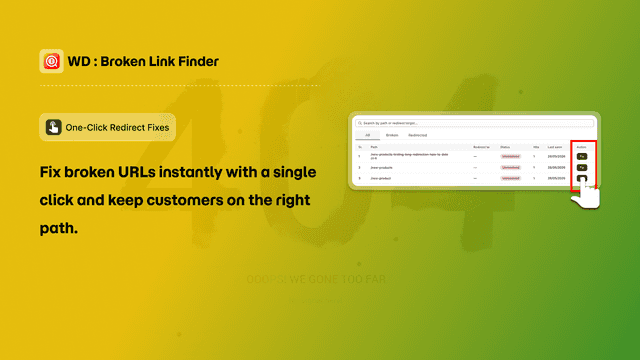
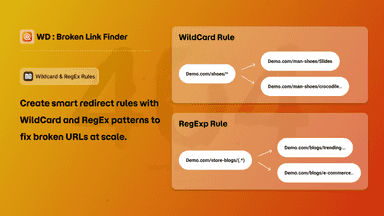
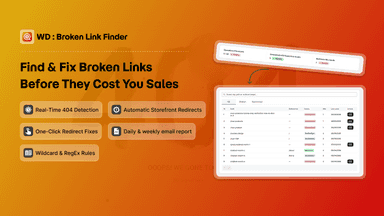
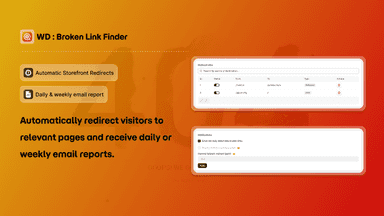
WD: Broken Links Finder detects 404 links on your storefront as they happen and sends shoppers to a working page instead of a dead end. When a broken link is found, fix it in one click or create a rule that covers many URLs at once. The app supports plain, wildcard, and RegEx redirect rules, plus a general fallback so any unmatched 404 lands on a page you choose.
- Finds broken links in products, collections, pages, articles and menus
- Shows the item each link sits on, with a link to open it in your admin
- Checks your sitemap, robots.txt, agents.md and llms.txt
- Keeps broken, unpublished and "couldn't verify" links apart
- Real-time 404 detection
- One-click fix & redirect
- Wildcard & RegEx redirect rules
- Automatic storefront redirects
All the numbers
Every figure, side by side
A green dot marks the app ahead on a measured figure. Estimates, gaps and apps that leave no storefront trace never take the lead.
Adoption
| Measure |  WD | |
|---|---|---|
| Detected stores | Not published | Not published |
| Net store change, 28 days | 0 | 0 |
| Stores added, 28 days | Not enough data | Not enough data |
| Big-brand share | Not enough data | Not enough data |
| Top store categories | Not published | Not published |
| Top store countries | Not published | Not published |
Reviews
| Measure | WD | |
|---|---|---|
| App Store rating | Not published | Not published |
| App Store reviews | Not published | Not published |
| New reviews, 28 days | Not enough data | Not enough data |
| Reviewers a year or more in | Not enough data | Not enough data |
FAQ
Sitewell and WD: common questions
- Is Sitewell or WD cheaper?
- Both list a free plan. Shoplist compares base prices only between monthly plans in the same currency; usage charges and annual plans vary, so check each plan’s limits.
- What features does each app list that the other doesn’t?
- Sitewell lists 3 the others don’t mention, such as Robots.txt, SEO score, Sitemaps. WD lists 12 the others don’t mention, such as 404 pages, Analytics, Audits, Automations. A feature missing from a listing may still be supported; this compares what each App Store listing says.
- Where does this comparison’s data come from?
- Shoplist crawls Shopify storefronts to detect which apps each store runs, and reads each app’s Shopify App Store listing for reviews, pricing, features and integrations. Store counts are as of Nov 16, 2026 for Sitewell, Oct 13, 2026 for WD; estimated figures are labeled.
How Shoplist compares apps
Store counts come from Shoplist’s crawl of Shopify storefronts, which detects the apps each store runs; they are as of Nov 16, 2026 for Sitewell, Oct 13, 2026 for WD. Reviews, ratings, plans, features and integrations come from each app’s Shopify App Store listing. 28-day figures are labeled when estimated, and a figure that is missing or estimated never decides who leads. Read the methodology.