

ShopySlide vs SlideSpark ‑ Simple Sliders
Two Shopify apps, side by side: detected stores, momentum, reviews, plans, listed features and who runs each. Store counts as of Oct 14, 2026 for ShopySlide, Oct 13, 2026 for SlideSpark.
The short answer
- Both list a free plan. Paid plans start at $5/month for ShopySlide and $4.99/month for SlideSpark.
- SlideSpark lists 2 features ShopySlide’s listing doesn’t mention, including Captions, Image resizing.
Head to head


Free
- · Add up to 5 collections in the slider.
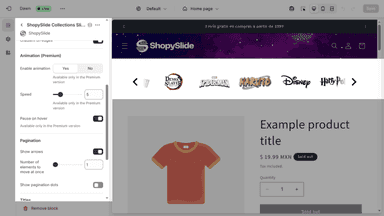
- · Basic animation effects.
- · Customizable layouts.
- · Mobile-responsive design.
Premium
- · Add up to 50 collections in the slider.
- · Advanced animation effects.
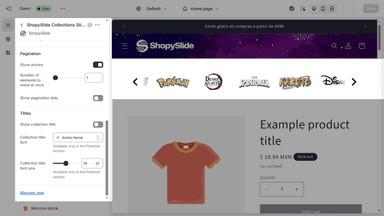
- · Custom fonts and font sizes.
- · Priority support & future feature update
Free
- · Captions, arrows, and dots
- · Hero sliders, carousels, and logo strips
- · Image uploads
- · Mobile responsive sections
- · No storefront watermark
- · Theme app blocks
Pro
- · Everything in Free
- · Mobile-specific images
- · Unlimited sliders
- · Unlimited slides per slider
Coverage counts what each App Store listing names. Every feature, checked off app by app, is in Shoplist.
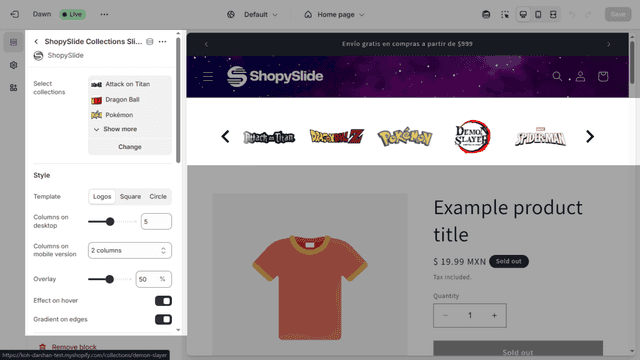
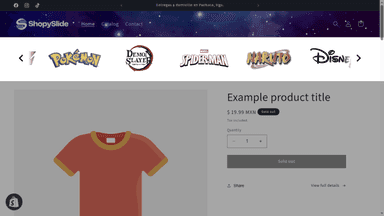
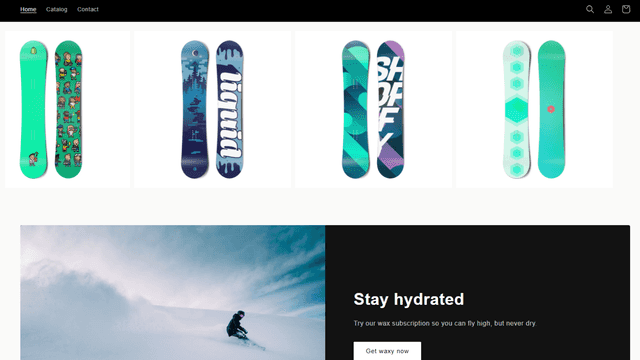
See every featureShopySlide helps Shopify merchants showcase collections as a stylish logo-style slider, using the main collection image. This enhances store visuals, builds trust with customers, and highlights featured brands or product categories. With easy setup and full customization, ShopySlide simplifies adding professional-looking sliders without coding.
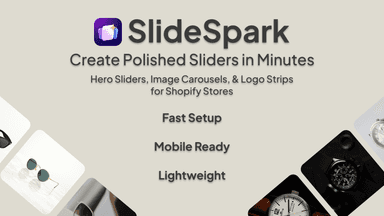
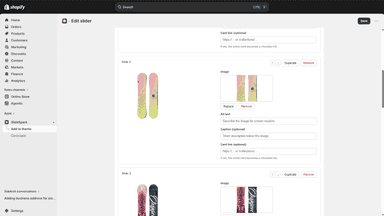
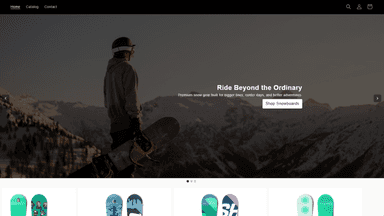
SlideSpark helps merchants add clean image sliders, banner sliders, logo carousels, and image galleries to their Shopify storefront without editing code. Upload images, customize captions, arrows, dots, autoplay, spacing, and layout, then place sections with theme app blocks. Built for simple setup, mobile-friendly displays, and lightweight storefront rendering.
- Collection-Based – Uses main images from selected collections.
- Fully Customizable – Adjust layout, columns, hover effects, and more.
- Mobile-Friendly – Optimized for all devices.
- Shopify Native – Seamless integration with the theme editor.
- Create sliders, carousels, and logo strips for your storefront
- Add hero banners and image galleries without editing code
- Customize captions, arrows, dots, autoplay, spacing, and layout
- Build mobile-friendly sections for desktop and mobile shoppers
All the numbers
Every figure, side by side
A green dot marks the app ahead on a measured figure. Estimates, gaps and apps that leave no storefront trace never take the lead.
Adoption
| Measure |  ShopySlide |  SlideSpark |
|---|---|---|
| Detected stores | Not published | Not published |
| Net store change, 28 days | 0 | 0 |
| Stores added, 28 days | Not enough data | Not enough data |
| Big-brand share | Not enough data | Not enough data |
| Top store categories | Not published | Not published |
| Top store countries | Not published | Not published |
Reviews
| Measure | ShopySlide | SlideSpark |
|---|---|---|
| App Store rating | Not published | Not published |
| App Store reviews | Not published | Not published |
| New reviews, 28 days | Not enough data | Not enough data |
| Reviewers a year or more in | Not enough data | Not enough data |
Pricing
| Measure | ShopySlide | SlideSpark |
|---|---|---|
| Free plan | Yes | Yes |
| Lowest paid monthly plan | $5/month | $4.99/month(ahead) |
| Longest free trial | 7 days | 7 days |
| Plans listed | 2 | 2 |
Listing
| Measure | ShopySlide | SlideSpark |
|---|---|---|
| Shopify category rank | #92 | #65(ahead) |
| Shopify App Charts | Not on this week’s charts | Not on this week’s charts |
| Built for Shopify | No | No |
| Launched | Apr 3, 2025 | Jun 1, 2026 |
| Languages | 2 | 1 |
| Developer | Balaam León | bphdev |
FAQ
ShopySlide and SlideSpark: common questions
- Is ShopySlide or SlideSpark cheaper?
- Both list a free plan. Paid plans start at $5/month for ShopySlide and $4.99/month for SlideSpark. Shoplist compares base prices only between monthly plans in the same currency; usage charges and annual plans vary, so check each plan’s limits.
- What features does each app list that the other doesn’t?
- ShopySlide lists 1 the others don’t mention, such as Hover effects. SlideSpark lists 2 the others don’t mention, such as Captions, Image resizing. A feature missing from a listing may still be supported; this compares what each App Store listing says.
- Where does this comparison’s data come from?
- Shoplist crawls Shopify storefronts to detect which apps each store runs, and reads each app’s Shopify App Store listing for reviews, pricing, features and integrations. Store counts are as of Oct 14, 2026 for ShopySlide, Oct 13, 2026 for SlideSpark; estimated figures are labeled.
How Shoplist compares apps
Store counts come from Shoplist’s crawl of Shopify storefronts, which detects the apps each store runs; they are as of Oct 14, 2026 for ShopySlide, Oct 13, 2026 for SlideSpark. Reviews, ratings, plans, features and integrations come from each app’s Shopify App Store listing. 28-day figures are labeled when estimated, and a figure that is missing or estimated never decides who leads. Read the methodology.