

ShopBar ‑ Sticky Quick Shop vs TopSwift – Scroll to Top
Two Shopify apps, side by side: detected stores, momentum, reviews, plans, listed features and who runs each. Store counts as of Oct 13, 2026 for ShopBar, Oct 27, 2026 for TopSwift.
The short answer
- TopSwift lists 5 features ShopBar’s listing doesn’t mention, including Animations, Floating button, Image size.
Head to head


ShopBar Pro
- · 7-day free trial
- · Circle & original image styles
- · Custom fonts & colors
- · Desktop & mobile responsive
- · Drag & drop reordering
- · Sticky bar on scroll
Coverage counts what each App Store listing names. Every feature, checked off app by app, is in Shoplist.
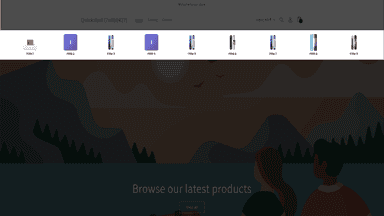
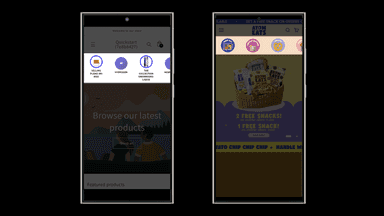
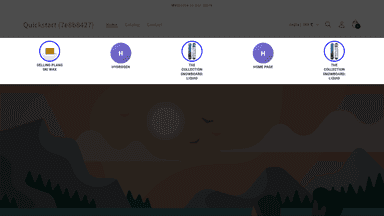
See every featureShopBar adds a beautiful sticky quick-shop bar to your storefront - a row of clickable icons that float just below your header as customers scroll, making it effortless for them to jump to your most important collections and products at any time. Customize fonts, colors, image style, and item order from a simple dashboard. No code or theme editing needed. Works with all Shopify themes via app embed.
TopSwift adds a customizable scroll to top button that helps shoppers get back to the top of long product, collection and blog pages in one tap. Choose a round icon button or a vertical line with text, then set colors, hover colors, size, corners, position and animation to match your brand. Show the button on all pages or only on the pages you choose.
- Add unlimited items - products, collections, or custom links
- Customize fonts, colors, and image style - no code or theme editing required
- Sticky or static positioning with smooth scroll shrink animation
- Works on desktop and mobile, scrollable on mobile and fully responsive
- Adds a scroll-to-top button to your Shopify store
- Smooth scrolling for navigation experience
- Easy theme integration without code changes


All the numbers
Every figure, side by side
A green dot marks the app ahead on a measured figure. Estimates, gaps and apps that leave no storefront trace never take the lead.
Adoption
| Measure |  ShopBar |  TopSwift |
|---|---|---|
| Detected stores | Not published | Not published |
| Net store change, 28 days | 0 | 0 |
| Stores added, 28 days | Not enough data | Not enough data |
| Big-brand share | Not enough data | Not enough data |
| Top store categories | Not published | Not published |
| Top store countries | Not published | Not published |
Reviews
| Measure | ShopBar | TopSwift |
|---|---|---|
| App Store rating | Not published | Not published |
| App Store reviews | Not published | Not published |
| New reviews, 28 days | Not enough data | Not enough data |
| Reviewers a year or more in | Not enough data | Not enough data |
FAQ
ShopBar and TopSwift: common questions
- What features does each app list that the other doesn’t?
- ShopBar lists 3 the others don’t mention, such as Drag-and-drop editor, Sticky navbar, Tabs. TopSwift lists 5 the others don’t mention, such as Animations, Floating button, Image size, Infinite scroll. A feature missing from a listing may still be supported; this compares what each App Store listing says.
- Where does this comparison’s data come from?
- Shoplist crawls Shopify storefronts to detect which apps each store runs, and reads each app’s Shopify App Store listing for reviews, pricing, features and integrations. Store counts are as of Oct 13, 2026 for ShopBar, Oct 27, 2026 for TopSwift; estimated figures are labeled.
How Shoplist compares apps
Store counts come from Shoplist’s crawl of Shopify storefronts, which detects the apps each store runs; they are as of Oct 13, 2026 for ShopBar, Oct 27, 2026 for TopSwift. Reviews, ratings, plans, features and integrations come from each app’s Shopify App Store listing. 28-day figures are labeled when estimated, and a figure that is missing or estimated never decides who leads. Read the methodology.