
ShipFlow: Shipping Rules vs ShipWith: Hide Shipping Rules
Two Shopify apps, side by side: detected stores, momentum, reviews, plans, listed features and who runs each. Store counts as of Oct 13, 2026 for ShipFlow, Nov 7, 2026 for ShipWith.
The short answer
- Only ShipWith lists a free plan. Paid plans start at $5.99/month for ShipFlow and $3.99/month for ShipWith.
- ShipWith lists 11 features ShipFlow’s listing doesn’t mention, including Block dates, Custom messages, Cutoff times.
Head to head


Momentum
New reviews each month
Review pace is the clearest public read on how fast an app is winning new merchants.
Basic
- · Cart based conditions
- · Customer based conditions
- · Distance Based shipping
- · Modify Rates
- · Product based conditions
- · Shipping rates by Zip Code
Free
- · Free for dev stores
- · Free for sandbox stores
- · Live/Email Support
- · Unlimited rules in Test mode
Growth
- · Hide, rename and sort shipping rates
- · Live/Email Support
- · Unlimited Live rules
Pro
- · B2B company conditions
- · Customer order history conditions
- · Everything in Growth
- · Ignore previous rules action
- · Metafield and cart attribute conditions
Coverage counts what each App Store listing names. Every feature, checked off app by app, is in Shoplist.
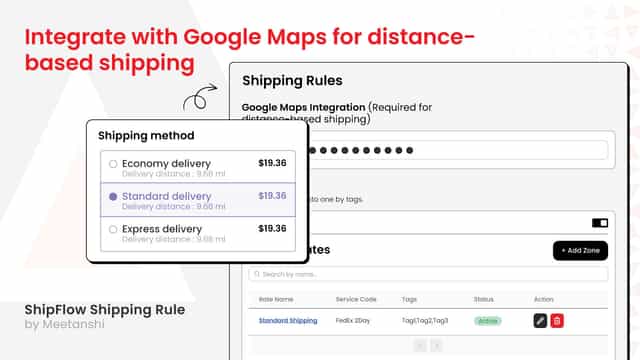
See every featureThis app requires Carrier Calculated Shipping API to create custom shipping rates. Get maximum flexibility to customize your shipping rules and methods based on different shipping zones and zip codes. You can create and add as many location-specific shipping rates as possible with well-planned conditions. Based on your user's preference and location, they will see the shipping rate on the checkout page.
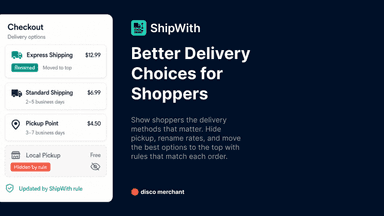
ShipWith adds delivery customizations to your checkout. It controls the shipping methods you already have, so it works on any Shopify plan without carrier-calculated shipping. Hide local pickup for B2B customers, rename express delivery, show only matching methods, or sort rates by price.
- Easily merge multiple shipping rates under one tag
- Option to exclude specific zip codes while adding shipping rate
- Set specific rules to add extra charges if needed
- Add base rate price as per the order weight, total or qty
- Hide, rename, reorder, and sort checkout shipping methods
- Show only specific delivery methods, the cheapest rate, or the highest rate
- Target rules by cart, customer, product, discount, and shipping address details
- Control shipping method types e.g. shipping, local delivery, pickup, and retail




All the numbers
Every figure, side by side
A green dot marks the app ahead on a measured figure. Estimates, gaps and apps that leave no storefront trace never take the lead.
Adoption
| Measure |  ShipFlow |  ShipWith |
|---|---|---|
| Detected stores | Not published | Not published |
| Net store change, 28 days | 0 | 0 |
| Stores added, 28 days | Not enough data | Not enough data |
| Big-brand share | Not enough data | Not enough data |
| Top store categories | Not published | Not published |
| Top store countries | Not published | Not published |
Reviews
| Measure | ShipFlow | ShipWith |
|---|---|---|
| App Store rating | Not published | 5.0 ★ |
| App Store reviews | Not published | 16 |
| New reviews, 28 days | Not enough data | Not enough data |
| Reviewers a year or more in | Not enough data | Not enough data |
FAQ
ShipFlow and ShipWith: common questions
- Is ShipFlow or ShipWith cheaper?
- Only ShipWith lists a free plan. Paid plans start at $5.99/month for ShipFlow and $3.99/month for ShipWith. Shoplist compares base prices only between monthly plans in the same currency; usage charges and annual plans vary, so check each plan’s limits.
- What features does each app list that the other doesn’t?
- ShipFlow lists 7 the others don’t mention, such as Address validation, Custom rules, Distance-based, Dynamic rates. ShipWith lists 11 the others don’t mention, such as Block dates, Custom messages, Cutoff times, Delivery date. A feature missing from a listing may still be supported; this compares what each App Store listing says.
- Where does this comparison’s data come from?
- Shoplist crawls Shopify storefronts to detect which apps each store runs, and reads each app’s Shopify App Store listing for reviews, pricing, features and integrations. Store counts are as of Oct 13, 2026 for ShipFlow, Nov 7, 2026 for ShipWith; estimated figures are labeled.
How Shoplist compares apps
Store counts come from Shoplist’s crawl of Shopify storefronts, which detects the apps each store runs; they are as of Oct 13, 2026 for ShipFlow, Nov 7, 2026 for ShipWith. Reviews, ratings, plans, features and integrations come from each app’s Shopify App Store listing. 28-day figures are labeled when estimated, and a figure that is missing or estimated never decides who leads. Read the methodology.