

ShipFit vs ShipKit: Custom Shipping Rates
Two Shopify apps, side by side: detected stores, momentum, reviews, plans, listed features and who runs each. Store counts as of Sep 30, 2026 for ShipFit, Oct 14, 2026 for ShipKit.
The short answer
- Only ShipKit lists a free plan.
- ShipKit lists 8 features ShipFit’s listing doesn’t mention, including Customer-based, Dimension-based, Flat fee.
Head to head


FREE DEV STORE
- · All features available
- · Free for dev stores
- · Free for sandbox stores
- · Partner friendly app
Premium Plan
- · Create Zip Code based shipping rates
- · Create percentage based shipping rates
- · Create product cost based shipping rates
- · Create shipping rates by cart total
- · Create shipping rates by items quantity
- · Create tier based shipping rates
Coverage counts what each App Store listing names. Every feature, checked off app by app, is in Shoplist.
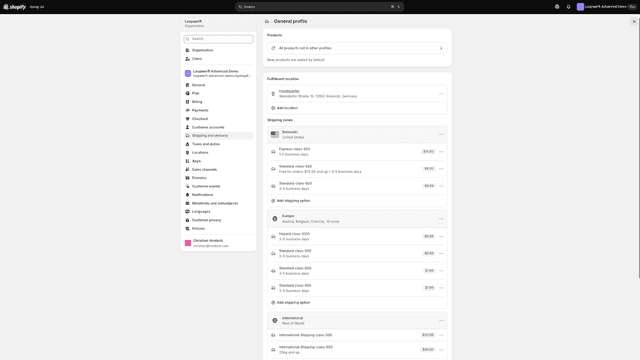
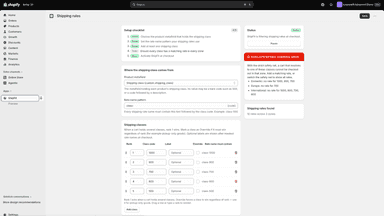
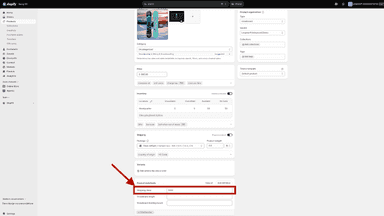
See every featureShopify splits carts across shipping profiles, causing duplicate shipping charges. Merging into one profile fixes that, but then shows every rate for every cart, even ones that can't ship the goods, like dangerous goods, oversized freight, or liquids. ShipFit keeps a single profile but shows only the rates that fit each cart, using a shipping class metafield per product matched to rates named by class (e.g.
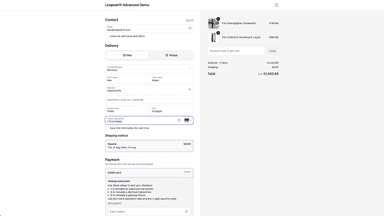
ShipKit lets you fully customize and automate Shopify shipping rates with ease in the checkout. Using intuitive Flows interface, you can create multiple flexible rules based on quantity, ZIP/postcodes, or combinations and many more. Reduce errors, save time, and provide precise shipping prices. Gain full control, streamline operations, and optimize your shipping strategy effortlessly.
- Merges shipping profiles into one while filtering rates per cart's classes
- Highest-priority shipping class in cart determines which rates are shown
- Override and companion rules handle restricted goods and combined shipping
- Create / customize shipping rates in the checkout
- Easy Flow interface to create simple or complex workflows
- Dynamic shipping rates with single or multiple rules
- Multichannel support: in-app chat, website resources and social media engagement


All the numbers
Every figure, side by side
A green dot marks the app ahead on a measured figure. Estimates, gaps and apps that leave no storefront trace never take the lead.
Adoption
| Measure |  ShipFit |  ShipKit |
|---|---|---|
| Detected stores | Not published | Not published |
| Net store change, 28 days | 0 | 0 |
| Stores added, 28 days | Not enough data | Not enough data |
| Big-brand share | Not enough data | Not enough data |
| Top store categories | Not published | Not published |
| Top store countries | Not published | Not published |
Reviews
| Measure | ShipFit | ShipKit |
|---|---|---|
| App Store rating | Not published | 5.0 ★ |
| App Store reviews | Not published | 2 |
| New reviews, 28 days | Not enough data | Not enough data |
| Reviewers a year or more in | Not enough data | Not enough data |
FAQ
ShipFit and ShipKit: common questions
- Is ShipFit or ShipKit cheaper?
- Only ShipKit lists a free plan. Shoplist compares base prices only between monthly plans in the same currency; usage charges and annual plans vary, so check each plan’s limits.
- What features does each app list that the other doesn’t?
- ShipFit lists 4 the others don’t mention, such as Hide rates, Multi-language, Rename options, Reorder rates. ShipKit lists 8 the others don’t mention, such as Customer-based, Dimension-based, Flat fee, Order limits. A feature missing from a listing may still be supported; this compares what each App Store listing says.
- Where does this comparison’s data come from?
- Shoplist crawls Shopify storefronts to detect which apps each store runs, and reads each app’s Shopify App Store listing for reviews, pricing, features and integrations. Store counts are as of Sep 30, 2026 for ShipFit, Oct 14, 2026 for ShipKit; estimated figures are labeled.
How Shoplist compares apps
Store counts come from Shoplist’s crawl of Shopify storefronts, which detects the apps each store runs; they are as of Sep 30, 2026 for ShipFit, Oct 14, 2026 for ShipKit. Reviews, ratings, plans, features and integrations come from each app’s Shopify App Store listing. 28-day figures are labeled when estimated, and a figure that is missing or estimated never decides who leads. Read the methodology.