
ShipAssign: Profile Rules vs ShipWeaver Hide Shipping Rules
Two Shopify apps, side by side: detected stores, momentum, reviews, plans, listed features and who runs each. Store counts as of Oct 14, 2026 for ShipAssign, Sep 4, 2026 for ShipWeaver Hide Shipping Rules.
The short answer
- Only ShipAssign lists a free plan.
Head to head


Momentum
New reviews each month
Review pace is the clearest public read on how fast an app is winning new merchants.
Free
- · Standard support
- · Unlimited automations
- · Unlimited rules
- · Unlimited shipping profiles
- · Up to 500 product variants
Basic
- · Standard support
- · Unlimited automations
- · Unlimited rules
- · Unlimited shipping profiles
- · Up to 3,000 product variants
Advanced
- · Standard support
- · Unlimited automations
- · Unlimited rules
- · Unlimited shipping profiles
- · Up to 10,000 product variants
Unlimited
- · Standard support
- · Unlimited automations
- · Unlimited product variants
- · Unlimited rules
- · Unlimited shipping profiles
Coverage counts what each App Store listing names. Every feature, checked off app by app, is in Shoplist.
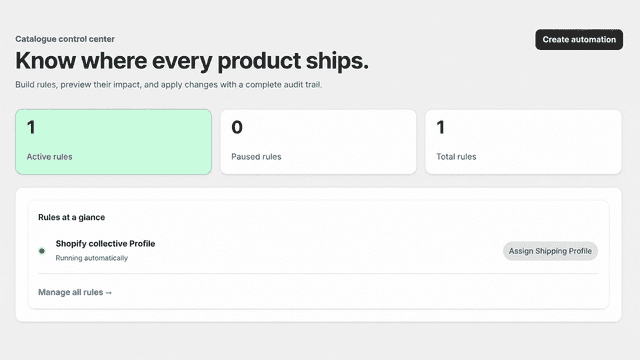
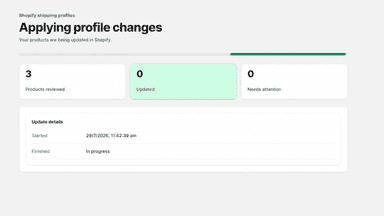
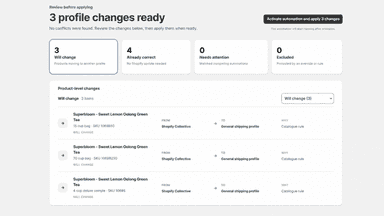
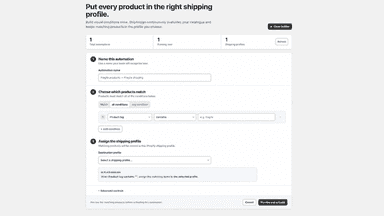
See every featureShipAssign helps merchants keep products and variants in the correct Shopify shipping profiles. Create rules using product tags, vendor, product type, product category, product title, collections, weight, SKU, inventory quantity, shipping requirements, or variant options. Preview proposed changes before applying them and review conflicts that need attention.
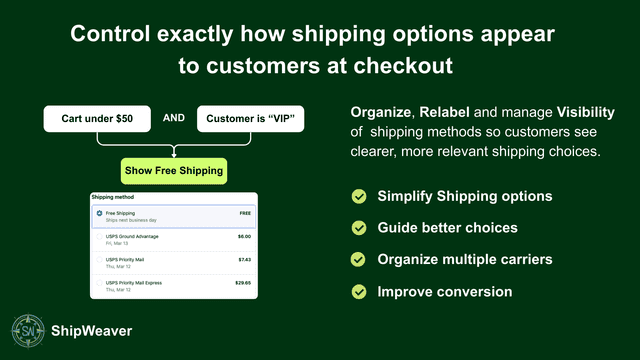
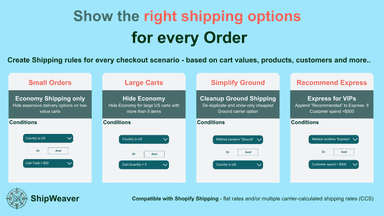
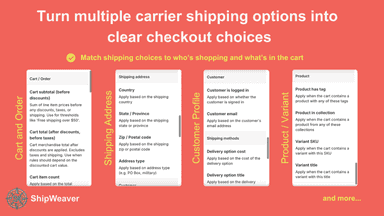
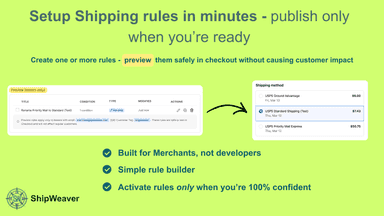
Hide, rename, reorder, sort, and de-duplicate shipping methods so checkout shows the rates that actually apply. Build rules from cart value, products, customer tags, and destination - wholesale vs retail, pickup vs shipping, or a rate that should not appear in a given place. Preview a rule on a tester checkout before it goes live. Ask Sidekick what is hidden, renamed, or preview-only, then open the rule.
- Automatically assign products and variants to the correct shipping profiles
- Create flexible rules based on product and variant details
- Preview proposed profile changes before applying them in Shopify
- Identify rule conflicts and products excluded from updates
- Turn multiple carrier shipping options into clear checkout choices for customers
- Add multiple rules with condition groups to express complex shipping preferences
- De-duplicate same service level from carriers and keep only lowest-priced option
All the numbers
Every figure, side by side
A green dot marks the app ahead on a measured figure. Estimates, gaps and apps that leave no storefront trace never take the lead.
Adoption
| Measure |  ShipAssign |  ShipWeaver Hide Shipping Rules |
|---|---|---|
| Detected stores | Not published | Not published |
| Net store change, 28 days | 0 | 0 |
| Stores added, 28 days | Not enough data | Not enough data |
| Big-brand share | Not enough data | Not enough data |
| Top store categories | Not published | Not published |
| Top store countries | Not published | Not published |
Reviews
| Measure | ShipAssign | ShipWeaver Hide Shipping Rules |
|---|---|---|
| App Store rating | 5.0 ★ | Not published |
| App Store reviews | 2 | Not published |
| New reviews, 28 days | Not enough data | Not enough data |
| Reviewers a year or more in | Not enough data | Not enough data |
Pricing
| Measure | ShipAssign | ShipWeaver Hide Shipping Rules |
|---|---|---|
| Free plan | Yes | Not listed |
| Lowest paid monthly plan | $2.99/month | No monthly plan listed |
| Longest free trial | Not listed | Not listed |
| Plans listed | 4 | Not published |
Listing
| Measure | ShipAssign | ShipWeaver Hide Shipping Rules |
|---|---|---|
| Shopify category rank | #118 | #79(ahead) |
| Shopify App Charts | Not on this week’s charts | Not on this week’s charts |
| Built for Shopify | No | No |
| Launched | Aug 7, 2026 | Apr 20, 2026 |
| Languages | 1 | 1 |
| Developer | CodeSapient Labs Private Limited | ShipWeaver |
FAQ
ShipAssign and ShipWeaver Hide Shipping Rules: common questions
- Is ShipAssign or ShipWeaver Hide Shipping Rules cheaper?
- Only ShipAssign lists a free plan. Shoplist compares base prices only between monthly plans in the same currency; usage charges and annual plans vary, so check each plan’s limits.
- Where does this comparison’s data come from?
- Shoplist crawls Shopify storefronts to detect which apps each store runs, and reads each app’s Shopify App Store listing for reviews, pricing, features and integrations. Store counts are as of Oct 14, 2026 for ShipAssign, Sep 4, 2026 for ShipWeaver Hide Shipping Rules; estimated figures are labeled.
How Shoplist compares apps
Store counts come from Shoplist’s crawl of Shopify storefronts, which detects the apps each store runs; they are as of Oct 14, 2026 for ShipAssign, Sep 4, 2026 for ShipWeaver Hide Shipping Rules. Reviews, ratings, plans, features and integrations come from each app’s Shopify App Store listing. 28-day figures are labeled when estimated, and a figure that is missing or estimated never decides who leads. Read the methodology.