

ShipSell: shipping calculator vs ShipSaver
Two Shopify apps, side by side: detected stores, momentum, reviews, plans, listed features and who runs each. Store counts as of Oct 29, 2026 for ShipSell, Sep 3, 2026 for ShipSaver.
The short answer
- ShipSaver lists 16 features ShipSell’s listing doesn’t mention, including Automations, Checkout discounts, Custom discounts.
Head to head


FREE Shipping calculator - how much left to get free shipping
Momentum
New reviews each month
Review pace is the clearest public read on how fast an app is winning new merchants.
Professional
Coverage counts what each App Store listing names. Every feature, checked off app by app, is in Shoplist.
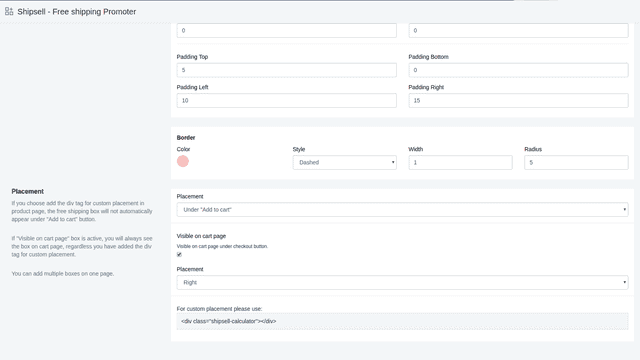
See every featureRight after installation, you will have default settings for the free shipping box and It will be shown under the "Add To Cart" button by default. When you activate It, clients will see a free shipping box and the amount they need to add to get free shipping. After they add any product to the cart, the free shipping box will update itself automatically.
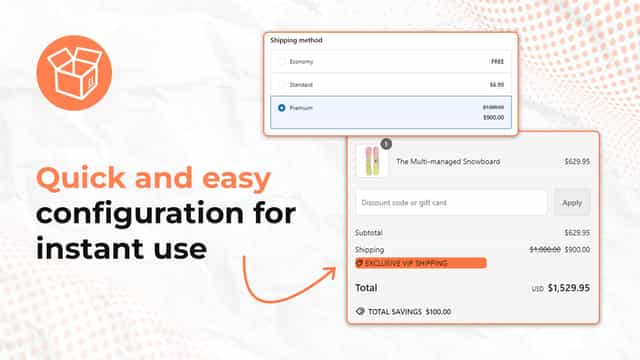
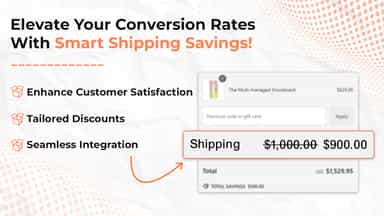
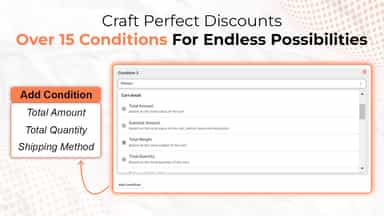
In just a few clicks, merchants can create personalized shipping discounts that transform customer behavior at checkout. Tailored incentives reduce cart abandonment and encourage more completed purchases, leading to higher conversions. By giving customers a reason to finish their orders, merchants build long-term loyalty.
- Place the free shipping calculator box anywhere in your store.
- Works on all Shopify themes and devices & 2.0 themes support
- Highly customizable free shipping calculator
- Live previews to check how it looks to users
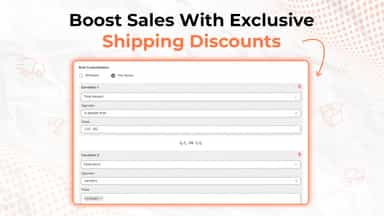
- Apply shipping discounts based on 15+ customizable rules.
- Choose between fixed or percentage-based shipping discounts.
- Easy integration with your store for quick setup in just a few clicks.
- Dedicated support available to assist with setup and any questions.


All the numbers
Every figure, side by side
A green dot marks the app ahead on a measured figure. Estimates, gaps and apps that leave no storefront trace never take the lead.
Adoption
| Measure |  ShipSell |  ShipSaver |
|---|---|---|
| Detected stores | Not published | Not published |
| Net store change, 28 days | 0 | 0 |
| Stores added, 28 days | Not enough data | Not enough data |
| Big-brand share | Not enough data | Not enough data |
| Top store categories | Not published | Not published |
| Top store countries | Not published | Not published |
Reviews
| Measure | ShipSell | ShipSaver |
|---|---|---|
| App Store rating | 4.7 ★ | Not published |
| App Store reviews | 53 | Not published |
| New reviews, 28 days | 2 | Not enough data |
| Reviewers a year or more in | Not enough data | Not enough data |
FAQ
ShipSell and ShipSaver: common questions
- What features does each app list that the other doesn’t?
- ShipSell lists 4 the others don’t mention, such as Cart discounts, Custom code, Limited time offers, Tracking. ShipSaver lists 16 the others don’t mention, such as Automations, Checkout discounts, Custom discounts, Custom rules. A feature missing from a listing may still be supported; this compares what each App Store listing says.
- Where does this comparison’s data come from?
- Shoplist crawls Shopify storefronts to detect which apps each store runs, and reads each app’s Shopify App Store listing for reviews, pricing, features and integrations. Store counts are as of Oct 29, 2026 for ShipSell, Sep 3, 2026 for ShipSaver; estimated figures are labeled.
How Shoplist compares apps
Store counts come from Shoplist’s crawl of Shopify storefronts, which detects the apps each store runs; they are as of Oct 29, 2026 for ShipSell, Sep 3, 2026 for ShipSaver. Reviews, ratings, plans, features and integrations come from each app’s Shopify App Store listing. 28-day figures are labeled when estimated, and a figure that is missing or estimated never decides who leads. Read the methodology.