

SEOAi ‑ Image & Speed Optimize vs Tinify ‑ Image Optimization
Two Shopify apps, side by side: detected stores, momentum, reviews, plans, listed features and who runs each. Store counts as of Oct 14, 2026 for SEOAi, Oct 1, 2026 for Tinify.
The short answer
- On the Shopify App Store: SEOAi 5.0 from 2 reviews and Tinify 2.9 from 4 reviews.
- Only SEOAi lists a free plan.
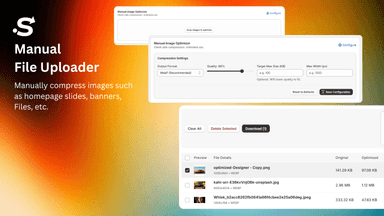
- SEOAi lists 4 features Tinify’s listing doesn’t mention, including File upload, Quality control, Resizing.
Head to head


Momentum
New reviews each month
Review pace is the clearest public read on how fast an app is winning new merchants.
Free
- · 50 image optimizations/month
- · Image compression
- · Manual optimization
- · WebP conversion
Starter
- · 100 AI credits/month
- · 3-day free trial
- · 500 image optimizations/month
- · Advanced compression
- · Auto-optimizer
- · WebP conversion
Pro
- · 1,000 AI credits/month
- · 2,000 image optimizations/month
- · 3-day free trial
- · Advanced compression
- · Auto-optimizer
- · WebP conversion
Business
- · 3-day free trial
- · 5,000 AI credits/month
- · 5,000 image optimizations/month
- · Advanced compression
- · Auto-optimizer
- · WebP conversion
Coverage counts what each App Store listing names. Every feature, checked off app by app, is in Shoplist.
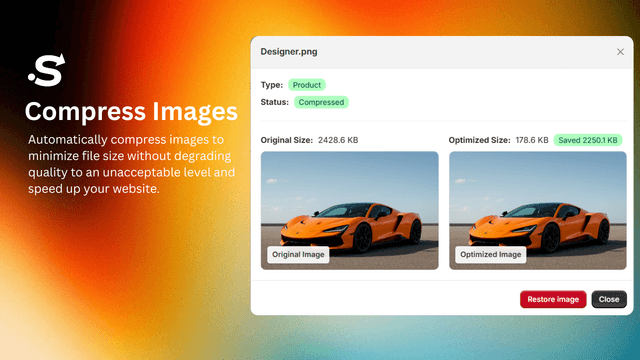
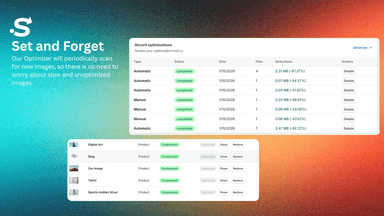
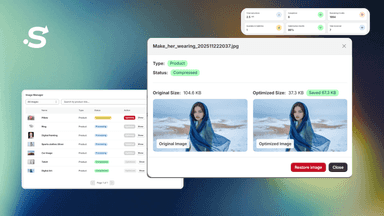
See every featureWith SEOAi, you can easily compress images, optimize alt texts, and change PNGs to JPEGs. Compressed and optimized images can improve the loading speed of your store, SEO, and user experience. You can also restore an individual original image or in bulk. In addition, SEOAi will periodically scan your store for new images and optimize them automatically, so there is no need to worry about slow and unoptimized images.
Product images are often the largest files on a Shopify store and can slow down page loads. Tinify compresses your product images using the TinyPNG API, reducing file sizes while keeping visual quality. Simply connect your Tinify account with your API key to get started. New images can be compressed automatically on upload, or you can compress your existing catalog in bulk.
- Compress images to improve the website loading speed, SEO, and user experience.
- Optimize image alt texts to improve SEO and Google Image Search rankings.
- PNGs to JPEGs to speed up your store and improve user experience.
- Restore an individual image or whole set of images with a press of a button.
- Automatically compress new product images when on upload
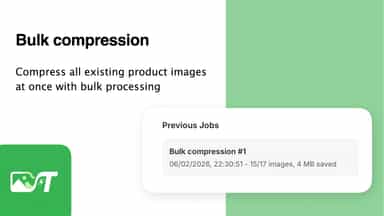
- Compress all existing product images at once with bulk processing
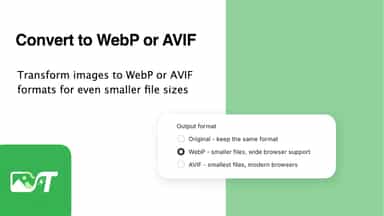
- Transform images to WebP or AVIF formats for smaller file sizes
- Back-up original images to Shopify Files before replacing them

All the numbers
Every figure, side by side
A green dot marks the app ahead on a measured figure. Estimates, gaps and apps that leave no storefront trace never take the lead.
Adoption
| Measure |  SEOAi |  Tinify |
|---|---|---|
| Detected stores | Not published | Not published |
| Net store change, 28 days | 0 | 0 |
| Stores added, 28 days | Not enough data | Not enough data |
| Big-brand share | Not enough data | Not enough data |
| Top store categories | Not published | Not published |
| Top store countries | Not published | Not published |
Reviews
| Measure | SEOAi | Tinify |
|---|---|---|
| App Store rating | 5.0 ★(ahead) | 2.9 ★ |
| App Store reviews | 2 | 4(ahead) |
| New reviews, 28 days | Not enough data | Not enough data |
| Reviewers a year or more in | Not enough data | Not enough data |
FAQ
SEOAi and Tinify: common questions
- Is SEOAi or Tinify cheaper?
- Only SEOAi lists a free plan. Shoplist compares base prices only between monthly plans in the same currency; usage charges and annual plans vary, so check each plan’s limits.
- Which has better reviews, SEOAi or Tinify?
- On the Shopify App Store: SEOAi 5.0 from 2 reviews and Tinify 2.9 from 4 reviews.
- What features does each app list that the other doesn’t?
- SEOAi lists 4 the others don’t mention, such as File upload, Quality control, Resizing, SEO. Tinify lists 1 the others don’t mention, such as Alt text. A feature missing from a listing may still be supported; this compares what each App Store listing says.
- Where does this comparison’s data come from?
- Shoplist crawls Shopify storefronts to detect which apps each store runs, and reads each app’s Shopify App Store listing for reviews, pricing, features and integrations. Store counts are as of Oct 14, 2026 for SEOAi, Oct 1, 2026 for Tinify; estimated figures are labeled.
How Shoplist compares apps
Store counts come from Shoplist’s crawl of Shopify storefronts, which detects the apps each store runs; they are as of Oct 14, 2026 for SEOAi, Oct 1, 2026 for Tinify. Reviews, ratings, plans, features and integrations come from each app’s Shopify App Store listing. 28-day figures are labeled when estimated, and a figure that is missing or estimated never decides who leads. Read the methodology.