

SellUp: Add‑ons & Cart Upsell vs Upsella ‑ Upsell & Cross Sell
Two Shopify apps, side by side: detected stores, momentum, reviews, plans, listed features and who runs each. Store counts as of Nov 9, 2026 for SellUp, May 8, 2026 for Upsella.
The short answer
- SellUp lists 16 features Upsella’s listing doesn’t mention, including AI recommendations, Cart upsell, Custom CSS.
Head to head


- United States
- United Kingdom
- Australia
Momentum
New reviews each month
Review pace is the clearest public read on how fast an app is winning new merchants.
Free Tier
- · AI On Page Upsell
- · Action Upsell
- · Analytics
- · Basic Support
- · Cart Upsell
- · Post Purchase
Getting Started
- · AI On Page Upsell
- · Action Upsell
- · Analytics
- · Cart Upsell
- · Post Purchase
- · Premium Support
Coverage counts what each App Store listing names. Every feature, checked off app by app, is in Shoplist.
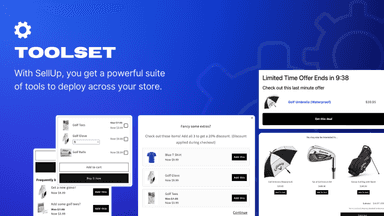
See every featureLooking to maximize revenue? With SellUp, you can create precision based cross-sells, upsells, product accessories, shop the look & add-ons for your store. From the product page through to the cart & thank you page, you can offer the best upsell & product add-on flow throughout the customer journey. SellUp will match your stores design so upsells look seamless.
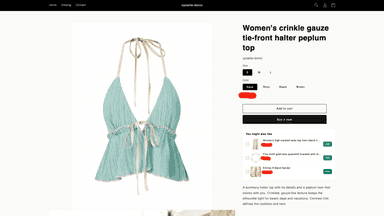
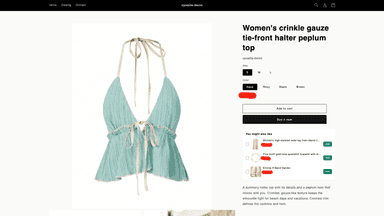
Upsella is an embedded admin app for building product upsell offers. Merchants pick a trigger product and the items to recommend when customers view that product online. Suggestions appear through a theme app extension on the storefront. Built-in reporting summarizes impressions, clicks, and conversions for each offer.
- Create cross-sells, upsells and add-ons to increase revenue across your store
- Offer add ons and upsells throughout the customer journey
- Create One Check Upsells in 60 seconds. Sell more with SellUp
- Create a frequently bought together section to increase average order value
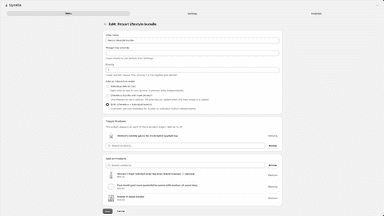
- Create upsell offers by linking a viewed product to suggested add-on items.
- Show recommendations on your storefront using a theme editor app block.
- Review impressions, clicks, and conversions for each offer in the admin.
- Pick which products appear as upsells when shoppers view a trigger product.





All the numbers
Every figure, side by side
A green dot marks the app ahead on a measured figure. Estimates, gaps and apps that leave no storefront trace never take the lead.
Adoption
| Measure |  SellUp |  Upsella |
|---|---|---|
| Detected stores | 697 | Not published |
| Net store change, 28 days | −13 | 0 |
| Stores added, 28 days | 14 | Not enough data |
| Big-brand share | 11% | Not enough data |
| Top store categories | Apparel & Accessories, Home & Garden, Health & Beauty | Not published |
| Top store countries | United States, United Kingdom, Australia | Not published |
Reviews
| Measure | SellUp | Upsella |
|---|---|---|
| App Store rating | 4.4 ★ | Not published |
| App Store reviews | 133 | Not published |
| New reviews, 28 days | 0 | Not enough data |
| Reviewers a year or more in | Not enough data | Not enough data |
FAQ
SellUp and Upsella: common questions
- What features does each app list that the other doesn’t?
- SellUp lists 16 the others don’t mention, such as AI recommendations, Cart upsell, Custom CSS, Custom HTML. A feature missing from a listing may still be supported; this compares what each App Store listing says.
- Where does this comparison’s data come from?
- Shoplist crawls Shopify storefronts to detect which apps each store runs, and reads each app’s Shopify App Store listing for reviews, pricing, features and integrations. Store counts are as of Nov 9, 2026 for SellUp, May 8, 2026 for Upsella; estimated figures are labeled.
How Shoplist compares apps
Store counts come from Shoplist’s crawl of Shopify storefronts, which detects the apps each store runs; they are as of Nov 9, 2026 for SellUp, May 8, 2026 for Upsella. Reviews, ratings, plans, features and integrations come from each app’s Shopify App Store listing. 28-day figures are labeled when estimated, and a figure that is missing or estimated never decides who leads. Read the methodology.