

Profit Leak Audit vs Revenue Leak Alerts
Two Shopify apps, side by side: detected stores, momentum, reviews, plans, listed features and who runs each. Store counts as of Oct 13, 2026.
The short answer
- Both list a free plan. Paid plans start at $29/month for Profit Leak Audit and $49/month for Revenue Leak Alerts.
- Revenue Leak Alerts lists 3 features Profit Leak Audit’s listing doesn’t mention, including Historical analysis, Notifications, Purchase tracking.
Head to head


Free
Standard
Professional
Agency
30 Day Free Trial
Pro
Coverage counts what each App Store listing names. Every feature, checked off app by app, is in Shoplist.
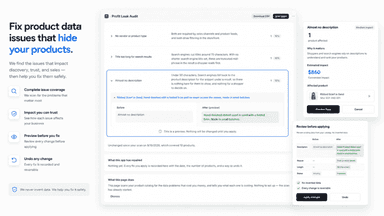
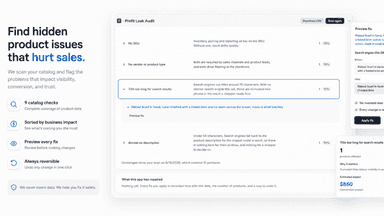
See every featureProfit Leak Audit reads every product in your catalog and reports nine data defects, ordered by what each one loses you: missing weights that make Shopify quote shipping too low, products active in your admin with no page on your online store, live pages that cannot take an order, and missing barcodes, SKUs, images and descriptions. It never invents data: a guess is worse than an empty field.
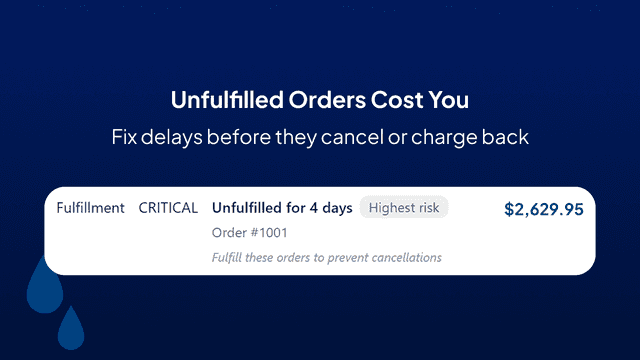
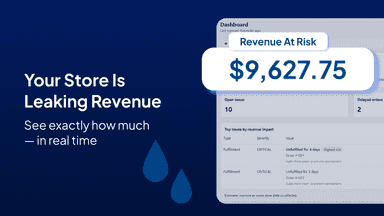
Revenue Leak Alerts scans your Shopify store and detects issues that are costing you sales — like out-of-stock products, low inventory, delayed orders, and sudden drops in sales. Each alert includes a dollar estimate of the revenue at risk, so you know exactly what to prioritize and fix. The app surfaces problems in plain language with clear next steps, helping you act while there's still time.
- Nine checks over your whole catalog, ordered by what each defect costs
- The retail value of stock that has no page on your online store
- Corrections you preview before they run, and undo from a record
- New and edited products checked automatically, with nothing to set up
- Detects out-of-stock and low inventory issues across your entire store
- Shows the dollar value of revenue at risk for every issue found
- Sends email alerts so you can act on problems before sales are lost
- Scans your store automatically and surfaces issues in plain language




All the numbers
Every figure, side by side
A green dot marks the app ahead on a measured figure. Estimates, gaps and apps that leave no storefront trace never take the lead.
Adoption
| Measure |  Profit Leak Audit |  Revenue Leak Alerts |
|---|---|---|
| Detected stores | Not published | Not published |
| Net store change, 28 days | 0 | 0 |
| Stores added, 28 days | Not enough data | Not enough data |
| Big-brand share | Not enough data | Not enough data |
| Top store categories | Not published | Not published |
| Top store countries | Not published | Not published |
Reviews
| Measure | Profit Leak Audit | Revenue Leak Alerts |
|---|---|---|
| App Store rating | Not published | Not published |
| App Store reviews | Not published | Not published |
| New reviews, 28 days | Not enough data | Not enough data |
| Reviewers a year or more in | Not enough data | Not enough data |
Pricing
| Measure | Profit Leak Audit | Revenue Leak Alerts |
|---|---|---|
| Free plan | Yes | Yes |
| Lowest paid monthly plan | $29/month(ahead) | $49/month |
| Longest free trial | 14 days | Not listed |
| Plans listed | 4 | 2 |
Listing
| Measure | Profit Leak Audit | Revenue Leak Alerts |
|---|---|---|
| Shopify category rank | #1651 | #961(ahead) |
| Shopify App Charts | Not on this week’s charts | Not on this week’s charts |
| Built for Shopify | No | No |
| Launched | Aug 24, 2026 | May 5, 2026 |
| Languages | 1 | 1 |
| Developer | ATAKEEP | Operator Labs |
FAQ
Profit Leak Audit and Revenue Leak Alerts: common questions
- Is Profit Leak Audit or Revenue Leak Alerts cheaper?
- Both list a free plan. Paid plans start at $29/month for Profit Leak Audit and $49/month for Revenue Leak Alerts. Shoplist compares base prices only between monthly plans in the same currency; usage charges and annual plans vary, so check each plan’s limits.
- What features does each app list that the other doesn’t?
- Profit Leak Audit lists 1 the others don’t mention, such as Data export. Revenue Leak Alerts lists 3 the others don’t mention, such as Historical analysis, Notifications, Purchase tracking. A feature missing from a listing may still be supported; this compares what each App Store listing says.
- Where does this comparison’s data come from?
- Shoplist crawls Shopify storefronts to detect which apps each store runs, and reads each app’s Shopify App Store listing for reviews, pricing, features and integrations. Store counts are as of Oct 13, 2026; estimated figures are labeled.
How Shoplist compares apps
Store counts come from Shoplist’s crawl of Shopify storefronts, which detects the apps each store runs; they are as of Oct 13, 2026. Reviews, ratings, plans, features and integrations come from each app’s Shopify App Store listing. 28-day figures are labeled when estimated, and a figure that is missing or estimated never decides who leads. Read the methodology.