

Printaura vs PrintSage
Two Shopify apps, side by side: detected stores, momentum, reviews, plans, listed features and who runs each. Store counts as of Oct 14, 2026 for Printaura, Oct 13, 2026 for PrintSage.
The short answer
- Printaura lists 4 features PrintSage’s listing doesn’t mention, including Custom packaging, Custom shipping, Global fulfillment.
Head to head


We print & ship your orders under your brand, hassle free
Momentum
New reviews each month
Review pace is the clearest public read on how fast an app is winning new merchants.
Free
Pay per order
- · Charged via Stripe per order
- · Free to install
- · Optional wallet for prepay
- · Pay only when an order ships
- · US warehouse fulfillment
Coverage counts what each App Store listing names. Every feature, checked off app by app, is in Shoplist.
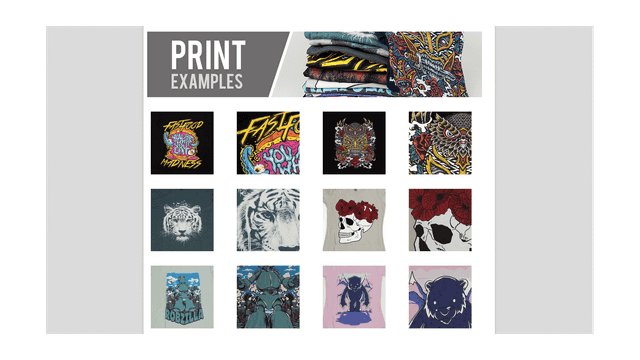
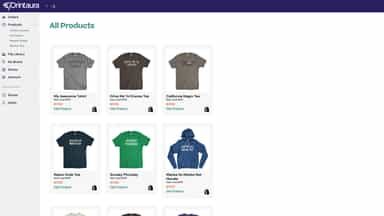
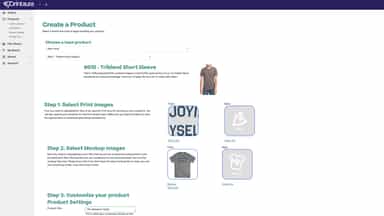
See every featurePrintAura helps you launch or grow a print-on-demand brand without managing inventory or fulfillment? PrintAura helps Shopify merchants create, publish, and fulfill custom products with ease. Push new products, connect existing listings, and manage listings directly from the PrintAura dashboard. Orders can be automatically fulfilled and shipped for a seamless hands-off workflow.
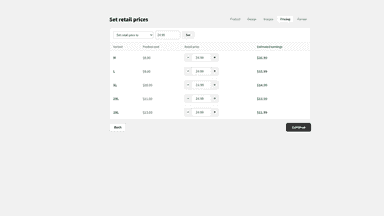
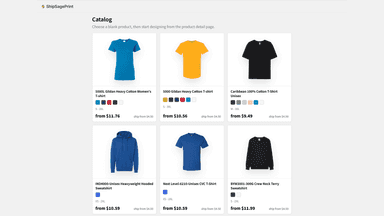
Launching a custom t-shirt brand normally means buying inventory upfront, renting a warehouse, and managing fulfillment yourself. ShipSagePrint removes all of that. Browse our catalog of in-stock blanks, drop your design into the live preview, and publish to your store with one click. When a buyer pays, we print, pack, and ship from our US warehouse within a few business days, then sync tracking back to your store.
- Automatic order processing
- Listing management
- Product creation
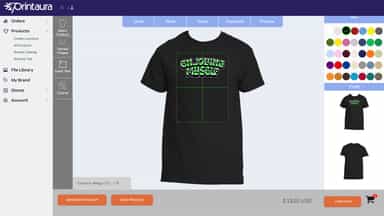
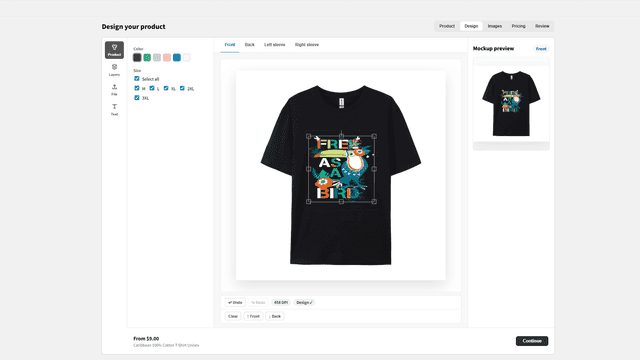
- Upload artwork and preview every color on the t-shirt before publishing.
- Publish to your store with one click — variants, media, and inventory all set.
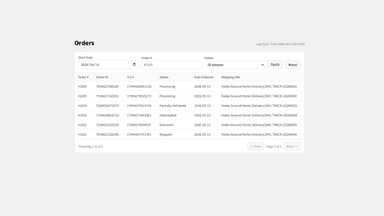
- Paid orders auto-route to our US warehouse for printing, packing, and shipping.
- Live inventory sync from our US warehouse keeps your variants from overselling.
All the numbers
Every figure, side by side
A green dot marks the app ahead on a measured figure. Estimates, gaps and apps that leave no storefront trace never take the lead.
Adoption
| Measure |  Printaura |  PrintSage |
|---|---|---|
| Detected stores | Not published | Not published |
| Net store change, 28 days | 0 | 0 |
| Stores added, 28 days | Not enough data | Not enough data |
| Big-brand share | Not enough data | Not enough data |
| Top store categories | Not published | Not published |
| Top store countries | Not published | Not published |
Reviews
| Measure | Printaura | PrintSage |
|---|---|---|
| App Store rating | 4.2 ★ | Not published |
| App Store reviews | 12 | Not published |
| New reviews, 28 days | 0 | Not enough data |
| Reviewers a year or more in | Not enough data | Not enough data |
FAQ
Printaura and PrintSage: common questions
- What features does each app list that the other doesn’t?
- Printaura lists 4 the others don’t mention, such as Custom packaging, Custom shipping, Global fulfillment, Personalization. PrintSage lists 3 the others don’t mention, such as Design tools, Order tracking, White label. A feature missing from a listing may still be supported; this compares what each App Store listing says.
- Where does this comparison’s data come from?
- Shoplist crawls Shopify storefronts to detect which apps each store runs, and reads each app’s Shopify App Store listing for reviews, pricing, features and integrations. Store counts are as of Oct 14, 2026 for Printaura, Oct 13, 2026 for PrintSage; estimated figures are labeled.
How Shoplist compares apps
Store counts come from Shoplist’s crawl of Shopify storefronts, which detects the apps each store runs; they are as of Oct 14, 2026 for Printaura, Oct 13, 2026 for PrintSage. Reviews, ratings, plans, features and integrations come from each app’s Shopify App Store listing. 28-day figures are labeled when estimated, and a figure that is missing or estimated never decides who leads. Read the methodology.