

PixMatch ‑ Bulk Photo Import vs Image Toolkit by BullMoose
Two Shopify apps, side by side: detected stores, momentum, reviews, plans, listed features and who runs each. Store counts as of Oct 13, 2026.
The short answer
- Both list a free plan. Paid plans start at $29/month for PixMatch and $4.99/month for Image Toolkit by BullMoose.
- PixMatch lists 2 features Image Toolkit by BullMoose’s listing doesn’t mention, including CSV import and export, Products.
Head to head


Free
Pro
Studio
Free
- · Free trial to see fixable images
- · No fixing
- · Scan up to 100 products
- · View missing images
Starter
- · Fix All
- · Fix Selected
- · Smart keyword matching
- · Up to 100 products
Growth
- · Fix All
- · Fix Selected
- · Smart keyword matching
- · Up to 1,000 products
Pro
- · Fix All
- · Fix Selected
- · Smart keyword matching
- · Unlimited products
Coverage counts what each App Store listing names. Every feature, checked off app by app, is in Shoplist.
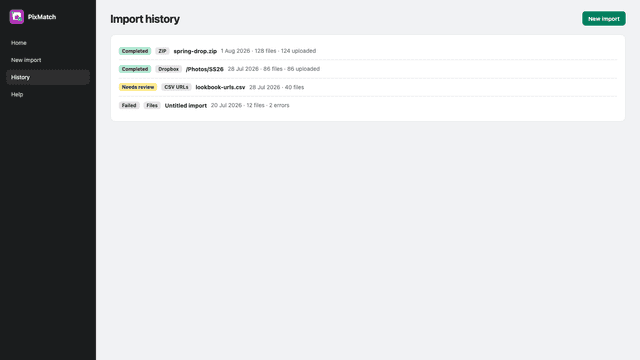
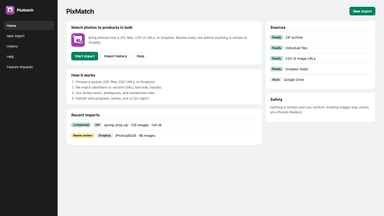
See every featurePixMatch helps merchants attach large sets of product photos to the correct Shopify product variants. You import images from a ZIP archive, local files, a CSV of image URLs, or a Dropbox folder, then match each file to a variant using SKU or another catalog identifier you choose. Before anything is written to Shopify, you review proposed matches, resolve exceptions, and approve what should be published.
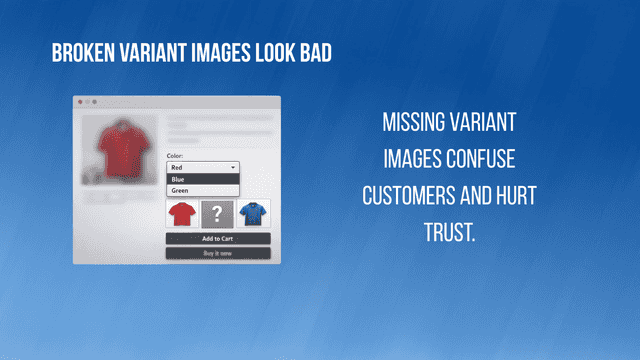
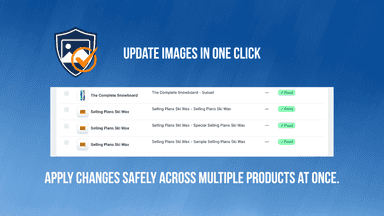
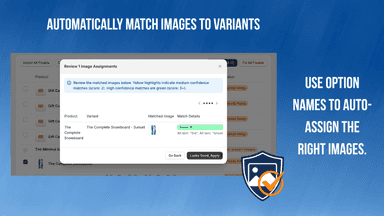
Variant Image Guard scans your store for variants without images and flags any issues in a clear table. Merchants can fix missing images individually or use bulk actions to auto-assign images based on variant options. The app keeps catalogs complete as new products and variants are added, reducing manual work and ensuring product listings always display correctly.
- Match bulk product images to variants by SKU or your chosen catalog field.
- Import from ZIP archives, local files, CSV URLs, or Dropbox folders.
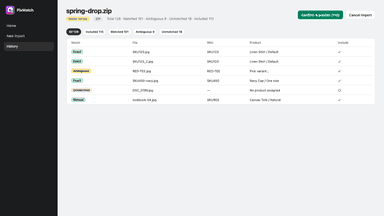
- Review matches, resolve exceptions, and approve changes before publishing.
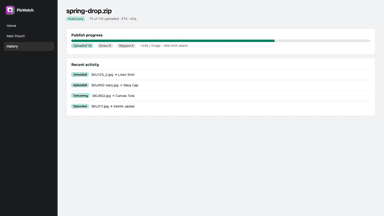
- Publish approved images to Shopify with staged uploads and progress tracking.
- Scan products and variants to identify missing images.
- Auto-assign images using variant option keywords.
- Bulk fix all missing variant images with one click.
All the numbers
Every figure, side by side
A green dot marks the app ahead on a measured figure. Estimates, gaps and apps that leave no storefront trace never take the lead.
Adoption
| Measure |  PixMatch |  Image Toolkit by BullMoose |
|---|---|---|
| Detected stores | Not published | Not published |
| Net store change, 28 days | 0 | 0 |
| Stores added, 28 days | Not enough data | Not enough data |
| Big-brand share | Not enough data | Not enough data |
| Top store categories | Not published | Not published |
| Top store countries | Not published | Not published |
Reviews
| Measure | PixMatch | Image Toolkit by BullMoose |
|---|---|---|
| App Store rating | Not published | Not published |
| App Store reviews | Not published | Not published |
| New reviews, 28 days | Not enough data | Not enough data |
| Reviewers a year or more in | Not enough data | Not enough data |
Pricing
| Measure | PixMatch | Image Toolkit by BullMoose |
|---|---|---|
| Free plan | Yes | Yes |
| Lowest paid monthly plan | $29/month | $4.99/month(ahead) |
| Longest free trial | Not listed | Not listed |
| Plans listed | 3 | 4 |
Listing
| Measure | PixMatch | Image Toolkit by BullMoose |
|---|---|---|
| Shopify category rank | #521 | #461(ahead) |
| Shopify App Charts | Not on this week’s charts | Not on this week’s charts |
| Built for Shopify | No | No |
| Launched | Aug 6, 2026 | Mar 6, 2026 |
| Languages | 2 | 1 |
| Developer | XBRAIN srl | BullMoose Apps |
FAQ
PixMatch and Image Toolkit by BullMoose: common questions
- Is PixMatch or Image Toolkit by BullMoose cheaper?
- Both list a free plan. Paid plans start at $29/month for PixMatch and $4.99/month for Image Toolkit by BullMoose. Shoplist compares base prices only between monthly plans in the same currency; usage charges and annual plans vary, so check each plan’s limits.
- What features does each app list that the other doesn’t?
- PixMatch lists 2 the others don’t mention, such as CSV import and export, Products. Image Toolkit by BullMoose lists 2 the others don’t mention, such as Data sync, Image optimization. A feature missing from a listing may still be supported; this compares what each App Store listing says.
- Where does this comparison’s data come from?
- Shoplist crawls Shopify storefronts to detect which apps each store runs, and reads each app’s Shopify App Store listing for reviews, pricing, features and integrations. Store counts are as of Oct 13, 2026; estimated figures are labeled.
How Shoplist compares apps
Store counts come from Shoplist’s crawl of Shopify storefronts, which detects the apps each store runs; they are as of Oct 13, 2026. Reviews, ratings, plans, features and integrations come from each app’s Shopify App Store listing. 28-day figures are labeled when estimated, and a figure that is missing or estimated never decides who leads. Read the methodology.