
Pineapple Studio vs ProdShot – Product Photo Maker
Two Shopify apps, side by side: detected stores, momentum, reviews, plans, listed features and who runs each. Store counts as of Oct 14, 2026.
The short answer
- Pineapple Studio lists 1 features ProdShot’s listing doesn’t mention, including Custom backgrounds.
Head to head


Momentum
New reviews each month
Review pace is the clearest public read on how fast an app is winning new merchants.
Starter
- · 100 images per month
- · 15 previews per day
- · 3 brand colors & presets
- · 7-day job history
- · All 3 operations
- · Solid & gradient backgrounds
Growth
- · 10 Brand colors & presets
- · 30 previews per day
- · 30-day job history
- · 350 images per month
- · All 3 operations included
- · All 5 Lifestyle templates
Pro
- · 75 previews per day
- · 800 images per month
- · 90-day job history
- · All 3 operations included
- · All 5 Lifestyle templates
- · Background: Solid, Gradient & Image
Free
- · 10 free credits to start (10 images)
- · Free to install
Coverage counts what each App Store listing names. Every feature, checked off app by app, is in Shoplist.
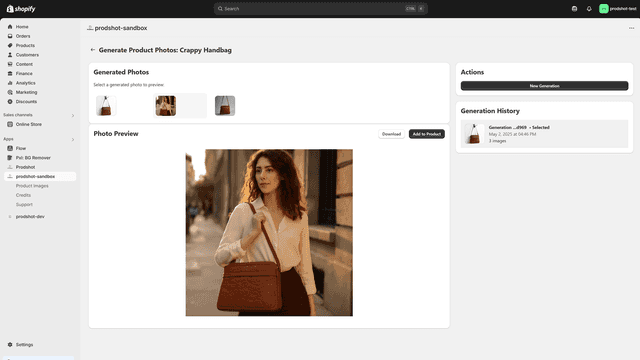
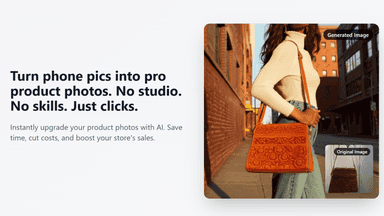
See every featureCreate professional product images without design skills or photoshoots. Replace backgrounds, place products in lifestyle scenes, or generate color variants — all in seconds. Snap photos from your phone with Mobile Upload. Process hundreds of images in bulk. Preview first, originals always safe. Ready-to-use templates mean no prompt writing needed.
ProdShot helps you create professional-quality product images. With AI-powered editing, you can transform cell phone photos into clean visuals ready for your storefront. The app is designed to be easy and intuitive. Pick a photo, and click create. ProdShot gives you an alternative to costly photo shoots or editing software or service, making great product photos accessible to every merchant.
- Replace backgrounds, create lifestyle scenes, or recolor products with AI.
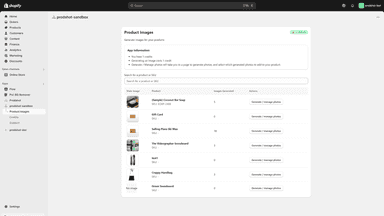
- Process hundreds of product images at once. Jobs run in the background.
- Scan a QR code and snap photos from your phone directly to Shopify.
- Free! - Free to use, we're new, just looking for feedback!
- Fully Automatic - Pro-quality images using AI without hiring a photographer
- Immediate - Generate clean, background-optimized visuals in seconds
- Cheap - Save on costs, no gear, no studio, no big spend needed.


All the numbers
Every figure, side by side
A green dot marks the app ahead on a measured figure. Estimates, gaps and apps that leave no storefront trace never take the lead.
Adoption
| Measure |  Pineapple Studio |  ProdShot |
|---|---|---|
| Detected stores | Not published | Not published |
| Net store change, 28 days | 0 | 0 |
| Stores added, 28 days | Not enough data | Not enough data |
| Big-brand share | Not enough data | Not enough data |
| Top store categories | Not published | Not published |
| Top store countries | Not published | Not published |
Reviews
| Measure | Pineapple Studio | ProdShot |
|---|---|---|
| App Store rating | Not published | 4.0 ★ |
| App Store reviews | Not published | 2 |
| New reviews, 28 days | Not enough data | Not enough data |
| Reviewers a year or more in | Not enough data | Not enough data |
Pricing
| Measure | Pineapple Studio | ProdShot |
|---|---|---|
| Free plan | Not listed | Not listed |
| Lowest paid monthly plan | $19/month | No monthly plan listed |
| Longest free trial | 7 days | Not listed |
| Plans listed | 3 | 1 |
Listing
| Measure | Pineapple Studio | ProdShot |
|---|---|---|
| Shopify category rank | #374 | #215(ahead) |
| Shopify App Charts | Not on this week’s charts | Not on this week’s charts |
| Built for Shopify | No | No |
| Launched | Apr 6, 2026 | May 13, 2025 |
| Languages | 1 | 1 |
| Developer | Polygon Apps | Pineapple Software LLC |
FAQ
Pineapple Studio and ProdShot: common questions
- What features does each app list that the other doesn’t?
- Pineapple Studio lists 1 the others don’t mention, such as Custom backgrounds. ProdShot lists 1 the others don’t mention, such as Download. A feature missing from a listing may still be supported; this compares what each App Store listing says.
- Where does this comparison’s data come from?
- Shoplist crawls Shopify storefronts to detect which apps each store runs, and reads each app’s Shopify App Store listing for reviews, pricing, features and integrations. Store counts are as of Oct 14, 2026; estimated figures are labeled.
How Shoplist compares apps
Store counts come from Shoplist’s crawl of Shopify storefronts, which detects the apps each store runs; they are as of Oct 14, 2026. Reviews, ratings, plans, features and integrations come from each app’s Shopify App Store listing. 28-day figures are labeled when estimated, and a figure that is missing or estimated never decides who leads. Read the methodology.