

PayTomorrow Messaging vs PayU GPO — Twisto
Two Shopify apps, side by side: detected stores, momentum, reviews, plans, listed features and who runs each. Store counts as of Feb 19, 2026.
The short answer
- PayU GPO lists 1 features PayTomorrow Messaging’s listing doesn’t mention, including Payment messages.
Head to head


Coverage counts what each App Store listing names. Every feature, checked off app by app, is in Shoplist.
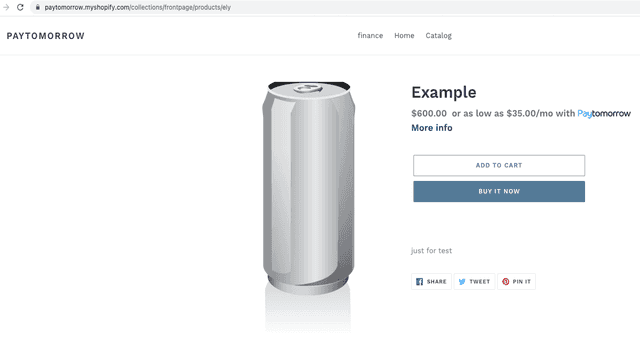
See every featureConvert more shoppers PayTomorrow lets you display a monthly payment price for each item—showing shoppers how budget-friendly the item can be. Unlock higher AOV Showcasing monthly payments messaging encourages your customers to say yes to upgrades, add-ons, and bundling, boosting basket sizes.
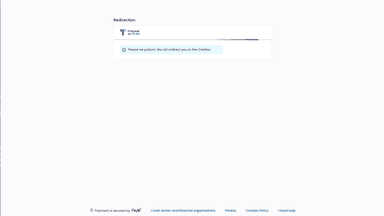
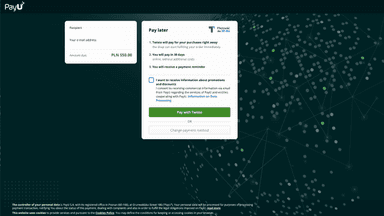
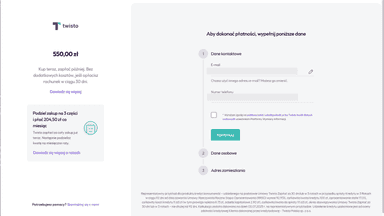
The app makes it easy to add PayU Pay Later with Twisto deferred payments to your store. After installation, customers see a new payment option at checkout and are redirected to Twisto to choose 30-day deferral of repayment or paying in installments. The purchase decision is made online, with no additional formalities on the merchant’s side.
- A monthly payment price for each item—showing how budget-friend the item can be
- Encourages customers to say yes to upgrades, boosting basket sizes.
- With dynamic price options, pull customers from awareness to conversion
- Adding PayU Pay Later with Twisto to the Shopify checkout flow
- Redirecting customers to Twisto to complete the payment
- Receiving payment upfront while Twisto handles the repayment


All the numbers
Every figure, side by side
A green dot marks the app ahead on a measured figure. Estimates, gaps and apps that leave no storefront trace never take the lead.
Adoption
| Measure |  PayTomorrow Messaging |  PayU GPO |
|---|---|---|
| Detected stores | Not published | Not published |
| Net store change, 28 days | 0 | 0 |
| Stores added, 28 days | Not enough data | Not enough data |
| Big-brand share | Not enough data | Not enough data |
| Top store categories | Not published | Not published |
| Top store countries | Not published | Not published |
Reviews
| Measure | PayTomorrow Messaging | PayU GPO |
|---|---|---|
| App Store rating | Not published | Not published |
| App Store reviews | Not published | Not published |
| New reviews, 28 days | Not enough data | Not enough data |
| Reviewers a year or more in | Not enough data | Not enough data |
Pricing
| Measure | PayTomorrow Messaging | PayU GPO |
|---|---|---|
| Free plan | Not listed | Not listed |
| Lowest paid monthly plan | No monthly plan listed | No monthly plan listed |
| Longest free trial | Not listed | Not listed |
| Plans listed | Not published | Not published |
Listing
| Measure | PayTomorrow Messaging | PayU GPO |
|---|---|---|
| Shopify category rank | #87 | #75(ahead) |
| Shopify App Charts | Not on this week’s charts | Not on this week’s charts |
| Built for Shopify | No | No |
| Launched | Apr 11, 2023 | Sep 26, 2025 |
| Languages | 1 | 2 |
| Developer | PayTomorrow | PayU SA |
FAQ
PayTomorrow Messaging and PayU GPO: common questions
- What features does each app list that the other doesn’t?
- PayU GPO lists 1 the others don’t mention, such as Payment messages. A feature missing from a listing may still be supported; this compares what each App Store listing says.
- Where does this comparison’s data come from?
- Shoplist crawls Shopify storefronts to detect which apps each store runs, and reads each app’s Shopify App Store listing for reviews, pricing, features and integrations. Store counts are as of Feb 19, 2026; estimated figures are labeled.
How Shoplist compares apps
Store counts come from Shoplist’s crawl of Shopify storefronts, which detects the apps each store runs; they are as of Feb 19, 2026. Reviews, ratings, plans, features and integrations come from each app’s Shopify App Store listing. 28-day figures are labeled when estimated, and a figure that is missing or estimated never decides who leads. Read the methodology.