

PayShift Hide Payment Shipping vs SAV Pay Rules
Two Shopify apps, side by side: detected stores, momentum, reviews, plans, listed features and who runs each. Store counts as of Nov 16, 2026 for PayShift Hide Payment Shipping, Oct 14, 2026 for SAV Pay Rules.
The short answer
- Only PayShift Hide Payment Shipping lists a free plan. Paid plans start at $3.99/month for PayShift Hide Payment Shipping and $4.99/month for SAV Pay Rules.
- PayShift Hide Payment Shipping lists 2 features SAV Pay Rules’s listing doesn’t mention, including Widget placement, Widget text.
Head to head


Momentum
New reviews each month
Review pace is the clearest public read on how fast an app is winning new merchants.
Free
- · Applies to all checkouts, no conditions
- · Live & Whatsapp support
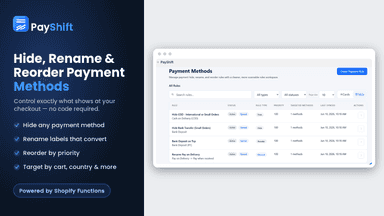
- · Rename, hide & reorder payment methods
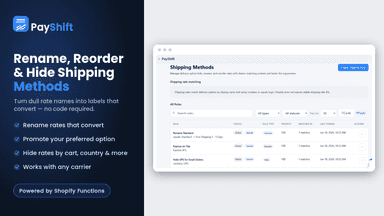
- · Rename, hide & reorder shipping methods
- · Unlimited rules
Pro
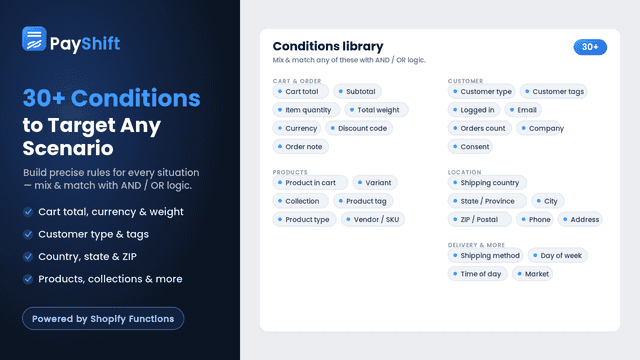
- · 30+ conditions: shipping, cart, country
- · AND/OR logic for complex rules
- · Apply rules only when conditions match
- · Everything in Free
- · Live & Whatsapp support
Basic
- · Hide, rename and reorder payment methods
- · Single-condition checkout rules
- · Up to 100 payment rules
Pro
- · Combine conditions with AND / OR groups
- · Country groups and B2B conditions
- · Everything in Basic
- · Test draft rules in the simulator
Ultimate
- · Everything in Pro
- · Product and cart express-button controls
- · Theme app embed with per-store settings
Coverage counts what each App Store listing names. Every feature, checked off app by app, is in Shoplist.
See every featurePayShift lets you hide payment methods and shipping rates at checkout without code. Hide Cash on Delivery (COD) for large orders or certain countries, hide a payment method based on the shipping method chosen, rename unclear rates into labels that convert, and reorder options so buyers pick your preferred one. Use 30+ conditions (cart total, country, currency, products, customer tags) with AND/OR logic.
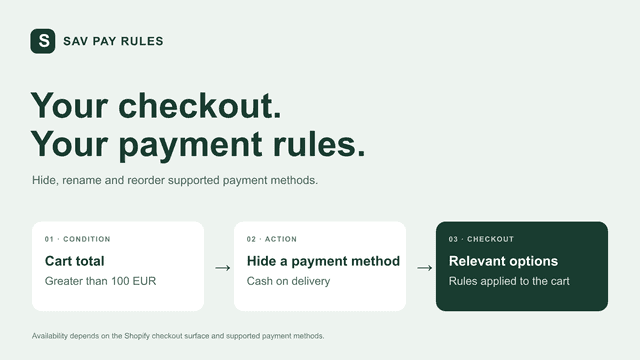
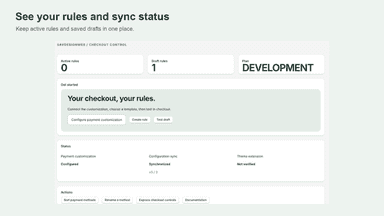
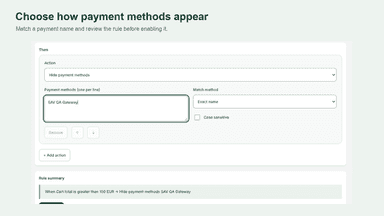
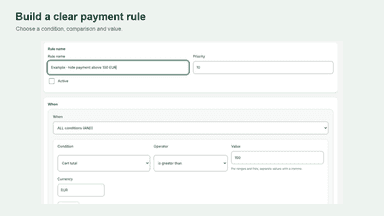
Create payment rules based on cart totals, products, customer tags and shipping details. Hide unsuitable methods, rename supported options and set their order. Combine conditions, manage priorities and test saved drafts in the simulator before enabling them. Each store keeps its own rules. Supported payment methods vary by region and checkout surface.
- Hide any payment or shipping method at checkout in seconds
- Rename unclear payment & shipping names into clear labels
- Reorder any methods to put your preferred option first
- Target rules with 30+ conditions and flexible AND/OR logic
- Hide payment methods using cart, product, customer and shipping conditions
- Rename and reorder supported payment methods with clear rule priorities
- Test saved drafts in a simulator before activating rules in checkout

All the numbers
Every figure, side by side
A green dot marks the app ahead on a measured figure. Estimates, gaps and apps that leave no storefront trace never take the lead.
Adoption
| Measure |  PayShift Hide Payment Shipping |  SAV Pay Rules |
|---|---|---|
| Detected stores | Not published | Not published |
| Net store change, 28 days | 0 | 0 |
| Stores added, 28 days | Not enough data | Not enough data |
| Big-brand share | Not enough data | Not enough data |
| Top store categories | Not published | Not published |
| Top store countries | Not published | Not published |
Reviews
| Measure | PayShift Hide Payment Shipping | SAV Pay Rules |
|---|---|---|
| App Store rating | 5.0 ★ | Not published |
| App Store reviews | 5 | Not published |
| New reviews, 28 days | Not enough data | Not enough data |
| Reviewers a year or more in | Not enough data | Not enough data |
Pricing
| Measure | PayShift Hide Payment Shipping | SAV Pay Rules |
|---|---|---|
| Free plan | Yes | Not listed |
| Lowest paid monthly plan | $3.99/month(ahead) | $4.99/month |
| Longest free trial | 7 days | 7 days |
| Plans listed | 2 | 3 |
Listing
| Measure | PayShift Hide Payment Shipping | SAV Pay Rules |
|---|---|---|
| Shopify category rank | #37 | #49 |
| Shopify App Charts | Not on this week’s charts | Not on this week’s charts |
| Built for Shopify | No | No |
| Launched | Jun 22, 2026 | Oct 1, 2026 |
| Languages | 1 | 2 |
| Developer | CognitioLab | SAVDESIGN DI SAVIANO FRANCESCO |
FAQ
PayShift Hide Payment Shipping and SAV Pay Rules: common questions
- Is PayShift Hide Payment Shipping or SAV Pay Rules cheaper?
- Only PayShift Hide Payment Shipping lists a free plan. Paid plans start at $3.99/month for PayShift Hide Payment Shipping and $4.99/month for SAV Pay Rules. Shoplist compares base prices only between monthly plans in the same currency; usage charges and annual plans vary, so check each plan’s limits.
- What features does each app list that the other doesn’t?
- PayShift Hide Payment Shipping lists 2 the others don’t mention, such as Widget placement, Widget text. A feature missing from a listing may still be supported; this compares what each App Store listing says.
- Where does this comparison’s data come from?
- Shoplist crawls Shopify storefronts to detect which apps each store runs, and reads each app’s Shopify App Store listing for reviews, pricing, features and integrations. Store counts are as of Nov 16, 2026 for PayShift Hide Payment Shipping, Oct 14, 2026 for SAV Pay Rules; estimated figures are labeled.
How Shoplist compares apps
Store counts come from Shoplist’s crawl of Shopify storefronts, which detects the apps each store runs; they are as of Nov 16, 2026 for PayShift Hide Payment Shipping, Oct 14, 2026 for SAV Pay Rules. Reviews, ratings, plans, features and integrations come from each app’s Shopify App Store listing. 28-day figures are labeled when estimated, and a figure that is missing or estimated never decides who leads. Read the methodology.