

Ovona vs Pixel Pro
Two Shopify apps, side by side: detected stores, momentum, reviews, plans, listed features and who runs each. Store counts as of Oct 13, 2026 for Ovona, Oct 30, 2026 for Pixel Pro.
The short answer
- Paid plans start at $59/month for Ovona and $20/month for Pixel Pro.
- Pixel Pro lists 4 features Ovona’s listing doesn’t mention, including Custom audiences, Dashboards, Lookalike audiences.
Head to head


standard
Revenue Impact
Scale
Business
Enterprise
Coverage counts what each App Store listing names. Every feature, checked off app by app, is in Shoplist.
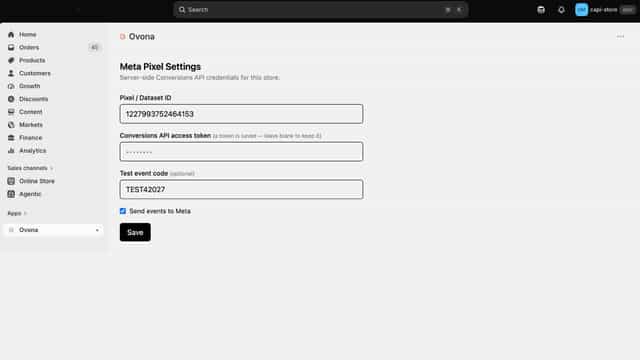
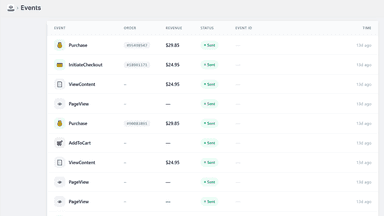
See every featureAd blockers, iOS tracking limits, and dropped connections stop browser pixels from reporting sales to Meta, so your ads optimize on incomplete data. Ovona sends your store's events to Meta from our servers instead of the shopper's browser. Purchases and checkouts are built from Shopify order data, so they arrive even when the browser pixel is blocked.
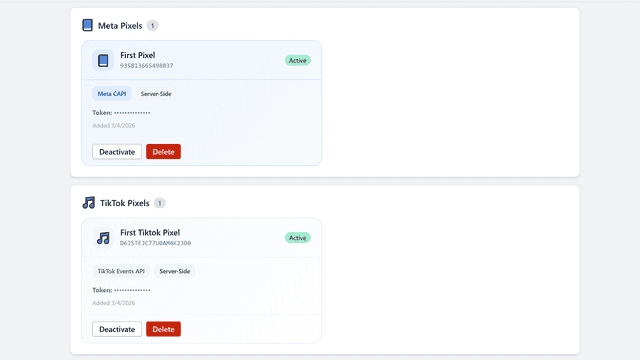
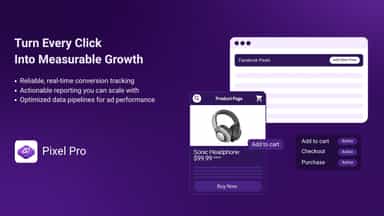
Pixel Pro installs Meta Pixel and TikTok Pixel on your store and sends conversion events directly from your server using Meta Conversions API and TikTok Events API. This server-side approach captures purchases, add-to-cart actions, and other key events even when browser restrictions or ad blockers prevent browser-side tracking. Your ad platforms receive complete, accurate data so your campaigns optimize correctly.
- Purchases reach Meta even when ad blockers stop the browser pixel
- Tracks the full funnel: product views, add to carts, checkouts, and purchases
- Recognizes returning shoppers so more of your conversions are matched to ads
- Counts each conversion once, so your Meta reporting stays clean
- Adds Meta Pixel and TikTok Pixel to your storefront without editing theme code.
- Sends purchase and engagement events directly from your server to Meta & TikTok
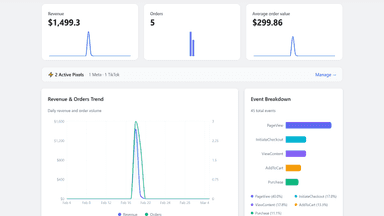
- View a real-time log of all tracked events


All the numbers
Every figure, side by side
A green dot marks the app ahead on a measured figure. Estimates, gaps and apps that leave no storefront trace never take the lead.
Adoption
| Measure |  Ovona |  Pixel Pro |
|---|---|---|
| Detected stores | Not published | Not published |
| Net store change, 28 days | 0 | 0 |
| Stores added, 28 days | Not enough data | Not enough data |
| Big-brand share | Not enough data | Not enough data |
| Top store categories | Not published | Not published |
| Top store countries | Not published | Not published |
Reviews
| Measure | Ovona | Pixel Pro |
|---|---|---|
| App Store rating | Not published | Not published |
| App Store reviews | Not published | Not published |
| New reviews, 28 days | Not enough data | Not enough data |
| Reviewers a year or more in | Not enough data | Not enough data |
FAQ
Ovona and Pixel Pro: common questions
- Is Ovona or Pixel Pro cheaper?
- Paid plans start at $59/month for Ovona and $20/month for Pixel Pro. Shoplist compares base prices only between monthly plans in the same currency; usage charges and annual plans vary, so check each plan’s limits.
- What features does each app list that the other doesn’t?
- Ovona lists 1 the others don’t mention, such as Pixel management. Pixel Pro lists 4 the others don’t mention, such as Custom audiences, Dashboards, Lookalike audiences, Performance tracking. A feature missing from a listing may still be supported; this compares what each App Store listing says.
- Where does this comparison’s data come from?
- Shoplist crawls Shopify storefronts to detect which apps each store runs, and reads each app’s Shopify App Store listing for reviews, pricing, features and integrations. Store counts are as of Oct 13, 2026 for Ovona, Oct 30, 2026 for Pixel Pro; estimated figures are labeled.
How Shoplist compares apps
Store counts come from Shoplist’s crawl of Shopify storefronts, which detects the apps each store runs; they are as of Oct 13, 2026 for Ovona, Oct 30, 2026 for Pixel Pro. Reviews, ratings, plans, features and integrations come from each app’s Shopify App Store listing. 28-day figures are labeled when estimated, and a figure that is missing or estimated never decides who leads. Read the methodology.