

OrderFix: Customer Order Edit vs Selfix
Two Shopify apps, side by side: detected stores, momentum, reviews, plans, listed features and who runs each. Store counts as of Oct 14, 2026 for OrderFix, Oct 13, 2026 for Selfix.
The short answer
- Both list a free plan. Paid plans start at $19/month for OrderFix and $12/month for Selfix.
- OrderFix lists 3 features Selfix’s listing doesn’t mention, including Cancellations, Custom rules, Customer portal.
Head to head


Free
- · 25 edited orders per month
- · Address, items, swap, cancel
- · OrderFix branding on edit page
Starter
- · 100 edited orders per month
- · Discount on items customers add
- · Email support
- · No branding
Pro
- · Everything in Starter
- · Priority support
- · Unlimited edited orders
Free
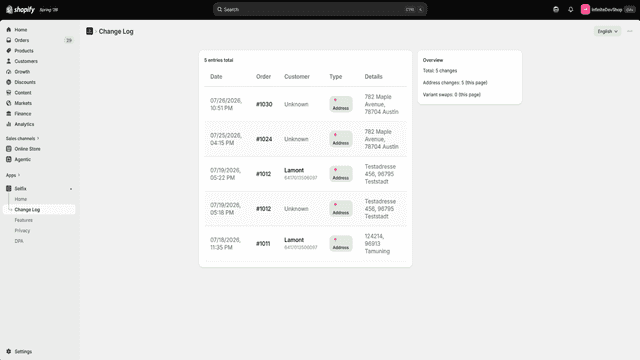
- · Complete change history log
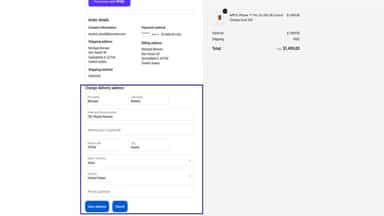
- · Customers edit their shipping address
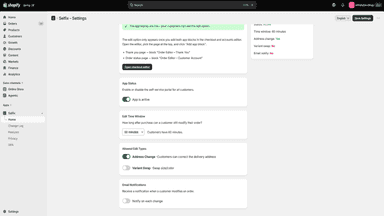
- · Edit windows up to 30 minutes
Premium
- · Customers swap size or color variants
- · Edit window up to 4 hours
- · Email alert on every customer change
- · Everything in Free
- · Priority support
Coverage counts what each App Store listing names. Every feature, checked off app by app, is in Shoplist.
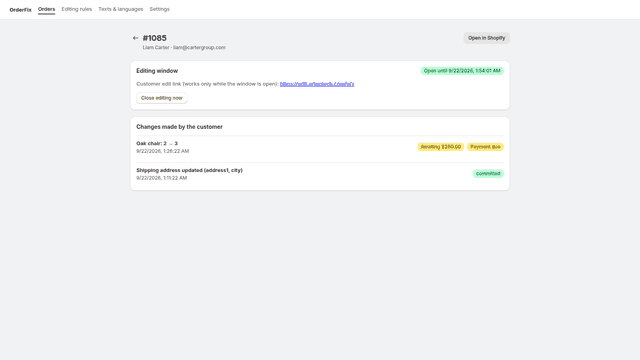
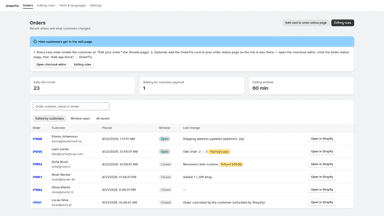
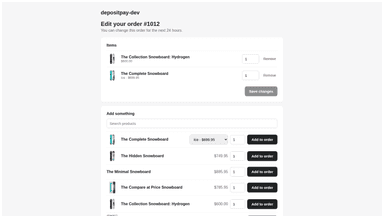
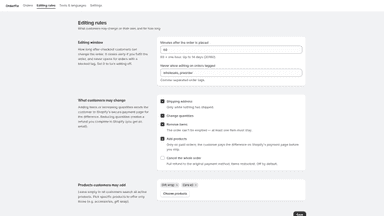
See every featureOrderFix is self-service order editing. After checkout customers get a link to change the shipping address, change quantities, swap a size or colour, remove or add items, or cancel the order, without emailing you. You decide what is allowed and for how long. Editing stops when the window ends, the order ships or your warehouse starts work.
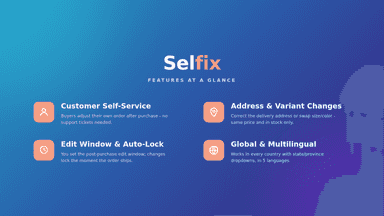
A wrong apartment number or the wrong size turns into a support ticket or a return. Selfix lets customers fix these themselves, minutes after buying. The edit option appears on the order confirmation page and in the customer account. Customers can correct their shipping address, and where enabled, swap a variant for another size or colour, leaving the order total unchanged.
- Customers fix the shipping address themselves before the order ships
- Change quantities, remove or add items within the window you choose
- Editing closes automatically when the window ends or the order ships
- Added items are settled on the Shopify payment page, nothing to chase
- Customers correct their own shipping address after checkout
- Set how long edits stay possible, from 15 minutes to 4 hours
- Edits lock automatically as soon as fulfillment begins
- Variant swaps never change the order total and require stock
All the numbers
Every figure, side by side
A green dot marks the app ahead on a measured figure. Estimates, gaps and apps that leave no storefront trace never take the lead.
Adoption
| Measure |  OrderFix |  Selfix |
|---|---|---|
| Detected stores | Not published | Not published |
| Net store change, 28 days | 0 | 0 |
| Stores added, 28 days | Not enough data | Not enough data |
| Big-brand share | Not enough data | Not enough data |
| Top store categories | Not published | Not published |
| Top store countries | Not published | Not published |
Reviews
| Measure | OrderFix | Selfix |
|---|---|---|
| App Store rating | Not published | Not published |
| App Store reviews | Not published | Not published |
| New reviews, 28 days | Not enough data | Not enough data |
| Reviewers a year or more in | Not enough data | Not enough data |
FAQ
OrderFix and Selfix: common questions
- Is OrderFix or Selfix cheaper?
- Both list a free plan. Paid plans start at $19/month for OrderFix and $12/month for Selfix. Shoplist compares base prices only between monthly plans in the same currency; usage charges and annual plans vary, so check each plan’s limits.
- What features does each app list that the other doesn’t?
- OrderFix lists 3 the others don’t mention, such as Cancellations, Custom rules, Customer portal. A feature missing from a listing may still be supported; this compares what each App Store listing says.
- Where does this comparison’s data come from?
- Shoplist crawls Shopify storefronts to detect which apps each store runs, and reads each app’s Shopify App Store listing for reviews, pricing, features and integrations. Store counts are as of Oct 14, 2026 for OrderFix, Oct 13, 2026 for Selfix; estimated figures are labeled.
How Shoplist compares apps
Store counts come from Shoplist’s crawl of Shopify storefronts, which detects the apps each store runs; they are as of Oct 14, 2026 for OrderFix, Oct 13, 2026 for Selfix. Reviews, ratings, plans, features and integrations come from each app’s Shopify App Store listing. 28-day figures are labeled when estimated, and a figure that is missing or estimated never decides who leads. Read the methodology.