
Order Blender: Order Exporter vs Zync ‑ Zohobooks Connector
Two Shopify apps, side by side: detected stores, momentum, reviews, plans, listed features and who runs each. Store counts as of Oct 13, 2026.
The short answer
- Paid plans start at $99/month for Order Blender and $15/month for Zync.
- Zync lists 5 features Order Blender’s listing doesn’t mention, including Batch processing, Customer accounts, Profit tracking.
Head to head


Standard Plan
Pro Plan
Basic
- · For stores on the “Basic" Shopify plan
- · Manual and Auto Sync Modes
- · No Product or Order sync limits
- · On call Onboarding Support
- · Rule based and Manual Sync
- · Sync orders, products, customers to Zoho
Grow
- · For stores on the “Grow" Shopify plan
- · Manual and Auto Sync Modes
- · On call Onboarding Support
- · Rule based and Manual Sync
- · Sync orders, products, customers to Zoho
Advanced
- · For store on the “advanced" Shopify plan
- · Manual and Auto Sync Modes
- · No Product or Order sync limits
- · On call Onboarding Support
- · Rule based and Manual Sync
- · Sync orders, products, customers to Zoho
Plus
- · For stores on the “Plus" Shopify plan
- · Manual and Auto Sync Modes
- · On call Onboarding Support
- · Rule based and Manual Sync
- · Sync orders, products, customers to Zoho
Coverage counts what each App Store listing names. Every feature, checked off app by app, is in Shoplist.
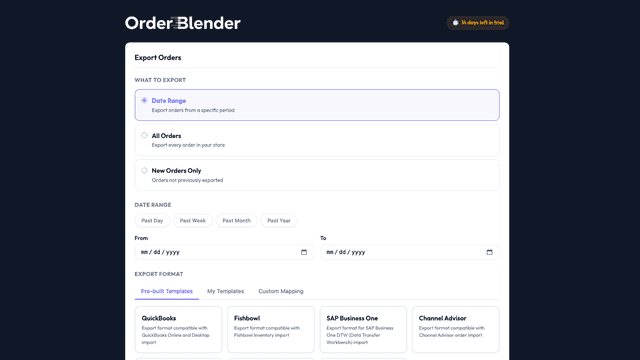
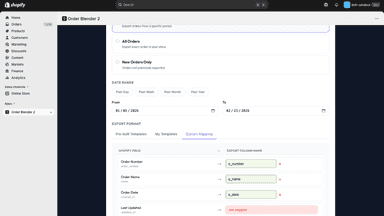
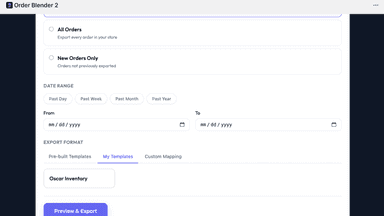
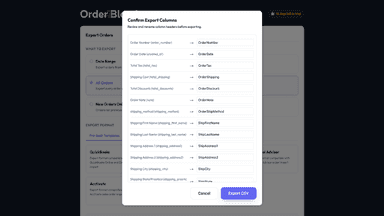
See every featureOrder Blender helps merchants export Shopify orders into CSV files formatted for ERP and accounting systems. Merchants can export by date range, all orders, or only new orders, then map Shopify fields to required column names. The app includes pre-built templates and supports reusable custom templates for consistent exports across teams and workflows.
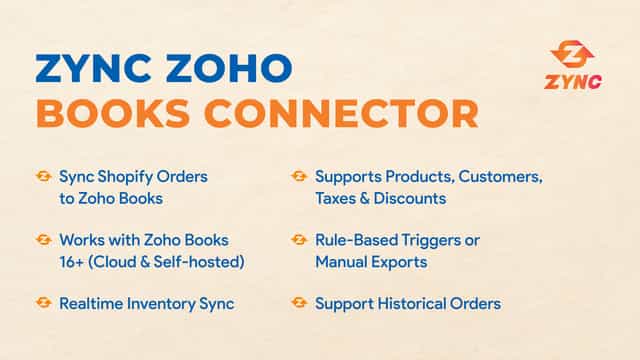
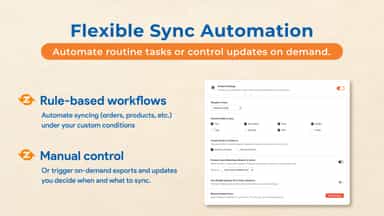
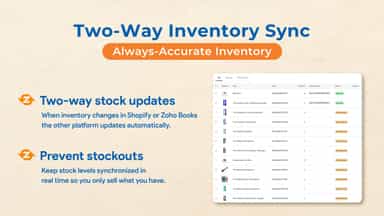
Key features: Real-Time Order Export: Orders from Shopify are Exported to Zoho Books in real-time, ensuring immediate updates. Customer, Product, and Stock Sync: To maintain consistency, customer data, product information, and stock levels are synchronized from Shopify to Zoho Books.
- Export orders by date range, all orders, or only new unexported orders
- Map Shopify order fields to custom CSV column names
- Use pre-built ERP templates for common import formats
- Real-Time Order Export to ZohoBooks
- Customer, Product, and Stock Sync
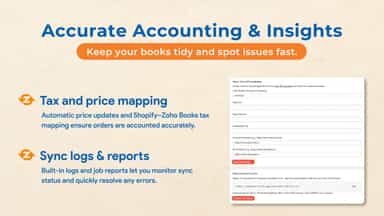
- Tax, Shipping, and Discounts Supported
All the numbers
Every figure, side by side
A green dot marks the app ahead on a measured figure. Estimates, gaps and apps that leave no storefront trace never take the lead.
Adoption
| Measure |  Order Blender |  Zync |
|---|---|---|
| Detected stores | Not published | Not published |
| Net store change, 28 days | 0 | 0 |
| Stores added, 28 days | Not enough data | Not enough data |
| Big-brand share | Not enough data | Not enough data |
| Top store categories | Not published | Not published |
| Top store countries | Not published | Not published |
Reviews
| Measure | Order Blender | Zync |
|---|---|---|
| App Store rating | Not published | Not published |
| App Store reviews | Not published | Not published |
| New reviews, 28 days | Not enough data | Not enough data |
| Reviewers a year or more in | Not enough data | Not enough data |
Pricing
| Measure | Order Blender | Zync |
|---|---|---|
| Free plan | Not listed | Not listed |
| Lowest paid monthly plan | $99/month | $15/month(ahead) |
| Longest free trial | 7 days | 14 days |
| Plans listed | 2 | 4 |
Listing
| Measure | Order Blender | Zync |
|---|---|---|
| Shopify category rank | #185 | #140(ahead) |
| Shopify App Charts | Not on this week’s charts | Not on this week’s charts |
| Built for Shopify | No | No |
| Launched | May 11, 2026 | Jun 2, 2026 |
| Languages | 1 | 1 |
| Developer | Didit | Techspawn Solutions Private Limited |
FAQ
Order Blender and Zync: common questions
- Is Order Blender or Zync cheaper?
- Paid plans start at $99/month for Order Blender and $15/month for Zync. Shoplist compares base prices only between monthly plans in the same currency; usage charges and annual plans vary, so check each plan’s limits.
- What features does each app list that the other doesn’t?
- Order Blender lists 1 the others don’t mention, such as Batch tracking. Zync lists 5 the others don’t mention, such as Batch processing, Customer accounts, Profit tracking, Real-time sync. A feature missing from a listing may still be supported; this compares what each App Store listing says.
- Where does this comparison’s data come from?
- Shoplist crawls Shopify storefronts to detect which apps each store runs, and reads each app’s Shopify App Store listing for reviews, pricing, features and integrations. Store counts are as of Oct 13, 2026; estimated figures are labeled.
How Shoplist compares apps
Store counts come from Shoplist’s crawl of Shopify storefronts, which detects the apps each store runs; they are as of Oct 13, 2026. Reviews, ratings, plans, features and integrations come from each app’s Shopify App Store listing. 28-day figures are labeled when estimated, and a figure that is missing or estimated never decides who leads. Read the methodology.