Instant Product Options vs Optivo Product Options
Two Shopify apps, side by side: detected stores, momentum, reviews, plans, listed features and who runs each. Store counts as of Nov 4, 2026 for Instant Product Options, Nov 3, 2026 for Optivo Product Options.
The short answer
- Both list a free plan. Paid plans start at $14.99/month for Instant Product Options and $9.99/month for Optivo Product Options.
- Instant Product Options lists 7 features Optivo Product Options’s listing doesn’t mention, including File upload, Fonts, Gift wrap.
Head to head


- United States
- France
- Australia
Momentum
New reviews each month
Review pace is the clearest public read on how fast an app is winning new merchants.
Free
- · 1 option set
- · 20+ option field types
- · Add-on pricing
- · Conditional logic
- · Theme-matched storefront widget
Pro
- · 20+ option field types
- · Add-on pricing
- · Conditional logic
- · Per-language translations
- · Per-market pricing
- · Priority support
Free
- · Core product option types
- · Email support
- · Option details on the cart line
- · Options never create product variants
- · Text box, number, dropdown and checkbox
Advance
- · 200 orders/month plus live 1:1 meetings
- · Advanced and styled option types
- · Advanced pricing and tooltips
- · Date picker, image swatch, color swatch
- · Everything in Free
Professional
- · Custom CSS and HTML sections
- · Everything in Free and Advance
- · Live previews for product options
- · Unlimited designs and support
- · Unlimited product option sets
- · Up to 10 option styling themes
Coverage counts what each App Store listing names. Every feature, checked off app by app, is in Shoplist.
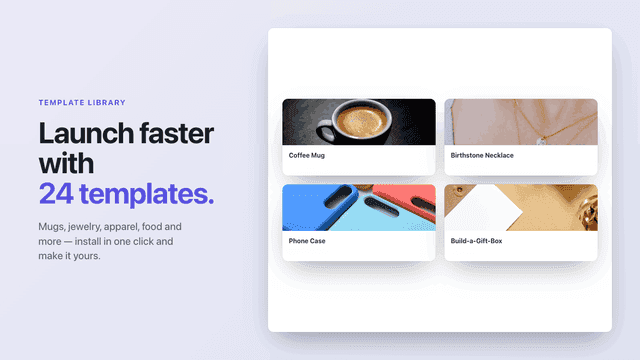
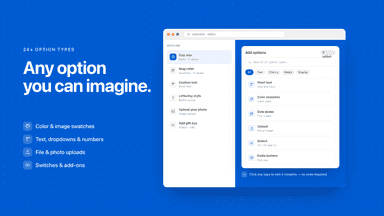
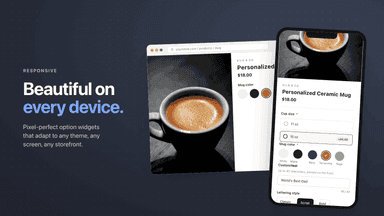
See every featureInstant Product Options lets you add option fields to your products so customers can personalize what they buy. Build text fields, dropdowns, checkboxes, color and image swatches, file uploads, and date pickers, then group them into reusable option sets assigned to products or collections. Premium options can add an upcharge — fixed, percentage, or per-character — carried through to the cart and checkout.
Optivo adds custom options to your products: engraving text, color and image swatches, dropdowns, checkboxes, dates, numbers and sliders. Selections are saved as line item properties on the cart line, so no product variants are created and your catalogue keeps only the SKUs you built. Any surcharge the choices add is applied at checkout by a cart transform function, so what a customer sees is what they are charged.
- 20+ option types including text, dropdowns, swatches, file upload, and date
- Premium options can add an upcharge: fixed, percentage, or per-character
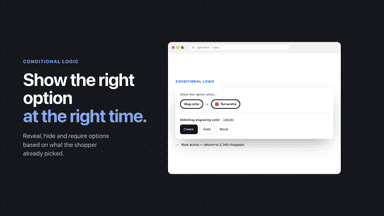
- Conditional logic to show or hide options based on earlier choices
- Translate options per language and localize them for every market
- 20 option types: text, number, slider, date, color and image swatches, dropdowns
- No variants created - selections are saved as line item properties on the line
- Surcharge rules: flat fee, percentage, per character, formula and quantity tiers
- Conditional logic shows or hides options based on earlier answers


All the numbers
Every figure, side by side
A green dot marks the app ahead on a measured figure. Estimates, gaps and apps that leave no storefront trace never take the lead.
Adoption
| Measure |  Instant Product Options | |
|---|---|---|
| Detected stores | 50 | Not published |
| Net store change, 28 days | +11 | 0 |
| Stores added, 28 days | 11 | Not enough data |
| Big-brand share | Not enough data | Not enough data |
| Top store categories | Apparel & Accessories, Home & Garden, Arts & Entertainment | Not published |
| Top store countries | United States, France, Australia | Not published |
Reviews
| Measure | Instant Product Options | |
|---|---|---|
| App Store rating | 5.0 ★ | Not published |
| App Store reviews | 15 | Not published |
| New reviews, 28 days | Not enough data | Not enough data |
| Reviewers a year or more in | Not enough data | Not enough data |
Pricing
| Measure | Instant Product Options | |
|---|---|---|
| Free plan | Yes | Yes |
| Lowest paid monthly plan | $14.99/month | $9.99/month(ahead) |
| Longest free trial | Not listed | Not listed |
| Plans listed | 2 | 3 |
Listing
| Measure | Instant Product Options | |
|---|---|---|
| Shopify category rank | #28 | Not enough data |
| Shopify App Charts | #9 on Rookies in Product variants | Not on this week’s charts |
| Built for Shopify | Yes | No |
| Launched | Jun 3, 2026 | Nov 2, 2026 |
| Languages | 1 | 1 |
| Developer | FourCore | Golden Info Systems Limited |
FAQ
Instant Product Options and Optivo Product Options: common questions
- Is Instant Product Options or Optivo Product Options cheaper?
- Both list a free plan. Paid plans start at $14.99/month for Instant Product Options and $9.99/month for Optivo Product Options. Shoplist compares base prices only between monthly plans in the same currency; usage charges and annual plans vary, so check each plan’s limits.
- What features does each app list that the other doesn’t?
- Instant Product Options lists 7 the others don’t mention, such as File upload, Fonts, Gift wrap, Preview. Optivo Product Options lists 4 the others don’t mention, such as Custom HTML, Dynamic pricing, Multi-select, Tiered pricing. A feature missing from a listing may still be supported; this compares what each App Store listing says.
- Where does this comparison’s data come from?
- Shoplist crawls Shopify storefronts to detect which apps each store runs, and reads each app’s Shopify App Store listing for reviews, pricing, features and integrations. Store counts are as of Nov 4, 2026 for Instant Product Options, Nov 3, 2026 for Optivo Product Options; estimated figures are labeled.
How Shoplist compares apps
Store counts come from Shoplist’s crawl of Shopify storefronts, which detects the apps each store runs; they are as of Nov 4, 2026 for Instant Product Options, Nov 3, 2026 for Optivo Product Options. Reviews, ratings, plans, features and integrations come from each app’s Shopify App Store listing. 28-day figures are labeled when estimated, and a figure that is missing or estimated never decides who leads. Read the methodology.