

OptiMark ‑ Image Master vs Picsmize ‑ Image Optimizer
Two Shopify apps, side by side: detected stores, momentum, reviews, plans, listed features and who runs each. Store counts as of Oct 13, 2026.
The short answer
- Only Picsmize lists a free plan.
- Picsmize lists 11 features OptiMark’s listing doesn’t mention, including Alt text, Background removal, Custom backgrounds.
Head to head


Image Compression, SEO ALT, Background Remover. Speed Booster
Momentum
New reviews each month
Review pace is the clearest public read on how fast an app is winning new merchants.
Free
FREE
- · 30 Days Backup
- · 50MB - one time
- · Asset Images
- · Manual Uploads + Compress
- · Product Images
Basic
- · 30 Days Backup
- · 500MB / month
- · ALT Text & Renaming
- · Auto + Manual Uploads and Compress
- · Background Remover ($0.03 USD/image)
- · FREE Plan +
Pro
- · 2000MB / month
- · 60 Days Backup
- · ALT Text & Renaming
- · Auto + Manual Uploads and Compress
- · Background Remover ($0.03 USD/image)
- · FREE Plan +
Advanced
- · 60 Days Backup
- · ALT Text & Rename
- · Auto + Manual Uploads and Compress
- · Background Remover ($0.03 USD/image)
- · FREE Plan +
- · Unlimited Images
Coverage counts what each App Store listing names. Every feature, checked off app by app, is in Shoplist.
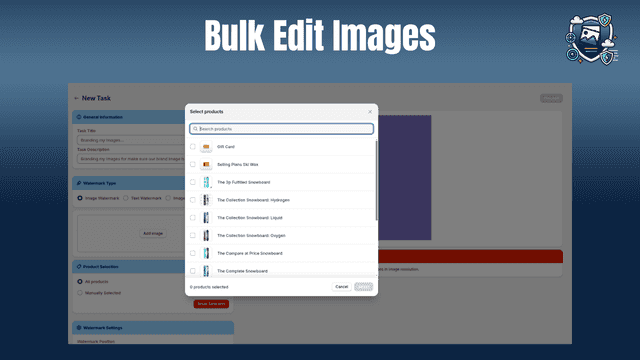
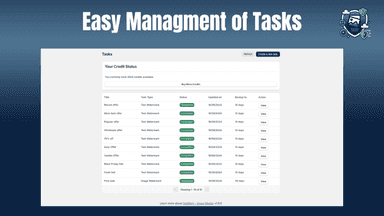
See every featureOptimark - Image Master helps Shopify store owners efficiently manage their images with ease. It offers watermarking for brand protection, image compression for faster loading, resizing for platform-specific needs, and conversion to WebP format for performance. By optimizing images, merchants can enhance their site speed, improve SEO, and provide a seamless customer experience, all while saving time and effort.
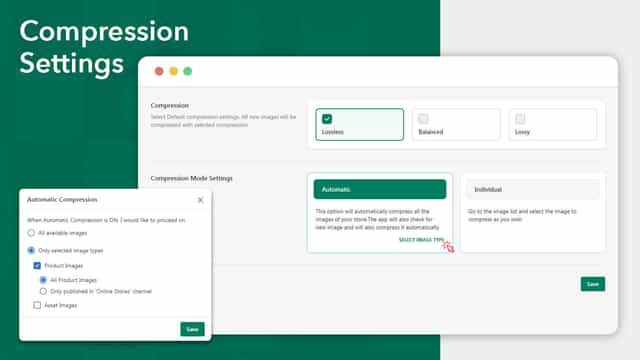
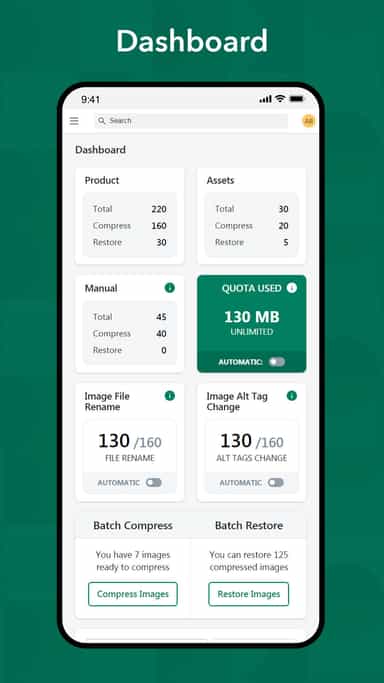
Picsmize helps to compress product and store images automatically based on your settings without compromising image quality. Reduced image size will load faster at storefront and boost the page loading speed. Add ALT texts dynamically with set of variables. Rename images for search engines to identify products in the image which increases organic traffic to your store.
- Protect your visuals with custom watermarks to maintain brand identity.
- Safeguard your images with unlimited backups, ensuring you never lose them.
- Compress images without losing quality, enhancing site speed and performance.
- Quickly resize your images to fit any platform or device requirement.
- Auto and Manual mode available
- Compress Image / Image compression / Image optimization
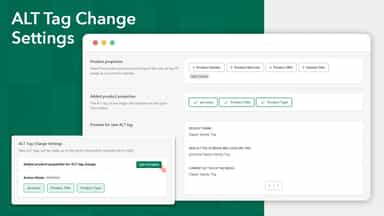
- ALT Texts for Product Images, Rename Product Images
- Remove background of product images / Image background remover


All the numbers
Every figure, side by side
A green dot marks the app ahead on a measured figure. Estimates, gaps and apps that leave no storefront trace never take the lead.
Adoption
| Measure |  OptiMark |  Picsmize |
|---|---|---|
| Detected stores | Not published | Not published |
| Net store change, 28 days | 0 | 0 |
| Stores added, 28 days | Not enough data | Not enough data |
| Big-brand share | Not enough data | Not enough data |
| Top store categories | Not published | Not published |
| Top store countries | Not published | Not published |
Reviews
| Measure | OptiMark | Picsmize |
|---|---|---|
| App Store rating | Not published | 3.7 ★ |
| App Store reviews | Not published | 6 |
| New reviews, 28 days | Not enough data | 0 |
| Reviewers a year or more in | Not enough data | Not enough data |
FAQ
OptiMark and Picsmize: common questions
- Is OptiMark or Picsmize cheaper?
- Only Picsmize lists a free plan. Shoplist compares base prices only between monthly plans in the same currency; usage charges and annual plans vary, so check each plan’s limits.
- What features does each app list that the other doesn’t?
- OptiMark lists 3 the others don’t mention, such as Products, Quality control, Watermarks. Picsmize lists 11 the others don’t mention, such as Alt text, Background removal, Custom backgrounds, Download. A feature missing from a listing may still be supported; this compares what each App Store listing says.
- Where does this comparison’s data come from?
- Shoplist crawls Shopify storefronts to detect which apps each store runs, and reads each app’s Shopify App Store listing for reviews, pricing, features and integrations. Store counts are as of Oct 13, 2026; estimated figures are labeled.
How Shoplist compares apps
Store counts come from Shoplist’s crawl of Shopify storefronts, which detects the apps each store runs; they are as of Oct 13, 2026. Reviews, ratings, plans, features and integrations come from each app’s Shopify App Store listing. 28-day figures are labeled when estimated, and a figure that is missing or estimated never decides who leads. Read the methodology.