
OneShip vs TrackShip: Bulk Tracking
Two Shopify apps, side by side: detected stores, momentum, reviews, plans, listed features and who runs each. Store counts as of Oct 13, 2026.
The short answer
- Only TrackShip lists a free plan.
- OneShip lists 11 features TrackShip’s listing doesn’t mention, including Analytics, API, Branded tracking page.
Head to head


We Make Shipping Easier and Faster
Momentum
New reviews each month
Review pace is the clearest public read on how fast an app is winning new merchants.
Free
Free
- · 50 orders/month
- · All features included
Starter
- · 500 orders/month
- · All features included
Growth
- · 2,500 orders/month
- · All features included
Scale
- · All features included
- · Unlimited orders/month
Coverage counts what each App Store listing names. Every feature, checked off app by app, is in Shoplist.
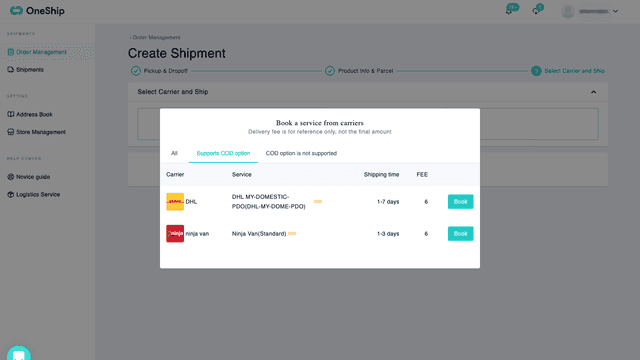
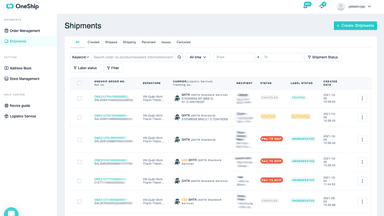
See every featureOneShip provide powerful shipping features that shorten your time on order fulfillments. Real-time order synchronization enables you to manage your order in OneShip anytime. Merge up to 1000 orders and create 500 labels with multiple carriers per time. 24/7 customer support and real-time tracking helps you save time on after-sales service.
If your supplier or 3PL sends tracking numbers in a spreadsheet, TrackShip saves you hours. Upload any CSV or Excel file, map your columns, and TrackShip matches every tracking number to the right order, creates the fulfillment, and notifies your customer automatically. Need to fulfill just a few orders? Paste tracking numbers directly into your Unfulfilled Orders list - no file required.
- Order fulfillment——Bulk merge 1000 orders and create up to 500 labels per time
- Powerful trackers——Track any shipments no matter where they are created
- Address Validation——Auto-correct the wrong or incomplete synced address
- Real-time check out——Apply the shipping fee to check-out page for your customers
- Bulk upload tracking numbers via CSV or Excel
- Flexible column mapping before processing
- Reduce manual work and shipping errors


All the numbers
Every figure, side by side
A green dot marks the app ahead on a measured figure. Estimates, gaps and apps that leave no storefront trace never take the lead.
Adoption
| Measure |  OneShip |  TrackShip |
|---|---|---|
| Detected stores | Not published | Not published |
| Net store change, 28 days | 0 | 0 |
| Stores added, 28 days | Not enough data | Not enough data |
| Big-brand share | Not enough data | Not enough data |
| Top store categories | Not published | Not published |
| Top store countries | Not published | Not published |
Reviews
| Measure | OneShip | TrackShip |
|---|---|---|
| App Store rating | 4.3 ★ | Not published |
| App Store reviews | 7 | Not published |
| New reviews, 28 days | 0 | Not enough data |
| Reviewers a year or more in | Not enough data | Not enough data |
FAQ
OneShip and TrackShip: common questions
- Is OneShip or TrackShip cheaper?
- Only TrackShip lists a free plan. Shoplist compares base prices only between monthly plans in the same currency; usage charges and annual plans vary, so check each plan’s limits.
- What features does each app list that the other doesn’t?
- OneShip lists 11 the others don’t mention, such as Analytics, API, Branded tracking page, Custom notifications. A feature missing from a listing may still be supported; this compares what each App Store listing says.
- Where does this comparison’s data come from?
- Shoplist crawls Shopify storefronts to detect which apps each store runs, and reads each app’s Shopify App Store listing for reviews, pricing, features and integrations. Store counts are as of Oct 13, 2026; estimated figures are labeled.
How Shoplist compares apps
Store counts come from Shoplist’s crawl of Shopify storefronts, which detects the apps each store runs; they are as of Oct 13, 2026. Reviews, ratings, plans, features and integrations come from each app’s Shopify App Store listing. 28-day figures are labeled when estimated, and a figure that is missing or estimated never decides who leads. Read the methodology.