
Mowz Countdown Timer Bar vs Sale Scheduling
Two Shopify apps, side by side: detected stores, momentum, reviews, plans, listed features and who runs each. Store counts as of Oct 17, 2026 for Mowz Countdown Timer Bar, Oct 14, 2026 for Sale Scheduling.
The short answer
- Only Sale Scheduling lists a free plan.
- Mowz Countdown Timer Bar lists 9 features Sale Scheduling’s listing doesn’t mention, including Color and font, Custom position, Custom text.
Head to head


Free
- · Auto price & image updates
- · Countdown timers & urgency
- · Homepage banner scheduling
- · Up to 5 scheduled sales
Advanced
- · Built for high-volume stores
- · Everything in Free, unlimited
- · Schedule as many sales as you need
- · Unlimited scheduled sales
Coverage counts what each App Store listing names. Every feature, checked off app by app, is in Shoplist.
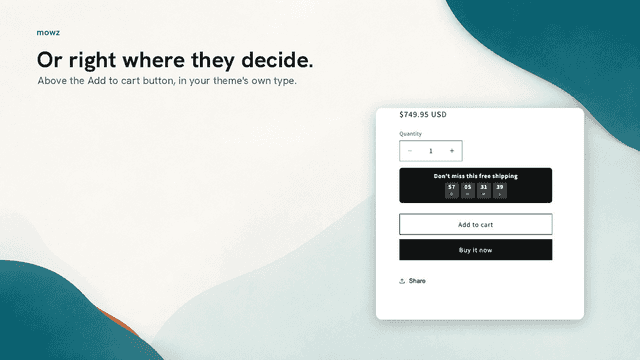
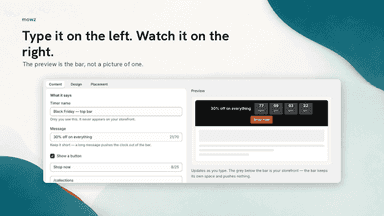
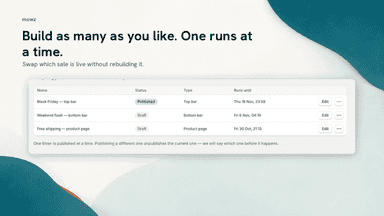
See every featureGive shoppers a deadline they can see. Run a countdown timer bar across every page for Black Friday or a flash sale, or add a timer to the product pages in the sale, by tag or one collection. Count down to a set date, or reset each day for daily deals. When the sale ends, the timer hides or shows your message.
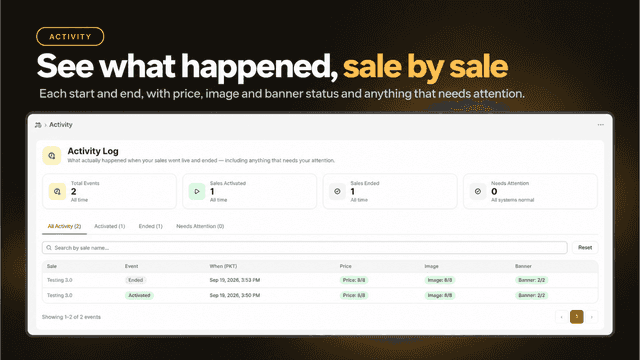
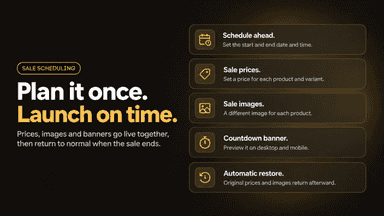
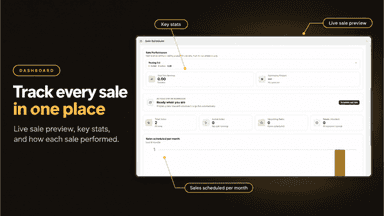
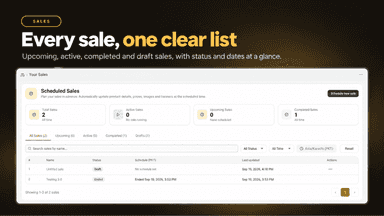
Sale Scheduling lets you prepare a complete sale ahead of time instead of changing everything by hand when it starts. Choose the products, set a sale price for each, add sale images, and design a countdown banner with a live preview. Pick the start and end date and time in your store's timezone.
- A bar fixed at the top or bottom of every page, or a product-page timer
- Two timer types: a fixed end date and time, or a daily deal that resets each day
- Limit a product timer to products with a tag, or to one collection, not both
- Unlimited timers, one published at a time, with an optional scheduled start
- Schedule a sale ahead of time with a start and end date and time
- Set a sale price for each product and variant
- Show a different image for each product while the sale runs
- Design a countdown banner with a desktop and mobile preview
All the numbers
Every figure, side by side
A green dot marks the app ahead on a measured figure. Estimates, gaps and apps that leave no storefront trace never take the lead.
Adoption
| Measure |  Mowz Countdown Timer Bar |  Sale Scheduling |
|---|---|---|
| Detected stores | Not published | Not published |
| Net store change, 28 days | 0 | 0 |
| Stores added, 28 days | Not enough data | Not enough data |
| Big-brand share | Not enough data | Not enough data |
| Top store categories | Not published | Not published |
| Top store countries | Not published | Not published |
Reviews
| Measure | Mowz Countdown Timer Bar | Sale Scheduling |
|---|---|---|
| App Store rating | Not published | Not published |
| App Store reviews | Not published | Not published |
| New reviews, 28 days | Not enough data | Not enough data |
| Reviewers a year or more in | Not enough data | Not enough data |
Pricing
| Measure | Mowz Countdown Timer Bar | Sale Scheduling |
|---|---|---|
| Free plan | Not listed | Yes |
| Lowest paid monthly plan | No monthly plan listed | $9.88/month |
| Longest free trial | Not listed | Not listed |
| Plans listed | Not published | 2 |
Listing
| Measure | Mowz Countdown Timer Bar | Sale Scheduling |
|---|---|---|
| Shopify category rank | #117 | #69(ahead) |
| Shopify App Charts | Not on this week’s charts | Not on this week’s charts |
| Built for Shopify | No | No |
| Launched | Sep 14, 2026 | Sep 23, 2026 |
| Languages | 1 | 1 |
| Developer | Mowz | Nakson |
FAQ
Mowz Countdown Timer Bar and Sale Scheduling: common questions
- Is Mowz Countdown Timer Bar or Sale Scheduling cheaper?
- Only Sale Scheduling lists a free plan. Shoplist compares base prices only between monthly plans in the same currency; usage charges and annual plans vary, so check each plan’s limits.
- What features does each app list that the other doesn’t?
- Mowz Countdown Timer Bar lists 9 the others don’t mention, such as Color and font, Custom position, Custom text, Daily deals. Sale Scheduling lists 2 the others don’t mention, such as Custom CSS, Timed session. A feature missing from a listing may still be supported; this compares what each App Store listing says.
- Where does this comparison’s data come from?
- Shoplist crawls Shopify storefronts to detect which apps each store runs, and reads each app’s Shopify App Store listing for reviews, pricing, features and integrations. Store counts are as of Oct 17, 2026 for Mowz Countdown Timer Bar, Oct 14, 2026 for Sale Scheduling; estimated figures are labeled.
How Shoplist compares apps
Store counts come from Shoplist’s crawl of Shopify storefronts, which detects the apps each store runs; they are as of Oct 17, 2026 for Mowz Countdown Timer Bar, Oct 14, 2026 for Sale Scheduling. Reviews, ratings, plans, features and integrations come from each app’s Shopify App Store listing. 28-day figures are labeled when estimated, and a figure that is missing or estimated never decides who leads. Read the methodology.