

Modaya: Virtual Try‑On vs Tryvia ‑ AI Virtual Try‑On
Two Shopify apps, side by side: detected stores, momentum, reviews, plans, listed features and who runs each. Store counts as of Oct 13, 2026.
The short answer
- Only Modaya lists a free plan. Paid plans start at $17.99/month for Modaya and $25/month for Tryvia.
- Modaya lists 3 features Tryvia’s listing doesn’t mention, including 3D models, AI-powered, Product configurator.
Head to head


Free
- · 10 free try-ons later on
- · 100 free try-ons in first month
- · Basic widget styling
Trend
- · $0.40 per additional try-on
- · 100 try-ons per month
- · Basic support
Runway
- · $0.40 per additional try-on
- · 250 try-ons per month
- · Priority customer support
Highfashion
- · $0.40 per additional try-on
- · 750 try-ons per month
- · Customer Success Manager
- · Dedicated technical support
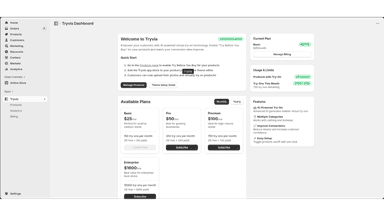
Basic
- · Perfect for small to medium stores
- · ✓ 150 try-ons per month
- · ✓ 1800 try-ons per year
Pro
- · Best for growing businesses
- · ✓ 350 try-ons per month
- · ✓ 4200 try-ons per year
Premium
- · Ideal for high-volume stores
- · ✓ 750 try-ons per month
- · ✓ 9000 try-ons per year
Enterprise
- · Best value for enterprise-level stores
- · ✓ 10,000 try-ons per month
- · ✓ 120,000 try-ons per year
Coverage counts what each App Store listing names. Every feature, checked off app by app, is in Shoplist.
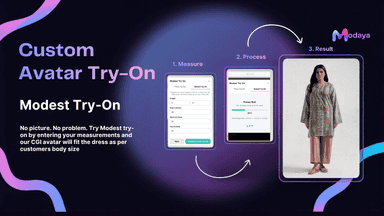
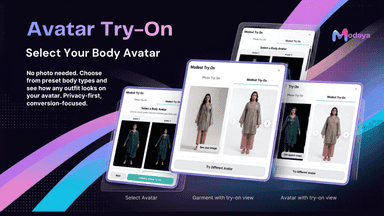
See every featureModaya lets your customers virtually try on outfits before buying, directly from your Shopify store. Customers can upload their photo or use a privacy-first avatar, no personal photo required. The avatar mode currently supports women's fashion, accepting measurements to generate a custom avatar. Merchants selling women's fashion see fewer returns when customers can visualize fit before purchase.
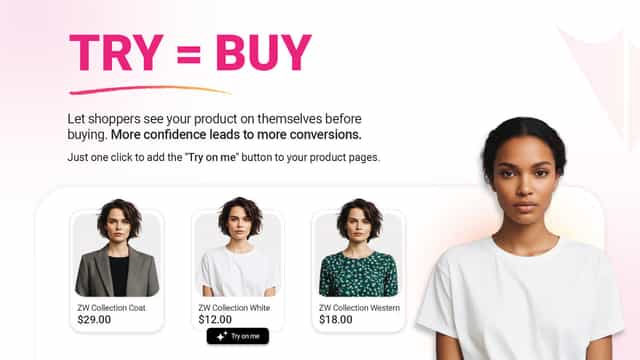
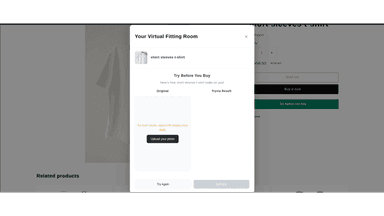
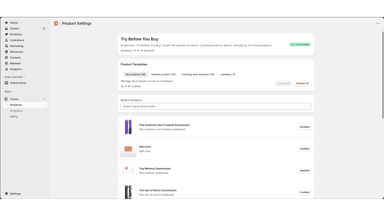
Tryvia – AI Virtual Try-On lets customers see products on themselves before buying. Customers upload their photos and try products virtually using AI-powered technology, reducing returns and increasing purchase confidence. Enable try-on for selected products from your admin dashboard and add the Tryvia app block to product pages via theme customization. Track usage and insights easily.
- Photo Try-On: Customers upload their photo to instantly see how outfits fit.
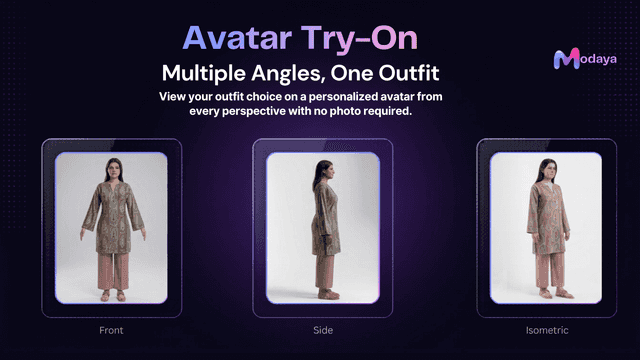
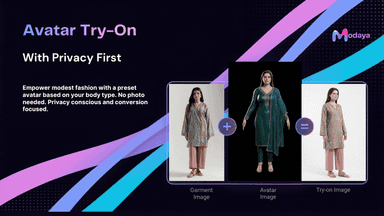
- Avatar Try-On: Enter measurements or pick a preset body avatar, no photo needed.
- Privacy-First: No personal photos stored, ideal for privacy-conscious shoppers.
- Multiple Angles: View outfits from front, side, and isometric perspectives.
- Let customers see how products look on them before buying.
- Enable try-on for specific products from your admin dashboard.
- Works well with eastern and western clothing styles and designs.
- Preserves product designs and patterns without alteration.
All the numbers
Every figure, side by side
A green dot marks the app ahead on a measured figure. Estimates, gaps and apps that leave no storefront trace never take the lead.
Adoption
| Measure |  Modaya |  Tryvia |
|---|---|---|
| Detected stores | Not published | Not published |
| Net store change, 28 days | 0 | 0 |
| Stores added, 28 days | Not enough data | Not enough data |
| Big-brand share | Not enough data | Not enough data |
| Top store categories | Not published | Not published |
| Top store countries | Not published | Not published |
Reviews
| Measure | Modaya | Tryvia |
|---|---|---|
| App Store rating | Not published | Not published |
| App Store reviews | Not published | Not published |
| New reviews, 28 days | Not enough data | Not enough data |
| Reviewers a year or more in | Not enough data | Not enough data |
FAQ
Modaya and Tryvia: common questions
- Is Modaya or Tryvia cheaper?
- Only Modaya lists a free plan. Paid plans start at $17.99/month for Modaya and $25/month for Tryvia. Shoplist compares base prices only between monthly plans in the same currency; usage charges and annual plans vary, so check each plan’s limits.
- What features does each app list that the other doesn’t?
- Modaya lists 3 the others don’t mention, such as 3D models, AI-powered, Product configurator. Tryvia lists 2 the others don’t mention, such as File upload, Images. A feature missing from a listing may still be supported; this compares what each App Store listing says.
- Where does this comparison’s data come from?
- Shoplist crawls Shopify storefronts to detect which apps each store runs, and reads each app’s Shopify App Store listing for reviews, pricing, features and integrations. Store counts are as of Oct 13, 2026; estimated figures are labeled.
How Shoplist compares apps
Store counts come from Shoplist’s crawl of Shopify storefronts, which detects the apps each store runs; they are as of Oct 13, 2026. Reviews, ratings, plans, features and integrations come from each app’s Shopify App Store listing. 28-day figures are labeled when estimated, and a figure that is missing or estimated never decides who leads. Read the methodology.