

Mesura ‑ Size Charts & Guide vs SoleGauge
Two Shopify apps, side by side: detected stores, momentum, reviews, plans, listed features and who runs each. Store counts as of Oct 13, 2026 for Mesura, Aug 13, 2026 for SoleGauge.
The short answer
- Only Mesura lists a free plan.
Head to head


Basic
- · 2 size charts
- · All templates
- · Popup & inline display
- · Product, collection & tag assignmen
- · cm/in switch
Premium
- · CSV import/export
- · Features : « Everything in Basic
- · International size systems
- · Size recommender
Coverage counts what each App Store listing names. Every feature, checked off app by app, is in Shoplist.
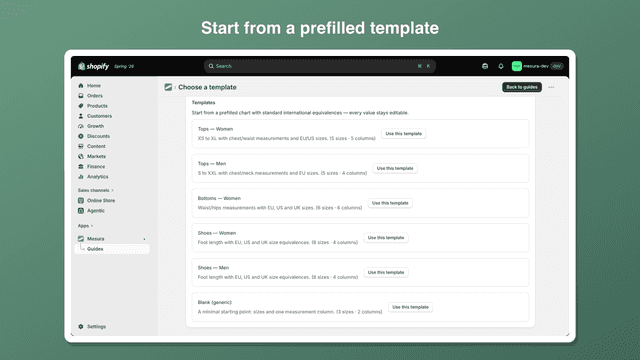
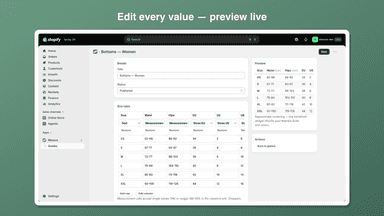
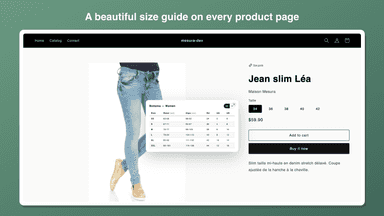
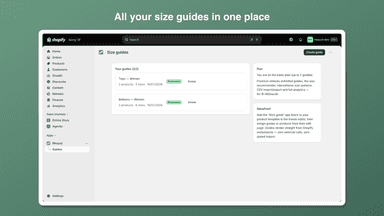
See every featureMesura gives your store professional size charts that reassure shoppers at the exact moment they hesitate. Start from a prefilled template (tops, bottoms, shoes…), fine-tune every value, then assign charts by product, collection, tag, vendor or type — or store-wide. The built-in size recommender asks for 2-3 measurements and suggests the right size, computed entirely in the shopper's browser.
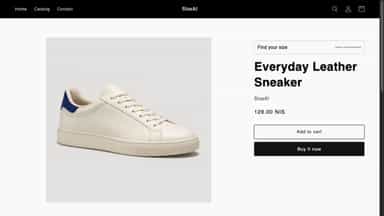
SoleGauge lets footwear merchants create size charts, assign them to products, and publish a storefront size finder. Charts can use direct foot-length ranges or insole length with a fit allowance, with centimetres or inches and US, EU, and UK labels. Recommendations are calculated in the shopper’s browser from data stored on the product, so the core storefront flow does not call SoleGauge’s server.
- Size recommender: shoppers enter measurements and get their size instantly`
- Assign by product, collection, tag, vendor or type — or set a store default
- Prefilled templates with EU/US/UK/FR/IT/JP columns and cm/in switch
- Rendered natively by your theme — no external scripts, zero speed impact
- Create charts using foot-length ranges or an insole fit allowance
- Assign product-specific charts with Shopify’s native product picker
- Show US, EU, and UK sizes using centimetres or inches
- Calculate recommendations locally without an app-server request



All the numbers
Every figure, side by side
A green dot marks the app ahead on a measured figure. Estimates, gaps and apps that leave no storefront trace never take the lead.
Adoption
| Measure |  Mesura |  SoleGauge |
|---|---|---|
| Detected stores | Not published | Not published |
| Net store change, 28 days | 0 | 0 |
| Stores added, 28 days | Not enough data | Not enough data |
| Big-brand share | Not enough data | Not enough data |
| Top store categories | Not published | Not published |
| Top store countries | Not published | Not published |
Reviews
| Measure | Mesura | SoleGauge |
|---|---|---|
| App Store rating | Not published | Not published |
| App Store reviews | Not published | Not published |
| New reviews, 28 days | Not enough data | Not enough data |
| Reviewers a year or more in | Not enough data | Not enough data |
FAQ
Mesura and SoleGauge: common questions
- Is Mesura or SoleGauge cheaper?
- Only Mesura lists a free plan. Shoplist compares base prices only between monthly plans in the same currency; usage charges and annual plans vary, so check each plan’s limits.
- Where does this comparison’s data come from?
- Shoplist crawls Shopify storefronts to detect which apps each store runs, and reads each app’s Shopify App Store listing for reviews, pricing, features and integrations. Store counts are as of Oct 13, 2026 for Mesura, Aug 13, 2026 for SoleGauge; estimated figures are labeled.
How Shoplist compares apps
Store counts come from Shoplist’s crawl of Shopify storefronts, which detects the apps each store runs; they are as of Oct 13, 2026 for Mesura, Aug 13, 2026 for SoleGauge. Reviews, ratings, plans, features and integrations come from each app’s Shopify App Store listing. 28-day figures are labeled when estimated, and a figure that is missing or estimated never decides who leads. Read the methodology.