

MaxLeads ‑ CTA, Social buttons vs Socialy Media links Buttons
Two Shopify apps, side by side: detected stores, momentum, reviews, plans, listed features and who runs each. Store counts as of Oct 14, 2026 for MaxLeads, Oct 13, 2026 for Socialy Media links Buttons.
The short answer
- Paid plans start at $5/month for MaxLeads and $0.99/month for Socialy Media links Buttons.
- Socialy Media links Buttons lists 4 features MaxLeads’s listing doesn’t mention, including Auto-position, Colors, Custom text.
Head to head


PROFESSIONAL
- · 2 Featured buttons
- · 2 Forms: Call & Email
- · 21+ buttons
- · 24/7 chat/email support
- · 5 Desktop & 10 Mobile styles
- · Email notifications for new leads
PREMIUM
- · Add a floating bar with social media
- · Fully adaptable to layout, colors, sizes
- · Priority Support.
- · Sleek and Customizable Design
Coverage counts what each App Store listing names. Every feature, checked off app by app, is in Shoplist.
See every featureConvenient for users: MaxLeads brings you almost every most popular contact method with many beautiful styles on both Desktop and Mobile. Boost your stores’ conversion: CTA Buttons are known as a method for customers to contact shops in order to increase product sales. Interaction Tracking & Report: Automatically track and report user clicks and form submissions to help you improve sales.
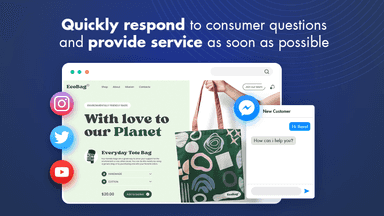
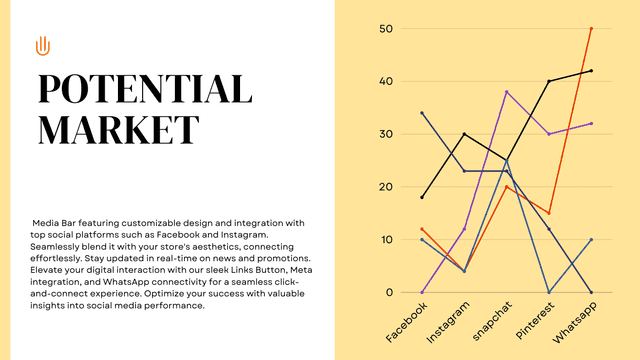
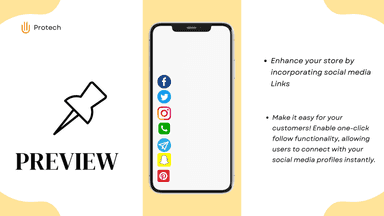
Introducing our enhanced Media Bar featuring customizable design and integration with top social platforms such as Facebook and Instagram. Seamlessly blend it with your store's aesthetics, connecting effortlessly. Stay updated in real-time on news and promotions. Elevate your digital interaction with our sleek Links Button, Meta integration, and WhatsApp connectivity for a seamless click-and-connect experience.
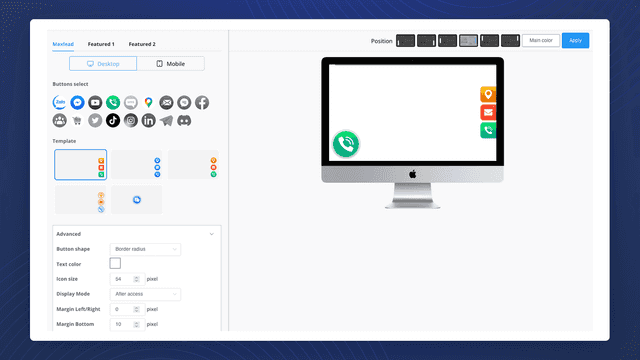
- 21+ CTA Buttons: Messenger, Whatsapp, Call, Google Maps, Email, Cart, and more.
- 5 Desktop themes and 10 Mobile themes for navigation bar of CTA buttons
- Support 2 featured buttons with special animations to attract users.
- Handy to self-design: shape, position, color, size, and style...
- Sleek and Customizable Design
- Fully adaptable to layout, colors, sizes, borders, and more
- Add a floating bar with social media icons of your choice
- Add over 55 social media icons: LinkedIn, Instagram, Apple Music, Spotify ....


All the numbers
Every figure, side by side
A green dot marks the app ahead on a measured figure. Estimates, gaps and apps that leave no storefront trace never take the lead.
Adoption
| Measure |  MaxLeads |  Socialy Media links Buttons |
|---|---|---|
| Detected stores | Not published | Not published |
| Net store change, 28 days | 0 | 0 |
| Stores added, 28 days | Not enough data | Not enough data |
| Big-brand share | Not enough data | Not enough data |
| Top store categories | Not published | Not published |
| Top store countries | Not published | Not published |
Reviews
| Measure | MaxLeads | Socialy Media links Buttons |
|---|---|---|
| App Store rating | Not published | Not published |
| App Store reviews | Not published | Not published |
| New reviews, 28 days | Not enough data | Not enough data |
| Reviewers a year or more in | Not enough data | Not enough data |
Pricing
| Measure | MaxLeads | Socialy Media links Buttons |
|---|---|---|
| Free plan | Not listed | Not listed |
| Lowest paid monthly plan | $5/month | $0.99/month(ahead) |
| Longest free trial | 15 days | 7 days |
| Plans listed | 1 | 1 |
Listing
| Measure | MaxLeads | Socialy Media links Buttons |
|---|---|---|
| Shopify category rank | #312 | #227(ahead) |
| Shopify App Charts | Not on this week’s charts | Not on this week’s charts |
| Built for Shopify | No | No |
| Launched | Dec 18, 2022 | Dec 31, 2023 |
| Languages | 1 | 1 |
| Developer | Mobiletech JSC | ProTech |
FAQ
MaxLeads and Socialy Media links Buttons: common questions
- Is MaxLeads or Socialy Media links Buttons cheaper?
- Paid plans start at $5/month for MaxLeads and $0.99/month for Socialy Media links Buttons. Shoplist compares base prices only between monthly plans in the same currency; usage charges and annual plans vary, so check each plan’s limits.
- What features does each app list that the other doesn’t?
- Socialy Media links Buttons lists 4 the others don’t mention, such as Auto-position, Colors, Custom text, Social media. A feature missing from a listing may still be supported; this compares what each App Store listing says.
- Where does this comparison’s data come from?
- Shoplist crawls Shopify storefronts to detect which apps each store runs, and reads each app’s Shopify App Store listing for reviews, pricing, features and integrations. Store counts are as of Oct 14, 2026 for MaxLeads, Oct 13, 2026 for Socialy Media links Buttons; estimated figures are labeled.
How Shoplist compares apps
Store counts come from Shoplist’s crawl of Shopify storefronts, which detects the apps each store runs; they are as of Oct 14, 2026 for MaxLeads, Oct 13, 2026 for Socialy Media links Buttons. Reviews, ratings, plans, features and integrations come from each app’s Shopify App Store listing. 28-day figures are labeled when estimated, and a figure that is missing or estimated never decides who leads. Read the methodology.