

Low Stock: Inventory Counter vs Zoro Low Stock Counter
Two Shopify apps, side by side: detected stores, momentum, reviews, plans, listed features and who runs each. Store counts as of Feb 26, 2026 for Low Stock, Aug 3, 2026 for Zoro Low Stock Counter.
The short answer
- Low Stock lists 1 features Zoro Low Stock Counter’s listing doesn’t mention, including Inventory tracking.
Head to head


Coverage counts what each App Store listing names. Every feature, checked off app by app, is in Shoplist.
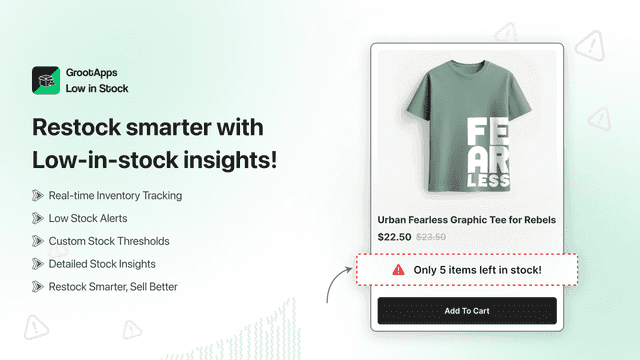
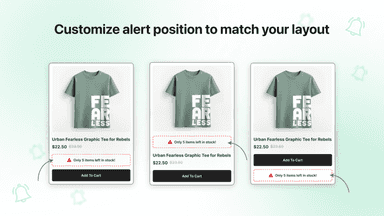
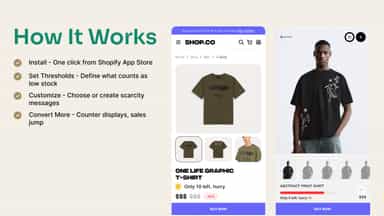
See every featureShow real-time low stock alerts on your store to create urgency and drive faster purchases. Easily customize the message text, colors, and style to match your brand. Set quantity thresholds to control when alerts appear, and manage visibility by product or collection. Fully mobile-responsive, compatible with all Shopify themes, and simple to set up with no coding required.
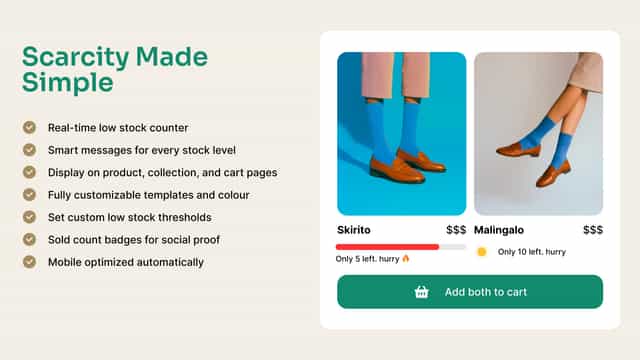
Zoro Low Stock Counter helps merchants display low-stock and sold-out messages directly on storefront product and collection pages. Merchants can customize the stock threshold, alert text, colours, and display behavior from the theme editor. The app runs as a Shopify theme app extension and does not require an external database or hosted backend for storefront display.
- Fully Customizable Messaging
- Set Threshold Quantity for Display
- Product-Level Control
- Seamless Integration
- Show low-stock alerts
- Customize alert messages
- Display sold-out badges


All the numbers
Every figure, side by side
A green dot marks the app ahead on a measured figure. Estimates, gaps and apps that leave no storefront trace never take the lead.
Adoption
| Measure |  Low Stock |  Zoro Low Stock Counter |
|---|---|---|
| Detected stores | Not published | Not published |
| Net store change, 28 days | 0 | 0 |
| Stores added, 28 days | Not enough data | Not enough data |
| Big-brand share | Not enough data | Not enough data |
| Top store categories | Not published | Not published |
| Top store countries | Not published | Not published |
Reviews
| Measure | Low Stock | Zoro Low Stock Counter |
|---|---|---|
| App Store rating | Not published | Not published |
| App Store reviews | Not published | Not published |
| New reviews, 28 days | Not enough data | Not enough data |
| Reviewers a year or more in | Not enough data | Not enough data |
Pricing
| Measure | Low Stock | Zoro Low Stock Counter |
|---|---|---|
| Free plan | Not listed | Not listed |
| Lowest paid monthly plan | No monthly plan listed | No monthly plan listed |
| Longest free trial | Not listed | Not listed |
| Plans listed | Not published | Not published |
Listing
| Measure | Low Stock | Zoro Low Stock Counter |
|---|---|---|
| Shopify category rank | #174(ahead) | #263 |
| Shopify App Charts | Not on this week’s charts | Not on this week’s charts |
| Built for Shopify | No | No |
| Launched | Jul 7, 2025 | Jul 15, 2026 |
| Languages | 1 | 1 |
| Developer | Crawlapps | 2410 Studio |
FAQ
Low Stock and Zoro Low Stock Counter: common questions
- What features does each app list that the other doesn’t?
- Low Stock lists 1 the others don’t mention, such as Inventory tracking. Zoro Low Stock Counter lists 1 the others don’t mention, such as Manual alerts. A feature missing from a listing may still be supported; this compares what each App Store listing says.
- Where does this comparison’s data come from?
- Shoplist crawls Shopify storefronts to detect which apps each store runs, and reads each app’s Shopify App Store listing for reviews, pricing, features and integrations. Store counts are as of Feb 26, 2026 for Low Stock, Aug 3, 2026 for Zoro Low Stock Counter; estimated figures are labeled.
How Shoplist compares apps
Store counts come from Shoplist’s crawl of Shopify storefronts, which detects the apps each store runs; they are as of Feb 26, 2026 for Low Stock, Aug 3, 2026 for Zoro Low Stock Counter. Reviews, ratings, plans, features and integrations come from each app’s Shopify App Store listing. 28-day figures are labeled when estimated, and a figure that is missing or estimated never decides who leads. Read the methodology.