
LocalLingo: Product Localizer vs Market Boost ‑ USP optimizer
Two Shopify apps, side by side: detected stores, momentum, reviews, plans, listed features and who runs each. Store counts as of Oct 13, 2026.
The short answer
Head to head


Free
Basic
- · Automatically pull Webshipper rates
- · Display USPs for 3 countries
- · Seamless Shopify Market integration
- · USPs in checkout with many cutomizations
Unlimited
- · Automatically pull Webshipper rates
- · Display USPs for each country
- · Seamless Shopify Market integration
- · USPs in checkout with many cutomizations
Coverage counts what each App Store listing names. Every feature, checked off app by app, is in Shoplist.
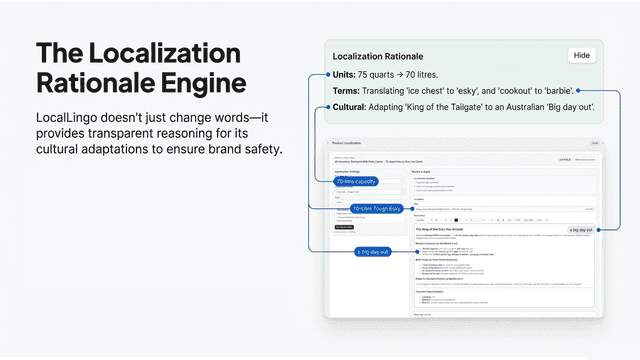
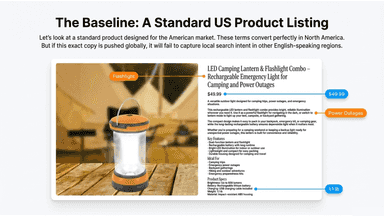
See every featureLocalLingo helps Shopify merchants localize product titles, descriptions and SEO metadata for each target market. It adapts language, spelling and terminology so product content reads naturally to local customers, while keeping important details such as materials, sizing, dimensions and specifications intact.
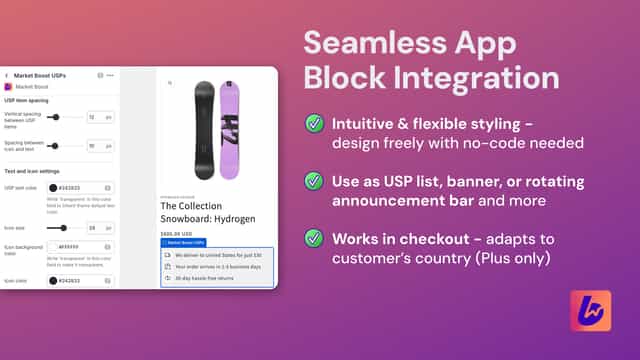
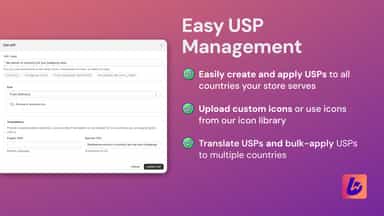
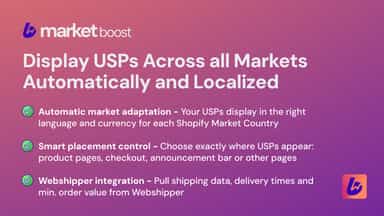
Market Boost displays your unique selling points across all Shopify Market countries with proper localization - supporting multi currency and translations. Show country-specific shipping rates, delivery times, and minimum order value in the correct language and currency. Control where country-specific USPs appear: product page, announcement bar, checkout.
- Adapt product listings to match regional language and terminology
- Turn literal translations into natural product descriptions
- Preserve product specs, sizing, and key details during localization
- Create market-ready listings for different regions and languages
- Display localized USPs across all markets in the correct language and currency
- Control USP placement: product pages, checkout, announcement bar or other pages
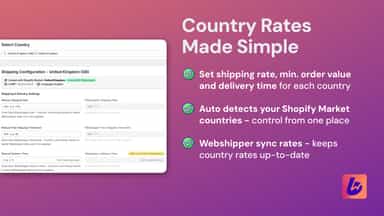
- Define delivery rates, minimum order value, delivery time for each country
- Webshipper integration: syncs rates, delivery times, and minimum order value
All the numbers
Every figure, side by side
A green dot marks the app ahead on a measured figure. Estimates, gaps and apps that leave no storefront trace never take the lead.
Adoption
| Measure |  LocalLingo |  Market Boost |
|---|---|---|
| Detected stores | Not published | Not published |
| Net store change, 28 days | 0 | 0 |
| Stores added, 28 days | Not enough data | Not enough data |
| Big-brand share | Not enough data | Not enough data |
| Top store categories | Not published | Not published |
| Top store countries | Not published | Not published |
Reviews
| Measure | LocalLingo | Market Boost |
|---|---|---|
| App Store rating | Not published | Not published |
| App Store reviews | Not published | Not published |
| New reviews, 28 days | Not enough data | Not enough data |
| Reviewers a year or more in | Not enough data | Not enough data |
Pricing
| Measure | LocalLingo | Market Boost |
|---|---|---|
| Free plan | Not listed | Not listed |
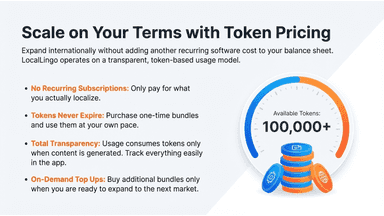
| Lowest paid monthly plan | No monthly plan listed | $23/month |
| Longest free trial | Not listed | 14 days |
| Plans listed | 1 | 2 |
Listing
| Measure | LocalLingo | Market Boost |
|---|---|---|
| Shopify category rank | Not enough data | #39 |
| Shopify App Charts | Not on this week’s charts | Not on this week’s charts |
| Built for Shopify | No | No |
| Launched | Apr 24, 2026 | Nov 10, 2025 |
| Languages | 1 | 1 |
| Developer | Power Kit 365 | Wave Digital Studio |
FAQ
LocalLingo and Market Boost: common questions
- Where does this comparison’s data come from?
- Shoplist crawls Shopify storefronts to detect which apps each store runs, and reads each app’s Shopify App Store listing for reviews, pricing, features and integrations. Store counts are as of Oct 13, 2026; estimated figures are labeled.
How Shoplist compares apps
Store counts come from Shoplist’s crawl of Shopify storefronts, which detects the apps each store runs; they are as of Oct 13, 2026. Reviews, ratings, plans, features and integrations come from each app’s Shopify App Store listing. 28-day figures are labeled when estimated, and a figure that is missing or estimated never decides who leads. Read the methodology.