

Left side menu vs Menus Uncomplicated
Two Shopify apps, side by side: detected stores, momentum, reviews, plans, listed features and who runs each. Store counts as of Oct 14, 2026.
The short answer
- Only Menus Uncomplicated lists a free plan. Paid plans start at $5/month for Left side menu and $6/month for Menus Uncomplicated.
- Left side menu lists 3 features Menus Uncomplicated’s listing doesn’t mention, including Scroll to top, Sidebar, Sticky navbar.
Head to head


Momentum
New reviews each month
Review pace is the clearest public read on how fast an app is winning new merchants.
Basic
Free
- · Up to 10 menu items
Pro
- · Unlimited menu items
Coverage counts what each App Store listing names. Every feature, checked off app by app, is in Shoplist.
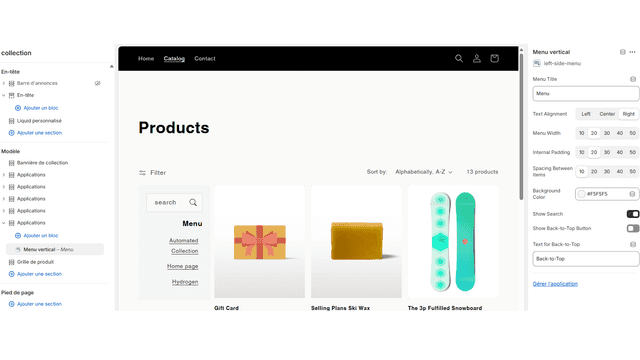
See every featureThis app makes it easy for customers to browse collections with a vertical menu placed on the left side of your store. Unlike traditional dropdowns, it keeps navigation visible at all times, helping shoppers quickly find products. Merchants can customize the menu’s look to match their theme, improving usability and increasing sales by reducing friction in the shopping experience
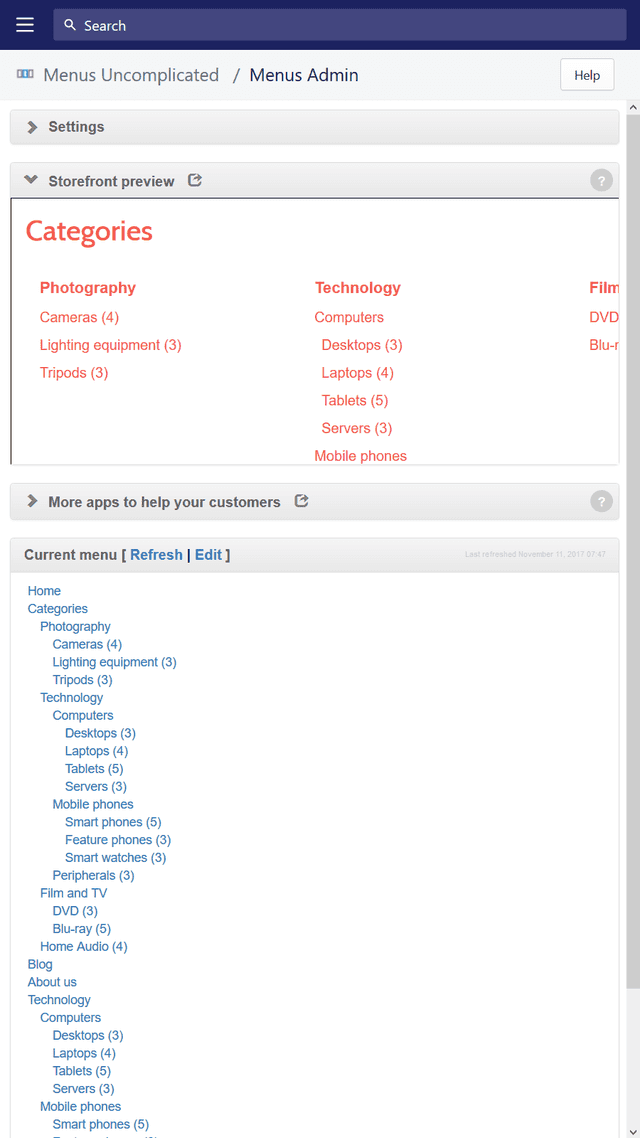
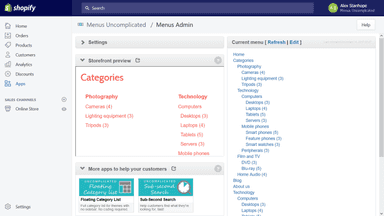
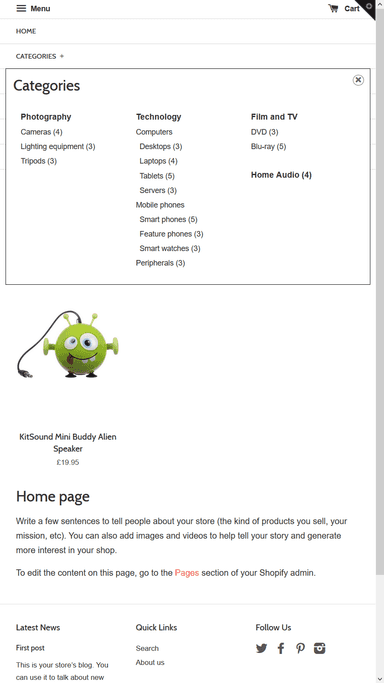
Once you set up your menu items (using Shopify's "Menus" admin interface), you're one click away from being done. There's no need to recreate them, duplicate effort or mess with HTML/CSS/Liquid. The nested set of menu items (categories) help your customers understand what kinds of products you sell, how many products appear in each collection and how those collections are organised.
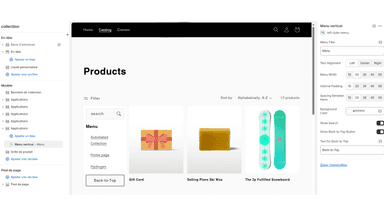
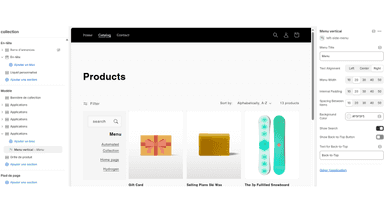
- Display a left-side menu with all your collections for quick navigation.
- Keep navigation always visible to help customers find products faster.
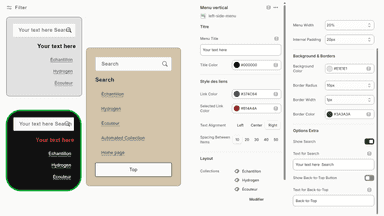
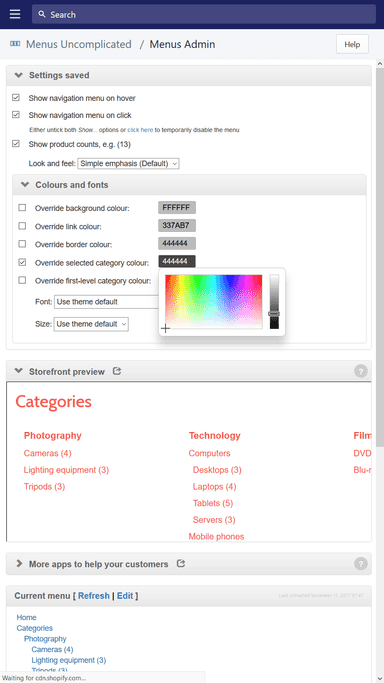
- Customize menu style and colors to match your store’s theme
- Show categories and multiple levels of sub-categories in your menu
- Requires no HTML coding or modification of your current theme
- Use the existing Shopify 'Navigation' system without duplicating your categories
- Click-and-tick interface to control menu settings such as colours and font
All the numbers
Every figure, side by side
A green dot marks the app ahead on a measured figure. Estimates, gaps and apps that leave no storefront trace never take the lead.
Adoption
| Measure |  Left side menu |  Menus Uncomplicated |
|---|---|---|
| Detected stores | Not published | Not published |
| Net store change, 28 days | 0 | 0 |
| Stores added, 28 days | Not enough data | Not enough data |
| Big-brand share | Not enough data | Not enough data |
| Top store categories | Not published | Not published |
| Top store countries | Not published | Not published |
Reviews
| Measure | Left side menu | Menus Uncomplicated |
|---|---|---|
| App Store rating | Not published | 4.8 ★ |
| App Store reviews | Not published | 6 |
| New reviews, 28 days | Not enough data | 0 |
| Reviewers a year or more in | Not enough data | Not enough data |
Pricing
| Measure | Left side menu | Menus Uncomplicated |
|---|---|---|
| Free plan | Not listed | Yes |
| Lowest paid monthly plan | $5/month(ahead) | $6/month |
| Longest free trial | 15 days | Not listed |
| Plans listed | 1 | 2 |
Listing
| Measure | Left side menu | Menus Uncomplicated |
|---|---|---|
| Shopify category rank | #90 | #81(ahead) |
| Shopify App Charts | Not on this week’s charts | Not on this week’s charts |
| Built for Shopify | No | No |
| Launched | Sep 10, 2025 | May 16, 2016 |
| Languages | 1 | 1 |
| Developer | Solidem | Zoom Buzz |
FAQ
Left side menu and Menus Uncomplicated: common questions
- Is Left side menu or Menus Uncomplicated cheaper?
- Only Menus Uncomplicated lists a free plan. Paid plans start at $5/month for Left side menu and $6/month for Menus Uncomplicated. Shoplist compares base prices only between monthly plans in the same currency; usage charges and annual plans vary, so check each plan’s limits.
- What features does each app list that the other doesn’t?
- Left side menu lists 3 the others don’t mention, such as Scroll to top, Sidebar, Sticky navbar. Menus Uncomplicated lists 2 the others don’t mention, such as Dropdown, Mega menu. A feature missing from a listing may still be supported; this compares what each App Store listing says.
- Where does this comparison’s data come from?
- Shoplist crawls Shopify storefronts to detect which apps each store runs, and reads each app’s Shopify App Store listing for reviews, pricing, features and integrations. Store counts are as of Oct 14, 2026; estimated figures are labeled.
How Shoplist compares apps
Store counts come from Shoplist’s crawl of Shopify storefronts, which detects the apps each store runs; they are as of Oct 14, 2026. Reviews, ratings, plans, features and integrations come from each app’s Shopify App Store listing. 28-day figures are labeled when estimated, and a figure that is missing or estimated never decides who leads. Read the methodology.