
Kanitabe: Free Shipping Bar vs ShipBar ‑ Free Shipping Bar
Two Shopify apps, side by side: detected stores, momentum, reviews, plans, listed features and who runs each. Store counts as of Oct 13, 2026.
The short answer
- Only ShipBar lists a free plan. Paid plans start at $1/month for Kanitabe and $6.99/month for ShipBar.
- ShipBar lists 3 features Kanitabe’s listing doesn’t mention, including Cart upsell, Conversion rates, Progress bar.
Head to head


Basic Plan
Free
- · "Powered by ShipBar" note
- · Always on, hide on scroll or cart only
- · Any height, text size and spacing
- · Close button
- · One free shipping goal with progress bar
- · Top or bottom, solid background colour
Basic
- · 7-day free trial
- · Floating bar with rounded corners
- · Glass, gradient, pattern, minimal styles
- · Goal transitions and reached effects
- · No ShipBar note
- · Show on mobile only or desktop only
Coverage counts what each App Store listing names. Every feature, checked off app by app, is in Shoplist.
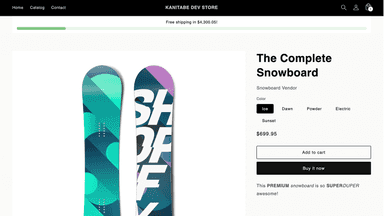
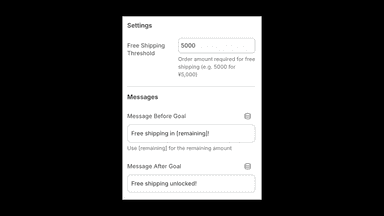
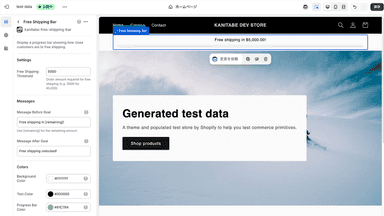
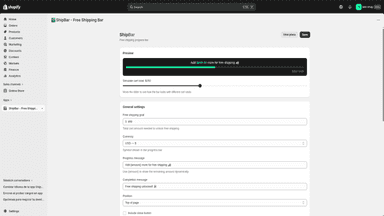
See every featureOur app helps merchants encourage larger cart sizes by displaying how much more customers need to spend to unlock free shipping. The experience is intentionally simple and lightweight. A progress bar can be shown alongside the message to make the threshold clear at a glance. Store owners can customize the text, currency amount, and visual style.
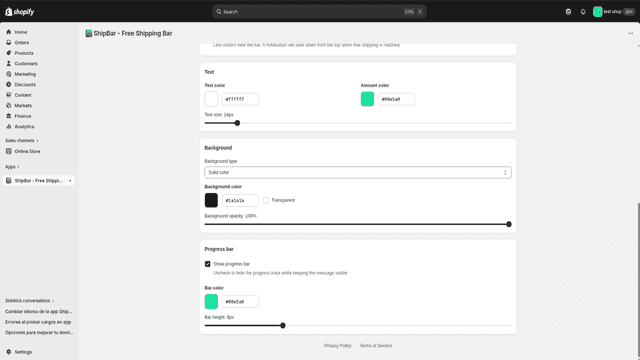
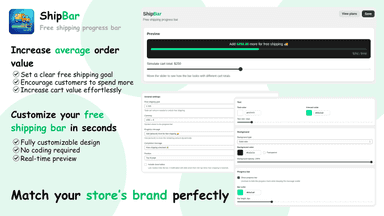
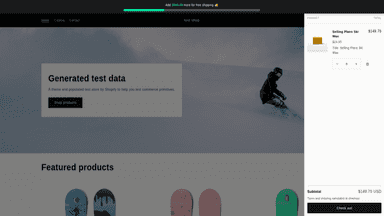
ShipBar adds one line to your store that tells shoppers how much is left for free shipping and fills as the cart grows, on every page including the cart. Add more goals, like a gift after free shipping: when one is reached it is stamped and the next one starts. Set the height, text, colours and style, from solid to Liquid Glass, so the bar looks like part of your store, and check every change on a live preview.
- Shows remaining spend to unlock free shipping and lift cart value
- Lets merchants customize wording and visual style to match their brand
- Works in any Shopify theme section for flexible placement
- Free shipping progress bar that motivates customers to add more to their cart
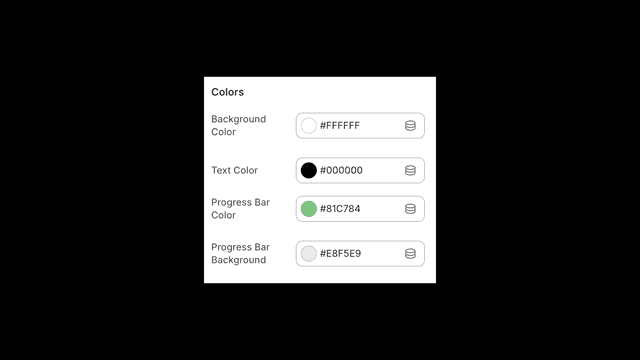
- Customizable colors, messages, and bar position to match any Shopify store
- Encourage larger carts by showing customers how close they are to free shipping
- Show or hide the progress bar anytime with a simple toggle
All the numbers
Every figure, side by side
A green dot marks the app ahead on a measured figure. Estimates, gaps and apps that leave no storefront trace never take the lead.
Adoption
| Measure |  Kanitabe |  ShipBar |
|---|---|---|
| Detected stores | Not published | Not published |
| Net store change, 28 days | 0 | 0 |
| Stores added, 28 days | Not enough data | Not enough data |
| Big-brand share | Not enough data | Not enough data |
| Top store categories | Not published | Not published |
| Top store countries | Not published | Not published |
Reviews
| Measure | Kanitabe | ShipBar |
|---|---|---|
| App Store rating | Not published | Not published |
| App Store reviews | Not published | Not published |
| New reviews, 28 days | Not enough data | Not enough data |
| Reviewers a year or more in | Not enough data | Not enough data |
FAQ
Kanitabe and ShipBar: common questions
- Is Kanitabe or ShipBar cheaper?
- Only ShipBar lists a free plan. Paid plans start at $1/month for Kanitabe and $6.99/month for ShipBar. Shoplist compares base prices only between monthly plans in the same currency; usage charges and annual plans vary, so check each plan’s limits.
- What features does each app list that the other doesn’t?
- Kanitabe lists 1 the others don’t mention, such as Announcement bar. ShipBar lists 3 the others don’t mention, such as Cart upsell, Conversion rates, Progress bar. A feature missing from a listing may still be supported; this compares what each App Store listing says.
- Where does this comparison’s data come from?
- Shoplist crawls Shopify storefronts to detect which apps each store runs, and reads each app’s Shopify App Store listing for reviews, pricing, features and integrations. Store counts are as of Oct 13, 2026; estimated figures are labeled.
How Shoplist compares apps
Store counts come from Shoplist’s crawl of Shopify storefronts, which detects the apps each store runs; they are as of Oct 13, 2026. Reviews, ratings, plans, features and integrations come from each app’s Shopify App Store listing. 28-day figures are labeled when estimated, and a figure that is missing or estimated never decides who leads. Read the methodology.