
JViewOnly: Disable add to cart vs Product Password Lock
Two Shopify apps, side by side: detected stores, momentum, reviews, plans, listed features and who runs each. Store counts as of Oct 13, 2026 for JViewOnly, Oct 26, 2026 for Product Password Lock.
The short answer
Head to head


Monthly Plan
Coverage counts what each App Store listing names. Every feature, checked off app by app, is in Shoplist.
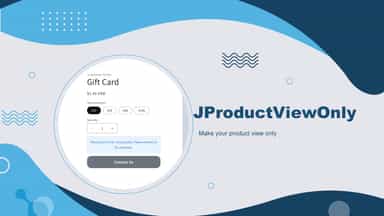
See every featureLooking for a simple way to control product availability without removing your listings? Our app is the easy answer to the question: how to make products view only on Shopify. With just a few clicks, you can display your products in a read-only mode — allowing visitors to browse your catalog without being able to add items to cart or complete checkout.
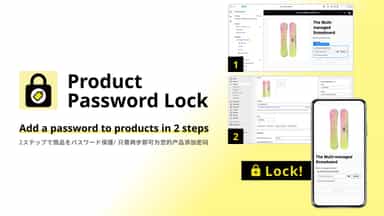
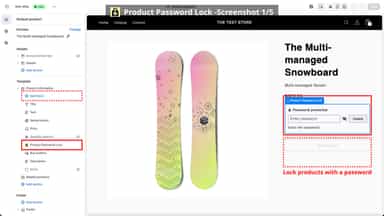
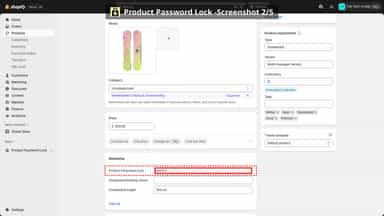
Choose a product and set a password in the app. Enable the app embed to show a password field above its purchase form. Customers can unlock purchase buttons with the correct password and lock them again. Product lists show a Password protected label in place of purchase buttons for protected items. Products without passwords are unchanged. Setup supports English, Japanese, Simplified Chinese and Traditional Chinese.
- Set products to read-only mode without complex coding or custom themes
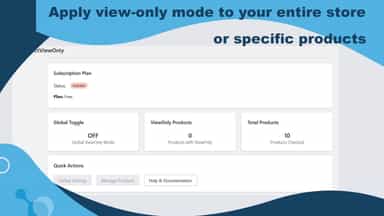
- Apply view-only mode to your entire store, specific products
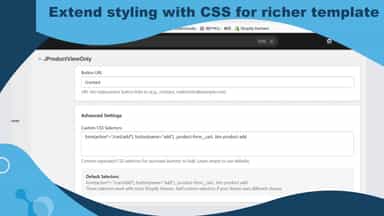
- Support Online Store 2.0 themes, and Extend styling with CSS for richer template
- Protect individual products by setting a password directly on the product page.
- No complex setup required—add a password and the product is instantly locked.
- Use Shopify’s built-in product settings without learning new tools.


All the numbers
Every figure, side by side
A green dot marks the app ahead on a measured figure. Estimates, gaps and apps that leave no storefront trace never take the lead.
Adoption
| Measure |  JViewOnly |  Product Password Lock |
|---|---|---|
| Detected stores | Not published | Not published |
| Net store change, 28 days | 0 | 0 |
| Stores added, 28 days | Not enough data | Not enough data |
| Big-brand share | Not enough data | Not enough data |
| Top store categories | Not published | Not published |
| Top store countries | Not published | Not published |
Reviews
| Measure | JViewOnly | Product Password Lock |
|---|---|---|
| App Store rating | Not published | Not published |
| App Store reviews | Not published | Not published |
| New reviews, 28 days | Not enough data | Not enough data |
| Reviewers a year or more in | Not enough data | Not enough data |
Pricing
| Measure | JViewOnly | Product Password Lock |
|---|---|---|
| Free plan | Not listed | Not listed |
| Lowest paid monthly plan | $2.99/month | No monthly plan listed |
| Longest free trial | 7 days | Not listed |
| Plans listed | 1 | Not published |
Listing
| Measure | JViewOnly | Product Password Lock |
|---|---|---|
| Shopify category rank | #296 | #152(ahead) |
| Shopify App Charts | Not on this week’s charts | Not on this week’s charts |
| Built for Shopify | No | No |
| Launched | Sep 24, 2025 | Mar 16, 2026 |
| Languages | 1 | 1 |
| Developer | Jeinite Tech | platyouth |
FAQ
JViewOnly and Product Password Lock: common questions
- Where does this comparison’s data come from?
- Shoplist crawls Shopify storefronts to detect which apps each store runs, and reads each app’s Shopify App Store listing for reviews, pricing, features and integrations. Store counts are as of Oct 13, 2026 for JViewOnly, Oct 26, 2026 for Product Password Lock; estimated figures are labeled.
How Shoplist compares apps
Store counts come from Shoplist’s crawl of Shopify storefronts, which detects the apps each store runs; they are as of Oct 13, 2026 for JViewOnly, Oct 26, 2026 for Product Password Lock. Reviews, ratings, plans, features and integrations come from each app’s Shopify App Store listing. 28-day figures are labeled when estimated, and a figure that is missing or estimated never decides who leads. Read the methodology.