JewelFit ‑ Ring & Bangle Sizer vs Unvault
Two Shopify apps, side by side: detected stores, momentum, reviews, plans, listed features and who runs each. Store counts as of Oct 13, 2026 for JewelFit, Aug 10, 2026 for Unvault.
The short answer
Head to head


Growth Plan
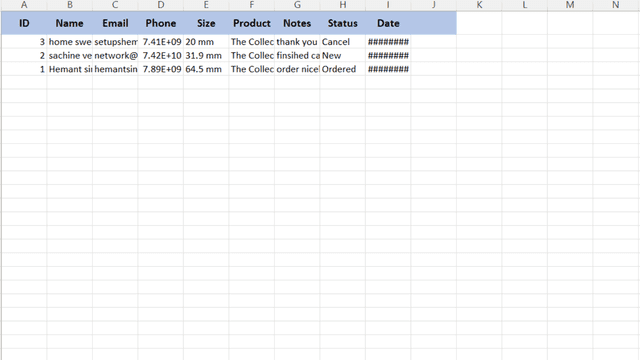
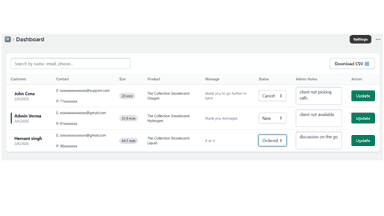
- · Enquiry CRM
- · Floating & custom trigger button
- · Global standards (US, UK, IN, EU, JP)
- · Ring & Bangle measurement tool
- · Up to 500 size requests/mo
Pro Plan
- · Advanced analytics & CSV export
- · Dynamic Size Surcharge Pricing Rules
- · Full custom styling & branding
- · Global standards (US, UK, IN, EU, JP)
- · Kids & Baby bangle sizes
- · Priority 24/7 support
Coverage counts what each App Store listing names. Every feature, checked off app by app, is in Shoplist.
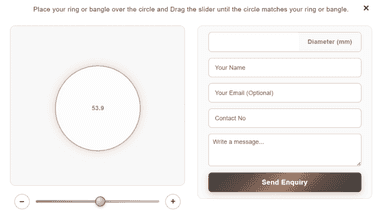
See every featureHelp customers find their perfect jewelry size before checkout! JewelFit lets Shopify shoppers measure rings, bangles, and bracelets on mobile or desktop. Set custom measurement ranges, add size-based surcharges, and let customers add personalized orders directly to their cart.
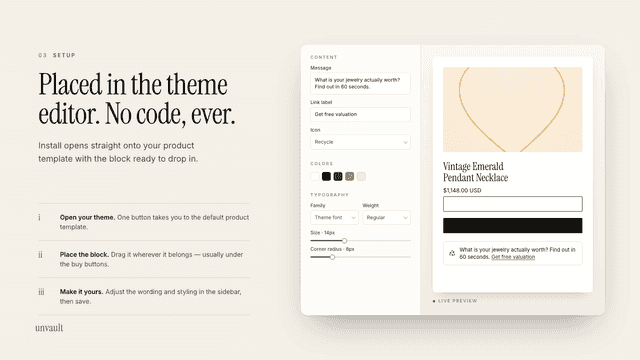
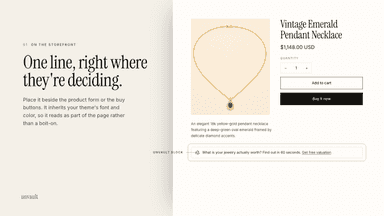
Unvault adds a customizable block to your product pages that invites shoppers to value jewelry they already own. Place it beside the product form or buy buttons, then match the message, link, colors, type, spacing, border, and icon in Shopify's theme editor. Shoppers who open Unvault receive a transparent jewelry valuation and decide for themselves whether to sell.
- Universal Sizer: Measure Rings, Bangles, and Bracelets (up to 90mm).
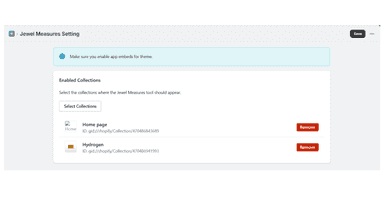
- Universal compatibility with all Shopify Themes via "App Embeds".
- Smart calibration tool ensures. accuracy on any screen size.
- Add a jewelry valuation prompt to any product page.
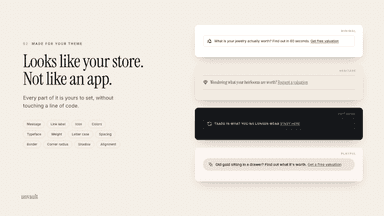
- Customize the message, link, colors, type, spacing, border, and icon.
- Inherit your theme's styling so the block matches your storefront.
- Place and preview the block directly in Shopify's theme editor.
All the numbers
Every figure, side by side
A green dot marks the app ahead on a measured figure. Estimates, gaps and apps that leave no storefront trace never take the lead.
Adoption
| Measure |  JewelFit |  Unvault |
|---|---|---|
| Detected stores | Not published | Not published |
| Net store change, 28 days | 0 | 0 |
| Stores added, 28 days | Not enough data | Not enough data |
| Big-brand share | Not enough data | Not enough data |
| Top store categories | Not published | Not published |
| Top store countries | Not published | Not published |
Reviews
| Measure | JewelFit | Unvault |
|---|---|---|
| App Store rating | Not published | Not published |
| App Store reviews | Not published | Not published |
| New reviews, 28 days | Not enough data | Not enough data |
| Reviewers a year or more in | Not enough data | Not enough data |
FAQ
JewelFit and Unvault: common questions
- Where does this comparison’s data come from?
- Shoplist crawls Shopify storefronts to detect which apps each store runs, and reads each app’s Shopify App Store listing for reviews, pricing, features and integrations. Store counts are as of Oct 13, 2026 for JewelFit, Aug 10, 2026 for Unvault; estimated figures are labeled.
How Shoplist compares apps
Store counts come from Shoplist’s crawl of Shopify storefronts, which detects the apps each store runs; they are as of Oct 13, 2026 for JewelFit, Aug 10, 2026 for Unvault. Reviews, ratings, plans, features and integrations come from each app’s Shopify App Store listing. 28-day figures are labeled when estimated, and a figure that is missing or estimated never decides who leads. Read the methodology.